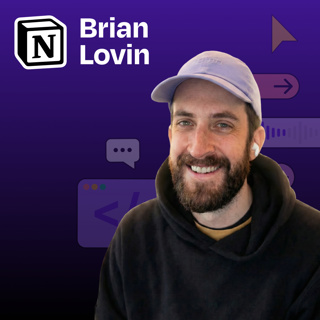

“I haven’t written a single line of front-end code in 3 months”: How Notion’s design team uses Claude Code to prototype
How I AI23 Helmi

“I haven’t written a single line of front-end code in 3 months”: How Notion’s design team uses Claude Code to prototype

Brian Lovin is a designer at Notion AI who has transformed how the design team builds prototypes, by creating a shared code environment powered by Claude Code. Instead of designers working in isolated repositories or limited to static Figma designs, Brian built a collaborative “prototype playground” where the entire team can create, share, and iterate on functional prototypes. In this episode, Brian demonstrates how AI-assisted coding has dramatically accelerated the design process and why code-based prototyping is essential for building AI-powered products.


What you’ll learn:

  1. How Brian built a shared Next.js app that serves as a collaborative prototyping environment for Notion’s design team
  2. Why encountering “reality” early in the design process leads to better products
  3. How to use Claude Code’s “plan mode” to get better results when prototyping
  4. The power of custom Claude slash commands and skills to automate repetitive tasks
  5. How to transform Figma designs into working code with a single prompt
  6. Why AI-powered products can’t be effectively designed in static tools like Figma
  7. Brian’s rule for working with AI: “When Claude asks you to do something, teach it to do that thing itself”

Brought to you by:

WorkOS—Make your app enterprise-ready today

Orkes—The enterprise platform for reliable applications and agentic workflows

In this episode, we cover:

(00:00) Introduction to Brian

(02:36) Building for B2B SaaS

(04:42) Notion’s prototype playground: what it is and how it works

(08:01) The technical background of designers using the playground

(10:52) Demo: building a podcast player prototype

(16:00) Actionable tips for better Claude Code results

(20:16) Analyzing the result

(20:30) Creating slash commands to simplify the workflow

(23:03) Turning Figma designs into production-ready code

(25:06) MCP frustrations and tips

(30:54) Demo: creating a custom “find icon” skill

(35:03) Demo: Creating a deploy command to simplify GitHub workflows

(41:09) Quick recap

(41:59) How code-based prototyping is changing design at Notion

(46:48) Brian’s tool preferences

(48:42) Prompting techniques when AI is not listening

Tools referenced:

• Claude Code: https://claude.ai/

• Cursor: https://cursor.sh/

• Next.js: https://nextjs.org/

• Figma: https://figma.com/

• Monologue: https://www.monologue.to/

• GitHub: https://github.com/

• GitHub Desktop: https://desktop.github.com/

• Tailwind CSS: https://tailwindcss.com/

• Bun: https://bun.sh/

Other references:

• Claude Skills explained: How to create reusable AI workflows: https://www.lennysnewsletter.com/p/claude-skills-explained

Where to find Brian Lovin:

Website: https://brianlovin.com/

LinkedIn: linkedin.com/in/brianlovin

X: https://twitter.com/brian_lovin

Where to find Claire Vo:

ChatPRD: https://www.chatprd.ai/

Website: https://clairevo.com/

LinkedIn: https://www.linkedin.com/in/clairevo/

X: https://x.com/clairevo

Production and marketing by https://penname.co/. For inquiries about sponsoring the podcast, email jordan@penname.co.

Jaksot(65)

I built a custom Slack inbox. It was easier than you’d think. | Yash Tekriwal (Clay)

I built a custom Slack inbox. It was easier than you’d think. | Yash Tekriwal (Clay)

Yash Tekriwal is the head of education at Clay. A self-described hyper-optimizer, Yash has built multiple custom productivity applications using Perplexity Computer and OpenClaw to manage his overwhel...

8 Huhti 44min

I gave Claude Code our entire codebase. Our customers noticed. | Al Chen (Galileo)

I gave Claude Code our entire codebase. Our customers noticed. | Al Chen (Galileo)

Al Chen is a field engineer at Galileo, an observability platform for AI applications, where he works on the front lines with enterprise customers asking highly technical questions. Despite never havi...

6 Huhti 45min

How to turn Claude Code into your personal life operating system | Hilary Gridley

How to turn Claude Code into your personal life operating system | Hilary Gridley

Hilary Gridley is an entrepreneur, former product leader, and new mom who previously appeared on the podcast discussing AI for managers. She returns to share how she's transformed her approach to pers...

30 Maalis 51min
How Stripe built “minions”—AI coding agents that ship 1,300 PRs weekly from Slack reactions | Steve Kaliski (Stripe engineer)

How Stripe built “minions”—AI coding agents that ship 1,300 PRs weekly from Slack reactions | Steve Kaliski (Stripe engineer)

Steve Kaliski is a software engineer at Stripe who has spent the past six and a half years building developer tools and payment infrastructure. He’s part of the team that created “minions”—Stripe’s in...

25 Maalis 41min

How Microsoft's AI VP automates everything with Warp | Marco Casalaina

How Microsoft's AI VP automates everything with Warp | Marco Casalaina

Marco Casalaina, VP of Core AI Products and AI Futurist at Microsoft, demonstrates how he uses AI tools to automate administrative tasks that typically consume valuable time. Rather than using Warp as...

23 Maalis 34min

From journalist to iOS developer: How LinkedIn’s editor builds with Claude Code | Daniel Roth

From journalist to iOS developer: How LinkedIn’s editor builds with Claude Code | Daniel Roth

Daniel Roth, editor in chief at LinkedIn, went from business writer to iOS app developer, without ever learning how to code. Using Claude Code, Daniel built and shipped multiple production-ready iOS a...

16 Maalis 38min

From Figma to Claude Code and back | Gui Seiz & Alex Kern (Figma)

From Figma to Claude Code and back | Gui Seiz & Alex Kern (Figma)

Most teams are still passing static design files back and forth, and most Figma files are already out of date by the time they reach engineering. Gui Seiz (designer) and Alex Kern (engineer) from Figm...

11 Maalis 40min

Mastering Midjourney: How to create consistent, beautiful brand imagery without complex prompts | Jamey Gannon

Mastering Midjourney: How to create consistent, beautiful brand imagery without complex prompts | Jamey Gannon

Jamey Gannon is an AI creative director who specializes in creating consistent, beautiful brand imagery using AI tools. In this episode, Jamey demonstrates her streamlined workflow for generating cohe...

9 Maalis 49min

