

Making Social Media Posts Accessible

Making Social Media Posts Accessible

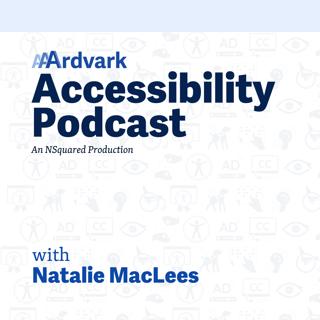
Join Natalie MacLees and Natalie Garza in the 32nd episode of the AAArdvark Accessibility Podcast as they discuss how to make social media posts accessible. They cover using emojis, shortened links, adding alt text to images, creating easy-to-read text, avoiding fancy decorative fonts, and ensuring videos have captions and audio descriptions. Learn practical accessibility tips to enhance the inclusivity of your social media content!

Social Media Without Barriers

Natalie Garza: Hello, everybody, and welcome to the AAArdvark Accessibility Podcast. My name’s Natalie Garza. I’m one of the co-hosts, and with me today is.

Natalie MacLees: Natalie MacLees, the other co-host.

Natalie Garza: And she is a digital accessibility expert here to answer our questions on today’s topic. So in this episode, we’re gonna cover accessibility and social media posts. Even the content you post on social media platforms should aim to be accessible.

Emojis in Social Media Posts

So, starting with emoji, what about emoji do we have to keep in mind with social media posts?

Natalie MacLees: Don’t do posts that are all emojis. Those are terrible. We did our episode last time on The Good, The Bad, and The Ugly of Emojis. So if you want more information about how emojis work, you can check that out.

But generally, a social media post, wanna try to limit yourself to one emoji per message. And don’t put it at the beginning. It’s better if it’s at the end of the message, so that way it’s not blocking somebody from getting to the rest of the message.

(WCAG 1.1.1 Non-text Content – Emojis are non-text elements that need a text alternative or must be used in ways that don’t block meaning.)

But very quickly, the emoji gets read out to a screen reader. It does not announce that it’s an emoji. It just reads the name of the emoji. So we’ll just say like “slightly smiling face” with no context. No hint that it’s an emoji. So it can be a very odd experience if there’s lots of emojis in a message.

Natalie Garza: And also I’ve seen a lot of social media posts using emoji lists to replace the bullet points.

Natalie MacLees: Yeah, that’s, that’s, that one is pretty rough for screen reader users, so try not to do that.

If you need to do a bulleted list, you can actually use the Unicode bullet character, which just gets read out as “bullet”, and everybody can understand what that means. So if you really need bullets, try to use that one instead.

Natalie Garza: Oh, I see. So if you’re gonna use the emoji, let it be the little bullet emoji. Is that what you’re saying?

Natalie MacLees: Yeah, I think it’s not even technically an emoji. It’s just one of the characters that’s in a font.

Natalie Garza: Oh, I see. This is just a copy-paste.

Natalie MacLees: Yeah.

Links vs Shortened Links for Accessibility

Natalie Garza: All right. Next on the list, we have links versus shortened links.

Natalie MacLees: So most social media platforms don’t let you do what you would do on a website, where you can take a word or a phrase, link that, and have the words that are visible be different from the link, right?

It’s like on your website, you could be like,

Suosittua kategoriassa Liike-elämä ja talous

sijotuskasti
psykopodiaa-podcast
mimmit-sijoittaa
rss-rahapodi
ostan-asuntoja-podcast
rss-rahamania
herrasmieshakkerit
yrittaja
pari-sanaa-lastensuojelusta
rss-lahtijat
lakicast
rss-paasipodi
taloudellinen-mielenrauha
rahapuhetta
oppimisen-psykologia
rss-startup-ministerio
rss-myynti-ei-ole-kirosana
rss-lentopaivakirjat
hyva-paha-johtaminen
rss-bisnesta-bebeja