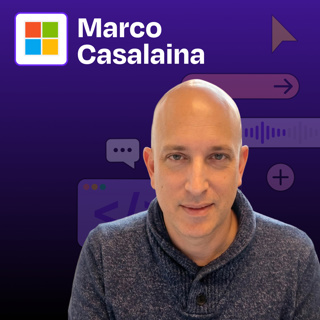
How Microsoft's AI VP automates everything with Warp | Marco Casalaina
How I AI23 Maalis

How Microsoft's AI VP automates everything with Warp | Marco Casalaina

Marco Casalaina, VP of Core AI Products and AI Futurist at Microsoft, demonstrates how he uses AI tools to automate administrative tasks that typically consume valuable time. Rather than using Warp as a coding assistant (its primary marketed purpose), Marco leverages it to manage Azure resources, scan documents, compress videos, and more. He shows how these “micro-agents” can reduce friction in everyday workflows, allowing him to focus on higher-value activities. Marco also demonstrates how Microsoft 365 Copilot and ChatGPT can create triggered workflows that respond to emails or check for information on a schedule, highlighting how the line between consuming and building AI agents is blurring.


What you’ll learn:

  1. How to use Warp to manage Azure resources and assign permissions without navigating complex web interfaces
  2. Techniques for automating document scanning and processing directly from the terminal
  3. Methods for analyzing and compressing video files using AI-generated FFmpeg commands
  4. How to create simple rules that dramatically improve AI performance for specialized tasks
  5. Ways to build triggered workflows in Microsoft 365 Copilot that automatically respond to emails
  6. How to configure ChatGPT to perform scheduled tasks like checking for new content
  7. Strategies for creating consistent AI interactions using AutoHotkey shortcuts

Brought to you by:

Rovo—AI that knows your business

Lovable—Build apps by simply chatting with AI

In this episode, we cover:

(00:00) Introduction to Marco Casalaina

(02:14) Why Marco chose Warp for administrative tasks

(03:57) Demo: Using Warp to manage Azure resources and permissions

(06:00) How CLI tools eliminate GUI friction for complex tasks

(07:18) Creating rules to improve AI performance for specialized tasks

(10:28) Demo: Document scanning automation

(13:00) Combining odd and even pages using a Python automation

(15:04) The value of ephemeral AI solutions vs. permanent tools

(17:12) Video compression using FFmpeg commands

(20:22) The concept of “ad hoc agents” for specific tasks

(22:31) Demo: Creating triggered workflows in Microsoft 365 Copilot

(25:51) Demo: Setting up scheduled tasks in ChatGPT

(27:17) How AI automation changes time management

(29:14) Teaching AI skills to the next generation

(30:30) Strategies for improving AI performance with AutoHotkey

Detailed workflow walkthroughs from this episode:

• How Microsoft's AI VP Automates Everything with 5 Micro-Agent Workflows: https://www.chatprd.ai/how-i-ai/microsofts-ai-vp-automates-everything-with-5-micro-agent-workflows

How to Create an Automated Meeting Scheduler with Microsoft • 365 Copilot: https://www.chatprd.ai/how-i-ai/workflows/how-to-create-an-automated-meeting-scheduler-with-microsoft-365-copilot

• How to Scan and Merge Two-Sided Documents into a Single PDF with AI: https://www.chatprd.ai/how-i-ai/workflows/how-to-scan-and-merge-two-sided-documents-into-a-single-pdf-with-ai

• How to Automate Azure User Role Management with AI in the Terminal: https://www.chatprd.ai/how-i-ai/workflows/how-to-automate-azure-user-role-management-with-ai-in-the-terminal

Tools referenced:

• Warp: https://www.warp.dev/

• Microsoft Azure: https://azure.microsoft.com/en-us

• Azure CLI: https://learn.microsoft.com/en-us/cli/azure/

• Microsoft 365 Copilot: https://www.microsoft.com/en-us/microsoft-365/copilot

• ChatGPT: https://chat.openai.com/

Other references:

• NAPS2: https://www.naps2.com/

• PyPDF2: https://pypdf2.readthedocs.io/

• FFmpeg: https://ffmpeg.org/

Where to find Marco Casalaina:

LinkedIn: https://www.linkedin.com/in/marcocasalaina/

Where to find Claire Vo:

ChatPRD: https://www.chatprd.ai/

Website: https://clairevo.com/

LinkedIn: https://www.linkedin.com/in/clairevo/

X: https://x.com/clairevo

Production and marketing by https://penname.co/. For inquiries about sponsoring the podcast, email jordan@penname.co.

Jaksot(69)

Claude Opus 4.6 vs. GPT-5.3 Codex: How I shipped 93,000 lines of code in 5 days

Claude Opus 4.6 vs. GPT-5.3 Codex: How I shipped 93,000 lines of code in 5 days

I put the newest AI coding models from OpenAI and Anthropic head-to-head, testing them on real engineering work I’m actually doing. I compare GPT-5.3 Codex with Opus 4.6 (and Opus 4.6 Fast) by asking ...

11 Helmi 30min
How to build your own AI developer tools with Claude Code | CJ Hess (Tenex)

How to build your own AI developer tools with Claude Code | CJ Hess (Tenex)

CJ Hess is a software engineer at Tenex who has built some of the most useful tools and workflows for being a “real AI engineer.” In this episode, CJ demonstrates his custom-built tool, Flowy, that tr...

9 Helmi 53min

Guillermo Rauch: Vercel CEO on how v0 hit 3,200 PRs merged per day (and lets anyone ship)

Guillermo Rauch: Vercel CEO on how v0 hit 3,200 PRs merged per day (and lets anyone ship)

Guillermo Rauch, the CEO of Vercel, demonstrates how v0 has evolved from a simple prototyping tool to a complete development environment that supports the entire Git workflow. Guillermo shows how Verc...

4 Helmi 43min
How this PM uses MCPs to automate his meeting prep, CRM updates, and customer feedback synthesis | Reid Robinson (Zapier)

How this PM uses MCPs to automate his meeting prep, CRM updates, and customer feedback synthesis | Reid Robinson (Zapier)

Reid Robinson, Principal AI Product Strategist at Zapier, shares how he uses Model Context Protocols (MCPs) to automate tedious tasks and create powerful workflows. He demonstrates practical workflows...

2 Helmi 40min

I gave Clawdbot (aka Moltbot) access to my computer, calendar, and emails: Here’s what happened

I gave Clawdbot (aka Moltbot) access to my computer, calendar, and emails: Here’s what happened

In this episode, I take you through my unfiltered experience with Clawdbot, the viral open-source AI agent that’s been taking over tech Twitter. (In the time since this was recorded, the tool was rena...

28 Tammi 55min
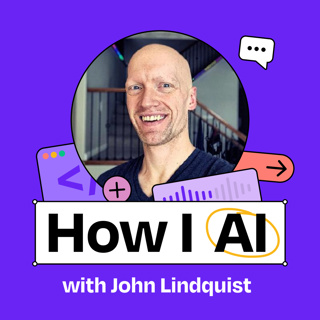
Advanced Claude Code techniques: context loading, mermaid diagrams, stop hooks, and more | John Lindquist

Advanced Claude Code techniques: context loading, mermaid diagrams, stop hooks, and more | John Lindquist

John Lindquist is the co-founder of egghead.io and an expert in leveraging AI tools for professional software development. In this episode, John shares advanced techniques for using AI coding tools li...

26 Tammi 56min
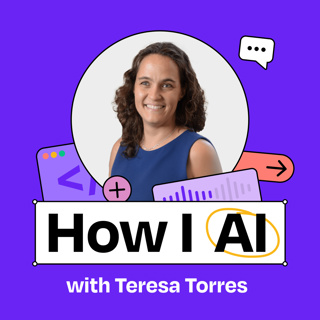
Claude Code for product managers: research, writing, context libraries, custom to-do system, and more | Teresa Torres

Claude Code for product managers: research, writing, context libraries, custom to-do system, and more | Teresa Torres

Teresa Torres is the author of Continuous Discovery Habits and an internationally acclaimed speaker and coach. In this episode, Teresa demonstrates how she’s built a personalized productivity system u...

19 Tammi 43min
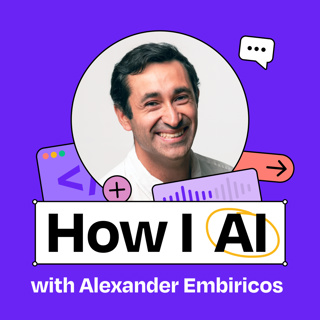
The power user’s guide to Codex: parallelizing workflows, planning techniques, advanced context engineering tips, automating code reviews, and more | Alexander Embiricos

The power user’s guide to Codex: parallelizing workflows, planning techniques, advanced context engineering tips, automating code reviews, and more | Alexander Embiricos

Alexander Embiricos, the product lead for Codex at OpenAI, shares practical workflows for getting the most out of this AI coding agent. In this episode, he demonstrates how both non-technical users an...

12 Tammi 53min

