Claude Cowork 101: How to automate your workday without touching code | JJ Englert (Tenex)
How I AI13 Huhti

Claude Cowork 101: How to automate your workday without touching code | JJ Englert (Tenex)

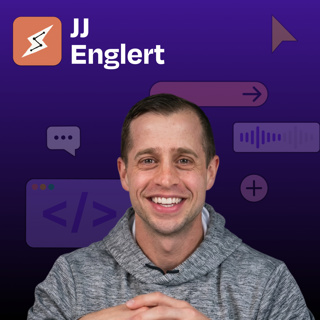
JJ Englert leads community enablement at Tenex. In this episode, JJ provides a complete zero-to-one tutorial on Claude Cowork, Anthropic’s desktop tool that sits between simple chat and full terminal-based coding.


What you’ll learn:

  1. How to create your first Claude Cowork project by connecting a folder on your computer and building context over time
  2. The “brain” file strategy: how to create a preferences document that Claude reads every time to understand who you are and how you work
  3. Why one-click connectors to Gmail, Slack, Notion, and Google Calendar unlock AI that actually does work instead of just suggesting it
  4. How to analyze your sent emails to build a writing skill that perfectly matches your tone and style
  5. The sub-advisory-board technique: spinning up three AI agents with different personas to review your work from multiple perspectives
  6. How to set permissions for each connector so Claude only drafts (never sends) or always asks before taking action
  7. The scheduled-task workflow that creates a morning debrief by reading your email, Slack, and calendar every day at 7:30 a.m.
  8. Why projects with shared memory beat individual chat threads for consistent, high-quality AI outputs

Brought to you by:

Tines—Start building intelligent workflows today

Cursor—The best way to code with AI

In this episode, we cover:

(00:00) Introduction to JJ Englert

(02:48) What Cowork is and who it’s for

(05:49) Getting started: Opening the Cowork tab in Claude Desktop

(07:04) Understanding projects as folders on your computer

(07:54) Creating your “brain” file, with working preferences and context

(10:24) Demo: Building a daily operating system project from scratch

(12:18) How to prompt Cowork when starting a new project

(14:54) Understanding the project interface and shared memory

(18:37) Setting up connectors to Gmail, Slack, Google Calendar, and other tools

(21:00) Using connectors to analyze your emails and build personalized writing skills

(24:21) Creating a thinking-partner skill for decision support

(26:18) Cowork vs. OpenClaw

(27:18) Building a sub-advisory skill with multiple AI personas for feedback

(34:03) Advanced skill example: Multi-step newsletter creation with research and evaluation

(36:08) Setting up scheduled tasks for morning debriefs

(37:57) Going beyond one-off tasks with AI

(41:00) Progressive trust and the tradeoff of information for productivity

(44:08) Different use cases beyond work productivity

(46:08) Lightning round

Tools referenced:

• Claude Code: https://claude.ai/code

• Wispr Flow: https://whisperflow.ai/

• Monologue: https://www.monologue.to/

• Domo: https://www.domo.com/

• Pencil.dev: https://pencil.dev/

• Remotion: https://www.remotion.dev/

• Obsidian: https://obsidian.md/

• OpenClaw: https://openclaw.com/

• Notion: https://notion.so/

Other references:

• Get Started with Claude Cowork: https://support.claude.com/en/articles/13345190-get-started-with-cowork

Where to find JJ Englert:

YouTube: https://www.youtube.com/channel/UCv2ovDhYVtlJw4QMidLFP8Q

X: https://twitter.com/jjenglert

LinkedIn: https://www.linkedin.com/in/jj-englert-a08836a6/

Where to find Claire Vo:

ChatPRD: https://www.chatprd.ai/

Website: https://clairevo.com/

LinkedIn: https://www.linkedin.com/in/clairevo/

X: https://x.com/clairevo

Production and marketing by https://penname.co/. For inquiries about sponsoring the podcast, email jordan@penname.co.

Tämä jakso on lisätty Podme-palveluun avoimen RSS-syötteen kautta eikä se ole Podmen omaa tuotantoa. Siksi jakso saattaa sisältää mainontaa.

Jaksot(93)

This solo builder runs 24/7 local AI on his own hardware | Alex Finn

This solo builder runs 24/7 local AI on his own hardware | Alex Finn

Alex Finn is an AI builder, YouTuber, and the creator of Vibe Code Academy, a community for people learning to build with AI tools. He runs one of the most ambitious local AI setups I’ve come across: ...

13 Heinä 35min
GPT-5.6 Sol vs. Claude Fable: Why OpenAI’s new model crushes my benchmark

GPT-5.6 Sol vs. Claude Fable: Why OpenAI’s new model crushes my benchmark

GPT-5.6 Sol is back, and I ran it through my full How I AI vibe benchmark against GPT-5.6 Terra, Luna, Claude Fable 5, and Sonnet 5 across five categories: PRDs, prototypes, wireframes, debugging, and...

9 Heinä 36min

What a harness is and how to build one with Claude Agent SDK

What a harness is and how to build one with Claude Agent SDK

Everybody is saying, “It’s not the model, it’s the harness,” but almost nobody stops to explain what a harness actually is. So I did. I built one live on the show: a Sentry bug-debugging harness for m...

8 Heinä 24min

How I run autonomous coding agents from my phone with OpenAI Symphony + Linear | Alessio Fanelli (Kernel Labs)

How I run autonomous coding agents from my phone with OpenAI Symphony + Linear | Alessio Fanelli (Kernel Labs)

Alessio Fanelli, founder of Kernel Labs and co-host of Latent Space podcast, walks us through two very different AI workflows: (1) a fully autonomous coding setup using OpenAI Symphony + Linear, where...

6 Heinä 35min

Sonnet 5 review: I ran 64 generations to find out if it's worth it

Sonnet 5 review: I ran 64 generations to find out if it's worth it

I’ve been testing every major frontier model release since the start of the year, and when Anthropic dropped Sonnet 5, I wanted more than a vibe check. I got tired of one-off tests I couldn’t repeat o...

30 Kesä 25min

No Figma. No Jira. No docs. How Gusto built a new product line with Claude Code | Eddie Kim (CTO)

No Figma. No Jira. No docs. How Gusto built a new product line with Claude Code | Eddie Kim (CTO)

Eddie Kim is the co-founder and CTO of the payroll and HR platform Gusto, which just crossed $1 billion in revenue and serves more than 500,000 small businesses. Recently he did something most CTOs do...

29 Kesä 51min

GLM 5.2: why I’m replacing Opus in Claude Code with this new model

GLM 5.2: why I’m replacing Opus in Claude Code with this new model

I put GLM 5.2, the open-weight coding model from Z.AI, through four real tasks inside my actual codebase: a codebase architecture audit, a UI redesign, and a 45-minute autonomous bug-hunting session p...

24 Kesä 27min

How Claude Mythos found a 15-year-old bug in Mozilla Firefox | Brian Grinstead

How Claude Mythos found a 15-year-old bug in Mozilla Firefox | Brian Grinstead

Brian Grinstead is a distinguished engineer at Mozilla, where he’s worked on Firefox and the web platform since 2013 (he joined to help launch Firefox DevTools). Recently he and his team pointed an ag...

22 Kesä 48min