Episode 185 – Microsoft Teams for Personal Life

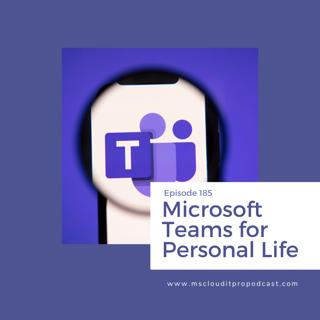
Episode 185 – Microsoft Teams for Personal Life

In Episode 185, Ben and Scott discuss the new features that are coming to Microsoft Teams for personal accounts including group chats and task management. Transcript Email Download New Tab - Welcome to Episode 185 of the Microsoft Cloud IT Pro Podcast recorded live on July 1 2020. This is a show about Microsoft 365 and Azure from the perspective of IT pros and end users, where we discuss the topic or recent news and how it relates to you. In this episode, Ben and Scott diverge from some of the business and enterprise features available in Microsoft Teams and talk about recent updates to the mobile client that allows you to use it for personal chats and group chats, task management and other personal group collaboration both with family as well as friends. - Woo hoo. - Woo hoo? Why are you excited? Because it's July 2, and you know what that means? - That it's almost July 3. - Yeah, it really means absolutely nothing to you and I. Means that today's tech... or tomorrow is technically a vacation, so we're recording on Thursday instead of Friday because someone wants to sleep in here. - Who? Your wife- - Someone not being me. - Your wife and my wife? - No, are you kidding me? My kids get us up way too early. I haven't slept-in in a long time, and my youngest has figured out how to climb out of his crib, so he just comes wandering into our bedroom at random times during the morning now. - Ah huh, that's always fun. - Yes, he is not saying anything or nor can understand that he has to stay in his bedroom until a certain time so he just climbs out and wanders around the house till he finds somebody. - Well, I just hope he finds you before he finds the mess in the kitchen or whatever else... - Yeah, well so we had- - Parent's mind. - We have a two story house so we have gates upstairs, so as long as we remember to shut the gates he can't get downstairs, he'll just stand at the top and grab it and rattle it, if he can't find us upstairs. Usually we're still upstairs and he finds us in bed. I think this morning he walked over to his brother's bed and was like ah trying to wake him up to get someone to play with him or something. - Perfect. - Yes, fun times. - Always fun. - That's all you got. - That's all you got? - Do you feel overwhelmed by trying to manage your office 365 environment? Are you facing unexpected issues that disrupt your company's productivity? Intelligink is here to help. Much like you take your car to the mechanic that has specialized knowledge on how to best keep your car running, Intelligink helps you with your Microsoft Cloud environment, because that's their expertise. Intelligink keeps up with the latest updates in the Microsoft Cloud to help keep your business running smoothly and ahead of the curve. Whether you're a small organization with just a few users up to an organization of several thousand employees, they want to partner with you to implement and administer your Microsoft Cloud Technology. visit them at Intelligink.com/podcast, that's Intelligink.com/podcast for more information or to schedule a 30 minute call to get started with them today. Remember Intelligink focuses on the Microsoft Cloud so you can focus on your business. - I got a new toy. - Oh, you did get a new toy, that's what July two means, it means your new toy came yesterday. - Yes it does. - What's your new toy? I already know what it is. - Yeah, well I'm getting on that Intel Mac train cause it's a good time to do it, right? - Right before it pulls out of the station, - Yeah, yeah. - Never to be seen again. - B&H had some good discounts on MacBook Pros the other day and I've wanted to get back to the Mac for a while, so this was an opportunity to pick one up so I just did some little things, massive, it weighs about a million pounds, you lied to me. 16 inch MacBook Pro. - Very nice. - Just the base model because I don't computer the way you computer. - I will say you will be happy with it. And frankly, who cares if it's a beast and weighs a ton because realistically, where are you gonna take it right now? From the bedroom to the kitchen? Cause for the last four months, that's about all the further you've been traveling. - Yeah, yeah, I know, but it is massive. It's really nice, like I forgot how nice Mac hardware is. Keyboard's great; I didn't have to go with that crappy whatever keyboard they- - The Vendored keyboard? - Or whatever thing they had before, trackpad's awesome. I really missed Mac trackpads and gestures and tools like BetterTouchTool, which everyone should buy because it's awesome. - Yes, BetterTouchTool magnet. - Uh, what's magnet? - Oh, you're missing out, go find magnet in the App Store, or you're gonna turn it into the Apple podcast. Sorry for all of our fellow Microsoft people that don't use Mac's.... - Yeah, they all should. - So did you get used to the window snapping on Windows where you can like drag it and let it snap to the top, or the right side, or all of that? - Yes, that's what better snap tool is for. - Yeah, so you can do better snap tool, I like... IOS is not the correct link. - I already- - It's in the App Store. - Yeah. I already did better snap tool. - So I had better snap tool, and I tend to like magnet better. - What do you like about magnet better? - Looks a little bit more like power toys, than better snap tool is. - So I don't know do I have... And it honestly may have just been that I started using it first and I get used to how I had magnet organized. Does better snap tools let you like double click on the top bar to get your full screen and can you replicate all of the windows 10 snap functionality in BetterTouchTools? - As far as I know, yeah, I can double click to go big or go small and drag to corners. So snap to top, snap to left, snap to top left, bottom left all those kinds of things. - I can't remember what there... there was something that I ended up on magnet over a better snap tool, but I have no idea what it was. - And you can do custom snap areas, like make custom zoom areas and all those things. - Yap, and I have keyboard shortcuts for mine too. I use keyboard shortcuts a lot to snap them to different parts of the screen. - Yep, better snap tool does all that too. - Yeah, who knows? I have no idea at this point in time, but I actually own both of them and I have BetterTouchTool and Alfred - Yeah, I'm gonna try and go with just the regular launcher for now, which I know is a dumb idea but... - Yeah, it really is, you gonna go by Alfred. - So I actually bought all this stuff a long time ago and still have it, and it's the beauty of the Mac App Store although I don't know how developers make money there since I can just go download all my old things. - Well, that's not a whole lot different than Windows, right? - Well, it is different than Windows cause I would never buy software in the Windows. - Buy software for Windows? - Well, no, you buy software for Windows just not in the Windows Store. So there is a difference there. So yeah, I get that going, Parallels was on sale yesterday, and just been setting things up, Reader, it's nice to have life back. - Oh, here's another one of my new favorite tools that I've used for a while. But they're going to subscription model which kind of irritated me. Have you ever gotten another separate clipboard manager? - So I've used a Pastebot in the past, was thinking about going back to that. - Okay, so I have just... There's a Paste clipboard manager. So it's not Pastebot it's just Paste and it does... like as a whole clipboard manager, but then it also has apps for all the other ones. So the same clipboard manager links and clipboard are on all your devices. So natively in Mac you can just copy and paste from one to the other, this does the whole copy but then you have the whole clipboard manager history on every single device. - That's a Windows thing right there. - That is yeah, copy link. Okay, there you go, there's my clipboard manager that I use. - Yeah, that's- - That let's you categorize links and all of that. So I have links like my business address, that are just saved in their own categories so whenever I need it, I just have all of that stuff handy in different categories. - Hmm, Gotcha. - Yeah. - That was my new fun thing which led to a whole... Yeah. An evening of me being locked away from my wife, well, she's like, "What are you doing?" "Setting up the new computer." The FedEx guy was funny too- - Priorities. - It was set for my sign for delivery- - Ah huh. - Not a problem to be home for delivery, but the FedEx guy came and knocked on the door. So I go and open the door and he's standing there with his pad and I'm looking at him and I ask, I said, "Do you want me to sign?" and he looks at me and he goes, "Scott?" I said, "Yes" He goes "Nah we're good." I was like, "Huh?" Well, "Oh, okay." "Got it." - Have you ordered any pizza since the whole lockdown for delivery? - No, but we have done delivery from a couple different places. - So we just got like Papa John's the other day, and it's interesting cause same type of thing, like they'll come up to your door and... We have a Nest doorbell so we can kind of watch some of the stuff. Like they pull the pizza out of the pizza carrier that's keeping it warm, they put the pizza carrier on the ground in front of your door, put your pizzas on it, and then like back up six, eight, 10 feet from... or ring the doorbell and then they back up like six or eight, 10 feet from the door and you open it and they're like "There's your pizza, and you can reach down and pick it up." And it's like this awkward wave of "Hi I can't even really come close to you so it's a good thing I gave you a tip on the credit card otherwise I just have to kinda throw money on the ground for you." And then you close the door and they come back and pick up

Tämä jakso on lisätty Podme-palveluun avoimen RSS-syötteen kautta eikä se ole Podmen omaa tuotantoa. Siksi jakso saattaa sisältää mainontaa.

Jaksot(430)

Episode 434: Reading the Spec Sheet on Microsoft’s Agentic SOC

Episode 434: Reading the Spec Sheet on Microsoft’s Agentic SOC

Welcome to Episode 434 of the Microsoft Cloud IT Pro Podcast. Microsoft announced Project Perception on 2026-07-27 with a lot of “workforce of AI agents” language. In this episode, Ben and Scott discu...

13 Elo 47min
Episode 433: Passkeys, Passwords, and the End of SMS MFA

Episode 433: Passkeys, Passwords, and the End of SMS MFA

Welcome to Episode 433 of the Microsoft Cloud IT Pro Podcast. In this episode, Ben and Scott discuss how Microsoft 365 authentication is moving from “make passwords safer with MFA” to “remove phishabl...

30 Heinä 45min
Episode 432: AI-Era Consulting Billing for Microsoft Cloud Delivery

Episode 432: AI-Era Consulting Billing for Microsoft Cloud Delivery

Welcome to Episode 432 of the Microsoft Cloud IT Pro Podcast. In this episode, Ben and Scott discuss how AI is not eliminating Microsoft 365 and Azure consulting, but it is changing what clients think...

16 Heinä 42min
Episode 431: Agent Governance Is the New App Governance

Episode 431: Agent Governance Is the New App Governance

Welcome to Episode 431 of the Microsoft Cloud IT Pro Podcast. In this episode, Ben and Scott get into why agent governance is quickly becoming one of the most pressing challenges for Microsoft 365 adm...

2 Heinä 48min

Episode 430: Scouting out Microsoft Scout

Episode 430: Scouting out Microsoft Scout

Welcome to Episode 430 of the Microsoft Cloud IT Pro Podcast, where Scott and Ben dig into Microsoft Scout, the new desktop AI application announced at Microsoft Build. They walk through the real onbo...

18 Kesä 43min

Episode 429: Getting started with LLM Wikis

Episode 429: Getting started with LLM Wikis

Welcome to Episode 429 of the Microsoft Cloud IT Pro Podcast. In this episode, Scott and Ben dig into the concept of LLM wikis, specifically building personal knowledge management vaults using Obsidia...

4 Kesä 44min

Episode 428: Migrating Group Policy to Microsoft Intune

Episode 428: Migrating Group Policy to Microsoft Intune

Welcome to Episode 428 of the Microsoft Cloud IT Pro Podcast. In this episode, Ben and Scott unlock the secrets to modernizing your IT management by ditching pesky on-prem GPOs and embracing the futur...

21 Touko 41min

Episode 427: Copilot Cowork Hands-On Experiences

Episode 427: Copilot Cowork Hands-On Experiences

Welcome to Episode 427 of the Microsoft Cloud IT Pro Podcast. In this episode, Ben and Scott open with a quick look at YAKO (getyako.com), a browser extension built by community member Merrill that re...

7 Touko 32min

Suosittua kategoriassa Politiikka ja uutiset

uutiscast
aikalisa
politiikan-puskaradio
ootsa-kuullut-tasta-2
rss-ootsa-kuullut-tasta
otetaan-yhdet
rss-vaalirankkurit-podcast
rss-podme-livebox
rss-voi-venaja
rss-seksicast
rss-girls-finish-f1rst
tervo-halme
rss-asiastudio
rss-kaikki-uusiksi
rss-pinnalla
linda-maria
rss-raha-talous-ja-politiikka
rss-kovin-paikka
nakokulma-oikealta-jussi-halla-ahon-blogin-kommentaarit
rss-mina-ukkola