Podcast #764: Kodi

Podcast #764: Kodi

Kodi

There has been an explosion of devices recently, or perhaps going back a couple years, that are based on the Kodi Media Center software or include Kodi as a standard app you can run along with other the other apps available on the device. A simple search at Amazon for 'Kodi' yields pages and pages of options for devices. Intrigued by this streaming platform that seems to have taken off like wildfire, we decided to pick up one of these little boxes and see what all the fuss is about.

History

Kodi is the current name for a streaming software application formerly known as XBMC, short for Xbox Media Center. The initial release of XBMC dropped in 2004. It grew out of an earlier project, called Xbox Media Player, into a full player and streaming platform, thus the name change. When XBMC dropped support for the Xbox as a platform, they had to change the name again; that's when it became Kodi - in August of 2014. The current version of Kodi runs on Windows, Mac OSX, Linux, iOS and Android. Linux and Android support make it ideal for the inexpensive streaming boxes you find at Amazon.

Back in the day, you would get XBMC running on your original Xbox by jumping through a few hoops and taking advantage of a software flaw or vulnerability in the native Xbox software from Microsoft. It sounded more complicated than it was - including having to get your hands on one of the specific games that would exploit the vulnerability, like Tom Clancy's Splinter Cell, but if you had an old Xbox laying around, it was well worth it. Lifehacker even published an article called Transform Your Classic Xbox into a Killer Media Center back in 2007 and walked you through all the steps. Now you just install it.

Use

Because Kodi is free and Open Source, you can create your own home media server using pretty much any hardware you'd like. Simply download, install and configure. Then add the add-ons and plug-ins you need to make it do what you want, and you're off to the races. If you want to save a bit of time, or you don't have an old computer sitting around to play with, you can buy a dedicated Kodi streaming box and skip some of the steps. We chose the RBSCH M96X Android 6.0 4K TV BOX with KODI 16.1 for $36.99. Not because we knew anything about it, but just because we could get free Prime Same Day shipping.

The box arrived a few hours later and we were ready to go. It is pretty small, a bit smaller than an Apple TV, but in the same ballpark. It came with a power cord, an HDMI cable and a remote, but no batteries for the remote. We plugged it in and powered it on - it took a minute or so to boot up and we were ready to start playing. This model, being Android based, has a bunch of apps like the Chrome browser, Pandora and Facebook that you can use in addition to the Kodi app. The browser was very cumbersome to use with the included remote. But we bought it for Kodi, so we skipped all the other apps and loaded up the Kodi interface right away.

As a local media player, Kodi worked quite nicely. You can play a wide variety of audio and video formats either from local drives (in our case attached via USB) or from somewhere else on your home network. For network streaming, you can use shared folders (SMB/SAMBA/CIFS), DLNA, DAAP for iTunes or stream from ReplayTV DVRs/PVRs. Kodi can also stream content from the Internet from sites like YouTube, Hulu, and Netflix, or music from apps like Pandora. Unlike some other media platforms, Kodi does not include a tuner for watching live TV, but you can get a PlayOn app to DVR content from your favorite streaming services like Netflix for viewing offline. Not super important in our case, but good if you think content may disappear from Netflix before you'll be able to watch it.

But the not-so-guarded secret about Kodi, and where it gets into a bit of a gray area, are the apps that allow you to stream movies you would otherwise download via sharing applications like BitTorrent. You can use Kodi as a front end to get access to new release movies, including movies still in the theater, for free. In many cases they are terrible Cam videos you wouldn't want to sit thru for two hours. Other times they are DVD rips or even Blu-ray rips. You have to make your own value judgement on the ethics here, but as we understand it, this is one of the main reasons people want to get their hands on a Kodi streaming box.

The user experience with the BitTorrent style videos was pretty bad. According to the Internet, it isn't Kodi that has the issues, but each of the individual apps that allow access to the content. They have their own quality issues that leave the experience lacking. Often times we'd click on a menu item and nothing would happen, or we'd try to play a video and it would fail with some cryptic message about checking the logs to see what happened. When we did get a movie to play, even the ones that claimed to be DVD quality looked really rough. It would be hard to watch a full film like that.

Conclusion

Overall Kodi is a really nice streaming media player. The interface is solid - in fact Plex grew out of the XBMC/Kodi source. For content you have on your home network, the playback was great. Looked like any other player we've used. For streaming from commercial apps, no issues there either. For streaming bootleg movies, we found it to be very frustrating. If you really want to avoid the box office, or the $5-6 rental fee from Vudu or Amazon, and you can get past the ethics of it, it's certainly an option. But you need patience and the ability to sit thru a feature length of poor quality streaming. But we were able to get a stream of Dr. Strange to work, so currently in theater titles are available. We only watched enough to see it work, but it did.

Note: Kodi doesn't allow direct access to bootleg content. There are several add-ons that provide that. Kodi is an open platform, anyone is free to write any add-ons they choose. The existence of an add-on doesn't imply that Kodi or the XBMC Foundation support, endorse or approve of the add-on.

Tämä jakso on lisätty Podme-palveluun avoimen RSS-syötteen kautta eikä se ole Podmen omaa tuotantoa. Siksi jakso saattaa sisältää mainontaa.

Jaksot(842)

Podcast #1270: 2026 Network TV Season/Series Premieres

Podcast #1270: 2026 Network TV Season/Series Premieres

On this week's show we compiled a list of fall 2026 network TV season/series premieres for ABC, NBC, Fox, and CBS, organized by network and then by premiere date.  We also read your emails and take a ...

18 Syys 48min
Podcast #1269: Is Your LG Smart TV Listening to You? and Dolby AC4

Podcast #1269: Is Your LG Smart TV Listening to You? and Dolby AC4

On this week's show we look into an article that alleges LG's Smart TVs are listening in on your conversations even when the screen is off. We also do a quick rundown on what Dolby's AC4 is and where ...

11 Syys 36min
Podcast #1268: Ara's New Setup First Impressions

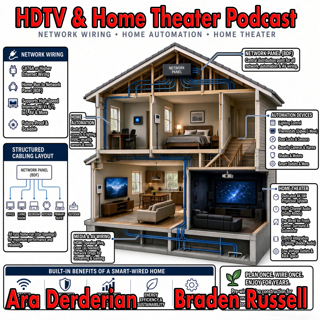
Podcast #1268: Ara's New Setup First Impressions

On this week's show Ara gives his impression of the new gear installed into his new home. We talk Internet, Home Networking, Automation, and Home Theater in an action packed show. We also read your em...

4 Syys 54min
Podcast #1267: Nick Brown and Smith Freeman of SVS Sound

Podcast #1267: Nick Brown and Smith Freeman of SVS Sound

Nick Brown and Smith Freeman of SVS Sound On today's show we have an interview with Nick Brown (VP of Marketing) and Smith Freeman (Senior Director of Product Management) at SVS Sound.  We discuss the...

28 Elo 40min
Podcast #1266: Ara's New Setup

Podcast #1266: Ara's New Setup

On today's show we discuss Ara's new family room TV and Audio setup and what his plans are for the future. We also read your emails and look at the week's news. News: Marantz Introduces The CINEMA S...

21 Elo 31min
Podcast #1265: Garage Doors - AV Receivers - Atmos in the Family Room

Podcast #1265: Garage Doors - AV Receivers - Atmos in the Family Room

On today's show we discuss Ara's garage door plan for integrating it into HomeKit, we help a listener decide on which receiver to buy, and we ask whether Atmos is worth it for a family room. We also r...

14 Elo 47min

Podcast #1264:  Family Room - 5.1 vs 7.2 what makes sense?

Podcast #1264: Family Room - 5.1 vs 7.2 what makes sense?

On today's show we take a look at your family room and decide whether a 7.2 system is worth it over 5.1. We also read your emails and catch up on the week's news. News:  How Valuable Is TV to Smalle...

7 Elo 20min

Podcast #1263: 2026 Value Electronics TV Shootout

Podcast #1263: 2026 Value Electronics TV Shootout

On this week's show we breakdown the Value Electronics 2026 TV Shootout and see who the new King TV is. We also read your emails and look at the week's news. News: LG is cracking down on smart TV ap...

31 Heinä 35min

Suosittua kategoriassa Politiikka ja uutiset

uutiscast
vallattomat
aikalisa
politiikan-puskaradio
rss-viihde-media
ootsa-kuullut-tasta-2
rss-ootsa-kuullut-tasta
rss-vaalirankkurit-podcast
tervo-halme
rss-voi-venaja
otetaan-yhdet
et-sa-noin-voi-sanoo-esittaa
rss-ulkopoditiikkaa
rss-podme-livebox
rss-asiastudio
rikosmyytit
the-ulkopolitist
rss-raha-talous-ja-politiikka
rss-kaikki-uusiksi
aihe