Podcast #1050: 5 Mistakes Everyone Makes With Their TVs, and How to Fix Them

Podcast #1050: 5 Mistakes Everyone Makes With Their TVs, and How to Fix Them

This week we look at 5 mistakes people make with their TV Settings and how to fix them and long time listener Jerry documents his transition from the Insteon Home Hub to Home Assistant. We have no email but we do discuss some of the week's news in an episode that includes a discussion about Mead, Bourbon, Beer, and Moonshine!

News:

5 mistakes everyone makes with LG OLED TVs, and how to fix them

Thanks to their irresistible combination of futuristic, super-slim designs and consistently outstanding picture quality, LG OLED TVs have become the darlings of the high-end TV world – they're not only among the best OLED TVs, but the best TVs of any kind.

The problem is that few TVs are set up to deliver their best possible viewing experience out of the box, so if you haven't picked the right settings, you're not getting the most from your TV. So let's look here at some of the most common set up mistakes LG OLED owners make that may be stopping them from getting the viewing experience they deserve. Full article here…

Cheat Sheet for Insteon Replacement with HomeAssistant (2.0)

Like many I was shocked to see my Insteon hub with a permanent red light and my expensive IOT devices inoperative.

A good number of ex-Insteon users are looking to other implementations of home management system and I soon discovered that HomeAssistant does work with Insteon Devices. The help pages are well done and explain the procedures well. I am back up and running with HomeAssistant following the instructions, but it is not simple and here are some of the fine points.

The definitive solution involves either the HomeAssistant server hardware or a Rasberry Pi with the software installed. You can run the system using Virtual system implement ations such as Microsofts's Hyper-V or VirtualBox.

I suggest you try Virtual Box before you decide to buy dedicated hardware. I found the Hyper-V unusable, as I have with other implementations, but the VBox works… though was not stable enough in my hands for a permanent install.

So with Ara's financing I bought a Raspberry Pi on Amazon with the additional bits and pieces you NEED: mico-SD card for the system; mini-HDMI connector for a display as well as getting a mouse and keyboard to attach and of course an ethernet cable. Here are the nice install instructions:

https://www.home-assistant.io/installation/raspberrypi/

The set-up is self generated and you really just follow the questions.

If you did this right, the home screen will appear on any web browser populated by a lot of devices you never thought you had, including the hub..

Each of these will then show up on your home screen which is your interface, as well as on your smart phone.

My goal was to get the cameras that I use in my astronomical observatory to work, which I did https://www.astrobin.com/users/jerryyyyy/

There are many viable "canned" interfaces and contingency programming and the home page is entirely customizable… I am still learning and a real time sink.

The biggest problem is initializing some devices. The hub interface seems worthless as it never showed all my devices and I basically had to add them back in one by one. I made a spreadsheet with the MAC address and set fixed IP addresses for many… If you do not know what I am talking about when I mention MAC addresses or IP addresses, you will be in trouble because you need to mess with your router and set up "fixed IP addresses" for some devices… also cameras have BOTH Wi-Fi and Ethernet MAC Addresses… On the other hand, if you know what I am talking about, this is a piece of cake.

My to-do list:

  1. Get the motion sensor up and running (Appears to be impossible).
  2. See if there is a way to pan work the cameras (Maybe learning more Python).
  3. Get the GPS location off my iPhone into the system… yes you can get this through the App.
  4. Find some good models for home pages and automations… there are tons but hard to choose. The one I have is pretty basic.

Bottom line, all in all this is a viable option if you are familiar with the basics of networking.

Essential Afterthought: How to back-up your installation. I learned that to shut down the Pi you do not pull the power cord… you go to the Linux shell and "sudo halt" luckily my install came back after that adventure. You can backup and reinstall the SD card contents using Win32 Disk Imager:

https://sourceforge.net/projects/win32diskimager/

If you put this system together, you do not want to lose it!

Tämä jakso on lisätty Podme-palveluun avoimen RSS-syötteen kautta eikä se ole Podmen omaa tuotantoa. Siksi jakso saattaa sisältää mainontaa.

Jaksot(841)

Podcast #1269: Is Your LG Smart TV Listening to You? and Dolby AC4

Podcast #1269: Is Your LG Smart TV Listening to You? and Dolby AC4

On this week's show we look into an article that alleges LG's Smart TVs are listening in on your conversations even when the screen is off. We also do a quick rundown on what Dolby's AC4 is and where ...

11 Syys 36min
Podcast #1268: Ara's New Setup First Impressions

Podcast #1268: Ara's New Setup First Impressions

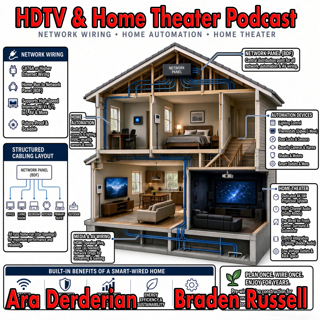
On this week's show Ara gives his impression of the new gear installed into his new home. We talk Internet, Home Networking, Automation, and Home Theater in an action packed show. We also read your em...

4 Syys 54min
Podcast #1267: Nick Brown and Smith Freeman of SVS Sound

Podcast #1267: Nick Brown and Smith Freeman of SVS Sound

Nick Brown and Smith Freeman of SVS Sound On today's show we have an interview with Nick Brown (VP of Marketing) and Smith Freeman (Senior Director of Product Management) at SVS Sound.  We discuss the...

28 Elo 40min
Podcast #1266: Ara's New Setup

Podcast #1266: Ara's New Setup

On today's show we discuss Ara's new family room TV and Audio setup and what his plans are for the future. We also read your emails and look at the week's news. News: Marantz Introduces The CINEMA S...

21 Elo 31min
Podcast #1265: Garage Doors - AV Receivers - Atmos in the Family Room

Podcast #1265: Garage Doors - AV Receivers - Atmos in the Family Room

On today's show we discuss Ara's garage door plan for integrating it into HomeKit, we help a listener decide on which receiver to buy, and we ask whether Atmos is worth it for a family room. We also r...

14 Elo 47min

Podcast #1264:  Family Room - 5.1 vs 7.2 what makes sense?

Podcast #1264: Family Room - 5.1 vs 7.2 what makes sense?

On today's show we take a look at your family room and decide whether a 7.2 system is worth it over 5.1. We also read your emails and catch up on the week's news. News:  How Valuable Is TV to Smalle...

7 Elo 20min

Podcast #1263: 2026 Value Electronics TV Shootout

Podcast #1263: 2026 Value Electronics TV Shootout

On this week's show we breakdown the Value Electronics 2026 TV Shootout and see who the new King TV is. We also read your emails and look at the week's news. News: LG is cracking down on smart TV ap...

31 Heinä 35min

Podcast #1262: What is on the Home Theater Horizon

Podcast #1262: What is on the Home Theater Horizon

On this week's show we look into our crystal ball to see what is on the Home Theater Horizon. We also read your emails and take a look at the week's news. News: 2026 Value Electronics TV Shootout: S...

24 Heinä 35min

Suosittua kategoriassa Politiikka ja uutiset

uutiscast
vallattomat
aikalisa
politiikan-puskaradio
rss-viihde-media
rss-ootsa-kuullut-tasta
ootsa-kuullut-tasta-2
rss-vaalirankkurit-podcast
rss-voi-venaja
tervo-halme
rss-asiastudio
otetaan-yhdet
rss-raha-talous-ja-politiikka
rss-kaikki-uusiksi
rss-pinnalla
the-ulkopolitist
rss-ulkopoditiikkaa
rikosmyytit
linda-maria
rss-girls-finish-f1rst