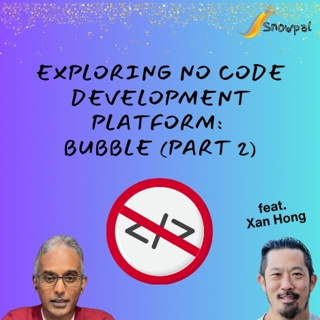
(Part 2) Exploring No Code Development Platform: Bubble (feat. Xan Hong)

(Part 2) Exploring No Code Development Platform: Bubble (feat. Xan Hong)

In this episode, ⁠Xan Hong⁠, a no-code development expert, guides ⁠Krish Palaniappan⁠ through the process of building a simple to-do application using Bubble. They explore the user interface, create workflows, and discuss the transition from web-based to native app development. The conversation emphasizes practical application, collaboration, and the importance of getting a functional product up and running before focusing on aesthetics.

They explore the Bubble platform, discussing its no-code capabilities, data management, plugin integrations, and design systems. They reflect on the learning curve associated with Bubble, the potential for AI integration, and the future of no-code platforms in the context of evolving technology. The discussion highlights practical applications, user experiences, and the importance of adapting to new tools in software development.

Takeaways

• No-code development can significantly reduce costs for clients.

• Understanding the user interface is crucial for effective app development.

• Starting with a functional prototype is more important than aesthetics.

• Bubble allows for both web and native app development.

• Dynamic elements enhance user interaction in applications.

• Workflows are essential for managing data and user actions.

• Testing and debugging are critical steps in the development process.

• Collaborative development can enhance the learning experience.

• Data management is key to maintaining application functionality.

• User feedback is vital for refining app features.

• Bubble allows users to create applications without writing code.

• Understanding the platform’s structure is crucial for effective use.

• Data management in Bubble includes both data and metadata.

• Plugins enhance functionality but vary in quality.

• Design systems can be created and reused within Bubble applications.

• APIs can be integrated to extend application capabilities.

• The learning curve for Bubble can be steep for new users.

• AI integration presents new challenges for no-code platforms.

• Building meaningful projects can enhance the learning experience.

• No-code platforms are evolving with the introduction of AI technologies.

Chapters

00:00 Introduction to No Code Development 02:55 Exploring Bubble's User Interface 05:52 Creating a To-Do Application 09:10 Understanding Native App Development with Bubble 11:58 Dynamic Elements and User Interaction 15:07 Workflow Creation and Data Management 17:52 Testing and Debugging the Application 20:47 Collaborative Development and Sharing 24:01 Data Management and Deletion Functionality 38:49 Navigating the Bubble Platform 40:46 Understanding Data Management and Metadata 42:49 Exploring Plugins and Third-Party Integrations 45:35 Design Systems and Reusability in Bubble 48:30 Connecting APIs and Backend Functionality 53:44 Recap of Building a To-Do App 55:11 Reflections on No-Code Development 01:01:43 The Learning Curve of Bubble 01:08:14 The Future of AI in No-Code Platforms

Jaksot(441)

Upgrade Dart version to 2.12.0 to leverage null safety

Upgrade Dart version to 2.12.0 to leverage null safety

Starting dart version 2.12.0, there is support for null safety. Added to type safety, this will make flutter even more compelling. Having said that, it will take some work for an existing app to get t...

22 Maalis 20218min

Polyglot Development is the best way to go today

Polyglot Development is the best way to go today

Polyglot Programming can be loosely defined as a programming methodology where you pick the right language, library or framework that best suits the needs of the given problem (and in particular, not ...

21 Maalis 20218min

(Part 1/N) Upgrading to Flutter 2.0.x?

(Part 1/N) Upgrading to Flutter 2.0.x?

Every time I run "flutter upgrade", I tend to have my fingers crossed. The most recent upgrade to 2.0.x was quite a challenge. I'll share my experience (both problems and solutions) in a series of pod...

16 Maalis 20219min

Asynchronous Processing: Don't keep your users waiting. Accept request, process later.

Asynchronous Processing: Don't keep your users waiting. Accept request, process later.

Is there ever a good reason to do something synchronously when there is a way for you to do it asynchronously? Let's take a look at how we can implement asynchronous services using RabbitMQ.   Manage ...

5 Maalis 20219min

Do you get anxious about LIVE Coding Interviews? Don't be.

Do you get anxious about LIVE Coding Interviews? Don't be.

It is quite natural to get anxious when you know people are going to be judging you. After all, isn't that one of the primary purposes of an interview? I may have a few tips to help you be at ease.   ...

21 Helmi 20219min

User Experience (UX) is not just the designer's responsibility

User Experience (UX) is not just the designer's responsibility

How many times have we used an app (on the web or mobile) and thought to ourselves, "Why in the world would someone have designed it this way?". That's plenty of times for me and here I talk about one...

19 Helmi 20219min

Performance & Scalability (2/N): Similarities & Differences

Performance & Scalability (2/N): Similarities & Differences

(Part 2) Let's talk a little bit about the similarities and differences between these 2 two terms that are sometimes (or, often?) misunderstood.

16 Helmi 202110min

Performance & Scalability (1/N): Similarities & Differences

Performance & Scalability (1/N): Similarities & Differences

(Part 1) Let's talk a little bit about the similarities and differences between these 2 two terms that are sometimes (or, often?) misunderstood.

15 Helmi 20217min

