Chat-Based Editing?! Interview with Riverside's Kendall Breitman

Chat-Based Editing?! Interview with Riverside's Kendall Breitman

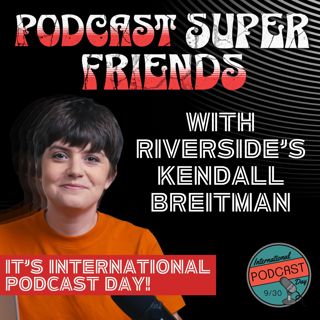
On September 30th., International Podcast Day, the Podcast Super Friends, welcomed Kendall Breitman, Community Lead at Riverside, with big news on a major product rollout: Riverside's launch of its new chat-based editing tool — the "AI Co-Creator," affectionately nicknamed “Coco” by the internal team.

Co-Creator introduces a major shift in how podcasters can handle post-production. Instead of manually editing timelines or transcripts, users can simply type what they want — like “make this episode more engaging” or “cut the part about watermelons” — and Riverside’s AI will handle the edits. The tool supports everything from layout changes, B-roll additions, branding overlays, to audio cleanup like EQ adjustments and filler word removal, all with user-guided flexibility.

Kendall walks us through the evolution of the tool — how it started as a way to generate show notes and blog posts directly from transcripts, and now powers full post-production editing, video layout automation, and audio enhancements like Magic Audio and Smart Mute. Co-Creator’s AI capabilities also include adding royalty-free music, removing background noise, and even dynamically changing video composition based on prompts. While you still have full control to fine-tune manually, the tool helps users speed up their editing dramatically.

We also discuss the importance of community feedback. Kendall emphasizes Riverside's commitment to implementing user suggestions quickly, with the Facebook group "Conversation Creators by Riverside" acting as a hub for ideas and feedback. In fact, several features — including the Editor Add-On that lets producers access client accounts — were born directly from community input.

The conversation touches on pricing barriers for small-scale producers, the benefits of using iPhones as high-quality second cameras, and the addition of Safari support — making the platform even more accessible.

We also explore Riverside’s live streaming capabilities, which let creators stream to multiple platforms including YouTube, LinkedIn, Facebook, and custom RTMP destinations — with multi-channel live chat support. Kendall suggests this is a great next step for creators looking to deepen audience engagement, especially as platforms reward live content in their algorithms.

Wrapping up, Kendall highlights Riverside’s free resources, like the Community Hub (riverside.com/community) and their live workshop series, which showcase workflows from everyday creators. She also teases future updates and encourages everyone to keep checking back — because the features keep rolling out fast.

More:

https://riverside.com/community

Riverside Users Facebook Group: https://www.facebook.com/groups/264571558188791

Superfriends' websites: Johnny Peterson - ⁠⁠⁠⁠Johnny Podcasts⁠⁠⁠⁠ ⁠⁠⁠⁠https://www.johnnypodcasts.com⁠⁠⁠⁠

Catherine O’Brien -⁠⁠⁠⁠ Branch Out Programs ⁠ ⁠⁠⁠⁠https://www.branchoutprograms.com

⁠⁠⁠ Jon Gay: Jag Podcast Productions ⁠⁠⁠⁠https://www.jagpodcastproductions.com⁠⁠⁠⁠

David Yas: Pod 617 -⁠⁠⁠⁠ The Boston Podcast Network⁠⁠⁠⁠ ⁠⁠⁠⁠https://www.pod617.com/⁠⁠⁠⁠

Matt Cundill - ⁠⁠⁠⁠The Sound Off Media Company⁠⁠⁠⁠ ⁠⁠⁠⁠https://soundoff.network⁠⁠⁠⁠

00:00 Introduction to the Podcast and Guests

01:02 Big Announcement: Chat-Based Editing

03:27 Evolution of Riverside's Editing Tools

04:45 Community Feedback and Feature Development

07:51 Introducing the AI Co-Creator: Coco

09:33 CoCreator's Journey and Marketing Assets

10:52 Editing with Coco: Enhancements and Control

12:00 Advanced Editing Features and AI Capabilities

14:03 Audio Enhancements and Magic Audio Features

16:42 Filler Word Removal and Audio Quality

18:54 Maintaining Creative Control with AI Tools

22:32 Exploring Media Board Functionality

23:44 Video Editing Techniques and AI Integration

25:02 Enhancing Video Quality with Creative Edits

26:57 Browser Compatibility and User Experience

27:12 Safari and Cross-Browser Functionality

29:01 Using Mobile Devices for Recording

30:10 Community Engagement and Feature Awareness

31:22 Community Resources and User Feedback

34:05 Understanding Podcaster Needs and Trends

36:42 Challenges in Podcast Promotion and Repurposing

39:10 The Importance of YouTube for Discoverability

42:56 Producer Tools and User Feedback

44:58 Navigating Technical Challenges in Podcasting

47:40 Enhancing Collaboration with Riverside's New Features

49:37 The Rise of Live Streaming in Podcasting

56:59 Riverside's Comprehensive Podcasting Solutions

58:19 Community Engagement and Resources for Podcasters

Find jag on social media @JAGPodcastProductions or online at JAGPodcastProductions.com


Hosted by Simplecast, an AdsWizz company. See pcm.adswizz.com for information about our collection and use of personal data for advertising.

Tämä jakso on lisätty Podme-palveluun avoimen RSS-syötteen kautta eikä se ole Podmen omaa tuotantoa. Siksi jakso saattaa sisältää mainontaa.

Jaksot(194)

8 Podcast Scams to Avoid

8 Podcast Scams to Avoid

Podcast scams are everywhere!  In this episode, I break down the biggest red flags podcasters need to watch out for. From sketchy “tech checks” and paid guest spots to fake downloads, review schemes, ...

11 Elo 6min
Stop Reading Your Guest Bios!

Stop Reading Your Guest Bios!

Reading your guest’s full bio in the opening seconds is killing your podcast’s first impression. Replace that boring lead-in with a sharper hook that sounds natural, builds curiosity, and gets listene...

7 Elo 4min

Nobody Cares About Your Podcast Downloads!

Nobody Cares About Your Podcast Downloads!

Nobody Cares About Your Podcast Downloads! Why Your Podcast Downloads Are Overrated (And What Really Matters) If you host a podcast, you’ve probably checked your download numbers more times than you’d...

30 Heinä 3min
What Equipment Do I Need For A Podcast?

What Equipment Do I Need For A Podcast?

What Equipment Do I Need For A Podcast? Starting a podcast can be an exciting venture, but one of the biggest hurdles for many aspiring podcasters is deciding what equipment to buy. In this post, we’l...

23 Heinä 9min
5 Podcasting Tips For a Heat Wave

5 Podcasting Tips For a Heat Wave

It is extremely hot in Michigan this week, with record highs expected here and in many parts of the country. That makes podcast recording harder, especially if your space gets warm or noisy. The show ...

30 Kesä 3min

What is Echo Cancellation? A 5-Minute Explanation

What is Echo Cancellation? A 5-Minute Explanation

What is Echo Cancellation? Best Practices for Clearer Audio in Virtual Recording In the world of virtual podcasting, how do we eliminate echoes during our recordings? Echo cancellation is a crucial te...

15 Kesä 4min

Podcasters: Beware Spotify's Siren Songs

Podcasters: Beware Spotify's Siren Songs

Most podcasters trust Spotify to host and distribute their content — but what if that trust blinds you to major pitfalls? This episode exposes two crucial risks that could threaten your podcast’s reac...

1 Kesä 3min

Beware of Pop-Up Podcast Studios!

Beware of Pop-Up Podcast Studios!

So just a short abbreviated version of the Jag Show today for a couple of different reasons. Okay, first off, I'm doing a little bit of testing. My partners over at Simplecast, they are the podcast ho...

30 Huhti 3min

Suosittua kategoriassa Politiikka ja uutiset

uutiscast
aikalisa
politiikan-puskaradio
ootsa-kuullut-tasta-2
rss-ootsa-kuullut-tasta
otetaan-yhdet
rss-vaalirankkurit-podcast
rss-podme-livebox
rss-seksicast
tervo-halme
rikosmyytit
aihe
rss-raha-talous-ja-politiikka
the-ulkopolitist
rss-bimbolia
rss-vain-talouselamaa
rss-merja-mahkan-rahat
rss-kaikki-uusiksi
rss-50100-podcast
et-sa-noin-voi-sanoo-esittaa