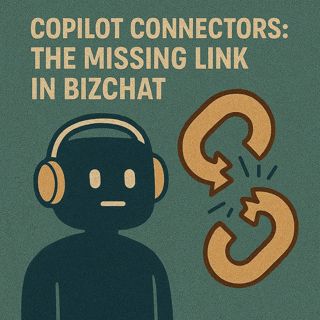
Copilot Connectors: The Missing Link That Turns Microsoft 365 BizChat into a Real Business Copilot

Copilot Connectors: The Missing Link That Turns Microsoft 365 BizChat into a Real Business Copilot

Most teams expect Microsoft 365 BizChat to act like a strategic copilot—but without connectors into your core systems, it’s effectively working half‑blind. Out of the box, BizChat can only see what lives in Outlook, Teams, OneDrive and SharePoint, so every time someone asks about pipeline, invoices or project status, it has to guess based on emails and files instead of real CRM, ERP or project data. In this episode, we walk through why that gap quietly kills trust and adoption, and how building the right Copilot connectors turns BizChat from a nice assistant into a decision‑grade copilot that actually knows your business.

We start with what “half‑blind” really looks like. A sales manager asks about current pipeline, but without CRM access BizChat returns vague summaries instead of accurate numbers. A finance lead asks about outstanding invoices, but without ERP integration the answer is empty or incomplete. A project manager asks for upcoming deadlines, but without a connection to the project system, BizChat shrugs. Each time, someone has to jump into the real app, copy figures back into the chat and explain the discrepancy—slowly teaching the whole organization that BizChat can talk, but not truly see.

Then we draw a clear line between “assistant mode” and “copilot mode.” In assistant mode, BizChat only rephrases what’s already visible in Microsoft 365: emails, documents, chat logs. In copilot mode, it can reach into systems of record—CRM, ERP, ticketing, project tools—under strict permissions and return answers that are grounded in live transactional data. We give you a simple test: does BizChat have controlled access to your key business systems, respect role‑based security when it queries them, and return responses that directly drive decisions instead of sending people elsewhere to double‑check? If the answer is no, you’re not using a copilot yet—you’re using a clever assistant.

From there, we focus on integration strategy: choosing the right systems to connect first, and deciding whether to go no‑code, low‑code or full pro‑code. You’ll learn how to identify the few data sources that will change day‑to‑day work the most—often CRM for revenue, ERP for cash and inventory, and one project or ticket system for delivery. We walk through how Copilot connectors, APIs and Teams Toolkit fit together so you can start small: one high‑value integration that proves the concept, then a pattern you can repeat without turning everything into a massive engineering project. The goal is impact, not a wall of connectors nobody uses.

Finally, we show what “BizChat with connectors” actually feels like for your users and leaders. Instead of bouncing between BizChat and dashboards, staff can ask a question once and get answers that match the numbers in your source systems. Conversations include live metrics, approvals and trends, not just summaries of old PPTs and email threads. Over time, that reliability changes behavior: people start with BizChat because it saves them real time and context‑switching, and leadership sees faster, better‑supported decisions instead of AI‑generated noise.

WHAT YOU’LL LEARN
  • Why BizChat feels half‑blind without connectors into CRM, ERP and other core systems.
  • The difference between an “assistant” that summarizes files and a true copilot that drives decisions.
  • How to pick the first systems to connect so you get visible impact, not just flashy demos.
  • How Copilot connectors, APIs and Teams Toolkit let you integrate at no‑code, low‑code or pro‑code depth.
THE CORE INSIGHT

The core insight of this episode is that BizChat doesn’t become a real copilot by getting smarter prompts—it becomes one when you give it secure, structured access to the systems where your business actually lives. Once you treat connectors as the missing link between conversation and source of truth, BizChat stops producing generic commentary and starts delivering answers you can act on without leaving the chat.

WHO THIS EPISODE IS FOR
  • Microsoft 365 architects and admins responsible for BizChat and Copilot strategy.
  • Developers and makers who want to extend BizChat with data from CRM, ERP and custom apps.
  • Business leaders who are underwhelmed by BizChat today and want it to support real decisions, not just chat.
ABOUT THE AUTHOR / HOST

Mirko Peters is a Microsoft 365, Copilot and integration consultant and host of the M365.FM podcast, helping organizations turn BizChat from a generic chat interface into a connected copilot that understands their actual systems. He works with teams on Microsoft 365, Power Platform and Azure to design connector strategies and app extensions so AI can see the same data people use for real decisions—without compromising permissions, security or governance.

Become a supporter of this podcast: https://www.spreaker.com/podcast/m365-fm-modern-work-security-and-productivity-with-microsoft-365--6704921/support.

Tämä jakso on lisätty Podme-palveluun avoimen RSS-syötteen kautta eikä se ole Podmen omaa tuotantoa. Siksi jakso saattaa sisältää mainontaa.

Jaksot(754)

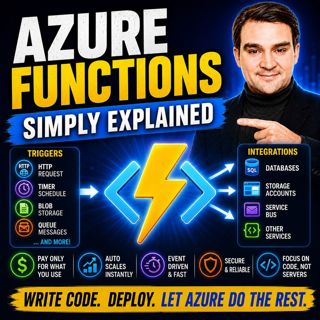
Azure Functions - Simply Explained

Azure Functions - Simply Explained

Serverless is one of the most talked-about concepts in cloud computing, yet it's also one of the most misunderstood. Many developers assume "serverless" means there are no servers involved, but the re...

15 Heinä 13min
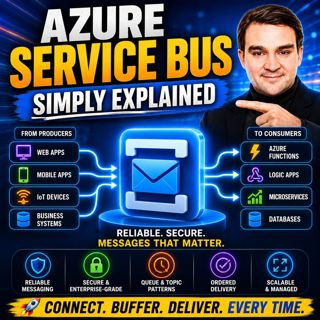
Azure Service Bus - Simply Explained

Azure Service Bus - Simply Explained

Building modern cloud applications isn't just about writing great code—it's about ensuring your applications continue working even when other systems are slow, offline, or temporarily unavailable. In ...

15 Heinä 14min
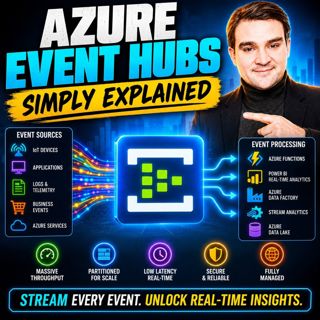
Azure Event Hubs - Simply Explained

Azure Event Hubs - Simply Explained

Modern applications generate an incredible amount of data every second. IoT devices stream telemetry, applications produce logs, websites capture user interactions, and financial systems process milli...

15 Heinä 16min

Event Grid - Simply Explained

Event Grid - Simply Explained

Modern cloud applications need to react instantly when something happens. A file is uploaded, a virtual machine is created, or an order is placed—and the right services should respond automatically wi...

15 Heinä 14min
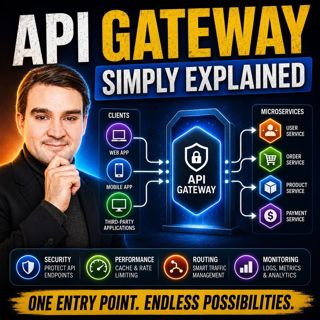
API Gateway - Simply Explained

API Gateway - Simply Explained

Modern applications rarely consist of a single backend anymore. Instead, they're built from dozens of independent services handling authentication, payments, products, users, notifications, and much m...

15 Heinä 12min

The Partnership Mistakes That Cost Partners Millions

The Partnership Mistakes That Cost Partners Millions

Success in the Microsoft ecosystem isn't determined by winning individual deals—it's built through a repeatable partnership strategy. In this episode of m365.fm, we uncover the twelve most expensive m...

15 Heinä 13min
Azure DevOps in 2026: The Quiet Backbone of Enterprise AI

Azure DevOps in 2026: The Quiet Backbone of Enterprise AI

Everyone is talking about GitHub, Copilot, and AI-powered development, leading many to believe Azure DevOps is becoming obsolete. But inside Fortune 500 enterprises, a very different story is unfoldin...

15 Heinä 1h 2min

Your AppSource Listing Is Costing You Deals

Your AppSource Listing Is Costing You Deals

ublishing your solution to Microsoft AppSource is only the beginning. Too many Microsoft partners treat their AppSource listing like a digital brochure—something to publish once and forget. The realit...

15 Heinä 16min

Suosittua kategoriassa Politiikka ja uutiset

aikalisa
uutiscast
ootsa-kuullut-tasta-2
rss-ootsa-kuullut-tasta
rss-seksicast
rss-vaalirankkurit-podcast
rss-podme-livebox
otetaan-yhdet
politiikan-puskaradio
tervo-halme
aihe
linda-maria
rikosmyytit
mtv-uutiset-polloraati
rss-aijat-hopottaa-podcast
rss-merja-mahkan-rahat
rss-raha-talous-ja-politiikka
rss-tekoalyfoorumi
rss-asiastudio
rss-girls-finish-f1rst