
Document Management in Dynamics 365 and Microsoft 365 at the Edge of Your Architecture

Document Management in Dynamics 365 and Microsoft 365 at the Edge of Your Architecture

(00:00:00) The Power of Auto Labeling
(00:00:22) The Nature of Auto Labeling
(00:01:04) Setting Up Auto Labeling Systems
(00:02:06) The Role of Training and Simulation
(00:03:01) The Enforcement and Explainability of Auto Labeling
(00:03:36) Copilot: The Witness with Guardrails
(00:04:27) The Benefits of Auto Labeling
(00:04:52) A Real-World Scenario: Contract Management
(00:05:36) The Importance of Governance and Cadence
(00:10:02) The Eight Principles of Copilot

In Part 2 of our Dark‑inspired tech‑universe journey, we move out to the edges of your architecture — the places where Dynamics 365, SharePoint, and Microsoft 365 meet and drift apart. This episode turns document management into a narrative about gravity, memory, and cause and effect at scale: how attachments live in the wrong place, how links break at the worst time, and how decisions about storage and structure echo years later in compliance, search, and automation. If Part 1 was about the tunnel, Part 2 is about what happens at the tunnel exits: integrations, boundaries, and the messy reality of getting Dynamics and M365 to behave like one system instead of parallel timelines.

WHY DOCUMENTS LIVE AT THE EDGE (AND WHY THAT MATTERS)
Most organizations treat Dynamics as the system of record and Microsoft 365 as “where files happen,” but users live in the gap: emails with attachments, sales teams dragging files into notes, project sites in SharePoint that never quite align with accounts and opportunities. Mirko explores why that edge exists, how it feels from the perspective of a seller, consultant, or service agent, and how every “just attach the file” moment creates another fork in your information timeline. Over time, the knot tightens: nobody knows which version is real, which system owns the truth, or which retention rule applies.

PATTERNS, LOOPS, AND ECHOES BETWEEN DYNAMICS AND M365
Instead of another connector checklist, this episode looks at integration patterns as loops and echoes. You will hear how:
  • Attachments become ghosts when they stay locked in Dynamics with no M365 visibility.
  • SharePoint sites multiply without a clear relationship model to accounts and cases.
  • One‑way automation creates parallel histories of the same document in different systems.
  • Search queries in Teams and SharePoint never surface the files users “know” exist in Dynamics.
Mirko maps these patterns to familiar Dark‑style ideas: echoes that almost line up, timelines that split over small configuration choices, and loops where the same integration bug appears every few years under a different name.

THE EDGE ARCHITECTURE: HOW TO TIE DYNAMICS AND M365 TOGETHER ON PURPOSE

The heart of the episode is an edge architecture for document management that treats Dynamics 365 and Microsoft 365 as one continuum instead of two separate planets. You will learn how to:
  • Use structured SharePoint locations and content types behind Dynamics, not ad‑hoc libraries.
  • Align site structures, libraries, and naming with the Dynamics data model (accounts, opportunities, projects, cases).
  • Decide which system owns which part of the truth: metadata, files, records, and retention.
  • Make links stable, predictable, and survivable when projects, teams, and owners change.
Instead of random document folders, you get a pattern: Dynamics points at governed spaces in M365, and M365 understands the business meaning of what lives there.

CONSEQUENCES THROUGH TIME: RETENTION, COMPLIANCE, AND SEARCH

What looks like “just where we store documents” becomes a compliance storyline a few years later. Mirko walks through how decisions at the edge affect:
  • Retention: whether legal and regulatory rules apply to the Dynamics record, the SharePoint file, or both.
  • Sensitivity: which labels actually follow a document as it travels between systems.
  • eDiscovery: whether investigators can reconstruct a complete history across Dynamics and Microsoft 365.
  • Search and Copilot: whether AI can see documents in context, or only as disconnected files with no origin.
The message is simple: your edge architecture is not only a tech decision. It is a future‑you decision about what can be proven, found, and trusted.LIVED STORIES FROM THE EDGE
Throughout the episode you will hear lived stories: projects where an attachment path quietly broke a year after go‑live, audits where nobody could prove which contract version was sent, or sales teams forced to rebuild context because documents existed but were unreachable. For each, Mirko rewinds the timeline to show the small configuration choice that started the loop — and how a different document management pattern in Dynamics + M365 would have prevented it.

WHAT YOU WILL LEARN
  • Why document management in Dynamics 365 and Microsoft 365 naturally gravitates to the “edge” of your architecture.
  • How everyday attachment habits, ad‑hoc SharePoint sites, and one‑way integrations create parallel timelines for the same document.
  • How to design an edge architecture where Dynamics points at governed, meaningful spaces in Microsoft 365 instead of random folders.
  • How retention, sensitivity labels, eDiscovery, search, and Copilot are all shaped by how you handle documents at this boundary.
  • How to spot the early warning signs that your Dynamics–M365 document story is turning into a knot you will have to untangle later.
WHO THIS EPISODE IS FOR
  • Dynamics 365 solution architects and functional consultants responsible for document handling.
  • Microsoft 365 and SharePoint admins who inherit the storage side of Dynamics projects.
  • Compliance and records management teams worried about where “the real file” actually lives.
  • Enterprise architects designing the boundary between line‑of‑business systems and M365.
  • Anyone who has ever hunted for “the right version” of a document across CRM, SharePoint, and email.
ABOUT THE HOST

Mirko Peters is a Microsoft 365 expert, architect, and host of m365.fm. He works with organizations from small businesses to large enterprises on Microsoft 365, Dynamics 365, security, AI integration, governance design, and system architecture. His work focuses on designing context‑driven systems that reduce complexity, enable autonomous execution, and create scalable performance across modern enterprises.

Become a supporter of this podcast: https://www.spreaker.com/podcast/m365-fm-modern-work-security-and-productivity-with-microsoft-365--6704921/support.

Denne episoden er hentet fra en åpen RSS-feed og er ikke publisert av Podme. Den kan derfor inneholde annonser.

Episoder(861)

THE DEATH OF THE PROXY: Architecting Dataverse for the Agent Fabric

THE DEATH OF THE PROXY: Architecting Dataverse for the Agent Fabric

For years, Microsoft's recommended architecture for connecting AI assistants like Claude Desktop to Dataverse relied on a local STDIO proxy. It was simple, easy to install, and perfectly suited for in...

26 Jul 0s
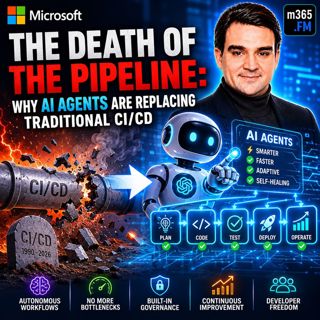
The Death of the Pipeline: Why AI Agents are Replacing Traditional

The Death of the Pipeline: Why AI Agents are Replacing Traditional

For more than two decades, CI/CD pipelines have been the backbone of modern software delivery. Developers commit code, automated builds run, tests execute, security scans complete, someone approves th...

25 Jul 0s
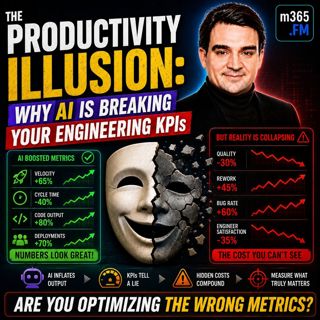
The Productivity Illusion: Why AI is Breaking Your Engineering KPIs

The Productivity Illusion: Why AI is Breaking Your Engineering KPIs

At first glance, the numbers look incredible. Deployment frequency is increasing, pull requests are being merged faster than ever, AI is generating more code, and engineering teams appear dramatically...

25 Jul 0s
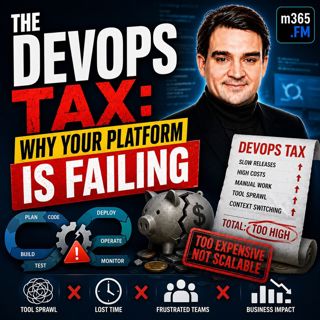
The DevOps Tax: Why Your Platform is Failing

The DevOps Tax: Why Your Platform is Failing

Welcome to another episode of Knowledge Nuggets with Mirko Peters. Today we're exploring The DevOps Tax—the hidden cost that silently reduces engineering productivity, increases cognitive overload, an...

25 Jul 0s
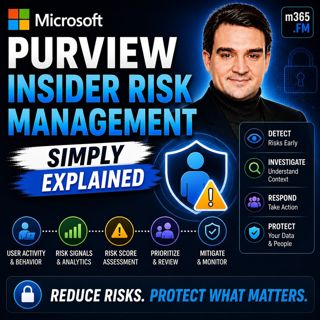
Microsoft Purview Insider Risk Management - Simply Explained

Microsoft Purview Insider Risk Management - Simply Explained

Welcome to another episode of Knowledge Nuggets with Mirko Peters. Today we're exploring Microsoft Purview Insider Risk Management, Microsoft's intelligent solution for identifying risky user behavior...

24 Jul 0s
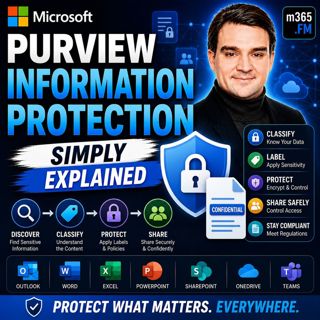
Microsoft Purview Information Protection - Simply Explained

Microsoft Purview Information Protection - Simply Explained

Welcome to another episode of Knowledge Nuggets with Mirko Peters. Today we're exploring Microsoft Purview Information Protection, the foundation of Microsoft's data classification and protection stra...

24 Jul 0s
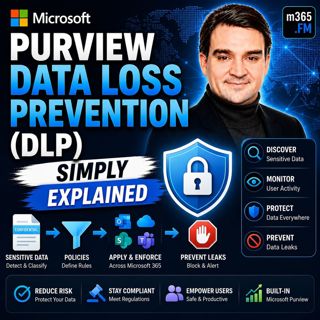
Microsoft Purview Data Loss Prevention (DLP) - Simply Explained

Microsoft Purview Data Loss Prevention (DLP) - Simply Explained

Welcome to another episode of Knowledge Nuggets with Mirko Peters. Today we're exploring Microsoft Purview Data Loss Prevention (DLP), one of the most important security capabilities in Microsoft 365 ...

24 Jul 0s

Microsoft Entra Private Access - Simply Explained

Microsoft Entra Private Access - Simply Explained

Welcome to another episode of Knowledge Nuggets with Mirko Peters. Today we're exploring Microsoft Entra Internet Access, Microsoft's modern cloud-native approach to secure internet connectivity that ...

24 Jul 0s

Populært innen Politikk og nyheter

giver-og-gjengen-vg
aftenpodden
forklart
popradet
stopp-verden
fotballpodden-2
aftenpodden-usa
rss-gukild-johaug
hanna-de-heldige
dine-penger-pengeradet
rss-ness
aftenbla-bla
lydartikler-fra-aftenposten
det-store-bildet
nokon-ma-ga
e24-podden
rss-utenrikskomiteen-med-bogen-og-grasvik
rss-penger-polser-og-politikk
unitedno
bt-dokumentar-2