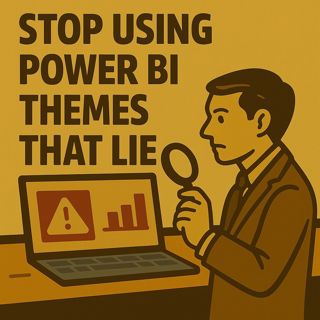

Stop Using Power BI Themes That Lie: Accessibility, Contrast, Slicers, and KPI Design for Trustworthy Dashboards

Stop Using Power BI Themes That Lie: Accessibility, Contrast, Slicers, and KPI Design for Trustworthy Dashboards

(00:00:00) The Power of Theme in Power BI
(00:00:00) The Hidden Dangers of Color Themes
(00:00:18) The Five Invisible Failures
(00:00:37) Contrast: The First Line of Defense
(00:01:11) The Four Laws of Contrast
(00:01:59) Redundancy: The Secret to Visibility
(00:02:23) The Containment Procedure for Alerts
(00:04:57) The Matrix Matrix: Subtotals in Disguise
(00:06:17) The Subtotal Containment Protocol
(00:09:40) Tooltips: The Hover Hazard

Most creators treat Power BI themes as “brand colors,” but those hues can bury alerts, erase subtotals, distort slicer states, and hide KPIs in plain sight. Your reports look polished, but executives miss risk, analysts misread filters, and nobody can agree on what the numbers are actually saying. In this episode of m365.fm, Mirko Peters exposes five invisible theme failures and walks through a ruthless validation protocol that turns themes from decoration into a governance layer for clarity, accuracy, and accessibility.

WHEN YOUR ALERTS ARE INVISIBLE: THE ACCESSIBILITY REACTOR

Your alerts are not “subtle” — they are disappearing. Low contrast between alert text, KPI cards, and background layers turns critical signals into decorative noise, especially on projectors, laptops in bright offices, and for anyone with color vision differences. Mirko explains how to treat AA/AAA contrast ratios as non‑negotiable requirements, why “on-brand but unreadable” is a design failure, and how to define positive, warning, and danger colors in your theme JSON so they survive across visuals, pages, and devices.

THE MATRIX SUBTOTAL LEAK: WHEN AGGREGATES ARE CAMOUFLAGED

A matrix that hides subtotals and grand totals is not “minimalist,” it is misleading. If subtotals look identical to detail rows or vanish at 80% zoom, leaders cannot see rollups, forecast risk, or margin erosion. This episode shows how to style subtotal and total selectors directly in the theme, strengthen the visual hierarchy with weight, bands, and dividers, and apply a fast “one‑second recognition” test: can someone instantly spot the totals across a dense table without hunting with their eyes.

TOOLTIP CHAOS: LOSING CONTEXT AT THE MOMENT IT MATTERS MOST

Tooltips are where users go for clarity — and too many themes break them. Translucent backgrounds let chart noise bleed through, low-contrast text becomes unreadable over dense visuals, and inconsistent styles across pages make it hard to trust what you are hovering. Mirko walks through how to style tooltip headers, values, and backgrounds in theme JSON so they are opaque, readable, and consistent, and how to keep tooltip content lean and performant so it renders fast enough to actually help.

CARD VISUAL URANIUM: WHEN KPIS ARE LOUD BUT UNCLEAR

Card visuals carry enormous perceptual weight. When labels and values share the same weight, random font sizes compete for attention, and formats change from page to page, users stop trusting the dashboard. This episode explains how to standardize card typography, enforce a clear label‑to‑value ratio, lock contrast and number formats, and align cards on a grid so the layout feels intentional instead of improvised. The goal: KPIs that read instantly and consistently, not a wall of shouting numbers.

SLICER STATE DECEPTION: FILTERS THAT LIE ABOUT REALITY

If users cannot tell what is filtered, the entire report becomes untrustworthy. Themes that make selected, unselected, hover, and disabled states look almost identical force people to guess whether they are looking at “everything” or a narrow slice. Mirko shows how to explicitly define all four states in theme JSON, add redundant icons and checkmarks, and introduce a clear “Reset filters” pattern with a visible filter summary. Slicer state becomes legible from three feet away, not only when someone squints.

THE VALIDATION PROTOCOL: TURNING THEMES INTO GOVERNANCE

Instead of opinions, you get a repeatable validation protocol you can run against any theme:
  • Build a single validation PBIX with cards, matrices, line/column charts, all slicer types, dense backgrounds, and both light and dark sections.
  • Run a contrast sweep with tools like WebAIM and Color Contrast Analyzer to test every foreground/background pair.
  • Perform a hierarchy audit to check if subtotals and totals are recognizable within one second.
  • Stress‑test tooltips over noisy visuals and ensure they remain readable, structured, and fast.
  • Validate slicer states under hover, selection, and disabled conditions on both desktop and projector.
The protocol ends with a simple pass/fail rule: if anything fails AA contrast or basic recognition tests, the theme does not ship.

THEME JSON AS CODE, NOT DECORATION

Themes are not one‑off files you drag into reports; they are code that deserves governance. Mirko outlines how to:
  • Keep theme JSON in Git or Azure DevOps with versioning and pull requests.
  • Use schema validation and automated checks to prevent regressions.
  • Require visual screenshots and validation PBIX results in every PR.
  • Treat tenant‑wide organizational themes as a controlled artifact with change logs and approvals.
This moves theme changes out of ad‑hoc design tweaks and into the same lifecycle as other production assets.

WHAT YOU WILL LEARN
  • Why “on‑brand” Power BI themes frequently break accessibility, trust, and decision speed.
  • How low contrast, weak subtotal styling, chaotic tooltips, and inconsistent cards silently mislead users.
  • How to design slicer states, KPIs, and alerts so their meaning is obvious at a glance on any screen.
  • How to use a validation PBIX and contrast testing tools to turn theme review into a pass/fail protocol instead of opinion.
  • How to treat theme JSON as governed code with version control, PR reviews, and tenant‑wide deployment.
WHO THIS EPISODE IS FOR
  • Power BI developers and report designers responsible for dashboards used by leaders and frontline staff.
  • BI and analytics leads standardizing themes across workspaces and business units.
  • UX and design teams translating brand guidelines into usable, accessible data experiences.
  • Governance and Center of Excellence teams defining standards for Power BI quality.
  • Anyone who suspects their Power BI reports “look great” but still confuse or mislead the audience.
ABOUT THE HOST

Mirko Peters is a Microsoft 365 and analytics expert, architect, and host of m365.fm. He works with organizations from small businesses to large enterprises on Microsoft 365, Power BI, AI integration, governance design, and system architecture. His work focuses on designing context‑driven systems that reduce complexity, enable autonomous execution, and create scalable performance across modern enterprises.

Become a supporter of this podcast: https://www.spreaker.com/podcast/m365-fm-modern-work-security-and-productivity-with-microsoft-365--6704921/support.

Denne episoden er hentet fra en åpen RSS-feed og er ikke publisert av Podme. Den kan derfor inneholde annonser.

Episoder(861)

THE DEATH OF THE PROXY: Architecting Dataverse for the Agent Fabric

THE DEATH OF THE PROXY: Architecting Dataverse for the Agent Fabric

For years, Microsoft's recommended architecture for connecting AI assistants like Claude Desktop to Dataverse relied on a local STDIO proxy. It was simple, easy to install, and perfectly suited for in...

26 Jul 0s

The Death of the Pipeline: Why AI Agents are Replacing Traditional

The Death of the Pipeline: Why AI Agents are Replacing Traditional

For more than two decades, CI/CD pipelines have been the backbone of modern software delivery. Developers commit code, automated builds run, tests execute, security scans complete, someone approves th...

25 Jul 0s
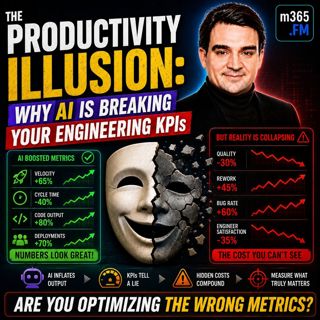
The Productivity Illusion: Why AI is Breaking Your Engineering KPIs

The Productivity Illusion: Why AI is Breaking Your Engineering KPIs

At first glance, the numbers look incredible. Deployment frequency is increasing, pull requests are being merged faster than ever, AI is generating more code, and engineering teams appear dramatically...

25 Jul 0s
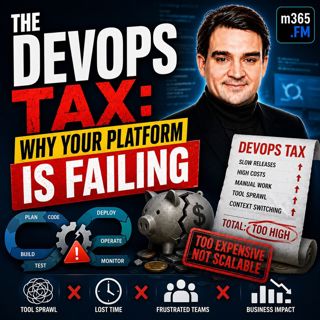
The DevOps Tax: Why Your Platform is Failing

The DevOps Tax: Why Your Platform is Failing

Welcome to another episode of Knowledge Nuggets with Mirko Peters. Today we're exploring The DevOps Tax—the hidden cost that silently reduces engineering productivity, increases cognitive overload, an...

25 Jul 0s
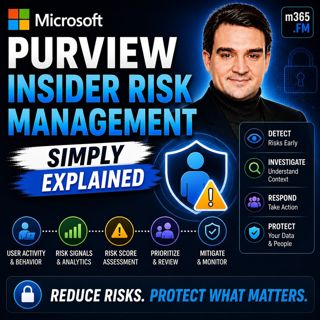
Microsoft Purview Insider Risk Management - Simply Explained

Microsoft Purview Insider Risk Management - Simply Explained

Welcome to another episode of Knowledge Nuggets with Mirko Peters. Today we're exploring Microsoft Purview Insider Risk Management, Microsoft's intelligent solution for identifying risky user behavior...

24 Jul 0s

Microsoft Purview Information Protection - Simply Explained

Microsoft Purview Information Protection - Simply Explained

Welcome to another episode of Knowledge Nuggets with Mirko Peters. Today we're exploring Microsoft Purview Information Protection, the foundation of Microsoft's data classification and protection stra...

24 Jul 0s
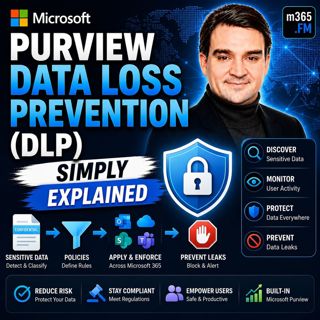
Microsoft Purview Data Loss Prevention (DLP) - Simply Explained

Microsoft Purview Data Loss Prevention (DLP) - Simply Explained

Welcome to another episode of Knowledge Nuggets with Mirko Peters. Today we're exploring Microsoft Purview Data Loss Prevention (DLP), one of the most important security capabilities in Microsoft 365 ...

24 Jul 0s

Microsoft Entra Private Access - Simply Explained

Microsoft Entra Private Access - Simply Explained

Welcome to another episode of Knowledge Nuggets with Mirko Peters. Today we're exploring Microsoft Entra Internet Access, Microsoft's modern cloud-native approach to secure internet connectivity that ...

24 Jul 0s

Populært innen Politikk og nyheter

giver-og-gjengen-vg
aftenpodden
forklart
popradet
stopp-verden
fotballpodden-2
aftenpodden-usa
rss-gukild-johaug
hanna-de-heldige
dine-penger-pengeradet
rss-ness
aftenbla-bla
lydartikler-fra-aftenposten
det-store-bildet
nokon-ma-ga
e24-podden
rss-utenrikskomiteen-med-bogen-og-grasvik
rss-penger-polser-og-politikk
unitedno
bt-dokumentar-2