Why AI Cannot Fix Your SharePoint Sprawl (and How Governance, IA, and Labels Make Copilot Trustworthy)

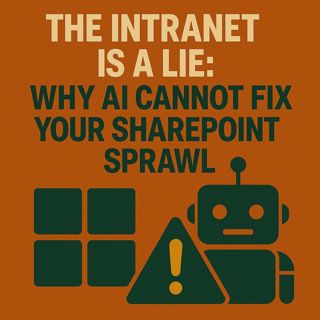
Why AI Cannot Fix Your SharePoint Sprawl (and How Governance, IA, and Labels Make Copilot Trustworthy)

(00:00:00) The Silent Internet
(00:00:13) AI's Blindness to Messy Data
(00:01:11) The Walled Garden and Its Limitations
(00:03:23) The First Creature: Permission Drift
(00:10:29) The Second Creature: Orphaned Teams
(00:15:43) The Third Creature: Rotting Data
(00:20:20) The Fourth Creature: Shadow Sites
(00:24:42) The Fifth Creature: Hallucinations
(00:28:59) The Governance Ritual
(00:37:44) Call to Action and Next Episode Preview

Your intranet’s silence is not peace — it is warning. In this episode of m365.fm, Mirko Peters uncovers why AI tools like Microsoft 365 Copilot, search, and enterprise agents do not read your intentions; they read your residue: broken permissions, ROT data, orphaned Teams, shadow sites, and a sprawl that has been quietly expanding for years. You will learn the five governance binds — Information Architecture, Lifecycle, Sensitivity Labels, DLP, and Retention — and why your AI will keep hallucinating until these foundations are clean. Through vivid metaphors, real admin stories, and before/after Copilot examples, this episode reveals how to stop your digital workplace from lying to you.

WHY AI REFLECTS YOUR MESS, NOT YOUR MIND

AI grounds its answers in whatever SharePoint, OneDrive, Teams, and Outlook expose, not in how you wish your organization worked. Outdated PDFs, drafts buried in deep folders, and mislabeled content create confident but wrong responses. Clashing permissions and parallel “final” documents mean Copilot can easily miss the real source of truth or quote the wrong one. Mirko explains why prompt tweaks cannot fix what bad information architecture and governance keep breaking underneath.

THE LIE OF THE INTRANET

Your intranet is not a garden; it is an archive that remembers every bad choice ever made: ad‑hoc sites, abandoned microsites, random libraries named “Misc,” and navigation that grew by accretion, not design. Overly complex metadata sends users back to folder chaos, causing ROT (redundant, outdated, trivial) data to multiply. External systems like Confluence, Jira, and Google Drive remain invisible to Microsoft 365 AI, creating gaps the model tries to “fill” from whatever it can see — and that is where hallucinations thrive.

MEET THE FOUR CREATURES HIDING IN YOUR SHAREPOINT

Mirko uses four creatures to personify the hidden forces corrupting your AI:

- Creature One: Permission Drift — Doors That Open Themselves
Inherited permissions break quietly over years, nested groups and old guest accounts create shadow access, and no one can answer “who should have access?” with confidence. The fix starts with running “who can?” vs. “who should?” diffs on critical hubs and closing the cracks.
- Creature Two: Orphaned Teams — Rooms With No Stewards
Teams with no owners stay alive through connectors, shared channels, and flows. Inactive does not mean safe: sync paths, guests, and bots keep leaking information. A 90‑day activity audit and a mandatory two‑owner model turn abandoned rooms back into governed spaces.
- Creature Three: ROT Data — The Fog That Feeds Hallucinations
Duplicate versions, “Final_v7,” and outdated copies form the swamp Copilot drinks from. ROT hides the authoritative source and buries search precision. Content inventory, duplicate detection, lifecycle rules, and sane metadata clear the fog so AI can lock onto real truth.
- Creature Four: Shadow Sites — Strays Wandering From the Cold
Unmapped subsites, legacy workspaces, and microsites confuse search ranking and user trust. Content sprawl creates parallel truths that battle in search results and Copilot grounding. Hub‑and‑spoke IA, naming conventions, and required purpose fields bring these strays home.
THE HALLUCINATION: WHEN COPILOT WEARS YOUR FACE

Hallucinations are not AI rebellion; they are AI working in the dark. Over‑restriction starves Copilot’s grounding, while over‑permissiveness floods it with noise. Mirko introduces three practical metrics to track: Citation Precision (how often answers cite the correct authoritative document), Answer Variance (how much answers change for the same prompt over time), and Access Mismatch (when Copilot cites content users cannot actually open). Cleaning the ground — not rewriting prompts — is what reduces hallucinations sustainably.THE FIVE

GOVERNANCE BINDS THAT HOLD THE HOUSE TOGETHER

This episode then walks through the five binds that keep your digital estate from lying to you:

- Lean Information Architecture
Hubs as anchors, not decoration; libraries with clear boundaries; and at least two required fields everywhere: Purpose and Content Type. Content types use human language — Policy, SOP, Record, Reference, Working Doc — so both users and AI understand what they are looking at.
- Lifecycle Management
Create → Attest → Archive → Dispose. Owners confirm purpose, labels, guests, and connectors on a regular schedule (for example, every 180 days). Lifecycle makes sure stale content actually leaves the stage instead of haunting search and Copilot forever.
- Sensitivity Labels
Labels are circuits, not stickers: they enforce sharing rules, indexing rules, and inheritance across your structure. Proper label design decides what Copilot can see, how it can ground, and where it must refuse to answer.
- Data Loss Prevention (DLP)
DLP enforces controls at the exits: alerts, blocks, and business‑justified overrides on risky actions. It protects against accidental exfiltration from Teams, SharePoint, Exchange, and Power Platform — and gives you visibility when AI and automation get too close to the boundary.
- Retention
Time is governance. Working content might live 30 days, reference content 180 days, records 7+ years — but nothing is forever by default. Disposition reviews create audit‑ready evidence that content was kept, reviewed, and removed on purpose.
REAL ADMIN STORIES AND BEFORE/AFTER COPILOT BEHAVIOR

Mirko shares real admin stories where Copilot cited a 2019 PDF because a newer policy sat behind broken inheritance, and how collapsing permissions, cleaning ROT, and aligning labels fixed the answer without touching the prompt. In another case, clearing duplicate drafts reduced a 12‑result search page down to two authoritative hits — and Copilot’s answers became shorter, more precise, and easier to trust. Orphaned Teams with active connectors turned out to be quiet leak points until they were archived, removing noisy content from the AI’s field of view.

IMMEDIATE ACTIONS (DO THESE BEFORE TURNING ON MORE AI)

The episode closes with a concrete starter list you can apply this week:

- Run a permissions diff on your top five hubs and fix obvious inheritance breaks.
- Disable ad‑hoc item links on all Confidential and above labels.
- Enforce two owners per Team/Site with 180‑day attestation requirements.
- Publish two required metadata fields (Purpose and Content Type) on key libraries.
- Apply default retention to your three highest‑volume libraries.
- Fully archive one orphaned Team end‑to‑end and measure the Copilot search and citation impact.
The message is simple: do not ask AI to fix your intranet. Fix your intranet so AI has something honest to reflect.

WHAT YOU WILL LEARN

- Why AI reflects your information mess, not your intentions, and how that shows up in Copilot and search.
- How permission drift, orphaned Teams, ROT data, and shadow sites quietly corrupt AI grounding.
- How the five governance binds — IA, Lifecycle, Sensitivity Labels, DLP, and Retention — turn hallucinations into rare exceptions instead of everyday behavior.
- How to interpret Copilot’s “lies” as telemetry about your digital estate rather than model failure.
- Which low‑effort changes in SharePoint, Teams, and governance give you the fastest AI quality wins.
WHO THIS EPISODE IS FOR

- Microsoft 365 and SharePoint administrators responsible for sites, hubs, and permissions.
- Digital workplace and intranet owners who want Copilot and search to actually help users.
- Security, compliance, and governance teams worried about oversharing and AI surfacing the wrong content.
- Architects and consultants designing Microsoft 365 information architecture for an AI‑ready future.
- Anyone who suspects their Copilot problem is really an information architecture and governance problem in disguise.
ABOUT THE HOST

Mirko Peters is a Microsoft 365 expert, architect, and host of m365.fm. He works with organizations from small businesses to large enterprises on Microsoft 365 architecture, security, AI integration, governance design, and system architecture. His work focuses on designing context‑driven systems that reduce complexity, enable autonomous execution, and create scalable performance across modern enterprise

Become a supporter of this podcast: https://www.spreaker.com/podcast/m365-fm-modern-work-security-and-productivity-with-microsoft-365--6704921/support.

Denne episoden er hentet fra en åpen RSS-feed og er ikke publisert av Podme. Den kan derfor inneholde annonser.

Episoder(861)

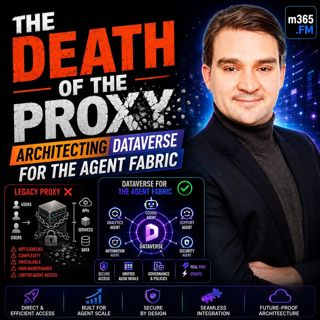
THE DEATH OF THE PROXY: Architecting Dataverse for the Agent Fabric

THE DEATH OF THE PROXY: Architecting Dataverse for the Agent Fabric

For years, Microsoft's recommended architecture for connecting AI assistants like Claude Desktop to Dataverse relied on a local STDIO proxy. It was simple, easy to install, and perfectly suited for in...

26 Jul 0s
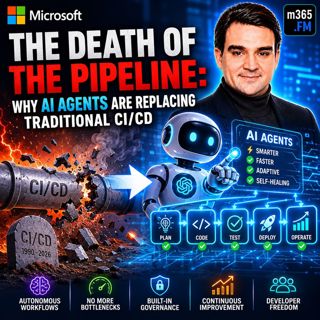
The Death of the Pipeline: Why AI Agents are Replacing Traditional

The Death of the Pipeline: Why AI Agents are Replacing Traditional

For more than two decades, CI/CD pipelines have been the backbone of modern software delivery. Developers commit code, automated builds run, tests execute, security scans complete, someone approves th...

25 Jul 0s
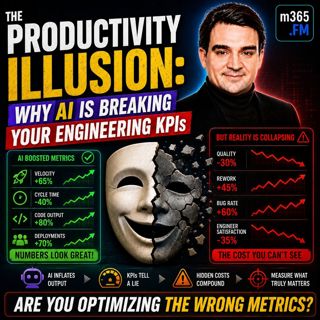
The Productivity Illusion: Why AI is Breaking Your Engineering KPIs

The Productivity Illusion: Why AI is Breaking Your Engineering KPIs

At first glance, the numbers look incredible. Deployment frequency is increasing, pull requests are being merged faster than ever, AI is generating more code, and engineering teams appear dramatically...

25 Jul 0s
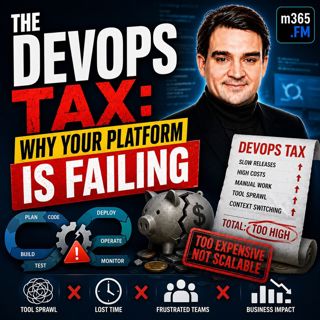
The DevOps Tax: Why Your Platform is Failing

The DevOps Tax: Why Your Platform is Failing

Welcome to another episode of Knowledge Nuggets with Mirko Peters. Today we're exploring The DevOps Tax—the hidden cost that silently reduces engineering productivity, increases cognitive overload, an...

25 Jul 0s
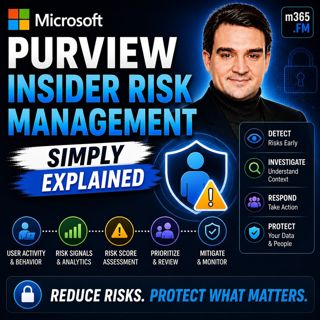
Microsoft Purview Insider Risk Management - Simply Explained

Microsoft Purview Insider Risk Management - Simply Explained

Welcome to another episode of Knowledge Nuggets with Mirko Peters. Today we're exploring Microsoft Purview Insider Risk Management, Microsoft's intelligent solution for identifying risky user behavior...

24 Jul 0s

Microsoft Purview Information Protection - Simply Explained

Microsoft Purview Information Protection - Simply Explained

Welcome to another episode of Knowledge Nuggets with Mirko Peters. Today we're exploring Microsoft Purview Information Protection, the foundation of Microsoft's data classification and protection stra...

24 Jul 0s
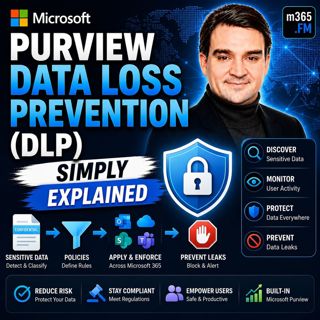
Microsoft Purview Data Loss Prevention (DLP) - Simply Explained

Microsoft Purview Data Loss Prevention (DLP) - Simply Explained

Welcome to another episode of Knowledge Nuggets with Mirko Peters. Today we're exploring Microsoft Purview Data Loss Prevention (DLP), one of the most important security capabilities in Microsoft 365 ...

24 Jul 0s

Microsoft Entra Private Access - Simply Explained

Microsoft Entra Private Access - Simply Explained

Welcome to another episode of Knowledge Nuggets with Mirko Peters. Today we're exploring Microsoft Entra Internet Access, Microsoft's modern cloud-native approach to secure internet connectivity that ...

24 Jul 0s

Populært innen Politikk og nyheter

giver-og-gjengen-vg
aftenpodden
forklart
popradet
stopp-verden
fotballpodden-2
aftenpodden-usa
rss-gukild-johaug
hanna-de-heldige
dine-penger-pengeradet
rss-ness
aftenbla-bla
lydartikler-fra-aftenposten
det-store-bildet
nokon-ma-ga
e24-podden
rss-utenrikskomiteen-med-bogen-og-grasvik
rss-penger-polser-og-politikk
unitedno
bt-dokumentar-2