
I gave Clawdbot (aka Moltbot) access to my computer, calendar, and emails: Here’s what happened
How I AI28 Jan

I gave Clawdbot (aka Moltbot) access to my computer, calendar, and emails: Here’s what happened

In this episode, I take you through my unfiltered experience with Clawdbot, the viral open-source AI agent that’s been taking over tech Twitter. (In the time since this was recorded, the tool was renamed Moltbot, but we’re calling it Clawdbot here to match the episode.) It’s an autonomous AI that can run code, spin up sub-agents, join video calls, and take real actions on your machine. I invite it onto the podcast, give it screen access, and walk through what it’s like to go from zero to one with an agentic AI that actually does things. Along the way, I share the real experience: installation headaches, dependency chaos, security warnings you shouldn’t ignore, and the very real tension of giving an AI access to your messaging apps, files, and accounts. I also break down how I thought about permissions, identity, model choice, and cost while testing Clawdbot as a personal assistant.

What you’ll learn:

  1. How to install and set up Clawdbot (and why it’s not as simple as the “one-liner” suggests)
  2. The security implications of giving an autonomous AI access to your computer and accounts
  3. How to safely limit Clawdbot’s permissions while still making it useful
  4. Why Clawdbot struggles with basic time concepts but excels at research tasks
  5. The future of AI assistants—and who might build the consumer-friendly version
  6. How to use voice messaging with AI agents for on-the-go productivity
  7. Why latency is one of the biggest challenges for autonomous AI assistants

Brought to you by:

Lovable—Build apps by simply chatting with AI

Detailed workflow walkthroughs from this episode:

• How I AI: My 24 Hours with Clawdbot (aka Moltbot)—3 Workflows for a Powerful (and Terrifying) AI Agent: https://www.chatprd.ai/how-i-ai/24-hours-with-clawdbot-moltbot-3-workflows-for-ai-agent

• How to Securely Set Up and Configure an Open-Source AI Agent like Clawdbot: https://www.chatprd.ai/how-i-ai/workflows/how-to-securely-set-up-and-configure-an-open-source-ai-agent-like-clawdbot

• How to Safely Delegate Calendar Scheduling to an AI Agent: https://www.chatprd.ai/how-i-ai/workflows/how-to-safely-delegate-calendar-scheduling-to-an-ai-agent

• Automate Market Research on Reddit Using an AI Agent: https://www.chatprd.ai/how-i-ai/workflows/automate-market-research-on-reddit-using-an-ai-agent

In this episode, we cover:

(00:00) Introduction and getting Clawdbot to join the podcast

(02:07) What Clawdbot is and how it works

(03:50) Installation process and hardware requirements

(07:26) Security considerations and creating separate accounts

(08:03) Setting up Telegram integration

(10:02) Use case: Clawdbot as an EA

(13:08) Configuring the AI agent

(14:31) Granting Google Calendar access

(18:03) Testing Clawdbot as a personal assistant

(23:16) Speed frustrations

(23:54) Email mishaps and impersonation issues

(26:33) Why prompting matters more than ever with autonomous agents

(27:32) Quick recap and family calendar management gone wrong

(32:11) Using voice messaging with Clawdbot

(36:14) Product thoughts

(37:06) Building a Next.js app to show chat history

(42:29) Research capabilities and Reddit analysis

(46:10) Final thoughts on security concerns

(48:00) The future of AI assistants and who will build them

Tools referenced:

• Moltbot (formerly Clawdbot): https://www.molt.bot/

• Telegram: https://telegram.org/

• Vercel: https://vercel.com/

• Devin: https://www.devin.ai/

Other references:

• 1Password: https://1password.com/

• Next.js: https://nextjs.org/

• Google Workspace: https://workspace.google.com/

• Claude Sonnet 4.5: https://www.anthropic.com/news/claude-sonnet-4-5

• OAuth: https://oauth.net/

Where to find Claire Vo:

ChatPRD: https://www.chatprd.ai/

Website: https://clairevo.com/

LinkedIn: https://www.linkedin.com/in/clairevo/

X: https://x.com/clairevo

Production and marketing by https://penname.co/. For inquiries about sponsoring the podcast, email jordan@penname.co.

Episoder(65)

I built a custom Slack inbox. It was easier than you’d think. | Yash Tekriwal (Clay)

I built a custom Slack inbox. It was easier than you’d think. | Yash Tekriwal (Clay)

Yash Tekriwal is the head of education at Clay. A self-described hyper-optimizer, Yash has built multiple custom productivity applications using Perplexity Computer and OpenClaw to manage his overwhel...

8 Apr 44min
I gave Claude Code our entire codebase. Our customers noticed. | Al Chen (Galileo)

I gave Claude Code our entire codebase. Our customers noticed. | Al Chen (Galileo)

Al Chen is a field engineer at Galileo, an observability platform for AI applications, where he works on the front lines with enterprise customers asking highly technical questions. Despite never havi...

6 Apr 45min

How to turn Claude Code into your personal life operating system | Hilary Gridley

How to turn Claude Code into your personal life operating system | Hilary Gridley

Hilary Gridley is an entrepreneur, former product leader, and new mom who previously appeared on the podcast discussing AI for managers. She returns to share how she's transformed her approach to pers...

30 Mar 51min
How Stripe built “minions”—AI coding agents that ship 1,300 PRs weekly from Slack reactions | Steve Kaliski (Stripe engineer)

How Stripe built “minions”—AI coding agents that ship 1,300 PRs weekly from Slack reactions | Steve Kaliski (Stripe engineer)

Steve Kaliski is a software engineer at Stripe who has spent the past six and a half years building developer tools and payment infrastructure. He’s part of the team that created “minions”—Stripe’s in...

25 Mar 41min
How Microsoft's AI VP automates everything with Warp | Marco Casalaina

How Microsoft's AI VP automates everything with Warp | Marco Casalaina

Marco Casalaina, VP of Core AI Products and AI Futurist at Microsoft, demonstrates how he uses AI tools to automate administrative tasks that typically consume valuable time. Rather than using Warp as...

23 Mar 34min

From journalist to iOS developer: How LinkedIn’s editor builds with Claude Code | Daniel Roth

From journalist to iOS developer: How LinkedIn’s editor builds with Claude Code | Daniel Roth

Daniel Roth, editor in chief at LinkedIn, went from business writer to iOS app developer, without ever learning how to code. Using Claude Code, Daniel built and shipped multiple production-ready iOS a...

16 Mar 38min
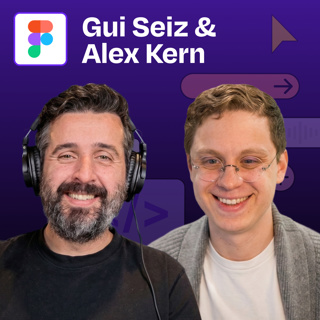
From Figma to Claude Code and back | Gui Seiz & Alex Kern (Figma)

From Figma to Claude Code and back | Gui Seiz & Alex Kern (Figma)

Most teams are still passing static design files back and forth, and most Figma files are already out of date by the time they reach engineering. Gui Seiz (designer) and Alex Kern (engineer) from Figm...

11 Mar 40min
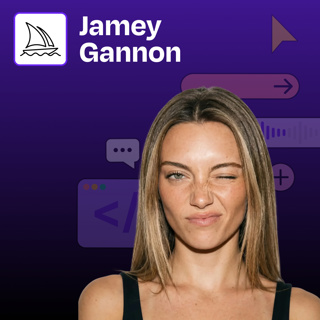
Mastering Midjourney: How to create consistent, beautiful brand imagery without complex prompts | Jamey Gannon

Mastering Midjourney: How to create consistent, beautiful brand imagery without complex prompts | Jamey Gannon

Jamey Gannon is an AI creative director who specializes in creating consistent, beautiful brand imagery using AI tools. In this episode, Jamey demonstrates her streamlined workflow for generating cohe...

9 Mar 49min

Populært innen Teknologi

lydartikler-fra-aftenposten
romkapsel
teknisk-sett
tomprat-med-gunnar-tjomlid
rss-impressions-2
shifter
fornybaren
teknologi-og-mennesker
smart-forklart
rss-ki-praten
rss-alt-vi-kan
elektropodden
pedagogisk-intelligens
rss-praktisk-proptech
rss-heis
rss-ai-forklart
hans-petter-og-co
nasjonal-sikkerhetsmyndighet-nsm
kortslutning
rss-teknologioptimistene-energibransjens-it-podcast