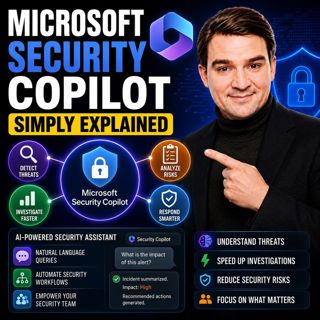

Microsoft Security Copilot - Simply Explained

Microsoft Security Copilot - Simply Explained

Security teams face a common challenge: thousands of security alerts, limited staff, and not enough time to investigate every incident. Most alerts turn out to be harmless, but hidden among them can be genuine attacks that require immediate attention. Microsoft Security Copilot was built to solve exactly this problem. Rather than replacing your existing security tools, it adds an AI-powered intelligence layer across Microsoft Defender, Entra, Intune, Purview, and other Microsoft security products. It helps analysts investigate faster, prioritize threats, summarize incidents, and recommend next steps using natural language.

AN AI ASSISTANT FOR YOUR SECURITY STACK
Security Copilot isn't another security dashboard. Instead, it works alongside the Microsoft security tools you already use, allowing you to ask questions like "What happened overnight?", "Which devices are out of compliance?", or "Show me risky sign-ins." Unlike general-purpose AI, Security Copilot understands your organization's environment, combining Microsoft's global threat intelligence with your own security data to provide recommendations that are directly relevant to your tenant.

SECURITY COMPUTE UNITS (SCUS)
Every action inside Security Copilot is powered by Security Compute Units (SCUs). Think of SCUs as the fuel that powers the AI. Each prompt, report, investigation, or AI agent consumes a small number of compute units. Organizations with Microsoft 365 E5 licensing receive monthly SCUs based on the number of licensed users, while additional capacity can be purchased if required. Microsoft also provides detailed usage reporting, allowing administrators to monitor AI consumption and prevent unexpected costs.

AI AGENTS THAT DO THE HEAVY LIFTING
The most powerful feature of Security Copilot is its growing collection of specialized AI agents. The Phishing Triage Agent automatically investigates suspicious emails, evaluates sender reputation, analyzes links, and prioritizes dangerous messages. The Conditional Access Optimization Agent reviews Entra ID policies, identifies security gaps, and recommends Zero Trust improvements. The Vulnerability Remediation Agent prioritizes devices requiring updates, while the Threat Intelligence Briefing Agent generates executive-ready reports summarizing emerging threats relevant to your organization. Additional agents assist with security alert triage, insider risk investigations, data loss prevention, and recurring security tasks through reusable prompt books.

WHAT DAILY WORK LOOKS LIKE
Instead of manually switching between Defender, Entra, Intune, and multiple admin portals, Security Copilot brings everything together. A security analyst can begin the day by reviewing an AI-generated summary of overnight incidents. Reported phishing emails are already investigated, risky sign-ins identified, vulnerable devices prioritized, and recommended actions prepared. Routine investigations that previously required complex KQL queries and multiple management consoles become simple natural-language conversations, allowing analysts to focus on decisions rather than repetitive analysis.

WHO BENEFITS MOST?
Security Copilot is especially valuable for organizations with small IT and security teams. Many businesses rely on a single administrator responsible for infrastructure, identity, compliance, endpoint management, and cybersecurity. Security Copilot acts as a force multiplier by handling repetitive investigations, accelerating incident response, and helping less experienced administrators perform complex security tasks with confidence. Rather than replacing security professionals, it enables them to work significantly faster while reducing alert fatigue and burnout.

GETTING STARTED
Organizations using Microsoft 365 E5 can enable Security Copilot through their Microsoft environment and begin working almost immediately. After assigning the appropriate security roles and creating a workspace, administrators can start experimenting with AI prompts and gradually introduce specialized agents such as Conditional Access Optimization or Phishing Triage. Beginning with one or two agents allows teams to experience immediate productivity improvements before expanding into more advanced automation scenarios.

SECURITY, PRIVACY, AND GOVERNANCE
Security Copilot follows the same permission model as the Microsoft security platform itself. It can only access data users are already authorized to view, while customer information remains inside the organization's Microsoft tenant. However, organizations should review permissions, data classifications, and governance policies before enabling AI broadly to ensure sensitive information is properly protected. With strong governance in place, Security Copilot becomes a trusted AI assistant that helps security teams investigate threats faster, reduce manual effort, and improve overall cyber resilience without sacrificing control or compliance.

Become a supporter of this podcast: https://www.spreaker.com/podcast/m365-fm-modern-work-security-and-productivity-with-microsoft-365--6704921/support.

Denne episoden er hentet fra en åpen RSS-feed og er ikke publisert av Podme. Den kan derfor inneholde annonser.

Episoder(715)

Platform Engineering: The New Operating Model for Azure

Platform Engineering: The New Operating Model for Azure

DevOps changed how software is built, but it didn't eliminate complexity—it simply redistributed it. As organizations adopted cloud platforms, Infrastructure as Code, containers, and CI/CD pipelines, ...

13 Jul 1h 16min
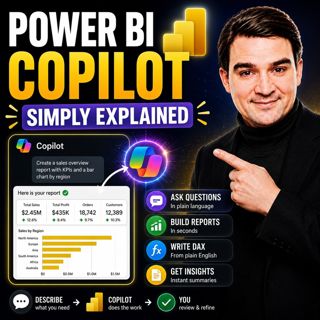
Power BI Copilot - Simply Explained

Power BI Copilot - Simply Explained

Power BI Copilot brings generative AI directly into Microsoft's business intelligence platform, helping users build reports, write DAX formulas, analyze data, and generate insights using natural langu...

13 Jul 11min
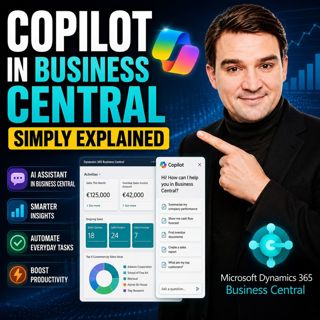
Copilot in Business Central - Simply Explained

Copilot in Business Central - Simply Explained

Microsoft Copilot is becoming a core part of Dynamics 365 Business Central, transforming it from a traditional ERP system into an AI-powered business assistant. Instead of switching between applicatio...

12 Jul 11min
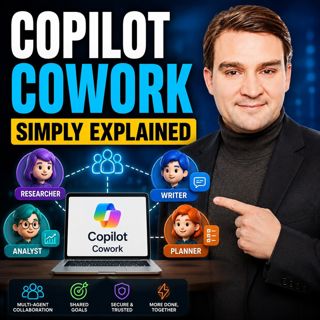
Copilot Cowork - Simply Explained

Copilot Cowork - Simply Explained

Microsoft Copilot changed how we interact with AI by helping us summarize emails, draft documents, and answer questions. But there's still one major problem: you're responsible for connecting everythi...

12 Jul 13min
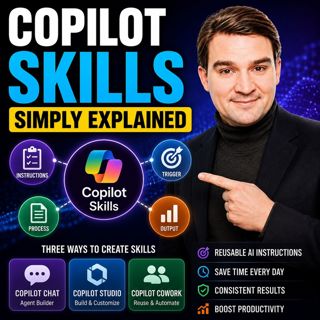
Copilot Skills - Simply Explained

Copilot Skills - Simply Explained

Copilot Skills are one of Microsoft's most important AI building blocks, yet they're also one of the most misunderstood. Depending on which Microsoft product you're using, the same concept appears und...

12 Jul 13min

Microsoft Scout - Simply Explained

Microsoft Scout - Simply Explained

Microsoft has introduced a growing family of AI assistants, and Microsoft Scout represents the next major step in that evolution. While Copilot helps when you ask questions and Cowork executes multi-s...

12 Jul 16min
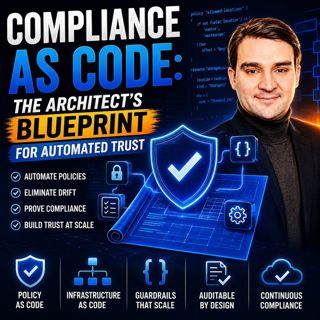
Compliance as Code: The Architect’s Blueprint for Automated Trust

Compliance as Code: The Architect’s Blueprint for Automated Trust

Compliance has traditionally been treated as documentation. Policies live in PDFs, access reviews sit in spreadsheets, and governance depends on people remembering to follow processes. But cloud envir...

12 Jul 1h 13min

Populært innen Politikk og nyheter

giver-og-gjengen-vg
aftenpodden-usa
aftenpodden
fotballpodden-2
forklart
popradet
stopp-verden
det-store-bildet
rss-gukild-johaug
hanna-de-heldige
rss-ness
nokon-ma-ga
dine-penger-pengeradet
aftenbla-bla
lydartikler-fra-aftenposten
rss-penger-polser-og-politikk
rss-utenrikskomiteen-med-bogen-og-grasvik
ta-dokumentar
e24-podden
rss-espen-lee-usensurert