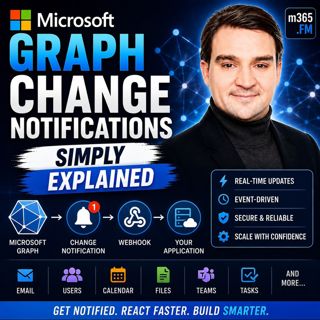
Microsoft Graph Change Notifications - Simply Explained

Microsoft Graph Change Notifications - Simply Explained

Welcome to another episode of Knowledge Nuggets with Mirko Peters. Today we're exploring Microsoft Graph Change Notifications, one of the most important capabilities for building modern, event-driven Microsoft 365 applications. Imagine your application needs to know whenever a new email arrives, a SharePoint document is updated, a Teams message is posted, or a user account changes inside Microsoft Entra ID. The traditional approach is simple—but inefficient. Your application repeatedly asks Microsoft Graph whether anything has changed. Most of the time the answer is "no," wasting API calls, increasing latency, and potentially triggering Microsoft Graph throttling. Microsoft Graph Change Notifications solve this problem by turning Microsoft 365 into an event-driven platform. Instead of continuously asking for updates, your application simply subscribes to the resources it cares about, and Microsoft Graph automatically notifies your application whenever something changes. In this episode, we'll explain how Change Notifications work, how subscriptions and webhooks fit together, why subscription renewal matters, and how organizations use this capability to build real-time Microsoft 365 solutions.

THE PROBLEM WITH POLLING
Before understanding Change Notifications, it's important to understand the problem they were designed to solve. Traditionally, applications relied on polling. Every few minutes an application would call Microsoft Graph asking whether anything had changed since the previous request. This approach creates several problems. If nothing has changed, every request wastes processing power, bandwidth, and API quota. If something changes immediately after the last request, users may wait several minutes before the application notices. Developers are forced to choose between frequent polling that wastes resources or slower polling that introduces delays. Microsoft Graph also protects its services through throttling. Applications making excessive requests may temporarily receive rate limits, forcing developers to slow down even further. Instead of repeatedly asking Microsoft Graph for updates, Microsoft introduced Change Notifications so that Microsoft Graph can notify applications only when something actually happens. This shift from polling to event-driven communication dramatically reduces unnecessary API traffic while providing much faster response times.

WHAT ARE MICROSOFT GRAPH CHANGE NOTIFICATIONS?
Microsoft Graph Change Notifications provide a push-based event system for Microsoft 365. Rather than checking repeatedly for updates, an application tells Microsoft Graph which resources it wants to monitor. Microsoft Graph then watches those resources continuously. Whenever a matching event occurs, Microsoft Graph immediately sends an HTTP POST request to the application's endpoint. A useful analogy is a mailbox with a motion sensor. Without Change Notifications, you repeatedly walk outside to see whether new mail has arrived. With Change Notifications, the motion sensor alerts you the instant the mail is delivered. The same concept applies to Microsoft 365. Whether monitoring Outlook emails, SharePoint files, Microsoft Teams messages, users, groups, calendars, contacts, or security alerts, Microsoft Graph automatically informs your application whenever relevant activity occurs. Instead of constantly asking, your application simply reacts.

SUBSCRIPTIONS: TELLING GRAPH WHAT TO WATCH
Everything begins with a subscription. A subscription tells Microsoft Graph exactly which resource should be monitored and what kinds of changes should trigger notifications. When creating a subscription, several pieces of information must be provided. The application specifies the resource path, such as users, Outlook mail folders, calendars, or SharePoint libraries. It also selects which changes should trigger notifications, including newly created items, updates, deletions, or combinations of these events. Next, the application provides a secure HTTPS notification endpoint where Microsoft Graph will deliver notifications. Finally, every subscription includes an expiration date. Unlike permanent registrations, subscriptions automatically expire after a limited period. Different Microsoft 365 resources support different maximum subscription lifetimes, making renewal an essential part of every production solution. Once Microsoft Graph accepts the subscription request, it returns a unique subscription identifier that applications later use to renew, update, or delete the subscription.

THE VALIDATION HANDSHAKE
Before Microsoft Graph begins sending notifications, it first verifies that the notification endpoint actually belongs to the application. This process is called the validation handshake. Immediately after a subscription is created, Microsoft Graph sends a verification request containing a validation token. The application's endpoint must return that exact token as plain text within a short time window. A helpful analogy is a courier delivering an important package. Before handing over the package, the courier rings the doorbell to confirm that someone is actually home. If nobody answers, the delivery never happens. The validation handshake works the same way. Only after the endpoint successfully returns the validation token does Microsoft Graph activate the subscription and begin delivering real notifications. This simple verification process prevents malicious applications from redirecting notifications to unauthorized destinations.

KEEPING SUBSCRIPTIONS ALIVE
Subscriptions do not last forever. Every subscription eventually reaches its expiration time, after which Microsoft Graph stops sending notifications entirely. Because different resources have different maximum subscription durations, production applications must continuously monitor expiration times and renew subscriptions before they expire. Renewal is performed by sending an update request using the subscription identifier together with a new expiration timestamp. Microsoft also provides lifecycle notifications, allowing applications to receive advance warnings before subscriptions expire or when access tokens require renewal. A practical strategy is to inspect expiration information whenever notifications arrive and renew subscriptions well before they expire, avoiding unnecessary outages while reducing operational complexity. Proper subscription management is one of the most important aspects of building reliable event-driven Microsoft Graph applications.

BUILDING RELIABLE SOLUTIONS
Real-world systems occasionally experience failures. Endpoints may become temporarily unavailable, networks may experience interruptions, or notifications may occasionally fail to arrive. Microsoft Graph therefore expects webhook endpoints to acknowledge notifications very quickly. Applications should return an immediate success response while processing notifications asynchronously in the background. Rather than performing lengthy business logic inside the webhook itself, notifications should typically be placed into queues where background services can process them safely without delaying Microsoft Graph. Microsoft also recommends combining Change Notifications with Delta Queries. Change Notifications provide immediate awareness whenever something changes, while Delta Queries periodically compare current data with previous synchronization states. Together they create a highly reliable synchronization strategy where notifications deliver real-time updates while Delta Queries recover any events that might have been missed because of temporary outages or expired subscriptions. This combination gives organizations both speed and reliability.

REAL WORLD BUSINESS SCENARIOS
Microsoft Graph Change Notifications enable numerous automation scenarios across Microsoft 365. Human Resources systems can automatically provision new employees when Microsoft Entra ID creates user accounts, triggering downstream onboarding processes immediately. Security platforms can react instantly whenever user accounts become disabled or security-sensitive changes occur, allowing security teams to investigate potential incidents without waiting for scheduled scans. Document processing solutions monitor SharePoint libraries, automatically classifying newly uploaded files with AI before routing invoices, contracts, or forms into appropriate business workflows. Analytics platforms synchronize Microsoft 365 activity into Microsoft Fabric or Power BI almost immediately, allowing dashboards to reflect operational changes in near real time. Microsoft Copilot connectors also leverage event-driven synchronization so AI assistants receive updated business information as soon as source systems change, allowing Copilot experiences to remain current without repeatedly scanning entire datasets. In every scenario, Change Notifications eliminate unnecessary polling while dramatically reducing response times.

CHOOSING THE RIGHT DELIVERY OPTION
Microsoft supports several delivery models depending on application scale. For many organizations, webhooks provide the simplest solution. Microsoft Graph sends HTTP POST requests directly to the application's notification endpoint, making implementation straightforward for low and medium notification volumes. Larger enterprise environments often choose Azure Event Hubs, allowing millions of notifications to flow through highly scalable event streaming infrastructure before applications process them at their own pace. Organizations building serverless architectures frequently integrate Change Notifications with Azure Event Grid, allowing Azure Functions, Logic Apps, and other cloud-native services to react automatically while Microsoft handles retries and message delivery.

Become a supporter of this podcast: https://www.spreaker.com/podcast/m365-fm-modern-work-security-and-productivity-with-microsoft-365--6704921/support.

Denne episoden er hentet fra en åpen RSS-feed og er ikke publisert av Podme. Den kan derfor inneholde annonser.

Episoder(853)

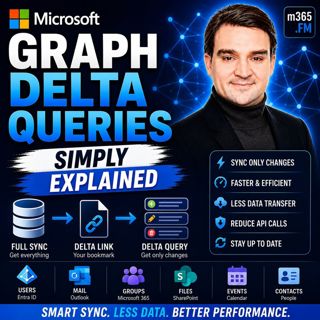
Microsoft Graph Delta Queries - Simply Explained

Microsoft Graph Delta Queries - Simply Explained

Welcome to another episode of Knowledge Nuggets with Mirko Peters. Today we're exploring Microsoft Graph Delta Queries, one of the most powerful features for building efficient synchronization solutio...

24 Jul 0s
Responsible AI Is Good Business — Featuring Wiebke Apitzsch

Responsible AI Is Good Business — Featuring Wiebke Apitzsch

Artificial intelligence is transforming every industry, but successful AI adoption requires far more than deploying the latest models or building autonomous agents. In this episode of M365.fm, Mirko P...

24 Jul 0s
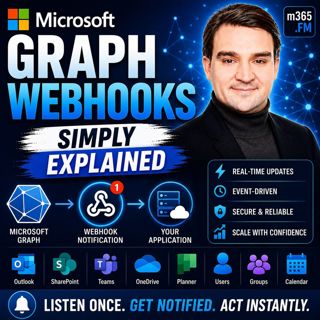
Microsoft Graph Webhooks - Simply Explained

Microsoft Graph Webhooks - Simply Explained

Welcome to another episode of Knowledge Nuggets with Mirko Peters. Today we're exploring Microsoft Graph Webhooks, one of the core building blocks for creating modern, event-driven Microsoft 365 appli...

24 Jul 0s
Microsoft Cloud for Sustainability - Simply Explained

Microsoft Cloud for Sustainability - Simply Explained

Welcome to another episode of Knowledge Nuggets with Mirko Peters. Today we're exploring Microsoft Cloud for Sustainability, Microsoft's end-to-end platform for measuring, managing, and reducing an or...

24 Jul 0s
Microsoft Partner Center - Simply Explained

Microsoft Partner Center - Simply Explained

Welcome to another episode of Knowledge Nuggets with Mirko Peters. Today we're exploring Microsoft Partner Center, the central platform every Microsoft partner uses to manage their relationship with M...

24 Jul 0s

Agent Governance Explained- How IT Can Enable the AI Agent Revolution with Thomas Zou [Microsoft]

Agent Governance Explained- How IT Can Enable the AI Agent Revolution with Thomas Zou [Microsoft]

Every organization is talking about AI agents, but very few have a strategy for governing them. In this episode of M365.fm, host Mirko Peters sits down with Thomas Zou, Product Marketing Manager for M...

23 Jul 0s
Microsoft AppSource - Simply Explained

Microsoft AppSource - Simply Explained

Welcome to another episode of Knowledge Nuggets with Mirko Peters. Today we're exploring Microsoft AppSource, Microsoft's marketplace for business applications, consulting services, and industry solut...

23 Jul 0s

Populært innen Politikk og nyheter

giver-og-gjengen-vg
aftenpodden
forklart
popradet
fotballpodden-2
stopp-verden
aftenpodden-usa
rss-gukild-johaug
hanna-de-heldige
det-store-bildet
rss-ness
aftenbla-bla
nokon-ma-ga
lydartikler-fra-aftenposten
dine-penger-pengeradet
e24-podden
rss-utenrikskomiteen-med-bogen-og-grasvik
rss-penger-polser-og-politikk
bt-dokumentar-2
unitedno