Podcast #705: Yonomi - The Automation Consolidation App

Podcast #705: Yonomi - The Automation Consolidation App

Yonomi - The Automation Consolidation App

Being able to control anything and everything in your home from your smartphone is pretty cool. Having to open multiple apps to do it is kinda lame. That’s what the developers behind Yonomi are hoping to solve for you. Sure if you have a central server or hub, you can do it all there and control everything with one app, but is there really one server that can control any smart device? We haven’t seen it yet.

Of course, Yonomi can’t control any and every smart device you can imagine, but because their approach is different, they have support for more than you can imagine. And it feels like it will be easier for them to add support for more devices faster than a server or hub product could do.

About the App

From the Website: “Smart devices are here: Wireless thermostats, activity monitors, networked music systems and a whole host of devices in the home. Wouldn’t it be great if they all could communicate together? Wouldn’t it be even better if they worked in unison to make your daily routines easier and more enjoyable? Now there is an app that does all that and works in the background so you can get back to the things that really matter.”

“Yonomi resides on your phone and in the Cloud. No need for a hub, controller box or other additional hardware. Yonomi magically finds and enhances your existing connected devices allowing them to interact with one another in ways never before possible.”

Supported Devices

  • August Smart Locks

  • Belkin WeMo Switches, Plug Modules, Motion Sensors, Bulbs and Netcams

  • Belkin Wemo enabled Crock-Pot

  • Belkin Wemo enabled Mr. Coffee

  • Cree LED Bulbs

  • Egg Minder

  • GE Link LED Bulbs

  • Jawbone UP

  • Mimo Baby Monitor

  • Nest Thermostat and Smoke Detector

  • Parrot Flower Power

  • Philips HUE Lights

  • Quirky Aros Air Conditioner, Door & Window Sensors, Water Sensors

  • Sonos Devices

  • Withings Pulse, Activite, Smart Body Analyzer, Wireless Scale

Using the App

First of all, the app is totally free. We aren’t sure how they plan to make money and stay around for the long run, but hopefully they have a plan. It is a bit scary to rely on it as your home automation server to only have it disappear out from underneath you. But then again, it’s free, so you’ve lost nothing but the time it took to get it up and running. Installing the app is as easy as any other app. Then you register by providing your name, email address and a password. Once done, it scours your WiFi for compatible devices and adds them.

Once you have some devices in the app, that’s when things get really fun. It starts by suggesting routines that match with the devices you have. Almost like a Harmony remote, when you add a TV and it tells you that you should really have a Watch TV activity, etc. But it goes way beyond just the devices it found. You can tell it where your home is located and it can use date and time, sunrise and/or sunset, the location of the phone (you leave home, you arrive home, etc) and a lot more to customize your routines.

Much like an automation hub or server, you can configure all kinds of routines to occur based on your life, and even things you didn’t know your devices could do. You can have your Sonos speakers talk to you, like saying ‘Don’t forget your lunch’ at 7:45 in the morning as your kids are headed out the door for school, then play Na Na Hey Hey (Kiss Him Goodbye) by Bananarama as they’re walking out. Or it can say, “Welcome home, Dave” when you get back from a long day at work, then start playing your favorite relaxing slow jam mix to help you de-stress. Even turn on some lights and start a pot of coffee.

Events that occur on the phone can set off routines in the smart devices as well. Flash the lights in the whole house when you get a phone call. Mute the Sonos speakers, or pause the music, when you answer or make a call. Have the Sonos speakers announce the weather when you shake the phone. It’s fun, easy to use, and very easy to configure. Because the app works with the Sonos Playbar, there are a bunch of cool potential routines to tie into your home theater as well.

We didn’t get the chance to try it on multiple phones, to make sure they could set independent routines, like different slow jam mixes when different people arrive home, but since the phone was added as a supported device during setup, we assume it would be as simple as logging into the app with the same account and creating some new routines. We’ll try this later and report back.


Denne episoden er hentet fra en åpen RSS-feed og er ikke publisert av Podme. Den kan derfor inneholde annonser.

Episoder(842)

Podcast #1270: 2026 Network TV Season/Series Premieres

Podcast #1270: 2026 Network TV Season/Series Premieres

On this week's show we compiled a list of fall 2026 network TV season/series premieres for ABC, NBC, Fox, and CBS, organized by network and then by premiere date.  We also read your emails and take a ...

18 Sep 48min
Podcast #1269: Is Your LG Smart TV Listening to You? and Dolby AC4

Podcast #1269: Is Your LG Smart TV Listening to You? and Dolby AC4

On this week's show we look into an article that alleges LG's Smart TVs are listening in on your conversations even when the screen is off. We also do a quick rundown on what Dolby's AC4 is and where ...

11 Sep 36min
Podcast #1268: Ara's New Setup First Impressions

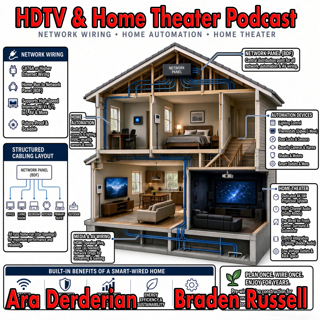
Podcast #1268: Ara's New Setup First Impressions

On this week's show Ara gives his impression of the new gear installed into his new home. We talk Internet, Home Networking, Automation, and Home Theater in an action packed show. We also read your em...

4 Sep 54min
Podcast #1267: Nick Brown and Smith Freeman of SVS Sound

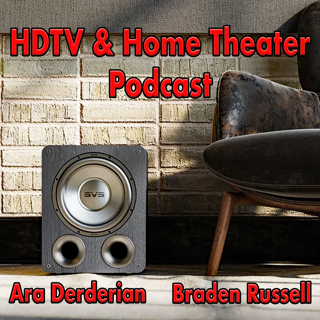
Podcast #1267: Nick Brown and Smith Freeman of SVS Sound

Nick Brown and Smith Freeman of SVS Sound On today's show we have an interview with Nick Brown (VP of Marketing) and Smith Freeman (Senior Director of Product Management) at SVS Sound.  We discuss the...

28 Aug 40min

Podcast #1266: Ara's New Setup

Podcast #1266: Ara's New Setup

On today's show we discuss Ara's new family room TV and Audio setup and what his plans are for the future. We also read your emails and look at the week's news. News: Marantz Introduces The CINEMA S...

21 Aug 31min
Podcast #1265: Garage Doors - AV Receivers - Atmos in the Family Room

Podcast #1265: Garage Doors - AV Receivers - Atmos in the Family Room

On today's show we discuss Ara's garage door plan for integrating it into HomeKit, we help a listener decide on which receiver to buy, and we ask whether Atmos is worth it for a family room. We also r...

14 Aug 47min

Podcast #1264:  Family Room - 5.1 vs 7.2 what makes sense?

Podcast #1264: Family Room - 5.1 vs 7.2 what makes sense?

On today's show we take a look at your family room and decide whether a 7.2 system is worth it over 5.1. We also read your emails and catch up on the week's news. News:  How Valuable Is TV to Smalle...

7 Aug 20min

Podcast #1263: 2026 Value Electronics TV Shootout

Podcast #1263: 2026 Value Electronics TV Shootout

On this week's show we breakdown the Value Electronics 2026 TV Shootout and see who the new King TV is. We also read your emails and look at the week's news. News: LG is cracking down on smart TV ap...

31 Jul 35min

Populært innen Politikk og nyheter

giver-og-gjengen-vg
aftenpodden
bt-dokumentar-2
aftenpodden-usa
popradet
forklart
stopp-verden
fotballpodden-2
det-store-bildet
nokon-ma-ga
rss-espen-lee-usensurert
dine-penger-pengeradet
rss-gukild-johaug
hanna-de-heldige
rss-ness
saken
aftenbla-bla
rss-penger-polser-og-politikk
unitedno
frokostshowet-pa-p5