
Podcast #921: Optoma CinemaX P1 Review

Podcast #921: Optoma CinemaX P1 Review

Optoma CinemaX P1 Review

For the past year or two we have been talking about removing our projectors and replacing them with very large format TVs. There are a few manufacturers that produce TVs greater than 85" in size and we were stuck in analysis paralysis. There is a video that accompanies this review. Please watch it to help understand the capabilities of this projector.

That is until Optoma announced and shipped the CinemaX P1 Ultra Short Throw Projector (Street Price $3,299.00). This projector can sit as little as 8" away from your screen and project an 85" image. You will need a screen specifically designed for UST use for this review we paired it with a 90" Elite Aeon CLR (Street Price $600). All in the setup cost $3,900.

Let's compare to what is out there in comparable size:

So yes it does cost a little more, but if you go up those last 5" to 90" you won't find a TV anywhere close in price. And if you wanted to, for an additional $200, you could slide the projector back a few more inches and have a 100" screen. There is no TV that is 100" anywhere near this price! Plus, this was easier to bring into the house and get setup and that includes assembling the screen!

Features
  • Smart Control (We did not use any of these features) - You can control your Smart+ projector with voice control using your Amazon Echo and Google Home devices. IFTTT support enables interoperability with thousands of other smart devices.
  • Built-In Soundbar by NuForce (We used our 6.1 system and did not turn this on) - The integrated soundbar is designed to produce detailed sound with clear dialogue thanks to its two full-range drivers and two woofers within isolated, ported chambers.
  • InfoWall (Was fun for five minutes then we turned it off)- Transform your wall or screen into your own personal assistant with the InfoWall customizable information display. Configure it to display your calendar, weather information, daily news, and more using the Optoma companion app on your compatible mobile device.
  • SmartFIT (Very helpful feature) - This automatic geometry correction system helps ensure a hassle-free setup that produces properly squared-off images using just your smartphone.
  • LaserGuard - Two built-in PIR sensors detect objects in the light path and automatically dim the light source.
Optoma CinemaX P1 Smart 4K UHD Laser Cinema Features:
  • Resolution: 4K UHD (3,840 x 2,160)
  • Lumens: 3,000 ANSI lumens
  • Contrast: Up to 1,500,000 with Dynamic Black enabled
  • Color: REC.2020, DCI-P3 wide color gamut, HDR10 compatible
  • Throw Ratio: 0.25:1
  • Image size: 85"- 120"
  • OS: Android 8.0 / Oreo
  • Remote Control: Bluetooth smart home remote with air mouse
  • HDMI-ARC for streamlined setups and reduced cable clutter with popular 5.1 soundbars
  • Other I/Os: 1x HDMI 2.0 (HDCP 2.2), 1x HDMI 2.0 (HDCP 2.2, HDMI-ARC), 1x HDMI 2.0 (HDCP 2.2, side), 1x USB 2.0 (4K media player), USB 2.0 power (side), USB (service), optical S/PDIF out, audio out (3.5mm, subwoofer compatible), RJ45
Setup

Setup was a bit more complicated than the typical TV. First you have to assemble the screen which is not terribly difficult. But you do need to be mindful of the screen material so you don't fold or crease it. The screen attaches to the frame with velcro and must be pulled tight for a clean image. Elite screen has a video that we recommend you watch before assembling the screen. It will make things easier. Once completed the screen is mounted via two clips that our screwed into the wall. Elite provides drywall anchors which are plenty strong for this application. The screen is not very heavy at all.

Positioning the screen is a little tricky because the projector does not have lens shift. What we did was project a 90" inch image on the wall and then mount the screen. That sounds easy but before you do that you have to square up the image. You can't use the Smartfit on the bare wall because there is no black screen outline, which is required for the SmartFit algorithm to work. Instead we manually used the geometry settings to square the image. We then pulled the projector back on the TV stand until we had about a 91" mage on the wall. We marked the corners and made sure the screen was mounted within that space.

Once the screen was hung will pulled out our phone and used the SmartFIT app and voila! The image got pulled into the screen. It was 99% perfect. There was one corner that need a very slight adjustment. For that we went back to the geometry settings and stretched the image to the corner and we were done! It seems like it was harder to do but I say it was easier than hauling a 85" TV upstairs. Plus there was far less packaging to deal with when it was all done.

As far as the TV settings go we did some very minor tweeks, not a full calibration. The only things that were changes off of the default values were the following: Display was set to HDR, HDR Picture was set to Standard, Brightness was set to -2, Contrast to 13, Sharpness to 9. We also made sure the Pure motion was set to off. I recommend you watch the video to see how good the picture looks. We realize that with proper calibration you will see improvements and we may end up doing a full calibration in the future, but we wanted everyone to know a really good picture can be had without the need to spend and additional $300-$500.

Performance

This is the only thing that really matters. Can this projector replace a large format TV in a room with no real light control? Well the answer is yes! The picture is great when watching anything bright like any sporting event. You can even watch movies with some shadow detail. Although it's not the best. But really, what screen can do dark scenes with good shadow detail in full brightness anyway?

We looked at this screen in full daylight viewing and in early evening viewing for the purposes of this review. We recommend watching the video on our youtube channel where you can judge for yourself the quality of the picture.

Full Daylight

In full daylight we could easily make out the detail in everything we watched with the exception of a few night scenes in Blackhawk Down. The 3000 lumens of laser light combined with the CLR Elite screen make a huge difference when compared to a typical projector. Colors are accurate and the detail is good. There are no issues with off angle viewing. To sum it up, you can watch this projector in full daylight and not feel like you are missing something.

Evening

As good as the daylight viewing is, evening (or blinds closed) is amazing! Everything we liked about the daytime is amplified at night. Colors are richer, detail is more visible, and contrast is enhanced. It's like you are watching a plasma TV. For the first time since the 4K UHD TV craze it felt like all the additional resolution mattered. The blacks look really good in the evening much better than in the daytime. While watching football, hockey, and baseball we did not notice any motion blur. We did not game on this projector but being a 60Hz projector at it's highest refresh rate, we'd say there might be some lag for hard core gamers.

Other
  • The Projector uses an eight segment DLP. We did not see any rainbows during our testing.
  • There is no chance of image retention.
  • The remote is Bluetooth and as such we were not able to add it to our Harmony Remote. We did enable HDMI control so when a signal was present the projector would automatically turn on. When the signal was absent the projector would turn off.
  • The projector is reasonably quiet. If the projector was on with no audio you could hear it but it wasn't distracting. However with any audio coming through the system the projector was inaudible.
Conclusion

The Optoma CinemaX P1 is the projector/TV we have been looking for. You can watch sports and even movies in full brightness, but it really shows it's stuff in a dark(er) room. It has good blacks that get even better in the evening. The wide viewing angle means you can sit anywhere in the room and enjoy a stunning 4K picture. This projector can truly replace your family room TV with no need to employ expensive lighting control. The Optoma CinemaX P1 is highly recommended by the HT Guys.

Denne episoden er hentet fra en åpen RSS-feed og er ikke publisert av Podme. Den kan derfor inneholde annonser.

Episoder(842)

Podcast #1270: 2026 Network TV Season/Series Premieres

Podcast #1270: 2026 Network TV Season/Series Premieres

On this week's show we compiled a list of fall 2026 network TV season/series premieres for ABC, NBC, Fox, and CBS, organized by network and then by premiere date.  We also read your emails and take a ...

18 Sep 48min
Podcast #1269: Is Your LG Smart TV Listening to You? and Dolby AC4

Podcast #1269: Is Your LG Smart TV Listening to You? and Dolby AC4

On this week's show we look into an article that alleges LG's Smart TVs are listening in on your conversations even when the screen is off. We also do a quick rundown on what Dolby's AC4 is and where ...

11 Sep 36min
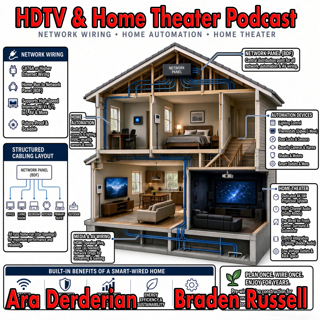
Podcast #1268: Ara's New Setup First Impressions

Podcast #1268: Ara's New Setup First Impressions

On this week's show Ara gives his impression of the new gear installed into his new home. We talk Internet, Home Networking, Automation, and Home Theater in an action packed show. We also read your em...

4 Sep 54min
Podcast #1267: Nick Brown and Smith Freeman of SVS Sound

Podcast #1267: Nick Brown and Smith Freeman of SVS Sound

Nick Brown and Smith Freeman of SVS Sound On today's show we have an interview with Nick Brown (VP of Marketing) and Smith Freeman (Senior Director of Product Management) at SVS Sound.  We discuss the...

28 Aug 40min
Podcast #1266: Ara's New Setup

Podcast #1266: Ara's New Setup

On today's show we discuss Ara's new family room TV and Audio setup and what his plans are for the future. We also read your emails and look at the week's news. News: Marantz Introduces The CINEMA S...

21 Aug 31min
Podcast #1265: Garage Doors - AV Receivers - Atmos in the Family Room

Podcast #1265: Garage Doors - AV Receivers - Atmos in the Family Room

On today's show we discuss Ara's garage door plan for integrating it into HomeKit, we help a listener decide on which receiver to buy, and we ask whether Atmos is worth it for a family room. We also r...

14 Aug 47min

Podcast #1264:  Family Room - 5.1 vs 7.2 what makes sense?

Podcast #1264: Family Room - 5.1 vs 7.2 what makes sense?

On today's show we take a look at your family room and decide whether a 7.2 system is worth it over 5.1. We also read your emails and catch up on the week's news. News:  How Valuable Is TV to Smalle...

7 Aug 20min

Podcast #1263: 2026 Value Electronics TV Shootout

Podcast #1263: 2026 Value Electronics TV Shootout

On this week's show we breakdown the Value Electronics 2026 TV Shootout and see who the new King TV is. We also read your emails and look at the week's news. News: LG is cracking down on smart TV ap...

31 Jul 35min

Populært innen Politikk og nyheter

giver-og-gjengen-vg
aftenpodden
forklart
popradet
aftenpodden-usa
stopp-verden
bt-dokumentar-2
det-store-bildet
rss-gukild-johaug
dine-penger-pengeradet
nokon-ma-ga
hanna-de-heldige
fotballpodden-2
rss-espen-lee-usensurert
rss-ness
rss-penger-polser-og-politikk
e24-podden
aftenbla-bla
frokostshowet-pa-p5
ta-dokumentar