
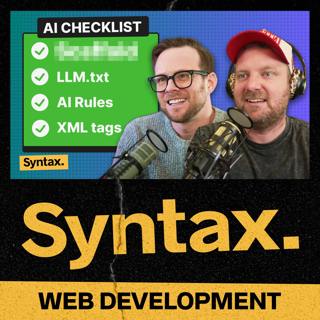
923: Getting the Most Out of AI Coding
Scott and Wes share their top strategies for getting high-quality results from AI coding tools like Cursor, Claude, ChatGPT, and Windsurf. From better prompting to building reusable rule sets, they cover practical tips for making AI your most productive coding partner. Show Notes 00:00 Welcome to Syntax! Wes' Tweet 02:56 How to get the best results when using AI. 03:15 Scaffold it out yourself. 05:40 Be clear with your prompts. 07:45 Use XML tags around specific items 08:47 Utilize Rules like Cursor rules or Copilot rules. 13:20 Ask it to create some rules based on an existing codebase. 16:03 Break things down into clear concise actionable items. 17:22 Where to store your rules files. 18:37 Utilizing llm.txt files. 19:24 Context7. 20:28 Tag relevant files, functions, etc. 21:38 Feed logs back into the AI. 22:36 Logging Errors. 22:54 Brought to you by Sentry.io. 24:14 Long running chats get worse. Wes' Tweet Hit us up on Socials! Syntax: X Instagram Tiktok LinkedIn Threads Wes: X Instagram Tiktok LinkedIn Threads Scott: X Instagram Tiktok LinkedIn Threads Randy: X Instagram YouTube Threads
28 Jul 26min
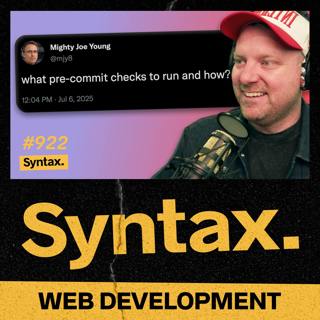
922: Pre-commit Hooks, requestAnimationFrame, Code Reviews, and More
In this potluck episode of Syntax, Wes and Scott answer your questions about code reviews, migrating legacy apps, CSS attr() use cases, pre-commit hooks, the future of creative web development, whether front-end devs need to be full-stack, and more! Show Notes 00:00 Welcome to Syntax! 00:43 When is the appropriate time to use requestAnimationFrame? 05:10 How do you handle code reviews on larger teams? 13:08 When to use the CSS attr() function 19:01 The future of browsing websites and the impact of AI 28:45 Brought to you by Sentry.io 29:10 Navigating browser preview in VS Code 31:31 Pre-populating email content with mailto 34:29 Is there increasing pressure for front-end developers to become full-stack? 43:14 What pre-commit checks should you run and how? 46:16 How do you deal with a poorly-built codebase when you already have thousands of active users? 50:05 What GitHub Copilot features should you disable while you’re learning something new? 52:22 Sick Picks + Shameless Plugs Sick Picks Scott: WOLFBOX MF100 Electric Air Duster Wes: Competition Kettlebells Shameless Plugs Syntax YouTube Channel Hit us up on Socials! Syntax: X Instagram Tiktok LinkedIn Threads Wes: X Instagram Tiktok LinkedIn Threads Scott: X Instagram Tiktok LinkedIn Threads Randy: X Instagram YouTube Threads
23 Jul 58min
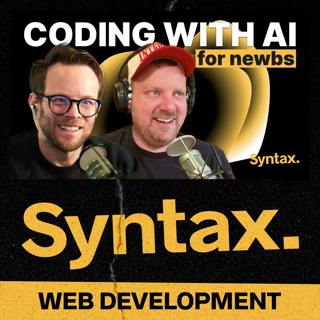
921: AI Coding Roadmap for Newbies (And Skeptics)
Scott and Wes break down how to code with and for AI; perfect for skeptics, beginners, and curious devs. They cover everything from Ghost Text and CLI agents to building your own AI-powered apps with embeddings, function calling, and multi-model workflows. Show Notes 00:00 Welcome to Syntax! 03:56 How to interface with AI. 04:07 IDE Ghost Text. 05:45 IDE Chat, Agents. 08:00 CLI Agents. Claude Code. Open Code. Gemini. 11:13 MCP Servers. Context7 14:47 GUI apps. v0. Bolt.new. Lovable. Windsurf. 19:07 Existing Chat app like ChatGPT. 22:37 Building things WITH AI. 23:32 Prompting. 26:53 Streaming VS not streaming. 28:14 Embeddings and Rag. 31:09 MCP Server. CJ’s MCP Deep Dive. 32:36 Brought to you by Sentry.io. 33:25 Multi-model, multi-provider. 36:27 npm libs to use to code with AI. OpenAI SDK. AI SDK. Cloudflare Agents. Langchain. Local AI Tensorflow. Transformers.js. Huggingface. 44:12 Processes and exploring. Hit us up on Socials! Syntax: X Instagram Tiktok LinkedIn Threads Wes: X Instagram Tiktok LinkedIn Threads Scott: X Instagram Tiktok LinkedIn Threads Randy: X Instagram YouTube Threads
21 Jul 48min
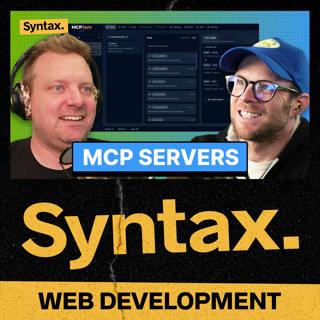
920: How to Build MCP Servers
Wes and Scott talk about how developers can expose powerful tools to AI using the Model Context Protocol. They discuss tool calling, remote MCP specs, authentication, and real-world use cases that make AI more capable through smarter integrations. Show Notes 00:00 Welcome to Syntax! 01:36 What is MCP? 07:23 MCP tools 11:33 MCP resources 13:43 Saving reusable prompts 16:18 Creating and validating MCP tools 18:31 Brought to you by Sentry.io 18:31 Tool calling vs MCP servers 21:28 Remote vs local MCP servers mcp-remote 26:24 Useful MCP servers mcp-server-cloudflare use-mcp awesome-mcp-servers 32:48 Sick Picks + Shameless Plugs Sick Picks Scott: Mario Kart World Wes: anyloop Kid’s Watch Shameless Plugs Syntax YouTube Channel Hit us up on Socials! Syntax: X Instagram Tiktok LinkedIn Threads Wes: X Instagram Tiktok LinkedIn Threads Scott: X Instagram Tiktok LinkedIn Threads Randy: X Instagram YouTube Threads
16 Jul 37min
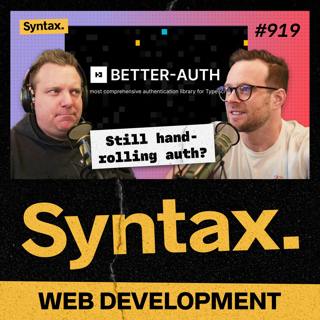
919: Better Auth with Better Auth
Scott and Wes recap the current state of web authentication and explore how Better Auth simplifies the whole process. With built-in plugins, modern features, and no need to hand-roll your own solution, Better Auth makes secure login a breeze for developers. Show Notes 00:00 Welcome to Syntax! 00:59 Scott’s history with authentication. 02:05 Brought to you by Sentry.io. 03:15 My opinion has changed on auth. 04:40 Current authentication options. 06:32 Arctic. 06:56 OpenAUTH. 07:36 Auth.js. 08:02 Better Auth. 10:45 Better Auth CLI. 11:37 Email integration. 12:09 Hooks and Tokens. 13:43 CAPTCHA Integration. 14:36 Database Integration. 15:04 Integrations. 15:19 Plugin Ecosystem. 17:40 Admin features. 19:41 The Docs. Hit us up on Socials! Syntax: X Instagram Tiktok LinkedIn Threads Wes: X Instagram Tiktok LinkedIn Threads Scott: X Instagram Tiktok LinkedIn Threads Randy: X Instagram YouTube Threads
14 Jul 26min
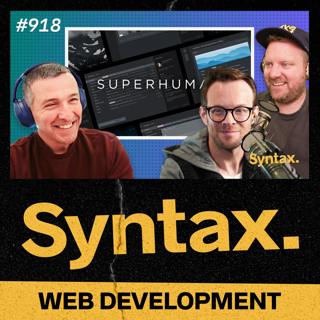
918: Extreme Native Perf on the Web with Superhuman
Wes and Scott talk with Loïc Houssier about how Superhuman builds lightning-fast, delightfully-designed email software. They dig into engineering philosophy, offline-first architecture, local databases, AI-powered productivity, and what it takes to create tools that people love. Show Notes 00:00 Welcome to Syntax! 03:05 Inside Superhuman and Loïc’s role 06:49 Is Superhuman native? What’s the tech stack? 08:16 How Superhuman approaches product design and speed 12:17 Local-first architecture – Sync, storage, and performance Realm 13:46 Vector search, AI, and privacy considerations 18:12 How the team ships fast and stays focused 21:27 Rethinking email for the future 26:54 Brought to you by Sentry.io 27:19 How calendar integration and smart features work 29:54 Where new ideas come from 31:54 Will there ever be a true dark mode? 33:02 Are people actually using keyboard shortcuts? 36:42 How shortcuts work and the role of the command palette 41:28 Engineering for speed – Costs and trade-offs 43:32 How Superhuman’s sync engine works 46:09 What code runs locally and what runs on the server? 46:51 How Superhuman handled the Google and Cloudflare outage Hit us up on Socials! Syntax: X Instagram Tiktok LinkedIn Threads Wes: X Instagram Tiktok LinkedIn Threads Scott: X Instagram Tiktok LinkedIn Threads Randy: X Instagram YouTube Threads
9 Jul 48min
917: AI Tools You Should Know
Scott and Wes round up the hottest AI tools you should have on your radar; from text-to-speech wizards to self-hosted image generators. They break down what they’re using, what’s worth paying for, and which tools are changing their workflows. Show Notes 00:00 Welcome to Syntax! 00:49 Getting too cozy with your tools. 01:34 Brought to you by Sentry.io. 03:40 LangFlow. 08:44 Super Whisper and Whisper Flow. 15:00 Dia. 23:16 Chat apps. Claude ChatGPT Raycast Cursor Midjourney (Imagine.art) 26:58 Self-hosted. 27:01 Comfy UI. 31:27 Automatic1111 and Forge UI. Xenova Shoutout 34:11 Sick Picks & Shameless Plugs. Sick Picks Scott: Rat A Tat Cat Card Game. Wes: Syntax Hats Shameless Plugs Wes: Syntax Hats Hit us up on Socials! Syntax: X Instagram Tiktok LinkedIn Threads Wes: X Instagram Tiktok LinkedIn Threads Scott: X Instagram Tiktok LinkedIn Threads Randy: X Instagram YouTube Threads
7 Jul 37min
916: I got fired, what should I focus on?
In this potluck episode of Syntax, Wes and Scott answer your questions about maintaining popular open-source projects, where to start after a layoff, impostor syndrome, Scott’s recording setup, whether a computer science degree is still worth it in the age of AI, and more! Show Notes 00:00 Welcome to Syntax! 00:44 Brought to you bySentry.io 04:16 How to maintain a successful NPM package 08:03 What to do in Denver while attending Laracon 11:18 How to branch out and learn new frameworks while balancing work life and family 15:55 Built-in state management vs external state managementFull Stack App Build | Travel Log w/ Nuxt, Vue, Better Auth, Drizzle, Tailwind, DaisyUI, MapLibre 19:43 Suggestion for CSS battles: Removing white space and new lines after the time limit? 23:06 What is Scott’s recording setup? Aputure Light Dome Aputure Amaran 150c Sony FX3 Electro-Voice RE20 27:46 Snake case vs camel caseEye Tracking Study on camelCase and under_score Identifier Styles 31:16 Have you ever had impostor syndrome? 34:56 Is a degree worth it for computer science or machine learning? 38:41 Should I use a reverse proxy server?Ep 798: Self Hosting: Reverse Proxy Servers 42:03 Where to start when updating your webdev skillset 50:11 Sick Picks + Shameless Plugs Sick Picks Scott:Cardboard Cutter Wes:Kitchen Scissors Shameless Plugs Syntax YouTube Channel Hit us up on Socials! Syntax:XInstagramTiktokLinkedInThreads Wes:XInstagramTiktokLinkedInThreads Scott:XInstagramTiktokLinkedInThreads Randy:XInstagramYouTubeThreads
2 Jul 58min