
Keeping Copilot Secure and Compliant – How to Control Graph Permissions, DLP and Purview for Safe AI in Microsoft 365

Keeping Copilot Secure and Compliant – How to Control Graph Permissions, DLP and Purview for Safe AI in Microsoft 365

Governed AI: Keeping Copilot Secure and Compliant

If you think Copilot only shows users what they already have permission to see, you’re one Graph permission away from a nasty surprise. In this episode, I walk through how unmanaged Graph and app permissions let Copilot quietly overreach—surfacing sensitive SharePoint files, Teams content and financial data your compliance team never intended to expose—and how to lock things down with a governed, least‑privilege design.

We start with what most organizations get wrong about Copilot’s access model. There’s a dangerous assumption that “if I’m signed in as me, Copilot only sees what I see,” but many deployments rely on application‑level Graph permissions that operate far beyond a single user’s rights. You’ll hear concrete examples where a junior user gets board‑level meeting notes or full pipeline numbers, not because their account was misconfigured, but because Copilot’s app registration was granted broad tenant‑wide access early in the rollout and never revisited.

Then we look at how to spot these gaps before they turn into incidents. Using Microsoft Entra ID (Azure AD) and Purview’s audit capabilities, we break down how to identify Copilot’s app registrations, understand which Graph permissions are actually in use, and trace AI‑driven access patterns across SharePoint, Teams and other workloads. You’ll learn how to set up targeted audit searches and reviews so “what did Copilot pull, for whom, and from where?” becomes an answerable question—not guesswork after a suspicious answer shows up in someone’s draft.

Finally, we move from visibility to guardrails that actually work. We cover how to redesign permissions around least privilege, where DLP and Purview information protection should step in for AI scenarios, and how to tune policies so they block real risk without breaking everyday productivity. By the end of the episode, you’ll have a practical blueprint to run Copilot as a governed, auditable service: scoped Graph permissions, meaningful DLP and label rules, and monitoring that lets you sleep at night instead of hoping your AI isn’t seeing too much

WHAT YOU’LL LEARN
  • Why Copilot can overreach beyond a user’s normal access if Graph permissions are too broad.
  • How to find and review Copilot app registrations and Graph permissions in Entra ID.
  • How to use Purview audit to see what Copilot is actually accessing across M365.
  • How to design DLP, labeling and least‑privilege permission models specifically for AI scenarios.
THE CORE INSIGHT

The core insight of this episode is that Copilot’s risk isn’t “AI gone rogue”—it’s ungoverned access. Once you treat Graph permissions, DLP and Purview policies as the real control plane for Copilot, you can keep AI genuinely useful for users while staying inside the security and compliance boundaries your organization actually signed off on.

WHO THIS EPISODE IS FOR
  • Security and compliance teams responsible for approving or reviewing Copilot deployments.
  • Microsoft 365 and Entra ID admins managing Graph permissions and app registrations.
  • Leaders who want the benefits of Copilot without turning it into an invisible data‑exposure risk.
ABOUT THE AUTHOR / HOST

Mirko Peters is a Microsoft 365 and security consultant and host of the M365.FM podcast, helping organizations roll out Copilot and other AI tools with governance, not guesswork. He works with IT, security and compliance teams to design Graph permission models, DLP and Purview configurations, and monitoring that keep AI helpful for users while keeping sensitive data where it belongs.

Become a supporter of this podcast: https://www.spreaker.com/podcast/m365-fm-modern-work-security-and-productivity-with-microsoft-365--6704921/support.

Denne episoden er hentet fra en åpen RSS-feed og er ikke publisert av Podme. Den kan derfor inneholde annonser.

Episoder(723)

Your AI Landing Zone Is A Liability

Your AI Landing Zone Is A Liability

Most organizations believe deploying Azure OpenAI is as simple as provisioning another Azure resource. Create an endpoint, generate an API key, connect your application, and start building AI experien...

14 Jul 1h 21min
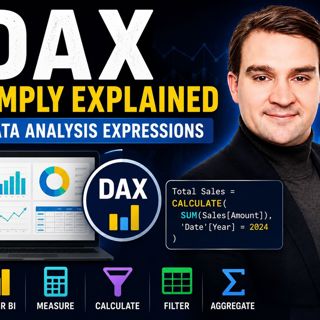
Data Analysis Expressions (DAX) - Simply Explained

Data Analysis Expressions (DAX) - Simply Explained

If you've spent any time working with Power BI, you've almost certainly heard about DAX. Some people describe it as "Excel formulas for Power BI," while others treat it like a complex programming lang...

14 Jul 15min

Graph API - Simply Explained

Graph API - Simply Explained

Microsoft Graph API is one of the most important technologies in the Microsoft ecosystem, yet it's often misunderstood. Is it a database? A service? Or simply another developer tool? In this episode o...

13 Jul 12min
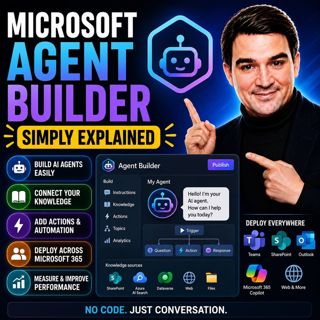
Microsoft Agent Builder — Simply Explained

Microsoft Agent Builder — Simply Explained

Building AI agents used to require developers, code, and complex AI platforms. Microsoft Agent Builder changes that completely. Built directly into Microsoft 365 Copilot, Agent Builder allows anyone t...

13 Jul 15min
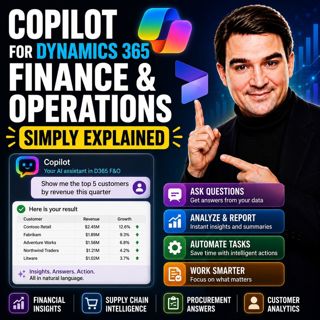
Copilot for Dynamics 365 Finance and Operations - Simply Explained

Copilot for Dynamics 365 Finance and Operations - Simply Explained

Finance teams have never struggled with a lack of data—they struggle with the time it takes to find, organize, analyze, and act on that information. Traditional ERP workflows often require switching b...

13 Jul 11min

AI Under Attack: Building Zero Trust Security with Microsoft Copilot, Azure & Microsoft 365 - Mourtaza Fazlehoussen [MVP]

AI Under Attack: Building Zero Trust Security with Microsoft Copilot, Azure & Microsoft 365 - Mourtaza Fazlehoussen [MVP]

Artificial intelligence is transforming cybersecurity faster than any technology before it. But while AI helps defenders automate investigations and respond to incidents faster, it also gives cybercri...

13 Jul 1h 1min
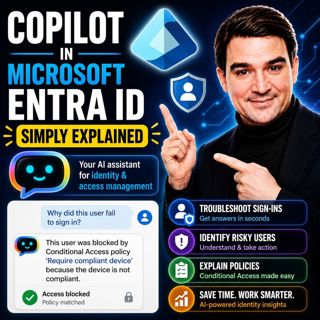
Copilot in Microsoft Entra ID - Simply Explained

Copilot in Microsoft Entra ID - Simply Explained

Managing identities has become one of the most challenging responsibilities for modern IT teams. Every day, organizations process thousands of sign-ins, evaluate Conditional Access policies, detect ri...

13 Jul 14min

Copilot for Microsoft Fabric - Simply Explained

Copilot for Microsoft Fabric - Simply Explained

Microsoft has several Copilots, but each one serves a completely different purpose. Microsoft 365 Copilot helps you write documents and summarize meetings. GitHub Copilot helps developers write code. ...

13 Jul 11min

Populært innen Politikk og nyheter

giver-og-gjengen-vg
aftenpodden-usa
aftenpodden
fotballpodden-2
popradet
forklart
stopp-verden
det-store-bildet
hanna-de-heldige
rss-gukild-johaug
rss-ness
nokon-ma-ga
dine-penger-pengeradet
aftenbla-bla
lydartikler-fra-aftenposten
rss-utenrikskomiteen-med-bogen-og-grasvik
e24-podden
ta-dokumentar
rss-espen-lee-usensurert
rss-borsmorgen-okonominyhetene