How Forgotten External Users Create Risk and How to Fix Guest Lifecycle in Microsoft 365

How Forgotten External Users Create Risk and How to Fix Guest Lifecycle in Microsoft 365

The Hidden Danger of M365 Guest Accounts

Imagine this: every guest you’ve ever invited into your Microsoft 365 tenant is still sitting there. No expiration date. No clean‑up. Just a growing crowd of external accounts you’ve probably forgotten about. That’s hundreds or even thousands of potential access points into your data—and most companies don’t even realize how many guests are still lingering. So, what happens when the party never ends? And more importantly, what happens when someone you thought left the building still has the keys?

We start with the silent guest pile‑up. Contractors and partners get guest accounts for “just a few weeks,” but without a structured lifecycle, their identities outlive the projects by years. Inviting an external user is effortless—any Team, SharePoint site or M365 group owner can do it in seconds—yet there’s almost never an equally simple, enforced process for removing that access when the work is done. Over time, your tenant fills up with stale guest accounts that nobody consciously manages, turning a convenient collaboration feature into a shadow population of external identities you no longer actively control.

Then we explain why those forgotten guests are more than just clutter—they’re real security risk. Every lingering guest is like an unreturned keycard that might still open doors to your SharePoint sites, Teams channels and document libraries. If the external user’s home account gets compromised—or if they move companies and their login is reused—an attacker inherits exactly the trusted access that guest once had, without needing to brute‑force anything at your perimeter. Because these accounts were explicitly invited, their activity can blend into normal logs, making it harder for security teams to spot misuse quickly.

Finally, we talk about what to do instead of hoping for the best. You’ll hear why regular guest access reviews, clear ownership for invitations, and automated lifecycle policies are non‑negotiable if you want to keep external collaboration without opening long‑term back doors. We outline how to identify “ghost guests” in your tenant, how to decide which ones to keep, and how to build a cleanup and expiry model that fits your governance maturity. The goal is not to stop working with partners—it’s to make sure that when the work ends, so does their access to your data.

WHAT YOU’LL LEARN
  • Why most organizations have far more lingering M365 guest accounts than they realize.
  • How long‑forgotten guests turn into trusted entry points for attackers.
  • Why invitations are easy but guest lifecycle and cleanup rarely exist by default.
  • First practical steps to regain control over external identities in your tenant.
THE CORE INSIGHT

The core insight of this episode is that your biggest external identity risk often isn’t a sophisticated hacker—it’s the crowd of guests you invited years ago and never removed. Once you treat guest accounts with the same discipline as employee identities, adding lifecycle rules and regular reviews, you keep collaboration open while closing the quiet back doors those forgotten accounts represent.

WHO THIS EPISODE IS FOR
  • Microsoft 365 and Entra ID admins responsible for directory hygiene and external access.
  • Security and compliance teams worried about unnoticed entry points into M365 data.
  • IT leaders who want to keep partner collaboration easy without losing control of who still has access.
ABOUT THE AUTHOR / HOST

Mirko Peters is a Microsoft 365 security and governance consultant and host of the M365.FM podcast, helping organizations turn messy external access into a controlled, auditable part of their identity strategy. He works with teams to design guest lifecycle, access reviews and least‑privilege models so collaboration with customers and partners stays seamless—without leaving long‑forgotten accounts hanging around in the tenant.

Become a supporter of this podcast: https://www.spreaker.com/podcast/m365-fm-modern-work-security-and-productivity-with-microsoft-365--6704921/support.

Denne episoden er hentet fra en åpen RSS-feed og er ikke publisert av Podme. Den kan derfor inneholde annonser.

Episoder(769)

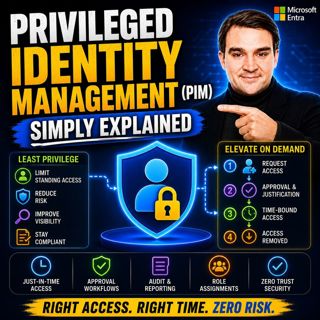
Privileged Identity Management (PIM) - Simply Explained

Privileged Identity Management (PIM) - Simply Explained

Administrator accounts are among the most valuable targets for cybercriminals. If an attacker compromises a Global Administrator or another privileged account, they can potentially reset passwords, ac...

16 Jul 16min

Building a Secure Microsoft-First MSP: Intune, Defender & Entra ID at Scale with Albin Klinaku [MVP]

Building a Secure Microsoft-First MSP: Intune, Defender & Entra ID at Scale with Albin Klinaku [MVP]

Building a successful Managed Service Provider today requires much more than managing devices and responding to support tickets. Modern MSPs must become trusted security partners, helping organization...

16 Jul 1h
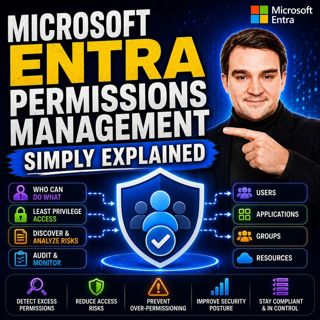
Microsoft Entra Permissions Management - Simply Explained

Microsoft Entra Permissions Management - Simply Explained

Cloud security isn't just about protecting user accounts anymore. Modern organizations manage thousands of identities across Microsoft Azure, Amazon Web Services (AWS), and Google Cloud Platform (GCP)...

16 Jul 13min
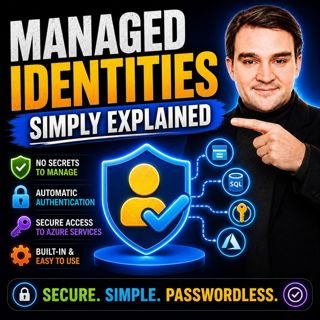
Managed Identities - Simply Explained

Managed Identities - Simply Explained

Managing passwords, connection strings, client secrets, and certificates has always been one of the biggest challenges when building secure cloud applications. Every application that connects to Azure...

16 Jul 16min
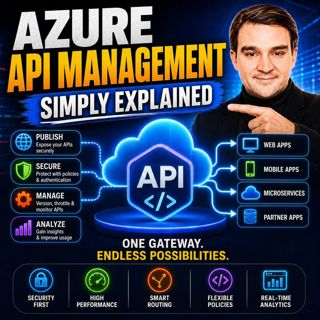
Azure API Management - Simply Explained

Azure API Management - Simply Explained

Azure API Management (APIM) is one of the most important services in Microsoft Azure for organizations building modern cloud applications, microservices, and enterprise integrations. While APIs make i...

16 Jul 14min

Azure Load Balancer — Simply Explained

Azure Load Balancer — Simply Explained

Every application starts small. A single virtual machine serves your website, processes customer requests, and handles all incoming traffic. At first, everything works perfectly. But as your user base...

16 Jul 15min
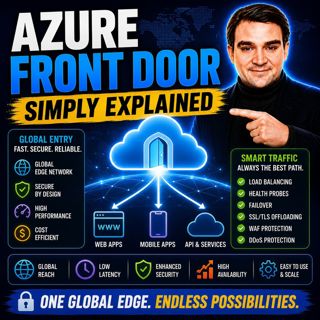
Azure Front Door - Simply Explained

Azure Front Door - Simply Explained

Building a website that performs well for users around the world is far more challenging than simply deploying a web application to Azure. A server hosted in North America may respond quickly for user...

16 Jul 17min
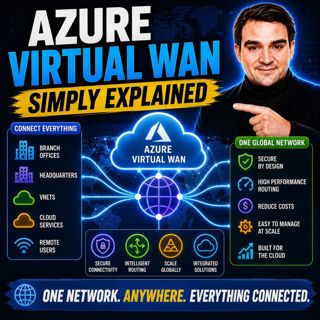
Azure Virtual WAN - Simply Explained

Azure Virtual WAN - Simply Explained

Building a global Azure network manually becomes increasingly difficult as your organization grows. What starts as a simple hub-and-spoke deployment quickly turns into a maze of virtual network peerin...

16 Jul 14min

Populært innen Politikk og nyheter

giver-og-gjengen-vg
aftenpodden-usa
aftenpodden
fotballpodden-2
forklart
stopp-verden
popradet
det-store-bildet
rss-gukild-johaug
hanna-de-heldige
rss-ness
aftenbla-bla
dine-penger-pengeradet
nokon-ma-ga
rss-utenrikskomiteen-med-bogen-og-grasvik
lydartikler-fra-aftenposten
rss-penger-polser-og-politikk
e24-podden
rss-hor-na-krim-2
ta-dokumentar