
The Hidden Cost for IT – How to Triage Microsoft 365 Changes Without Burning Out Your Team

The Hidden Cost for IT – How to Triage Microsoft 365 Changes Without Burning Out Your Team

Imagine opening your inbox on Monday and seeing that Microsoft pushed 350 changes to Microsoft 365 in the last month alone. Which of those could break a workflow, trigger a compliance review or confuse thousands of users—and which are safe to ignore? In this episode, we dig into the real cost of the M365 update firehose, why most IT teams quietly give up on reading every message center post, and how that understandable choice creates blind spots that only show up when something breaks in production.

We start with the hidden weight behind “three to four hundred updates a month.” Even skimming half of them at five minutes each would cost 25 hours—before you do any real testing, documentation or change communication. That math doesn’t scale, so admins understandably stop trying to treat every change as equally important, even as small Teams or Exchange tweaks quietly disrupt end‑of‑month reporting, guest access, or audit behavior. The result is a constant trade‑off between staying responsive to tickets and staying informed about a stream of changes that never slows down.

Then we move from overload to triage. Not every change is urgent, but without a way to sort security patches, compliance‑relevant tweaks and user‑facing shifts from cosmetic or low‑impact updates, everything feels like noise. We walk through how to turn the message center and roadmap into signal: categorizing updates by risk, relevance and workload, focusing only on what hits your actual tenant, and using simple “ER triage” thinking so security, compliance and user‑experience changes each get the right default response. You’ll hear concrete examples where a one‑line “admin experience” note actually changed audit expectations and data handling—and why that can’t be left to chance.

Finally, we talk about impact and ownership. The people who feel a change—finance, HR, operations—aren’t the ones reading patch notes, so IT ends up stuck between update fatigue and angry stakeholders when something “suddenly” behaves differently. We outline how to build a lightweight change funnel: filtering updates, routing the few high‑impact items to the right business owners, and agreeing on who decides, who tests and who communicates. Instead of pretending you can read every update, you get a realistic system for catching the five percent that truly matter—before they land as outages, compliance surprises or urgent retraining projects.

WHAT YOU’LL LEARN
  • Why hundreds of monthly Microsoft 365 changes make “read everything” a fantasy.
  • How update overload creates blind spots that only show up as incidents and audit findings.
  • How to triage message center posts into real risk categories instead of treating them all the same.
  • How to build a simple change funnel so business owners, not just IT, see and own the updates that matter.
THE CORE INSIGHT

The core insight of this episode is that M365 updates don’t hurt you because there are many of them—they hurt when you don’t have a system to separate noise from real risk. Once you stop pretending you can read everything and instead design triage, ownership and impact checks, the update flood becomes something you can manage on purpose instead of survive on luck.

WHO THIS EPISODE IS FOR
  • M365 admins and IT pros drowning in message center and roadmap changes.
  • Security, compliance and governance teams who only hear about updates when something goes wrong.
  • IT leaders who need a realistic, repeatable way to handle continuous change without burning out their teams.
ABOUT THE AUTHOR / HOST

Mirko Peters is a Microsoft 365 governance and modern work consultant and host of the M365.FM podcast, helping organizations turn the constant M365 update stream into a manageable, business‑aligned change process. He works with IT, security and business stakeholders to design triage, ownership and communication models so critical updates are caught and acted on—without demanding that anyone read 350 patch notes a month.

Become a supporter of this podcast: https://www.spreaker.com/podcast/m365-fm-modern-work-security-and-productivity-with-microsoft-365--6704921/support.

Denne episoden er hentet fra en åpen RSS-feed og er ikke publisert av Podme. Den kan derfor inneholde annonser.

Episoder(768)

Building a Secure Microsoft-First MSP: Intune, Defender & Entra ID at Scale with Albin Klinaku [MVP]

Building a Secure Microsoft-First MSP: Intune, Defender & Entra ID at Scale with Albin Klinaku [MVP]

Building a successful Managed Service Provider today requires much more than managing devices and responding to support tickets. Modern MSPs must become trusted security partners, helping organization...

16 Jul 1h
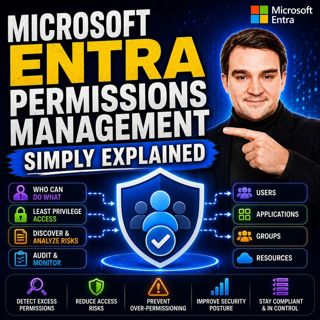
Microsoft Entra Permissions Management - Simply Explained

Microsoft Entra Permissions Management - Simply Explained

Cloud security isn't just about protecting user accounts anymore. Modern organizations manage thousands of identities across Microsoft Azure, Amazon Web Services (AWS), and Google Cloud Platform (GCP)...

16 Jul 13min

Managed Identities - Simply Explained

Managed Identities - Simply Explained

Managing passwords, connection strings, client secrets, and certificates has always been one of the biggest challenges when building secure cloud applications. Every application that connects to Azure...

16 Jul 16min
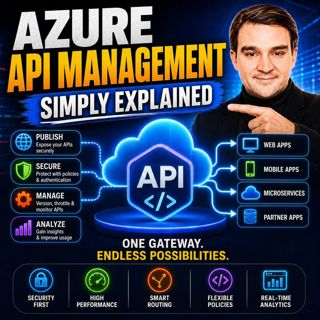
Azure API Management - Simply Explained

Azure API Management - Simply Explained

Azure API Management (APIM) is one of the most important services in Microsoft Azure for organizations building modern cloud applications, microservices, and enterprise integrations. While APIs make i...

16 Jul 14min
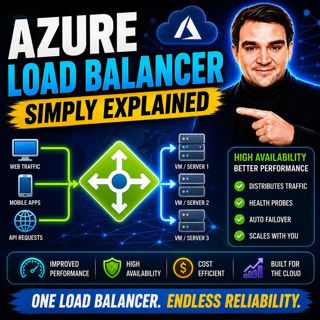
Azure Load Balancer — Simply Explained

Azure Load Balancer — Simply Explained

Every application starts small. A single virtual machine serves your website, processes customer requests, and handles all incoming traffic. At first, everything works perfectly. But as your user base...

16 Jul 15min

Azure Front Door - Simply Explained

Azure Front Door - Simply Explained

Building a website that performs well for users around the world is far more challenging than simply deploying a web application to Azure. A server hosted in North America may respond quickly for user...

16 Jul 17min

Azure Virtual WAN - Simply Explained

Azure Virtual WAN - Simply Explained

Building a global Azure network manually becomes increasingly difficult as your organization grows. What starts as a simple hub-and-spoke deployment quickly turns into a maze of virtual network peerin...

16 Jul 14min

Azure Firewall - Simply Explained

Azure Firewall - Simply Explained

Securing a traditional office network was relatively straightforward—you installed a physical firewall at the edge of your network and inspected everything entering or leaving your building. But cloud...

16 Jul 13min

Populært innen Politikk og nyheter

giver-og-gjengen-vg
aftenpodden-usa
aftenpodden
fotballpodden-2
forklart
stopp-verden
popradet
det-store-bildet
rss-gukild-johaug
hanna-de-heldige
rss-ness
aftenbla-bla
dine-penger-pengeradet
nokon-ma-ga
rss-utenrikskomiteen-med-bogen-og-grasvik
lydartikler-fra-aftenposten
rss-penger-polser-og-politikk
e24-podden
rss-hor-na-krim-2
ta-dokumentar