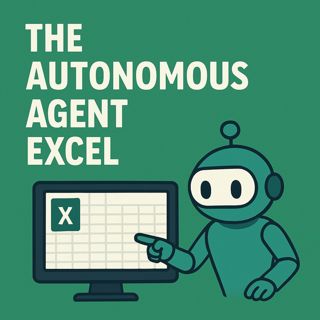
Autonomous agent Excel automation: turn RFIs into hands‑off Copilot workflows

Autonomous agent Excel automation: turn RFIs into hands‑off Copilot workflows

(00:00:00) The Excel Dilemma
(00:00:19) The Manual Drudgery of Excel RFIs
(00:00:41) Introducing the Autonomous Agent
(00:01:26) The Anatomy of Autonomy
(00:02:19) Understanding Copilot Studio and Power Automate
(00:02:40) The RFI Workflow: A Perfect Sandbox
(00:04:21) Feeding the Machine: Input Flow Design
(00:09:15) The AI Brain: Cognition and Generation
(00:12:22) Knowledge Grounding: Precision Over Creativity
(00:15:06) The Write Back and Reply Mechanism

n this episode of M365.fm, Mirko Peters breaks down the autonomous agent Excel pattern that turns repetitive RFI work into a hands‑off, Copilot‑driven workflow using Power Automate, Copilot Studio, SharePoint, and structured Excel tables. He maps out the full agent loop—trigger, logic, orchestration—showing how Power Automate catches incoming emails with .xlsx attachments, stages them in SharePoint, and passes clean context to a Copilot Studio agent that reads questions, generates answers, and writes everything back into the same Excel table. You will learn why RFIs with predictable Question/Answer schemas are a perfect fit for this pattern, how to enforce named tables instead of messy merged cells, and how to avoid brittle, copy‑paste automation that breaks on the first layout change.

Mirko walks through the Power Automate flow in detail: triggering on a shared mailbox, filtering Excel files, enforcing table structure, copying to SharePoint for versioning and compliance, and handing File ID plus Message ID to the agent with a tight, structured prompt. On the Copilot Studio side, he shows how to use List rows in a table, iterate deterministically over each row, generate answers one question at a time to avoid context bleed, and update the correct row through a clean read → reason → respond → writeback loop. He also compares internal knowledge grounding (SharePoint/Dataverse) versus web grounding, explaining why internal sources win for reliability and compliance in most real‑world scenarios.

The episode then covers the reply and governance layer. Back in Power Automate, you learn how to add timing guardrails so SharePoint commits are safe, fetch the updated workbook, and send a threaded email reply with the filled‑in file attached to the original sender. Mirko shares patterns for error handling (missing tables, wrong columns), resilience for large sheets, and when to move from Excel into Dataverse or SharePoint lists as volume, concurrency, and scalability needs grow. He finishes with a copy‑paste‑ready implementation checklist—shared mailbox, filters, table enforcement, agent call, monitoring, and logging—that you can drop straight into your automation runbooks.

By the end of the episode, you will see Excel not as a place where you type faster, but as a backend that your agent loop updates for you while you focus on exceptions and edge cases. If you are responsible for automation, RFIs, or Copilot adoption and want a concrete pattern that combines Power Automate, Copilot Studio, Excel, and SharePoint into a governed, auditable autonomous workflow, this conversation gives you the architecture, language, and guardrails you need.

WHAT YOU WILL LEARN
  • How Power Automate, Copilot Studio, Excel, and SharePoint split the work between trigger, reasoning, and writeback.
  • How to design the input flow: shared mailbox trigger, .xlsx filter, named tables, and structured prompts.
  • How to build the AI loop in Copilot Studio with List rows, per‑row answer generation, and safe writeback.
  • How to implement resilient replies, error handling, and threading in Power Automate.
  • How to scale and govern the pattern with quotas, DLP, RBAC, monitoring, and human‑in‑the‑loop validation.
THE CORE INSIGHT

Automation is not about typing Excel answers faster—it is about removing the typing entirely. By using Power Automate to detect, validate, stage, and dispatch, and using Copilot Studio to read, reason, and write back into structured exceltables, you get a repeatable, governed agentloop that turns RFIs into scalable, compliant autonomous workflows.

WHO THIS EPISODE IS FOR

This episode is ideal for automation leads, Power Platform admins, COE teams, and operations owners who handle RFI‑style Excel work and want to move from manual copy‑paste to governed autonomy with Copilot and Power Automate. It is especially valuable if you are piloting Copilot in regulated environments and need patterns that respect compliance, governance, and observability from day one.

ABOUT THE HOST

Mirko Peters is a Microsoft 365 consultant and digital workplace architect focused on building governed, scalable platforms with Power Platform, Dataverse, Microsoft Fabric, Microsoft Copilot, and modern automation patterns. Through M365.fm, he shares practical governance models, automation blueprints, and real‑world stories that help organizations turn everyday tools like Excel, SharePoint, and Power Automate into reliable, enterprise‑grade workflows instead of fragile one‑off scripts.

Become a supporter of this podcast: https://www.spreaker.com/podcast/m365-fm-modern-work-security-and-productivity-with-microsoft-365--6704921/support.

Denne episoden er hentet fra en åpen RSS-feed og er ikke publisert av Podme. Den kan derfor inneholde annonser.

Episoder(847)

Agent Governance Explained- How IT Can Enable the AI Agent Revolution with Thomas Zou [Microsoft]

Agent Governance Explained- How IT Can Enable the AI Agent Revolution with Thomas Zou [Microsoft]

Every organization is talking about AI agents, but very few have a strategy for governing them. In this episode of M365.fm, host Mirko Peters sits down with Thomas Zou, Product Marketing Manager for M...

23 Jul 0s
Microsoft AppSource - Simply Explained

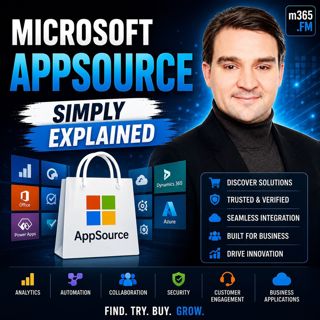
Microsoft AppSource - Simply Explained

Welcome to another episode of Knowledge Nuggets with Mirko Peters. Today we're exploring Microsoft AppSource, Microsoft's marketplace for business applications, consulting services, and industry solut...

23 Jul 0s

Agent Feed - Simply Explained

Agent Feed - Simply Explained

Welcome to another episode of Knowledge Nuggets with Mirko Peters. Today we're exploring Agent Feed, Microsoft's new supervision experience for AI agents inside Power Apps. As AI agents become capable...

23 Jul 0s
Microsoft Agent Framework - Simply Explained

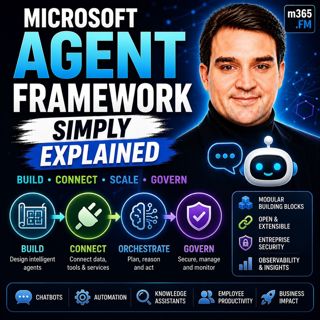
Microsoft Agent Framework - Simply Explained

Welcome to another episode of Knowledge Nuggets with Mirko Peters. Today we're exploring the Microsoft Agent Framework, Microsoft's unified development framework for building enterprise-ready AI agent...

23 Jul 0s
Microsoft Fabric Real-Time Intelligence - Simply Explained

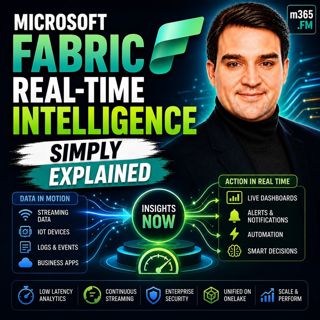
Microsoft Fabric Real-Time Intelligence - Simply Explained

Welcome to another episode of Knowledge Nuggets with Mirko Peters. Today we're exploring Microsoft Fabric Real-Time Intelligence, one of the most exciting workloads inside Microsoft Fabric that enable...

23 Jul 0s
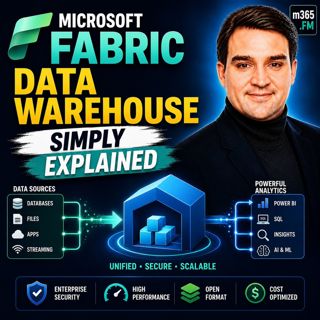
Microsoft Fabric Data Warehouse - Simply Explained

Microsoft Fabric Data Warehouse - Simply Explained

Welcome to another episode of Knowledge Nuggets with Mirko Peters. Today we're exploring Microsoft Fabric Data Warehouse, Microsoft's modern cloud-native data warehouse built as part of the unified Mi...

23 Jul 0s
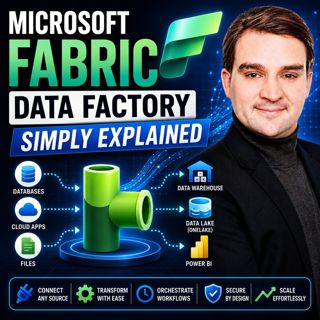
Microsoft Fabric Data Factory - Simply Explained

Microsoft Fabric Data Factory - Simply Explained

Moving data has always been one of the most complex parts of building a modern analytics platform. Organizations need to collect information from databases, cloud applications, APIs, files, and enterp...

23 Jul 0s
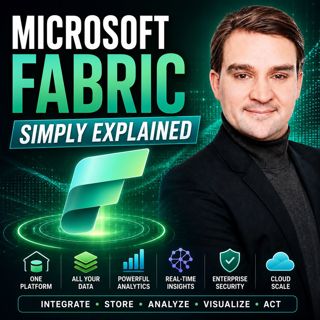
Microsoft Fabric - Simply Explained

Microsoft Fabric - Simply Explained

Data has become one of every organization's most valuable assets—but for many businesses, it's scattered across databases, cloud platforms, business applications, and analytics tools. Microsoft Fabric...

22 Jul 0s

Populært innen Politikk og nyheter

giver-og-gjengen-vg
aftenpodden
forklart
fotballpodden-2
aftenpodden-usa
stopp-verden
popradet
rss-gukild-johaug
hanna-de-heldige
det-store-bildet
dine-penger-pengeradet
rss-ness
nokon-ma-ga
lydartikler-fra-aftenposten
bt-dokumentar-2
aftenbla-bla
e24-podden
unitedno
rss-penger-polser-og-politikk
rss-utenrikskomiteen-med-bogen-og-grasvik