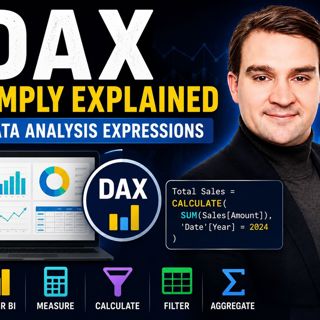

Data Analysis Expressions (DAX) - Simply Explained

Data Analysis Expressions (DAX) - Simply Explained

If you've spent any time working with Power BI, you've almost certainly heard about DAX. Some people describe it as "Excel formulas for Power BI," while others treat it like a complex programming language that only experts can understand. The truth lies somewhere in between. In this episode of Microsoft Knowledge Nuggets on M365 FM, Mirko Peters explains Data Analysis Expressions (DAX) in plain English, breaking down the concepts that every Power BI user, business analyst, and data professional needs to understand. Whether you're building your first dashboard or looking to improve enterprise reporting, this episode provides a practical introduction to one of Microsoft's most powerful analytical technologies.

WHAT IS DAX AND WHY DOES IT MATTER?
DAX, or Data Analysis Expressions, is the calculation engine behind Microsoft Power BI, Excel Power Pivot, and SQL Server Analysis Services. Unlike Excel formulas that work on individual cells, DAX operates across entire tables and data models. Instead of calculating one value at a time, DAX dynamically responds to filters, slicers, and user interactions, allowing reports to update instantly as users explore their data. This makes DAX the foundation of interactive business intelligence and modern self-service analytics.

CALCULATED COLUMNS VS. MEASURES
One of the biggest challenges for beginners is understanding the difference between calculated columns and measures. This episode clearly explains why calculated columns are static values created during data refresh, while measures are dynamic calculations that respond instantly to report filters and user selections. Understanding when to use each approach is critical for building efficient Power BI models that remain fast, scalable, and easy to maintain.

UNDERSTANDING FILTER CONTEXT
Filter context is the concept that separates beginner DAX users from experienced Power BI professionals. Every visual, slicer, page filter, and report interaction creates a unique filter context that determines which data is visible during a calculation. Rather than rewriting formulas for every scenario, DAX automatically recalculates results based on the active context, allowing a single measure to power hundreds of different report views. Once you understand filter context, DAX becomes significantly easier to master.

MASTERING CALCULATE, ITERATORS, AND TIME INTELLIGENCE
The episode explores the most important DAX function—CALCULATE—and explains why it forms the foundation of advanced Power BI development. You'll also learn when to use iterator functions such as SUMX, how row context differs from filter context, and why proper date tables are essential for time intelligence calculations. Practical examples demonstrate running totals, year-over-year comparisons, prior-year sales, growth percentages, and dynamic business metrics that executives rely on every day.

BUILDING HIGH-PERFORMANCE POWER BI MODELS
Great Power BI reports depend on more than writing formulas. Mirko explains how clean data models, well-designed relationships, variables, reusable measures, source control, and efficient DAX patterns improve both report performance and long-term maintainability. The episode also highlights common beginner mistakes, including overusing calculated columns, misunderstanding context, ignoring the data model, and writing unnecessarily complex expressions that slow down reports.

KEY TAKEAWAYS
DAX is far more than a collection of formulas—it is the analytical engine that powers Microsoft Power BI. By understanding measures, calculated columns, filter context, CALCULATE, iterator functions, and time intelligence, you can transform static reports into interactive dashboards that automatically respond to every user interaction. Mastering a few core DAX concepts will help you build faster, cleaner, and more scalable Power BI solutions while unlocking the full potential of Microsoft's business intelligence platform.

Become a supporter of this podcast: https://www.spreaker.com/podcast/m365-fm-modern-work-security-and-productivity-with-microsoft-365--6704921/support.

Det här avsnittet är hämtat från ett öppet RSS-flöde och publiceras inte av Podme. Det kan innehålla reklam.

Avsnitt(723)

Your AI Landing Zone Is A Liability

Your AI Landing Zone Is A Liability

Most organizations believe deploying Azure OpenAI is as simple as provisioning another Azure resource. Create an endpoint, generate an API key, connect your application, and start building AI experien...

14 Juli 1h 21min

Graph API - Simply Explained

Graph API - Simply Explained

Microsoft Graph API is one of the most important technologies in the Microsoft ecosystem, yet it's often misunderstood. Is it a database? A service? Or simply another developer tool? In this episode o...

13 Juli 12min
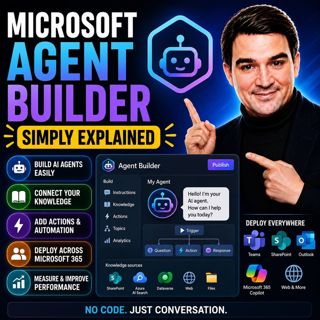
Microsoft Agent Builder — Simply Explained

Microsoft Agent Builder — Simply Explained

Building AI agents used to require developers, code, and complex AI platforms. Microsoft Agent Builder changes that completely. Built directly into Microsoft 365 Copilot, Agent Builder allows anyone t...

13 Juli 15min
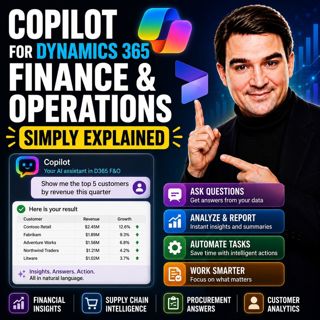
Copilot for Dynamics 365 Finance and Operations - Simply Explained

Copilot for Dynamics 365 Finance and Operations - Simply Explained

Finance teams have never struggled with a lack of data—they struggle with the time it takes to find, organize, analyze, and act on that information. Traditional ERP workflows often require switching b...

13 Juli 11min

AI Under Attack: Building Zero Trust Security with Microsoft Copilot, Azure & Microsoft 365 - Mourtaza Fazlehoussen [MVP]

AI Under Attack: Building Zero Trust Security with Microsoft Copilot, Azure & Microsoft 365 - Mourtaza Fazlehoussen [MVP]

Artificial intelligence is transforming cybersecurity faster than any technology before it. But while AI helps defenders automate investigations and respond to incidents faster, it also gives cybercri...

13 Juli 1h 1min

Copilot in Microsoft Entra ID - Simply Explained

Copilot in Microsoft Entra ID - Simply Explained

Managing identities has become one of the most challenging responsibilities for modern IT teams. Every day, organizations process thousands of sign-ins, evaluate Conditional Access policies, detect ri...

13 Juli 14min

Copilot for Microsoft Fabric - Simply Explained

Copilot for Microsoft Fabric - Simply Explained

Microsoft has several Copilots, but each one serves a completely different purpose. Microsoft 365 Copilot helps you write documents and summarize meetings. GitHub Copilot helps developers write code. ...

13 Juli 11min

Populärt inom Politik & nyheter

aftonbladet-krim
svenska-fall
p3-krim
tv4-nyheterna-story
flashback-forever
aftonbladet-daily
motiv
rss-sanning-konsekvens
de-fyras-gang
rss-vad-fan-hande
rss-krimstad
rss-krimreportrarna
spar
mannen-utan-spar
rss-flodet
rss-frandfors-horna
rss-aftonbladet-krim
kungligt
olyckan-inifran
grans