

Teams Telephony - Simply Explained
Microsoft Teams Telephony transforms Microsoft Teams into a complete cloud-based business phone system, replacing traditional office PBXs with a modern, software-powered solution. In this episode, we explain Teams Telephony in plain English, showing how it enables organizations to make and receive business calls from virtually any device while integrating seamlessly with Microsoft 365. Whether you're an IT administrator, business owner, or simply curious about Microsoft's calling platform, this episode breaks down everything you need to know—from cloud PBX and licensing to calling plans, security, and real-world business benefits.

WHAT IS MICROSOFT TEAMS TELEPHONY?
Teams Telephony is Microsoft's cloud-based business phone system built directly into Microsoft Teams. Instead of relying on traditional desk phones connected to physical PBX hardware, your business phone number follows your Microsoft account across your laptop, smartphone, tablet, desktop computer, or certified Teams phone. Every device becomes your office phone, allowing employees to work from anywhere while maintaining the same business number, voicemail, contacts, and call history.

REPLACING THE TRADITIONAL PBX
Traditional phone systems required expensive hardware, dedicated phone lines, onsite maintenance, and complex upgrades. Teams Telephony replaces this entire infrastructure with a cloud-hosted Phone System managed by Microsoft. Organizations no longer need to maintain PBX hardware, install new phone lines for employees, or schedule technicians for everyday configuration changes. New users can often be provisioned in minutes simply by assigning licenses and phone numbers through the Microsoft 365 administration portal.

THREE WAYS TO CONNECT TO THE PUBLIC PHONE NETWORK
Connecting Teams to the public telephone network is one of the most important concepts to understand. Microsoft offers three primary connectivity options. Microsoft Calling Plans provide the simplest fully managed experience directly from Microsoft. Operator Connect allows organizations to continue using approved telecommunications providers while integrating seamlessly with Teams. Direct Routing offers maximum flexibility by connecting existing phone infrastructure through certified Session Border Controllers, making it ideal for organizations with more advanced telephony requirements or existing carrier investments.

LICENSING AND COSTS
Teams Telephony is licensed separately from the standard Microsoft Teams application. Organizations typically require a Teams Phone license alongside their chosen calling connectivity option. While pricing varies depending on licensing, calling plans, and deployment model, many businesses experience significant cost savings compared to maintaining traditional on-premises PBX systems. Reduced hardware investments, simplified administration, and cloud-based management often lower both operational costs and long-term infrastructure expenses.

ENTERPRISE FEATURES FOR EVERY BUSINESS
Teams Telephony includes advanced enterprise calling capabilities that were traditionally available only through expensive business phone systems. Features such as voicemail transcription, auto attendants, call queues, delegation, call park, presence integration, and intelligent call routing are built directly into the platform. These capabilities allow even small organizations to deliver professional customer experiences while simplifying internal communication and reducing administrative overhead.

SECURITY, COMPLIANCE AND RELIABILITY
Microsoft secures Teams Telephony using enterprise-grade encryption, Microsoft Entra identity, multi-factor authentication, and global cloud infrastructure. Organizations benefit from high availability, encrypted voice traffic, compliance capabilities, and centralized administration through Microsoft 365. Features supporting regulatory requirements such as GDPR and HIPAA help organizations protect sensitive communications while meeting industry compliance obligations.

HOW EVERYTHING WORKS TOGETHER
The true strength of Teams Telephony comes from the integration of its individual components. Incoming calls flow through auto attendants, call queues intelligently distribute conversations, voicemail automatically generates transcripts, and presence information helps users understand colleague availability. Because every capability operates inside Microsoft Teams, employees no longer need separate applications or disconnected communication systems. The result is a unified communication platform that combines chat, meetings, collaboration, and enterprise telephony into a single experience.

GETTING STARTED WITH TEAMS TELEPHONY
Organizations adopting Teams Telephony should begin by reviewing their existing Microsoft 365 licensing, evaluating the most suitable PSTN connectivity option, and running a pilot deployment with a small group of users before expanding company-wide. This phased approach allows businesses to validate call quality, user experience, and configuration while minimizing deployment risks and ensuring a smooth migration from legacy phone systems.

KEY TAKEAWAYS
Teams Telephony is much more than internet calling—it's a complete cloud-native business phone platform designed for the modern workplace. By replacing traditional PBX hardware with Microsoft Teams, organizations gain greater flexibility, lower infrastructure costs, stronger security, enterprise-grade calling features, and seamless integration with Microsoft 365. Whether employees work in the office, remotely, or on the move, Teams Telephony delivers a consistent business calling experience from virtually any device.

Become a supporter of this podcast: https://www.spreaker.com/podcast/m365-fm-modern-work-security-and-productivity-with-microsoft-365--6704921/support.

Det här avsnittet är hämtat från ett öppet RSS-flöde och publiceras inte av Podme. Det kan innehålla reklam.

Avsnitt(742)

The Microsoft Partner Journey Explained

The Microsoft Partner Journey Explained

The Microsoft AI Cloud Partner Program has evolved dramatically, but many partners are still approaching it with an outdated mindset. In this episode of m365.fm, we break down the complete Microsoft P...

15 Juli 14min

How to Build a Winning Microsoft Partner Strategy

How to Build a Winning Microsoft Partner Strategy

What separates Microsoft partners that consistently grow from those that simply maintain their status? In this episode of m365.fm, we break down the four strategic pillars that transform Microsoft par...

15 Juli 17min
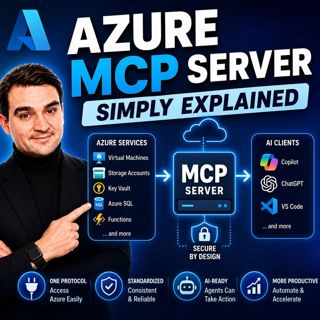
Azure MCP Server - Simply Explained

Azure MCP Server - Simply Explained

Artificial Intelligence is rapidly evolving from simply answering questions to actively performing real work. But for AI agents to become truly useful, they need secure access to cloud resources, data...

15 Juli 17min
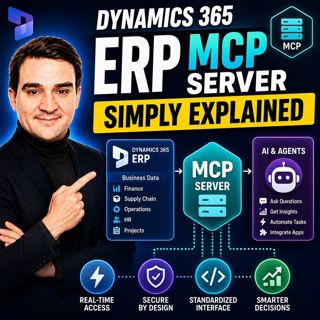
Dynamics 365 ERP MCP Server - Simply Explained

Dynamics 365 ERP MCP Server - Simply Explained

Artificial Intelligence is transforming how businesses interact with enterprise systems, but connecting AI assistants to ERP platforms has traditionally required custom APIs, complex integrations, and...

15 Juli 13min
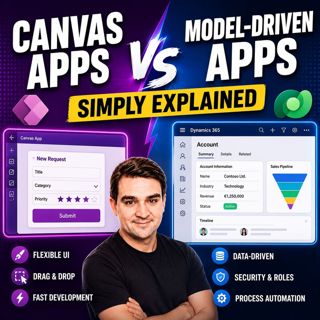
Canvas Apps vs Model-Driven Apps - Simply Explained

Canvas Apps vs Model-Driven Apps - Simply Explained

Microsoft Power Apps offers two primary ways to build business applications: Canvas Apps and Model-Driven Apps. At first glance they may appear similar, but they are designed for very different scenar...

15 Juli 15min

Infrastructure as Code - Simply Explained

Infrastructure as Code - Simply Explained

Managing cloud infrastructure by clicking through the Azure Portal might work for a single virtual machine, but it quickly becomes slow, inconsistent, and difficult to maintain as environments grow. I...

15 Juli 16min

Bicep - Simply Explained

Bicep - Simply Explained

Deploying Azure resources through the Azure Portal is great for learning, but it quickly becomes difficult to repeat, document, and automate. That's where Bicep comes in. In this episode, we explain M...

15 Juli 16min

ARM Templates - Simply Explained

ARM Templates - Simply Explained

If you've ever built Azure resources by clicking through the Azure Portal, you've probably wondered how large organizations deploy identical environments over and over again without making mistakes. T...

15 Juli 15min

Populärt inom Politik & nyheter

aftonbladet-krim
svenska-fall
p3-krim
tv4-nyheterna-story
aftonbladet-daily
flashback-forever
rss-vad-fan-hande
motiv
de-fyras-gang
rss-krimreportrarna
rss-krimstad
spar
rss-sanning-konsekvens
rss-frandfors-horna
rss-flodet
mannen-utan-spar
rss-aftonbladet-krim
kungligt
politiken
krimmagasinet