Conditional Access - Simply Explained
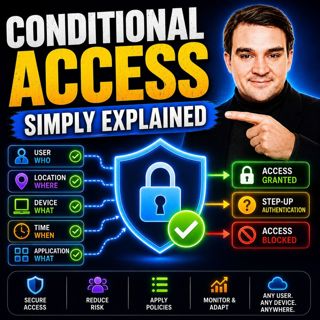
Every time you sign in to Microsoft 365, far more happens than simply checking your username and password. Behind the scenes, Microsoft evaluates dozens of signals before deciding whether you should be allowed access. This intelligent decision-making process is powered by Microsoft Entra Conditional Access, one of the most important security features available in Microsoft 365. In this episode of Microsoft Knowledge Nuggets, we explain Conditional Access in simple terms and show how it protects your organization by evaluating who is signing in, where they're connecting from, which device they're using, what application they're accessing, and how risky the sign-in appears. Instead of relying on passwords alone, Conditional Access adds context to every authentication request, making identity security dramatically stronger.

WHY PASSWORDS AND MFA ARE NO LONGER ENOUGH
Passwords are stolen every day through phishing attacks, malware, password reuse, and large-scale data breaches. Even traditional multi-factor authentication (MFA), while extremely important, isn't always enough to stop sophisticated attackers. Conditional Access adds another layer of intelligence by evaluating the complete sign-in context before granting access. Rather than asking "Did the user enter the correct password?", it asks much smarter questions: Is this login coming from a trusted location? Is the device compliant with company security policies? Is the account showing signs of compromise? Is the user attempting to access sensitive business applications? This context-aware approach dramatically reduces the risk of unauthorized access while improving your organization's Zero Trust security posture.

HOW MICROSOFT ENTRA CONDITIONAL ACCESS MAKES DECISIONS
Conditional Access operates using a simple "if-this-then-that" policy engine. Administrators define conditions such as user identity, device compliance, geographic location, cloud application, sign-in risk, user risk, authentication context, and session controls. Based on these signals, Conditional Access can grant access, require multi-factor authentication, demand a compliant device, enforce phishing-resistant authentication methods, restrict sessions, or block access completely. This flexible policy engine allows organizations to create highly targeted security controls that balance strong protection with a seamless user experience. We also explain Report-Only Mode, the What If tool, and policy testing strategies that allow administrators to safely validate new policies before enforcing them across the organization.

THE THREE CONDITIONAL ACCESS POLICIES EVERY ORGANIZATION SHOULD DEPLOY
This episode highlights the three foundational Conditional Access policies every Microsoft 365 tenant should implement immediately. First, require strong multi-factor authentication for every user using phishing-resistant authentication methods whenever possible. Second, block all legacy authentication protocols such as POP, IMAP, and older Exchange authentication methods that cannot enforce MFA and remain common attack vectors. Third, require compliant, managed devices for privileged administrators to protect the most powerful identities inside your organization. We also explain why every tenant should maintain dedicated break-glass emergency administrator accounts that remain excluded from Conditional Access policies to prevent administrators from accidentally locking themselves out of the environment.

ADVANCED CONDITIONAL ACCESS FEATURES FOR ZERO TRUST SECURITY
Beyond the basics, Conditional Access becomes even more powerful through advanced capabilities such as Sign-In Risk policies, User Risk policies, Authentication Contexts, Continuous Access Evaluation, and persona-based security policies. Learn how Microsoft uses machine learning to detect impossible travel, anonymous IP addresses, leaked credentials, and suspicious behavior in real time. Discover how organizations can create different security policies for administrators, employees, contractors, guests, and external users while protecting highly sensitive applications like finance systems with additional authentication requirements. These capabilities allow businesses to implement a true Zero Trust security model that continuously verifies every user and every access request.

BUILDING A STRONGER MICROSOFT 365 SECURITY FOUNDATION
Whether you're securing a small business or a global enterprise, Microsoft Entra Conditional Access should be considered the central policy engine of your identity security strategy. Combined with Microsoft Entra ID, Microsoft Intune, Microsoft Defender, phishing-resistant MFA, and Zero Trust principles, Conditional Access provides intelligent, adaptive protection that continuously evaluates risk instead of relying solely on passwords. After listening to this episode, you'll understand how Conditional Access protects Microsoft 365 users, why it is essential for every organization, and how to safely deploy policies that significantly improve your overall cloud security posture without disrupting productivity.

Become a supporter of this podcast: https://www.spreaker.com/podcast/m365-fm-modern-work-security-and-productivity-with-microsoft-365--6704921/support.

Det här avsnittet är hämtat från ett öppet RSS-flöde och publiceras inte av Podme. Det kan innehålla reklam.

Avsnitt(773)

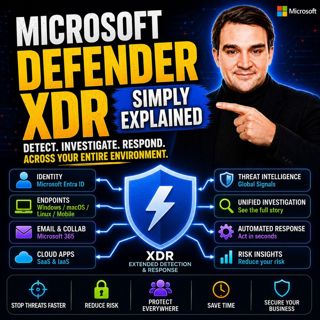
Microsoft Defender XDR - Simply Explained

Microsoft Defender XDR - Simply Explained

Modern cyberattacks rarely target a single system. An attack might begin with a phishing email, move to a compromised device, steal user credentials, access cloud applications, and finally exfiltrate ...

16 Juli 14min
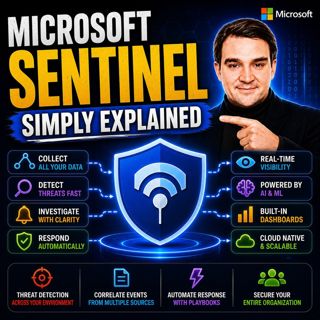
Microsoft Sentinel - Simply Explained

Microsoft Sentinel - Simply Explained

Modern cyberattacks rarely happen in a single moment. Attackers often move slowly, testing identities, exploring systems, downloading data, and establishing persistence over days, weeks, or even month...

16 Juli 14min
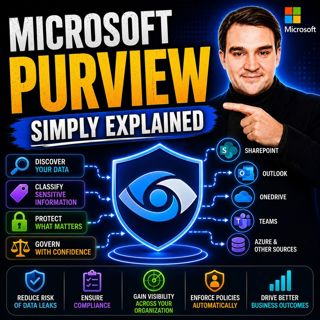
Microsoft Purview - Simply Explained

Microsoft Purview - Simply Explained

Protecting your network is no longer enough to protect your business. Modern organizations store sensitive information across Microsoft 365, Azure, SharePoint, OneDrive, Teams, Exchange, file servers,...

16 Juli 17min
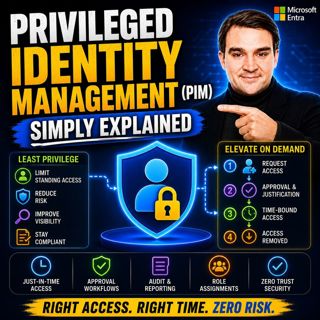
Privileged Identity Management (PIM) - Simply Explained

Privileged Identity Management (PIM) - Simply Explained

Administrator accounts are among the most valuable targets for cybercriminals. If an attacker compromises a Global Administrator or another privileged account, they can potentially reset passwords, ac...

16 Juli 16min

Building a Secure Microsoft-First MSP: Intune, Defender & Entra ID at Scale with Albin Klinaku [MVP]

Building a Secure Microsoft-First MSP: Intune, Defender & Entra ID at Scale with Albin Klinaku [MVP]

Building a successful Managed Service Provider today requires much more than managing devices and responding to support tickets. Modern MSPs must become trusted security partners, helping organization...

16 Juli 1h
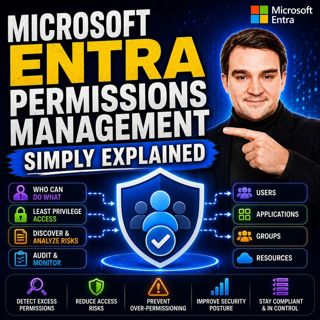
Microsoft Entra Permissions Management - Simply Explained

Microsoft Entra Permissions Management - Simply Explained

Cloud security isn't just about protecting user accounts anymore. Modern organizations manage thousands of identities across Microsoft Azure, Amazon Web Services (AWS), and Google Cloud Platform (GCP)...

16 Juli 13min
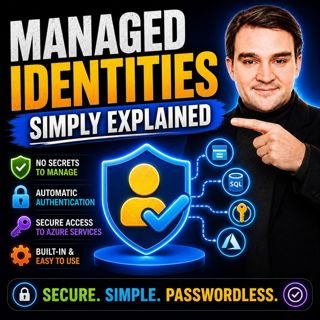
Managed Identities - Simply Explained

Managed Identities - Simply Explained

Managing passwords, connection strings, client secrets, and certificates has always been one of the biggest challenges when building secure cloud applications. Every application that connects to Azure...

16 Juli 16min

Populärt inom Politik & nyheter

aftonbladet-krim
svenska-fall
p3-krim
rss-krimstad
tv4-nyheterna-story
aftonbladet-daily
flashback-forever
motiv
rss-sanning-konsekvens
de-fyras-gang
rss-krimreportrarna
rss-vad-fan-hande
mannen-utan-spar
spar
rss-frandfors-horna
rss-flodet
rss-aftonbladet-krim
krimmagasinet
politiken
olyckan-inifran

















