
Azure Files - Simply Explained
Azure Files is Microsoft's fully managed cloud file sharing service that allows you to create secure, scalable file shares without maintaining a traditional file server. Instead of purchasing hardware, installing Windows Server, configuring storage, and worrying about backups or disk failures, Azure Files provides enterprise-grade shared storage that can be mounted just like a normal network drive. Supporting both SMB and NFS protocols, Azure Files works seamlessly with Windows, Linux, and macOS, making it an ideal solution for businesses that want reliable shared storage while eliminating the operational burden of on-premises file servers.

WHY BUSINESSES ARE MOVING AWAY FROM TRADITIONAL FILE SERVERS
Managing an on-premises file server comes with significant challenges. Hardware eventually fails, storage fills up, operating systems require constant patching, backups must be monitored, and ransomware remains a constant threat. Expanding storage often means purchasing new hardware, while supporting multiple office locations introduces VPNs, replication, and additional complexity. Azure Files removes these problems by moving file storage into Microsoft's highly available cloud infrastructure. Microsoft handles hardware maintenance, redundancy, updates, and platform reliability, allowing IT teams to focus on supporting the business instead of maintaining infrastructure. The result is improved availability, simplified management, and significantly lower operational overhead.

HOW AZURE FILES WORKS
Azure Files uses familiar industry-standard protocols, allowing organizations to connect using SMB for Windows environments or NFS for Linux workloads. Users simply map the file share as a network drive or mount it within their operating system, making cloud storage feel identical to a traditional file server. Authentication integrates with Microsoft Entra ID and Active Directory, enabling users to access file shares using their existing corporate credentials instead of shared storage keys. Data is encrypted both in transit and at rest, while Azure networking features such as Private Endpoints and Virtual Networks provide secure private connectivity for enterprise environments.

THE NEW AZURE FILE SHARES RESOURCE
One of the biggest improvements to Azure Files is the introduction of the new standalone File Shares resource. Previously, every file share lived inside a Storage Account, forcing multiple file shares to share the same performance limits, network configuration, authentication model, and billing structure. The new architecture treats every file share as an independent Azure resource with its own performance, networking, security settings, and cost reporting. This simplifies deployments, improves isolation between workloads, enables more granular security policies, and makes departmental chargeback significantly easier. For administrators, the new model reduces complexity while providing greater flexibility and better scalability for modern enterprise storage.

WHEN SHOULD YOU USE AZURE FILES?
Azure Files is an excellent choice for migrating legacy file servers to the cloud, sharing files across multiple virtual machines, supporting hybrid environments with Azure File Sync, and providing centralized storage for distributed teams. It is especially valuable for organizations that need traditional file shares without managing physical infrastructure. However, Azure Files is not intended for high-performance database workloads or document collaboration scenarios where Microsoft SharePoint or Microsoft Teams provide richer capabilities such as versioning, co-authoring, and document management. Understanding these strengths helps organizations choose the right storage platform for every workload.

PERFORMANCE, SECURITY, AND COST
Azure Files offers both Standard (HDD) and Premium (SSD) performance tiers, allowing businesses to balance performance requirements against budget. Premium file shares deliver extremely low latency and high IOPS for demanding applications, while Standard shares provide cost-effective storage for everyday file sharing. Built-in encryption protects data both at rest and during transmission, while Microsoft Defender for Storage continuously monitors for suspicious activity and potential threats. Organizations can further reduce costs through Azure Reservations while improving security by combining Azure Files with Microsoft Entra ID, Azure Backup, Azure File Sync, and Private Endpoints. Together, these capabilities make Azure Files a modern, enterprise-ready replacement for traditional network file servers that scales effortlessly with business growth.

Become a supporter of this podcast: https://www.spreaker.com/podcast/m365-fm-modern-work-security-and-productivity-with-microsoft-365--6704921/support.

Det här avsnittet är hämtat från ett öppet RSS-flöde och publiceras inte av Podme. Det kan innehålla reklam.

Avsnitt(785)

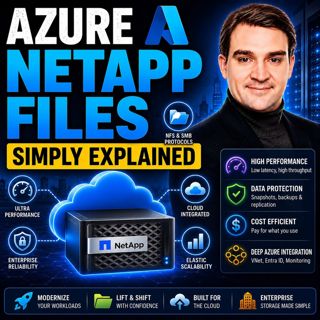
Azure NetApp Files - Simply Explained

Azure NetApp Files - Simply Explained

Azure NetApp Files (ANF) is Microsoft's enterprise-grade, ultra-high-performance file storage service built directly into Azure. Powered by NetApp's industry-leading storage technology, ANF delivers s...

17 Juli 15min

AI, Power Platform & Developer Experience: The Next Frontier with Reza Niroomand [MVP]

AI, Power Platform & Developer Experience: The Next Frontier with Reza Niroomand [MVP]

Artificial intelligence is transforming software development faster than ever before. Low-code platforms are becoming more powerful, professional developers are embracing AI-assisted coding, and enter...

17 Juli 1h

Azure Kubernetes Service (AKS) - Simply Explained

Azure Kubernetes Service (AKS) - Simply Explained

Azure Kubernetes Service (AKS) is Microsoft's fully managed Kubernetes platform that makes it easier to deploy, manage, and scale containerized applications in Azure. Instead of building and maintaini...

17 Juli 18min

Azure Container Apps - Simply Explained

Azure Container Apps - Simply Explained

Azure Container Apps make it possible to run modern containerized applications without the operational complexity of managing Kubernetes clusters. Instead of worrying about virtual machines, node pool...

17 Juli 15min
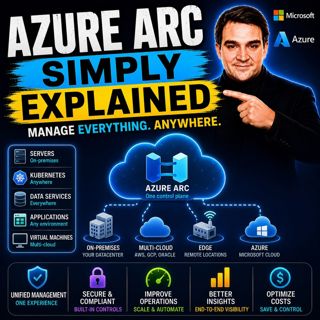
Azure Arc - Simply Explained

Azure Arc - Simply Explained

Modern IT environments rarely exist in a single cloud. Most organizations run Windows and Linux servers across on-premises data centers, Microsoft Azure, Amazon Web Services (AWS), Google Cloud Platfo...

17 Juli 17min

Microsoft AI Agent Harness - Simply Explained

Microsoft AI Agent Harness - Simply Explained

Writing the perfect AI prompt used to be the goal of every AI developer. But as businesses began asking AI to perform increasingly complex tasks—analyzing code, researching topics, coordinating workfl...

17 Juli 16min

Platform Engineering - Simply Explained

Platform Engineering - Simply Explained

For years, DevOps promised to break down the barriers between development and operations by giving teams greater ownership over the software they build. While the idea was powerful, reality became far...

16 Juli 16min

Populärt inom Politik & nyheter

aftonbladet-krim
svenska-fall
p3-krim
rss-krimstad
tv4-nyheterna-story
aftonbladet-daily
flashback-forever
rss-sanning-konsekvens
motiv
de-fyras-gang
rss-krimreportrarna
mannen-utan-spar
rss-vad-fan-hande
rss-frandfors-horna
spar
rss-flodet
rss-aftonbladet-krim
politiken
olyckan-inifran
krimmagasinet

















