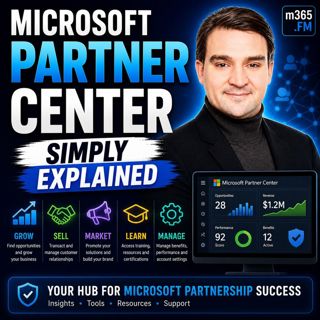
Microsoft Partner Center - Simply Explained

Microsoft Partner Center - Simply Explained

Welcome to another episode of Knowledge Nuggets with Mirko Peters. Today we're exploring Microsoft Partner Center, the central platform every Microsoft partner uses to manage their relationship with Microsoft. Most people have heard the name Partner Center, but very few can clearly explain what it actually does. Some assume it's only for large resellers managing millions of dollars in Microsoft licensing. Others believe it's simply a billing portal or a place to download software benefits. In reality, it's much more than that. Whether you're a one-person consulting business, a managed service provider, an independent software vendor, or a global systems integrator, Partner Center is the operational hub that connects your business to Microsoft's entire partner ecosystem. In this episode, we'll explain what Microsoft Partner Center is, who uses it, how it supports customer management, benefits, incentives, and certifications, and why it has become one of the most important platforms for every Microsoft partner. We'll also look at Microsoft's new FY26 partner benefits and explain how the Launch, Core, and Expanded tiers work.

WHAT IS MICROSOFT PARTNER CENTER?
Microsoft Partner Center is Microsoft's unified portal for managing every aspect of a company's Microsoft partnership. If your business sells Microsoft 365, builds Azure applications, develops Power Platform solutions, creates software for AppSource, or provides consulting services around Microsoft technologies, you're considered a Microsoft partner. Partner Center becomes your central management portal. Instead of using multiple disconnected websites for memberships, certifications, incentives, customer management, billing, and support, everything is available from a single dashboard. A useful analogy is to think of Microsoft products as the offices inside a large office building. Microsoft 365, Azure, Dynamics 365, and Power Platform are where your daily work happens. Partner Center is the reception desk that coordinates everything behind the scenes. It manages your relationship with Microsoft, routes information, tracks benefits, and keeps your business connected to the Microsoft ecosystem. Rather than performing customer work directly, Partner Center supports the business operations that allow Microsoft partners to grow successfully.

FROM MULTIPLE PORTALS TO ONE PLATFORM
Partner Center exists because Microsoft's previous partner experience had become extremely fragmented. Partners previously managed memberships through one portal, incentives through another, customer relationships through CSP systems, certifications elsewhere, and support requests through separate websites. None of these systems communicated particularly well with each other. Updating company information often meant repeating the same changes multiple times, while partner status, memberships, and benefits were sometimes inconsistent across different portals. Microsoft eventually consolidated these systems into Partner Center, creating one centralized experience with a single login, one dashboard, and one source of truth for every aspect of the Microsoft partnership. Although the migration from the old Partner Membership Center presented challenges for many organizations, today's partners benefit from a significantly simpler experience where nearly every partner activity can be managed from one location.

WHO USES PARTNER CENTER?
Partner Center supports several different types of Microsoft partners. Large Direct Bill Partners purchase licenses directly from Microsoft while managing customer billing, technical support, and commercial relationships themselves. These organizations use Partner Center to manage large customer portfolios and oversee their Microsoft business. Indirect Providers operate one level below Microsoft by supplying licenses and services to networks of smaller resellers. They manage billing infrastructure, support processes, and relationships between Microsoft and reseller organizations. The largest group consists of Indirect Resellers. These include many consulting firms, managed service providers, and Microsoft specialists who work directly with customers while purchasing Microsoft services through an indirect provider. Even very small consulting businesses benefit from Partner Center because it provides access to internal-use software, customer management, incentives, certifications, and Microsoft partner benefits regardless of company size.

MANAGING CUSTOMERS THROUGH CSP
One of Partner Center's most important roles is supporting the Cloud Solution Provider (CSP) program. CSP defines how Microsoft cloud subscriptions move from Microsoft to partners and ultimately to customers. Partner Center maintains these commercial relationships by linking customers, subscriptions, billing information, and support requests into one management experience. Partners can provision Microsoft 365 tenants, manage Azure subscriptions, renew licenses, assign services, and monitor customer environments without constantly switching between different administrative systems. For organizations managing dozens or hundreds of customers, Partner Center becomes the operational backbone that keeps these relationships organized while simplifying billing and support. Instead of tracking subscriptions manually, partners manage everything through one centralized dashboard.

THE FY26 PARTNER BENEFIT TIERS
Microsoft recently reorganized partner benefits into three clearly defined packages: Launch, Core, and Expanded. The Launch tier is designed for newer and smaller partners beginning their Microsoft journey. It provides Microsoft 365 Business Premium licenses, Microsoft Teams Enterprise, annual Azure credits, and Visual Studio Enterprise to help organizations establish their practice using Microsoft's own technologies. The Core tier expands these capabilities for growing partners by providing additional capacity, enhanced support options, and greater flexibility in how benefits are used across the organization. The highest level is Expanded, aimed at mature Microsoft partners with established practices. This tier introduces advanced capabilities including Microsoft 365 Copilot, Copilot Studio, Microsoft Defender, Microsoft Intune, Microsoft Entra ID Premium, additional Azure benefits, and premium support designed for organizations deeply invested in Microsoft's cloud ecosystem. Rather than being separate programs, these tiers represent a growth path that mirrors the development of a successful Microsoft partner business.

UNDERSTANDING THE BENEFITS
Many partners underestimate the value already available through Partner Center. Organizations receive Microsoft 365 licenses for internal use, Azure credits for development and testing, Visual Studio Enterprise subscriptions, security products, identity services, endpoint management, and—in qualifying benefit packages—Microsoft 365 Copilot licenses for internal adoption. These benefits are intended to help partners build expertise before delivering solutions to customers. Instead of purchasing every internal license separately, many Microsoft partners can significantly reduce operational costs simply by taking advantage of the benefits already included with their partner package. Partner Center also tracks incentive payments, certifications, solution designations, competencies, and partner achievements, giving organizations a complete overview of their Microsoft relationship from one location.

GETTING STARTED
Getting started with Partner Center begins by registering through Microsoft's partner portal using an organization's Microsoft Entra ID tenant. After company verification, administrators configure organizational information, assign appropriate user roles, and review the benefits available to their organization. One important recommendation is establishing proper role-based access control so employees receive only the permissions required for their responsibilities. Microsoft also recommends maintaining an emergency "break-glass" administrator account to ensure organizations never lose access to their Microsoft environment if primary administrators become unavailable. Once the initial setup is complete, partners should explore the dashboard carefully, paying particular attention to customer management, benefits, incentives, certifications, and business insights before expanding into more advanced partner capabilities.

THE FUTURE OF PARTNER CENTER
Microsoft continues investing heavily in Partner Center. New AI-powered assistants are helping partners create support requests more efficiently by automatically gathering relevant account information before cases reach Microsoft support. Partner Center APIs continue evolving to improve automation, while new security requirements such as mandatory multifactor authentication strengthen partner security throughout the platform. Microsoft is also modernizing billing APIs, customer agreement management, and automation capabilities to simplify partner operations while reducing administrative overhead. These improvements reflect Microsoft's broader strategy of making Partner Center not only an administrative portal but an intelligent business platform that actively supports partner growth.

Become a supporter of this podcast: https://www.spreaker.com/podcast/m365-fm-modern-work-security-and-productivity-with-microsoft-365--6704921/support.

Det här avsnittet är hämtat från ett öppet RSS-flöde och publiceras inte av Podme. Det kan innehålla reklam.

Avsnitt(851)

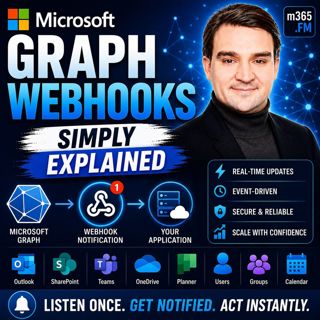
Microsoft Graph Webhooks - Simply Explained

Microsoft Graph Webhooks - Simply Explained

Welcome to another episode of Knowledge Nuggets with Mirko Peters. Today we're exploring Microsoft Graph Webhooks, one of the core building blocks for creating modern, event-driven Microsoft 365 appli...

24 Juli 0s
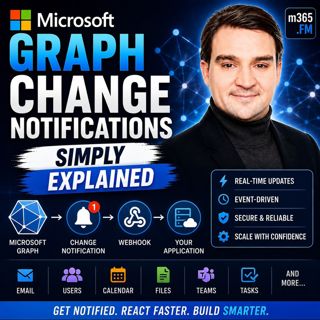
Microsoft Graph Change Notifications - Simply Explained

Microsoft Graph Change Notifications - Simply Explained

Welcome to another episode of Knowledge Nuggets with Mirko Peters. Today we're exploring Microsoft Graph Change Notifications, one of the most important capabilities for building modern, event-driven ...

24 Juli 0s

Microsoft Cloud for Sustainability - Simply Explained

Microsoft Cloud for Sustainability - Simply Explained

Welcome to another episode of Knowledge Nuggets with Mirko Peters. Today we're exploring Microsoft Cloud for Sustainability, Microsoft's end-to-end platform for measuring, managing, and reducing an or...

24 Juli 0s

Agent Governance Explained- How IT Can Enable the AI Agent Revolution with Thomas Zou [Microsoft]

Agent Governance Explained- How IT Can Enable the AI Agent Revolution with Thomas Zou [Microsoft]

Every organization is talking about AI agents, but very few have a strategy for governing them. In this episode of M365.fm, host Mirko Peters sits down with Thomas Zou, Product Marketing Manager for M...

23 Juli 0s
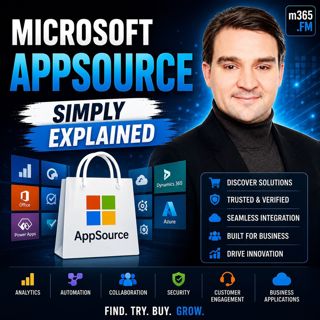
Microsoft AppSource - Simply Explained

Microsoft AppSource - Simply Explained

Welcome to another episode of Knowledge Nuggets with Mirko Peters. Today we're exploring Microsoft AppSource, Microsoft's marketplace for business applications, consulting services, and industry solut...

23 Juli 0s

Agent Feed - Simply Explained

Agent Feed - Simply Explained

Welcome to another episode of Knowledge Nuggets with Mirko Peters. Today we're exploring Agent Feed, Microsoft's new supervision experience for AI agents inside Power Apps. As AI agents become capable...

23 Juli 0s
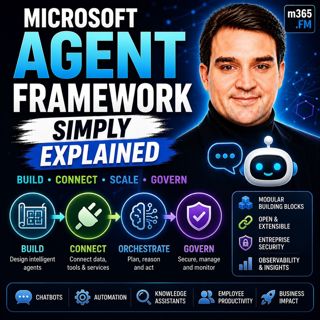
Microsoft Agent Framework - Simply Explained

Microsoft Agent Framework - Simply Explained

Welcome to another episode of Knowledge Nuggets with Mirko Peters. Today we're exploring the Microsoft Agent Framework, Microsoft's unified development framework for building enterprise-ready AI agent...

23 Juli 0s

Populärt inom Politik & nyheter

svenska-fall
p3-krim
aftonbladet-daily
aftonbladet-krim
rss-krimstad
flashback-forever
rss-sanning-konsekvens
tv4-nyheterna-story
rss-krimreportrarna
motiv
rss-frandfors-horna
mannen-utan-spar
rss-vad-fan-hande
de-fyras-gang
rss-flodet
spar
politiken
rss-aftonbladet-krim
olyckan-inifran
grans