Microsoft Fabric with Custom APIs and Power BI Models: How to Break UI Limits and Connect Your Real Business Systems to Analytics

Microsoft Fabric with Custom APIs and Power BI Models: How to Break UI Limits and Connect Your Real Business Systems to Analytics

Most teams only realize Fabric’s limits when a critical system isn’t on the connector list and their “automated” analytics quietly fall back to CSV exports and Excel workarounds. In this episode, I take the long story from your current description—finance reconciliations, ERP data, niche APIs, and weekly manual uploads—and show how custom APIs plus well‑designed Power BI models turn those pain points into a real, end‑to‑end architecture. We start by naming where the UI actually stops: unsupported data sources, business rules too complex for point‑and‑click, and automation that simply can’t start from third‑party events without custom integration.

From there, we zoom in on the tell‑tale signs that it’s time to go API‑driven: recurring data exports, fragile cloud storage handoffs, delayed dashboards, and shadow processes that only “Bob from Finance” understands. You’ll hear concrete examples—retail, operations, finance—where teams kept stretching Fabric’s UI until they finally admitted they needed a direct line from their systems of record into the Lakehouse via custom APIs. That’s where Fabric pipelines, Lakehouse storage, and Power BI models combine: APIs bring in the right data, Fabric shapes it, and semantic models give the business a single, trusted layer to consume.

We then connect architecture to daily work. You’ll see how well‑designed Power BI models sit on top of API‑fed data, turning one cleaned semantic layer into dozens of reports instead of dozens of stitched‑together datasets. We walk through the pattern: custom API feeding curated tables into Fabric, transformations captured as code, and a Power BI model that standardizes measures and relationships so teams stop arguing over numbers and start asking better questions.

By the end, “extending Fabric” stops sounding like a vague ambition and starts looking like a concrete playbook. You’ll walk away knowing how to spot when the UI isn’t enough, how to pick the first API‑driven use cases, and how to wire those into a Fabric + Power BI architecture that finally eliminates weekly exports, brittle workarounds, and dashboards that are always two days behind reality.

WHAT YOU LEARN
  • Where Microsoft Fabric’s UI realistically stops—and why unsupported systems, complex rules, and third‑party triggers expose its limits.
  • How to recognize when custom APIs are no longer optional: recurring exports, manual uploads, and shadow integration processes.
  • How custom APIs feed Fabric Lakehouse tables that Power BI models can reuse across many reports and audiences.
  • Why semantic Power BI models on top of API‑driven data beat one‑off datasets and Excel‑patched dashboards.
  • How to turn “we outgrew the UI” into a deliberate architecture decision instead of a never‑ending workaround.
CORE INSIGHT

The core insight of this episode is that outgrowing Fabric’s point‑and‑click experience is a maturity milestone, not a failure. When you start using custom APIs to bring your real systems into Fabric and put Power BI semantic models on top, you stop treating exports and spreadsheets as permanent plumbing and turn Fabric into the backbone of analytics that are timely, automated, and actually aligned with how your business runs.W

HO THIS IS FOR
  • Data and analytics leads who keep hitting connector and automation limits in Fabric’s UI.
  • Architects and engineers planning API‑driven integrations between ERPs, line‑of‑business systems, and Fabric.
  • Power BI developers who want to move from fragile, report‑specific datasets to robust, API‑fed semantic models.
  • Business and IT leaders tired of weekly manual exports and dashboards that never reflect the current state of the business.
ABOUT THE HOST

Mirko Peters is a Microsoft 365 and cloud consultant and the host of M365.FM, focused on modern work, security, and data architectures that survive real‑world complexity. He helps organizations move from UI‑only analytics and manual integration hacks to context‑driven systems on Microsoft 365, Fabric, and Azure, where custom APIs, Lakehouse, and Power BI models work together. In M365.FM, Mirko turns long integration stories—like breaking through Fabric’s UI limits with custom APIs—into practical patterns listeners can apply in their own environments.

Become a supporter of this podcast: https://www.spreaker.com/podcast/m365-fm-modern-work-security-and-productivity-with-microsoft-365--6704921/support.

Det här avsnittet är hämtat från ett öppet RSS-flöde och publiceras inte av Podme. Det kan innehålla reklam.

Avsnitt(712)

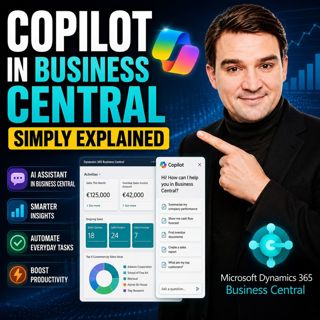
Copilot in Business Central - Simply Explained

Copilot in Business Central - Simply Explained

Microsoft Copilot is becoming a core part of Dynamics 365 Business Central, transforming it from a traditional ERP system into an AI-powered business assistant. Instead of switching between applicatio...

12 Juli 11min
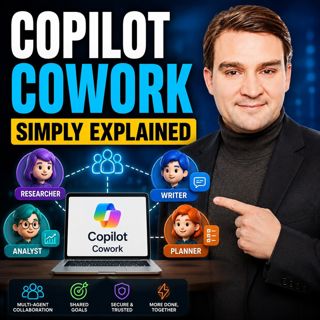
Copilot Cowork - Simply Explained

Copilot Cowork - Simply Explained

Microsoft Copilot changed how we interact with AI by helping us summarize emails, draft documents, and answer questions. But there's still one major problem: you're responsible for connecting everythi...

12 Juli 13min
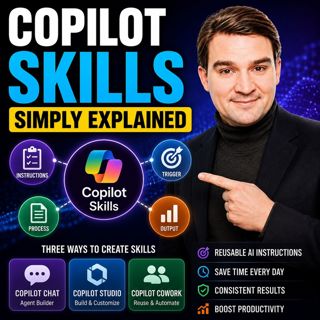
Copilot Skills - Simply Explained

Copilot Skills - Simply Explained

Copilot Skills are one of Microsoft's most important AI building blocks, yet they're also one of the most misunderstood. Depending on which Microsoft product you're using, the same concept appears und...

12 Juli 13min

Microsoft Scout - Simply Explained

Microsoft Scout - Simply Explained

Microsoft has introduced a growing family of AI assistants, and Microsoft Scout represents the next major step in that evolution. While Copilot helps when you ask questions and Cowork executes multi-s...

12 Juli 16min

Compliance as Code: The Architect’s Blueprint for Automated Trust

Compliance as Code: The Architect’s Blueprint for Automated Trust

Compliance has traditionally been treated as documentation. Policies live in PDFs, access reviews sit in spreadsheets, and governance depends on people remembering to follow processes. But cloud envir...

12 Juli 1h 13min
Power Apps Code Apps - Simply Explained

Power Apps Code Apps - Simply Explained

Power Apps has traditionally been known for its low-code, drag-and-drop experience, allowing business users and citizen developers to build applications quickly using Power Fx. But Microsoft is introd...

12 Juli 14min

Your AI Agents Are Orphaned: The Structural Shift to Agent ID

Your AI Agents Are Orphaned: The Structural Shift to Agent ID

Artificial intelligence is changing enterprise identity faster than most organizations realize. Every week, new AI agents are being deployed across Microsoft 365 tenants, accessing SharePoint, Microso...

11 Juli 1h 4min
The Architecture of Agility: Bicep at Scale

The Architecture of Agility: Bicep at Scale

Modern cloud platforms don't fail because Azure isn't powerful enough—they fail because governance, automation, and developer experience weren't designed to scale together. In this episode of the M365...

11 Juli 1h 25min

Populärt inom Politik & nyheter

svenska-fall
tv4-nyheterna-story
p3-krim
aftonbladet-krim
flashback-forever
aftonbladet-daily
de-fyras-gang
motiv
rss-krimstad
spar
rss-sanning-konsekvens
rss-vad-fan-hande
mannen-utan-spar
kungligt
grans
rss-expressen-dok
olyckan-inifran
rss-aftonbladet-krim
politiken
sydsvenskan-dok