Lakehouse Performance in Microsoft Fabric: How Partitioning, Delta Files and Caching Turn Slow Dashboards into Fast Analytics

Lakehouse Performance in Microsoft Fabric: How Partitioning, Delta Files and Caching Turn Slow Dashboards into Fast Analytics

If you’ve ever watched a “simple” query crawl in Microsoft Fabric while your cloud bill climbs, this episode is for you. We start from that painful moment in a live meeting—dashboards spinning, leaders losing patience—and trace it back to what’s really slowing your Lakehouse down: default partitioning, file layouts, and caching choices that quietly sabotage performance. Instead of throwing more compute at the problem, we unpack the before/after story of a Lakehouse that went from sluggish and expensive to fast and predictable by fixing the storage and layout fundamentals.

We first zoom in on partitioning pitfalls. You’ll hear why one‑size‑fits‑all keys like “date” or “region” often force Fabric to scan far more data than a query actually needs, and how over‑partitioning explodes tiny files and metadata overhead. Using concrete examples—like sales tables that read years of irrelevant data for a single product—we show how to pick partition keys based on real query patterns instead of intuition, and why this alone can cut runtimes and costs dramatically.

From there, we move to Delta Lake file management and caching. We talk about what happens when unoptimized writes, too many small files, and unchecked compaction turn your Lakehouse into a performance anchor. You’ll learn how to right‑size files, schedule compaction and vacuum jobs, and use Fabric’s caching strategically so repeat queries hit warm data instead of re‑scanning the lake every time. The goal isn’t perfection—it’s a setup where performance is stable enough that you can trust your dashboards in front of stakeholders.

By the end of the episode, “Fabric is slow” stops being a vague complaint and becomes a checklist of fixable issues. You’ll walk away with a practical mental model for Lakehouse performance: partitioning tuned to your questions, Delta files that match your scale, and caching used as an accelerator—not a band‑aid for deeper problems. Instead of hoping the next refresh will be faster, you’ll know exactly where to look and what to change.

WHAT YOU LEARN
  • Why “it worked in testing” dashboards collapse under real‑world query loads in Fabric.
  • How default or poorly chosen partition keys force unnecessary data scans and higher costs.
  • How Delta Lake file sizes, small‑file sprawl, and missing compaction silently kill performance.
  • How to use Fabric caching to speed up repeat queries without hiding bad storage design.
  • A practical checklist for diagnosing and fixing common Lakehouse performance bottlenecks.
CORE INSIGHT

The core insight of this episode is that Lakehouse performance in Microsoft Fabric is rarely a mystery—it’s the direct result of partitioning choices, file layout, and caching strategy. When you stop relying on defaults and start aligning partitions, Delta files, and cache with how your business actually queries data, you turn slow, expensive dashboards into a predictable platform you can confidently put in front of leadership.

WHO THIS IS FOR
  • Data engineers and Fabric admins responsible for Lakehouse performance and costs.
  • BI teams whose Power BI reports sit on Fabric and keep timing out in critical meetings.
  • Architects designing new Lakehouse workloads who want to avoid “small files and bad partitions” from day one.
  • Leaders who need a clear story on why Fabric felt slow—and what’s being done to fix it.
ABOUT THE HOST

Mirko Peters is a Microsoft 365 and cloud consultant and the host of M365.FM, focusing on modern work, security, and data architectures that actually perform at scale. He helps organizations move from “it works in the lab” prototypes to robust systems on Microsoft 365, Fabric, and Azure, where performance, governance, and usability are designed together. In M365.FM, Mirko turns long, real‑world troubleshooting stories—like fixing slow Fabric Lakehouses—into practical patterns listeners can apply in their own environments.

Become a supporter of this podcast: https://www.spreaker.com/podcast/m365-fm-modern-work-security-and-productivity-with-microsoft-365--6704921/support.

Det här avsnittet är hämtat från ett öppet RSS-flöde och publiceras inte av Podme. Det kan innehålla reklam.

Avsnitt(714)

Power BI Copilot - Simply Explained

Power BI Copilot - Simply Explained

Power BI Copilot brings generative AI directly into Microsoft's business intelligence platform, helping users build reports, write DAX formulas, analyze data, and generate insights using natural langu...

13 Juli 11min

Microsoft Security Copilot - Simply Explained

Microsoft Security Copilot - Simply Explained

Security teams face a common challenge: thousands of security alerts, limited staff, and not enough time to investigate every incident. Most alerts turn out to be harmless, but hidden among them can b...

12 Juli 13min
Copilot in Business Central - Simply Explained

Copilot in Business Central - Simply Explained

Microsoft Copilot is becoming a core part of Dynamics 365 Business Central, transforming it from a traditional ERP system into an AI-powered business assistant. Instead of switching between applicatio...

12 Juli 11min
Copilot Cowork - Simply Explained

Copilot Cowork - Simply Explained

Microsoft Copilot changed how we interact with AI by helping us summarize emails, draft documents, and answer questions. But there's still one major problem: you're responsible for connecting everythi...

12 Juli 13min
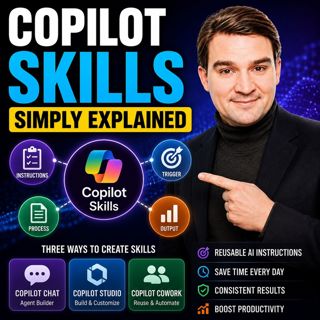
Copilot Skills - Simply Explained

Copilot Skills - Simply Explained

Copilot Skills are one of Microsoft's most important AI building blocks, yet they're also one of the most misunderstood. Depending on which Microsoft product you're using, the same concept appears und...

12 Juli 13min

Microsoft Scout - Simply Explained

Microsoft Scout - Simply Explained

Microsoft has introduced a growing family of AI assistants, and Microsoft Scout represents the next major step in that evolution. While Copilot helps when you ask questions and Cowork executes multi-s...

12 Juli 16min

Compliance as Code: The Architect’s Blueprint for Automated Trust

Compliance as Code: The Architect’s Blueprint for Automated Trust

Compliance has traditionally been treated as documentation. Policies live in PDFs, access reviews sit in spreadsheets, and governance depends on people remembering to follow processes. But cloud envir...

12 Juli 1h 13min

Power Apps Code Apps - Simply Explained

Power Apps Code Apps - Simply Explained

Power Apps has traditionally been known for its low-code, drag-and-drop experience, allowing business users and citizen developers to build applications quickly using Power Fx. But Microsoft is introd...

12 Juli 14min

Populärt inom Politik & nyheter

svenska-fall
aftonbladet-krim
tv4-nyheterna-story
p3-krim
flashback-forever
aftonbladet-daily
motiv
rss-sanning-konsekvens
rss-vad-fan-hande
de-fyras-gang
rss-krimstad
spar
rss-krimreportrarna
mannen-utan-spar
rss-flodet
rss-frandfors-horna
kungligt
olyckan-inifran
grans
rss-aftonbladet-krim