Custom Teams Apps: How Bots, Tabs and Message Extensions Work Together to Remove Copy‑Paste from Your Day

Custom Teams Apps: How Bots, Tabs and Message Extensions Work Together to Remove Copy‑Paste from Your Day

If you’ve ever wanted to cut out five different clicks just to fetch key data during a Teams chat, you’re in the right place. In this episode, we unpack why most users only ever see bots and tabs, and miss the real productivity boost hiding in message extensions. Starting from everyday scenarios—like grabbing a sales record or support ticket mid‑conversation—we explore when you should surface data with tabs, when to use bots for conversational flows, and when message extensions are the fastest way to bring live data into chat without context‑switching.

We start with the basics: tabs for full‑page experiences, bots for guided conversations, and message extensions for in‑place actions. You’ll hear why relying on bots alone often leads to rigid command syntax, why tabs yank people out of the discussion, and how message extensions quietly bridge the gap by letting users search, trigger actions, and unfurl links right where the conversation is happening. Using real examples from sales, support, and project teams, we show how each building block solves a different part of the “I need this info now” problem.

From there, we dive into the three types of message extensions—search, action, and link unfurling—and when each one fits your workflow. You’ll see how search extensions surface existing records in a couple of keystrokes, how action extensions collect structured input and kick off backend processes, and how link unfurling turns bare URLs into rich cards with status, owners, and key fields. We also cover the trade‑offs: authentication, permissions, and how much sensitive data you actually want to reveal in chat.

Finally, we bring everything together in one architecture: a custom Teams app that uses tabs for deep views, a bot for guided flows, and message extensions for fast, in‑chat actions. We talk through manifest design, backend services, and security considerations so your app feels native, respects governance, and genuinely reduces copy‑paste instead of adding yet another button nobody understands. By the end, you’ll have a clear mental model for when to use bots, tabs, and each type of message extension to build Teams apps that people actually adopt.

WHAT YOU LEARN
  • When to use tabs, bots, and message extensions in Teams—and what each does best.
  • How search, action, and link‑unfurling message extensions work and which workflows they fit.
  • How to design message extensions that pull live data into conversations without breaking flow.
  • What to watch out for with authentication, permissions, and data exposure in chat.
  • How to combine bots, tabs, and extensions into one coherent custom Teams app architecture.
CORE INSIGHT

The core insight of this episode is that powerful Teams apps don’t come from picking “bot vs tab,” but from orchestrating bots, tabs, and message extensions as one system. When full views live in tabs, conversations are guided by bots, and quick lookups and actions happen through message extensions, Teams stops being a chat client with add‑ons and becomes a front end to your real business processes.

WHO THIS IS FOR
  • Teams and Microsoft 365 developers designing custom apps for business workflows.
  • Solution architects deciding when to invest in bots, tabs, message extensions—or all three.
  • IT and platform owners who want Teams to be a true work hub, not just a messaging tool.
  • Product owners looking to cut copy‑paste and context‑switching out of their day‑to‑day processes.
ABOUT THE HOST

Mirko Peters is a Microsoft 365 consultant and podcast host who helps organizations turn Teams, SharePoint, and line‑of‑business systems into one coherent digital workplace. He works with IT, security, and business teams to design context‑driven architectures in Microsoft 365 and Azure, where custom apps, bots, and extensions reinforce governance instead of working around it. In M365.FM, Mirko turns deep technical patterns—like building Teams apps with bots, tabs, and message extensions—into practical stories and steps you can copy into your own tenant.

Become a supporter of this podcast: https://www.spreaker.com/podcast/m365-fm-modern-work-security-and-productivity-with-microsoft-365--6704921/support.

Det här avsnittet är hämtat från ett öppet RSS-flöde och publiceras inte av Podme. Det kan innehålla reklam.

Avsnitt(715)

Platform Engineering: The New Operating Model for Azure

Platform Engineering: The New Operating Model for Azure

DevOps changed how software is built, but it didn't eliminate complexity—it simply redistributed it. As organizations adopted cloud platforms, Infrastructure as Code, containers, and CI/CD pipelines, ...

13 Juli 1h 16min
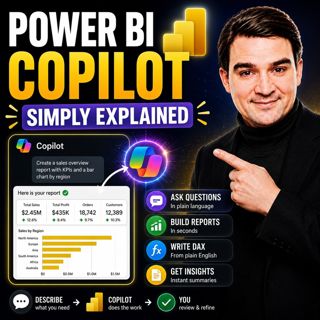
Power BI Copilot - Simply Explained

Power BI Copilot - Simply Explained

Power BI Copilot brings generative AI directly into Microsoft's business intelligence platform, helping users build reports, write DAX formulas, analyze data, and generate insights using natural langu...

13 Juli 11min
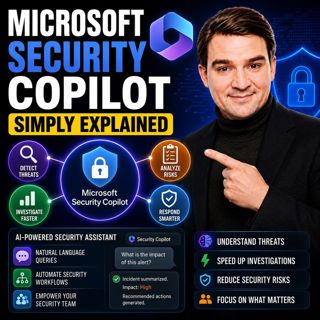
Microsoft Security Copilot - Simply Explained

Microsoft Security Copilot - Simply Explained

Security teams face a common challenge: thousands of security alerts, limited staff, and not enough time to investigate every incident. Most alerts turn out to be harmless, but hidden among them can b...

12 Juli 13min
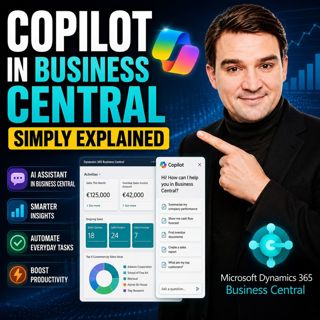
Copilot in Business Central - Simply Explained

Copilot in Business Central - Simply Explained

Microsoft Copilot is becoming a core part of Dynamics 365 Business Central, transforming it from a traditional ERP system into an AI-powered business assistant. Instead of switching between applicatio...

12 Juli 11min
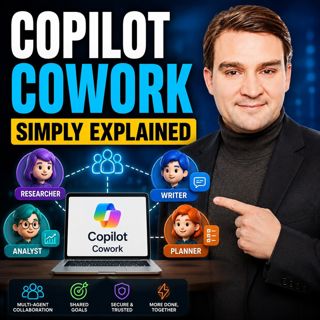
Copilot Cowork - Simply Explained

Copilot Cowork - Simply Explained

Microsoft Copilot changed how we interact with AI by helping us summarize emails, draft documents, and answer questions. But there's still one major problem: you're responsible for connecting everythi...

12 Juli 13min
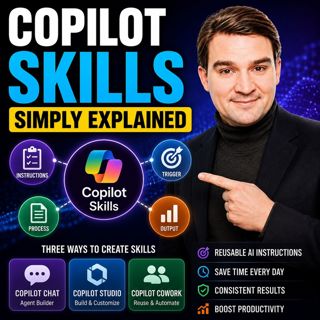
Copilot Skills - Simply Explained

Copilot Skills - Simply Explained

Copilot Skills are one of Microsoft's most important AI building blocks, yet they're also one of the most misunderstood. Depending on which Microsoft product you're using, the same concept appears und...

12 Juli 13min

Microsoft Scout - Simply Explained

Microsoft Scout - Simply Explained

Microsoft has introduced a growing family of AI assistants, and Microsoft Scout represents the next major step in that evolution. While Copilot helps when you ask questions and Cowork executes multi-s...

12 Juli 16min

Compliance as Code: The Architect’s Blueprint for Automated Trust

Compliance as Code: The Architect’s Blueprint for Automated Trust

Compliance has traditionally been treated as documentation. Policies live in PDFs, access reviews sit in spreadsheets, and governance depends on people remembering to follow processes. But cloud envir...

12 Juli 1h 13min

Populärt inom Politik & nyheter

svenska-fall
aftonbladet-krim
tv4-nyheterna-story
p3-krim
flashback-forever
aftonbladet-daily
motiv
rss-sanning-konsekvens
rss-vad-fan-hande
de-fyras-gang
rss-krimstad
spar
rss-krimreportrarna
mannen-utan-spar
rss-flodet
rss-frandfors-horna
kungligt
olyckan-inifran
grans
rss-aftonbladet-krim