Automating SharePoint Online with Site Scripts and PnP Provisioning: How to Stop Manual Site Drift and Scale Consistent Templates

Automating SharePoint Online with Site Scripts and PnP Provisioning: How to Stop Manual Site Drift and Scale Consistent Templates

Spending an afternoon manually tweaking a new SharePoint site is fine—until you realize the next site looks completely different and nobody remembers which settings you changed where. In this episode, I walk through how Site Scripts and PnP Provisioning let you lock in branding, structure, and configuration once, so every new site follows the same recipe without you rebuilding it from scratch. We start from that familiar drift between “perfect first site” and “how did we end up here?” and show how JSON‑based Site Scripts give you a repeatable, standards‑driven way to apply themes, logos, and lists from day one.

From there, we dig into the limits of Site Scripts and where PnP Provisioning picks up the slack. You’ll hear why JSON alone can’t handle deeper scenarios like complex permissions, custom web parts, and advanced configurations—and how PnP turns a well‑configured reference site into a reusable template. We walk through capturing a site, cleaning the template, and replaying it safely, so you can roll out entire departments or project collections that look and behave consistently.

We then connect this to real‑world governance problems: off‑brand sites, missing lists, broken inheritance, and ad‑hoc fixes that nobody documents. Instead of relying on memory and checklists, you’ll see how combining Site Scripts for “first boot” configuration with PnP Provisioning for deeper setup gives you layered control. Branding and basic structure become automatic during site creation, while PnP handles the rich, opinionated setup that turns a generic site into a ready‑to‑use workspace.

By the end, you’ll have a clear mental model for when to use Site Scripts, when to use PnP Provisioning, and how they work together. Most importantly, you’ll see how this automation doesn’t just save time—it reduces configuration drift, improves security, and makes it far more likely that every new SharePoint site actually matches the design, lists, and rules you intended.

WHAT YOU LEARN
  • Why manual SharePoint site creation inevitably leads to drift in branding, lists, and permissions.
  • How Site Scripts use JSON instructions to apply themes, logos, and lists consistently at site creation.
  • Where Site Scripts stop and why PnP Provisioning is needed for deeper configuration, web parts, and complex permissions.
  • How to capture a reference site with PnP, clean the template, and safely replay it for new sites.
  • How combining Site Scripts and PnP builds a scalable, governed approach to SharePoint site rollout.
CORE INSIGHT

The core insight of this episode is that reliable SharePoint automation comes from layering tools with clear roles, not from hoping one JSON script can do everything. When Site Scripts handle the repeatable basics at creation time and PnP Provisioning applies richer, template‑driven configuration afterward, you move from fragile, manual builds to a system where every new site starts aligned with your standards—and stays that way as you scale.

WHO THIS IS FOR
  • SharePoint and Microsoft 365 admins tired of rebuilding the same site patterns by hand.
  • Architects and platform owners designing standardized site templates for departments and projects.
  • Governance and compliance teams who need consistent permissions, lists, and structures across many sites.
  • IT pros who want to bridge the gap between low‑code configuration and fully scripted provisioning.
ABOUT THE HOST

Mirko Peters is a Microsoft 365 consultant and podcast host who helps organizations turn manual, fragile SharePoint setups into automated, governed architectures. He works with IT, security, and business teams to design context‑driven systems in Microsoft 365 and SharePoint, where standards are enforced by automation instead of checklists. In M365.FM, Mirko turns real‑world experiments with tools like Site Scripts and PnP Provisioning into practical patterns you can copy into your own tenant.

Become a supporter of this podcast: https://www.spreaker.com/podcast/m365-fm-modern-work-security-and-productivity-with-microsoft-365--6704921/support.

Det här avsnittet är hämtat från ett öppet RSS-flöde och publiceras inte av Podme. Det kan innehålla reklam.

Avsnitt(715)

Platform Engineering: The New Operating Model for Azure

Platform Engineering: The New Operating Model for Azure

DevOps changed how software is built, but it didn't eliminate complexity—it simply redistributed it. As organizations adopted cloud platforms, Infrastructure as Code, containers, and CI/CD pipelines, ...

13 Juli 1h 16min
Power BI Copilot - Simply Explained

Power BI Copilot - Simply Explained

Power BI Copilot brings generative AI directly into Microsoft's business intelligence platform, helping users build reports, write DAX formulas, analyze data, and generate insights using natural langu...

13 Juli 11min
Microsoft Security Copilot - Simply Explained

Microsoft Security Copilot - Simply Explained

Security teams face a common challenge: thousands of security alerts, limited staff, and not enough time to investigate every incident. Most alerts turn out to be harmless, but hidden among them can b...

12 Juli 13min
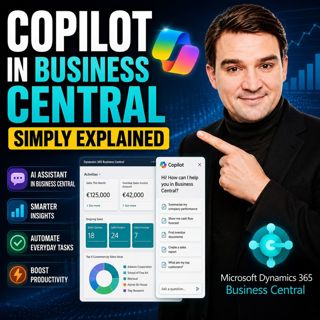
Copilot in Business Central - Simply Explained

Copilot in Business Central - Simply Explained

Microsoft Copilot is becoming a core part of Dynamics 365 Business Central, transforming it from a traditional ERP system into an AI-powered business assistant. Instead of switching between applicatio...

12 Juli 11min
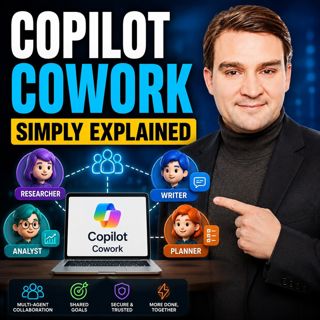
Copilot Cowork - Simply Explained

Copilot Cowork - Simply Explained

Microsoft Copilot changed how we interact with AI by helping us summarize emails, draft documents, and answer questions. But there's still one major problem: you're responsible for connecting everythi...

12 Juli 13min
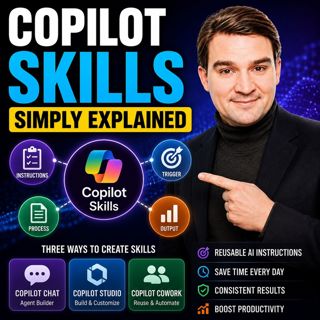
Copilot Skills - Simply Explained

Copilot Skills - Simply Explained

Copilot Skills are one of Microsoft's most important AI building blocks, yet they're also one of the most misunderstood. Depending on which Microsoft product you're using, the same concept appears und...

12 Juli 13min

Microsoft Scout - Simply Explained

Microsoft Scout - Simply Explained

Microsoft has introduced a growing family of AI assistants, and Microsoft Scout represents the next major step in that evolution. While Copilot helps when you ask questions and Cowork executes multi-s...

12 Juli 16min

Compliance as Code: The Architect’s Blueprint for Automated Trust

Compliance as Code: The Architect’s Blueprint for Automated Trust

Compliance has traditionally been treated as documentation. Policies live in PDFs, access reviews sit in spreadsheets, and governance depends on people remembering to follow processes. But cloud envir...

12 Juli 1h 13min

Populärt inom Politik & nyheter

svenska-fall
aftonbladet-krim
tv4-nyheterna-story
p3-krim
flashback-forever
aftonbladet-daily
motiv
rss-sanning-konsekvens
rss-vad-fan-hande
de-fyras-gang
rss-krimstad
spar
rss-krimreportrarna
mannen-utan-spar
rss-flodet
rss-frandfors-horna
kungligt
olyckan-inifran
grans
rss-aftonbladet-krim