Teams Meeting Extensibility: How Custom Apps, Side Panels and Graph Events Turn Meetings into Real Workspaces

Teams Meeting Extensibility: How Custom Apps, Side Panels and Graph Events Turn Meetings into Real Workspaces

If you think Teams meetings are just video calls and screen shares, you’re missing the real surface where work can happen. In this episode, we break down how custom apps, in‑meeting side panels, and Graph meeting lifecycle events turn a simple call into a live workspace that triggers workflows, surfaces business data, and runs internal tools right next to the conversation. You’ll see why treating these pieces separately leaves value on the table—and how connecting them changes the way your teams run project reviews, escalations, and decision meetings.

We start with the hidden framework under every Teams meeting: custom apps embedded as tabs, side panels that deliver real‑time context, and lifecycle events that act as signals (“meeting started,” “participant joined,” “meeting ended”) for automation. Instead of reading three separate docs, you’ll get one mental model for how these components interact: apps handle structured work, side panels keep people in the flow with relevant data, and lifecycle events quietly drive workflows in the background. With concrete scenarios—from status meetings with live project trackers to support calls with in‑panel tickets—you’ll see how each part plays its role without fighting the meeting flow.

Then we zoom into custom apps built specifically for the meeting surface. You’ll learn how manifest design, deep links, and context parameters turn generic web apps into meeting‑aware experiences that automatically pick the right team, project, or record without users clicking through menus. We talk about UI consistency, single sign‑on, and permission prompts that either make your app feel native—or instantly break trust if handled poorly.

Then we zoom into custom apps built specifically for the meeting surface. You’ll learn how manifest design, deep links, and context parameters turn generic web apps into meeting‑aware experiences that automatically pick the right team, project, or record without users clicking through menus. We talk about UI consistency, single sign‑on, and permission prompts that either make your app feel native—or instantly break trust if handled poorly.

WHAT YOU LEARN
  • How the three core building blocks—custom apps, in‑meeting side panels, and Graph meeting lifecycle events—work and why they’re designed to be interoperable, not dependent.
  • How to design custom apps that feel native in meetings using manifests, deep links, context parameters, and single sign‑on.
  • How side panels deliver real‑time context (like CRM or ticket data) without forcing users to switch tabs or lose the conversation.
  • How lifecycle events act as signals to trigger automations before, during, and after meetings.
  • How to think about meeting extensibility as an architecture you control, not a collection of isolated features.
CORE INSIGHT

The core insight of this episode is that Teams meeting extensibility only shows its power when you stop treating apps, side panels, and lifecycle events as separate tricks and start designing them as one system. When your custom app hosts the work, your side panel feeds live context, and your lifecycle events drive automation behind the scenes, the meeting window stops being a passive stage and becomes a coordinated control center for the process you actually care about.

WHO THIS IS FOR
  • Developers and architects building custom apps and integrations for Microsoft Teams meetings.
  • Product owners and project leads who want meetings to drive real workflows instead of just producing notes.
  • IT and collaboration admins looking to turn Teams into a programmable work hub rather than just a conferencing tool.
  • Solution designers exploring how Graph meeting lifecycle events can integrate meetings with line‑of‑business systems.
ABOUT THE HOST

Mirko Peters is a Microsoft 365 consultant and podcast host who focuses on turning modern work tools like Teams into integrated, governed systems instead of disconnected apps. He works with organizations to design context‑driven architectures across Microsoft 365 and Azure, where meetings, apps, and workflows fit together cleanly instead of relying on manual workarounds. In M365.FM, Mirko translates deep technical capabilities—like Teams meeting extensibility, Graph APIs, and custom apps—into practical stories and patterns listeners can apply in their own tenants.

Become a supporter of this podcast: https://www.spreaker.com/podcast/m365-fm-modern-work-security-and-productivity-with-microsoft-365--6704921/support.

Det här avsnittet är hämtat från ett öppet RSS-flöde och publiceras inte av Podme. Det kan innehålla reklam.

Avsnitt(720)

Microsoft Agent Builder — Simply Explained

Microsoft Agent Builder — Simply Explained

Building AI agents used to require developers, code, and complex AI platforms. Microsoft Agent Builder changes that completely. Built directly into Microsoft 365 Copilot, Agent Builder allows anyone t...

13 Juli 15min
Copilot for Dynamics 365 Finance and Operations - Simply Explained

Copilot for Dynamics 365 Finance and Operations - Simply Explained

Finance teams have never struggled with a lack of data—they struggle with the time it takes to find, organize, analyze, and act on that information. Traditional ERP workflows often require switching b...

13 Juli 11min

AI Under Attack: Building Zero Trust Security with Microsoft Copilot, Azure & Microsoft 365 - Mourtaza Fazlehoussen [MVP]

AI Under Attack: Building Zero Trust Security with Microsoft Copilot, Azure & Microsoft 365 - Mourtaza Fazlehoussen [MVP]

Artificial intelligence is transforming cybersecurity faster than any technology before it. But while AI helps defenders automate investigations and respond to incidents faster, it also gives cybercri...

13 Juli 1h 1min
Copilot in Microsoft Entra ID - Simply Explained

Copilot in Microsoft Entra ID - Simply Explained

Managing identities has become one of the most challenging responsibilities for modern IT teams. Every day, organizations process thousands of sign-ins, evaluate Conditional Access policies, detect ri...

13 Juli 14min
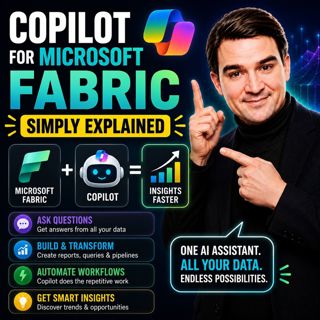
Copilot for Microsoft Fabric - Simply Explained

Copilot for Microsoft Fabric - Simply Explained

Microsoft has several Copilots, but each one serves a completely different purpose. Microsoft 365 Copilot helps you write documents and summarize meetings. GitHub Copilot helps developers write code. ...

13 Juli 11min
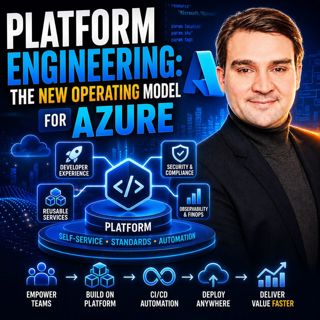
Platform Engineering: The New Operating Model for Azure

Platform Engineering: The New Operating Model for Azure

DevOps changed how software is built, but it didn't eliminate complexity—it simply redistributed it. As organizations adopted cloud platforms, Infrastructure as Code, containers, and CI/CD pipelines, ...

13 Juli 1h 16min
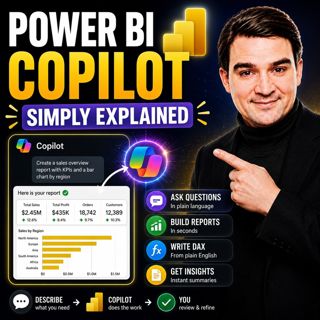
Power BI Copilot - Simply Explained

Power BI Copilot - Simply Explained

Power BI Copilot brings generative AI directly into Microsoft's business intelligence platform, helping users build reports, write DAX formulas, analyze data, and generate insights using natural langu...

13 Juli 11min
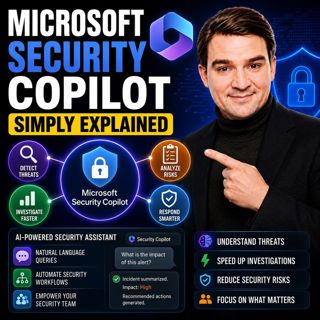
Microsoft Security Copilot - Simply Explained

Microsoft Security Copilot - Simply Explained

Security teams face a common challenge: thousands of security alerts, limited staff, and not enough time to investigate every incident. Most alerts turn out to be harmless, but hidden among them can b...

12 Juli 13min

Populärt inom Politik & nyheter

svenska-fall
aftonbladet-krim
tv4-nyheterna-story
p3-krim
flashback-forever
aftonbladet-daily
motiv
rss-sanning-konsekvens
rss-vad-fan-hande
de-fyras-gang
rss-krimstad
spar
rss-krimreportrarna
mannen-utan-spar
rss-flodet
rss-frandfors-horna
kungligt
olyckan-inifran
grans
rss-aftonbladet-krim