
Automating GRC Reports with Power Automate: From Manual Spreadsheets to Reliable, Auditable Reporting Pipelines

Automating GRC Reports with Power Automate: From Manual Spreadsheets to Reliable, Auditable Reporting Pipelines

Step-by-Step Guide to Automating GRC Reports with Power Automate

Manually building GRC reports in spreadsheets doesn’t just waste time—it quietly adds error risk and compliance gaps into the very process that’s supposed to prevent them. In this episode, I show how you can use Power Automate to connect your actual systems of record—SharePoint, Excel, Dataverse, ticketing tools—and turn scattered evidence, risk registers and incident logs into a repeatable reporting pipeline that runs on schedule and produces consistent, auditable output. Instead of end-of-month stress and copy‑paste marathons, you get near‑real‑time GRC reports that reflect today’s reality, not last quarter’s snapshot.

We start with why manual GRC reporting is a bigger risk than it looks on the surface. Long evidence-collection cycles, endless spreadsheet reconciliations and email ping‑pong create lag, inconsistency and hidden errors that only show up under audit pressure. You’ll hear how hybrid work and tool sprawl turned GRC into a data scavenger hunt across SharePoint folders, Excel files, service desk tools and dashboards—making it almost impossible to keep reports current without automation.

Then we break down what really goes into a GRC report and how to model that in Microsoft 365 and Power Platform. Control evidence, risk registers, incident logs and metrics all live in different systems, so we map where they should live (for example, evidence in SharePoint libraries, risks in lists or Dataverse, incidents in a ticketing or case system) and how Power Automate can orchestrate them. You’ll learn how to build flows that listen to changes, normalize data into consistent structures, and assemble report-ready datasets without manual stitching.

Finally, we turn the pipeline into actual, repeatable reports. We walk through using scheduled flows to pull fresh data, aggregate key metrics, and output standardized GRC reports—whether that’s Excel, PDF, or feeding Power BI dashboards—so leadership and auditors see the same, up‑to‑date story every time. By the end, you’ll have a pattern you can copy: from “hand‑built, high‑risk GRC reports” to an automated reporting system that is faster, more reliable and easier to audit.

WHAT YOU’LL LEARN
  • Why manual, spreadsheet‑based GRC reporting quietly increases compliance risk.
  • What really goes into a GRC report: evidence, risk registers, incidents and metrics across multiple systems.
  • How to use Power Automate to connect SharePoint, Excel, Dataverse and ticketing tools into a reporting pipeline.
  • How to generate consistent, auditable GRC reports on a schedule instead of scrambling at the end of the month or quarter.
THE CORE INSIGHT

The core insight of this episode is that GRC reports aren’t “documents”—they are the last step of a data flow. Once you treat your evidence, risks and incidents as connected data sources and let Power Automate orchestrate them, reporting stops being a manual, error‑prone project and becomes a predictable, automated outcome of how you already work.

WHO THIS EPISODE IS FOR
  • Compliance and risk teams stuck in spreadsheet‑driven GRC reporting cycles.
  • Power Platform and Microsoft 365 teams asked to “automate GRC reports” without a clear blueprint.
  • Leaders who need timely, trustworthy compliance insights instead of outdated snapshots.
ABOUT THE AUTHOR / HOST

Mirko Peters is a Microsoft 365 and Power Platform consultant and host of the M365.FM podcast, helping organizations turn manual, spreadsheet‑heavy compliance work into automated, auditable workflows in Power Automate. He works with GRC, IT and business teams to design reporting pipelines that pull from real systems of record, so governance reports arrive on time, with less effort and far fewer surprises.

Become a supporter of this podcast: https://www.spreaker.com/podcast/m365-fm-modern-work-security-and-productivity-with-microsoft-365--6704921/support.

Det här avsnittet är hämtat från ett öppet RSS-flöde och publiceras inte av Podme. Det kan innehålla reklam.

Avsnitt(743)

How to Become a High: Performing Microsoft Partner

How to Become a High: Performing Microsoft Partner

What separates an average Microsoft partner from a high-performing one? It isn't simply winning more deals or hiring more salespeople. The most successful partners build systems that continuously gene...

15 Juli 17min

The Microsoft Partner Journey Explained

The Microsoft Partner Journey Explained

The Microsoft AI Cloud Partner Program has evolved dramatically, but many partners are still approaching it with an outdated mindset. In this episode of m365.fm, we break down the complete Microsoft P...

15 Juli 14min

How to Build a Winning Microsoft Partner Strategy

How to Build a Winning Microsoft Partner Strategy

What separates Microsoft partners that consistently grow from those that simply maintain their status? In this episode of m365.fm, we break down the four strategic pillars that transform Microsoft par...

15 Juli 17min
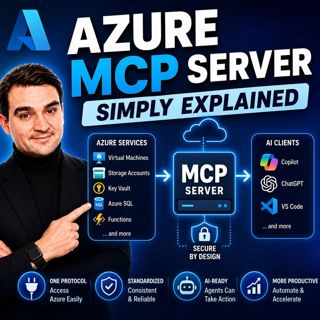
Azure MCP Server - Simply Explained

Azure MCP Server - Simply Explained

Artificial Intelligence is rapidly evolving from simply answering questions to actively performing real work. But for AI agents to become truly useful, they need secure access to cloud resources, data...

15 Juli 17min
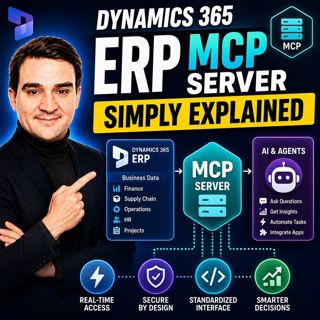
Dynamics 365 ERP MCP Server - Simply Explained

Dynamics 365 ERP MCP Server - Simply Explained

Artificial Intelligence is transforming how businesses interact with enterprise systems, but connecting AI assistants to ERP platforms has traditionally required custom APIs, complex integrations, and...

15 Juli 13min
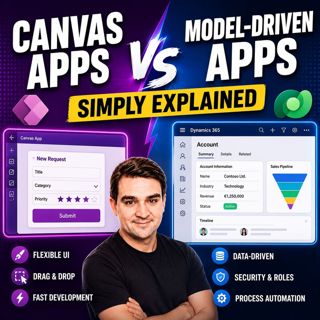
Canvas Apps vs Model-Driven Apps - Simply Explained

Canvas Apps vs Model-Driven Apps - Simply Explained

Microsoft Power Apps offers two primary ways to build business applications: Canvas Apps and Model-Driven Apps. At first glance they may appear similar, but they are designed for very different scenar...

15 Juli 15min

Infrastructure as Code - Simply Explained

Infrastructure as Code - Simply Explained

Managing cloud infrastructure by clicking through the Azure Portal might work for a single virtual machine, but it quickly becomes slow, inconsistent, and difficult to maintain as environments grow. I...

15 Juli 16min
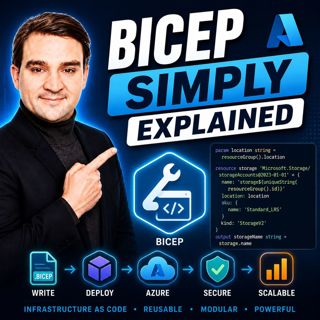
Bicep - Simply Explained

Bicep - Simply Explained

Deploying Azure resources through the Azure Portal is great for learning, but it quickly becomes difficult to repeat, document, and automate. That's where Bicep comes in. In this episode, we explain M...

15 Juli 16min

Populärt inom Politik & nyheter

aftonbladet-krim
svenska-fall
p3-krim
tv4-nyheterna-story
aftonbladet-daily
flashback-forever
rss-vad-fan-hande
motiv
de-fyras-gang
rss-krimreportrarna
rss-krimstad
spar
rss-sanning-konsekvens
rss-frandfors-horna
rss-flodet
mannen-utan-spar
rss-aftonbladet-krim
kungligt
politiken
krimmagasinet