
How Identity Layers, SharePoint Inheritance and Missing Lifecycle Turn External Users into Hidden Risk

How Identity Layers, SharePoint Inheritance and Missing Lifecycle Turn External Users into Hidden Risk

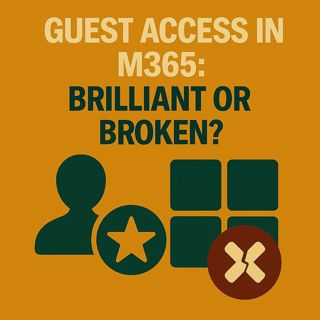
Guest Access in M365: Brilliant or Broken?

Here’s a brutal truth: every time you invite a guest into Microsoft 365, you might be exposing your data in ways your compliance team never signed off on—and the worst part is, everything still looks “correct” in the admin center. Most organizations rely on quick tests and default settings, assume the platform behaves consistently across Teams and SharePoint, and only realize later that a guest who was supposed to see one project can quietly browse entire libraries of internal content. This episode breaks down why guest access looks safe in demos but becomes risky in production, how three separate identity layers (invite, Azure AD object, app‑level access) create gaps when they aren’t managed together, and what happens when Teams and SharePoint interpret the same guest permissions differently.

We start with why guest access feels deceptively simple. In a five‑minute test, an admin invites a personal address, shares a Team, sees a clean login flow and concludes, “It works and it’s under control.” But the moment a real partner starts clicking beyond the one shared folder, they may reach document libraries that also contain HR samples, internal guidelines or onboarding materials—because Teams permissions and SharePoint inheritance don’t automatically align with your mental model of “just this one space.” From the admin view, nothing flashes red: external sharing is limited, the guest has the expected role, and the Team looks neatly scoped. The problem lives in the plumbing underneath, where each service reads the same guest identity and applies its own defaults.

Then we unpack the three identity layers no one talks about. First is the invitation and authentication: who you invite and how they prove their identity (Gmail, another Azure AD tenant, etc.) sets the foundation for trust. Second is the Azure AD guest object, which persists long after a project ends unless someone actively cleans it up—meaning ex‑partners can remain “known” to your tenant for years. Third is the application context, where Teams, SharePoint and other apps decide what that guest can actually do and see. If any one of these layers isn’t closed properly, access lingers: you might remove a guest from a Team, but the directory object and inherited SharePoint permissions still let them in through a side door. That’s how “temporary” access quietly turns into long‑term exposure with no obvious alarms.

Finally, we look at what this means for your security and governance model. Guest access isn’t a single toggle; it’s a system that only behaves safely when invitation rules, directory hygiene and app‑level permissions are designed to work together and are reviewed regularly. We outline why lifecycle management (expiry, reviews, offboarding) is a must, not a nice‑to‑have, and how ignoring one layer turns the other two into a false sense of security. By the end of the episode, you’ll know how to spot the hidden guest risks in your own tenant, which questions to ask your admins, and how to turn “brilliant and broken” guest access into something your security, compliance and collaboration teams can all live with.

WHAT YOU’LL LEARN
  • Why guest access looks safe in tests but exposes more data in real‑world use.
  • How Teams and SharePoint can interpret the same guest identity differently and widen access.
  • How invite method, Azure AD guest objects and app‑level permissions form three critical identity layers.
  • Why lifecycle management (expiry, cleanup, offboarding) is essential for safe external collaboration.
THE CORE INSIGHT

The core insight of this episode is that M365 guest access isn’t dangerous because it exists—it’s dangerous when you treat it as one simple switch instead of a three‑layer identity system that can drift out of sync. Once you design invitations, directory hygiene and app‑level permissions as one coherent framework with enforced lifecycle, guest collaboration stays powerful without quietly leaving your doors half‑open.

WHO THIS EPISODE IS FOR
  • Microsoft 365 and Entra ID admins responsible for external access.
  • Security, risk and compliance teams worried about uncontrolled guest sprawl.
  • Collaboration and business owners who rely on partners, agencies and contractors inside M365.
ABOUT THE AUTHOR / HOST

Mirko Peters is a Microsoft 365 security and governance consultant and host of the M365.FM podcast, helping organizations turn risky, ad‑hoc guest access into a controlled, auditable collaboration model. He works with teams to design invitation policies, guest lifecycle and permission boundaries so external users can work effectively—without leaving long‑forgotten accounts and unintended access trails behind in the tenant.

Become a supporter of this podcast: https://www.spreaker.com/podcast/m365-fm-modern-work-security-and-productivity-with-microsoft-365--6704921/support.

Det här avsnittet är hämtat från ett öppet RSS-flöde och publiceras inte av Podme. Det kan innehålla reklam.

Avsnitt(742)

The Microsoft Partner Journey Explained

The Microsoft Partner Journey Explained

The Microsoft AI Cloud Partner Program has evolved dramatically, but many partners are still approaching it with an outdated mindset. In this episode of m365.fm, we break down the complete Microsoft P...

15 Juli 14min

How to Build a Winning Microsoft Partner Strategy

How to Build a Winning Microsoft Partner Strategy

What separates Microsoft partners that consistently grow from those that simply maintain their status? In this episode of m365.fm, we break down the four strategic pillars that transform Microsoft par...

15 Juli 17min
Azure MCP Server - Simply Explained

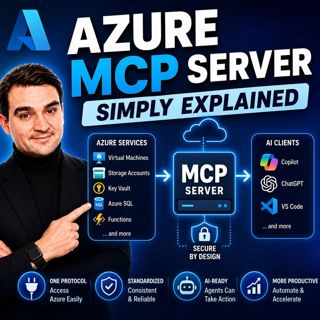
Azure MCP Server - Simply Explained

Artificial Intelligence is rapidly evolving from simply answering questions to actively performing real work. But for AI agents to become truly useful, they need secure access to cloud resources, data...

15 Juli 17min
Dynamics 365 ERP MCP Server - Simply Explained

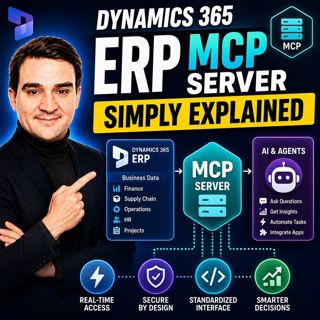
Dynamics 365 ERP MCP Server - Simply Explained

Artificial Intelligence is transforming how businesses interact with enterprise systems, but connecting AI assistants to ERP platforms has traditionally required custom APIs, complex integrations, and...

15 Juli 13min
Canvas Apps vs Model-Driven Apps - Simply Explained

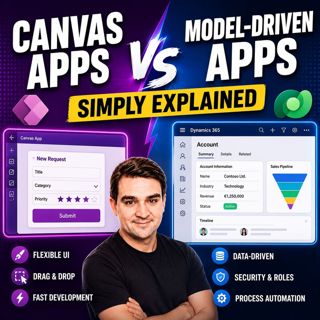
Canvas Apps vs Model-Driven Apps - Simply Explained

Microsoft Power Apps offers two primary ways to build business applications: Canvas Apps and Model-Driven Apps. At first glance they may appear similar, but they are designed for very different scenar...

15 Juli 15min

Infrastructure as Code - Simply Explained

Infrastructure as Code - Simply Explained

Managing cloud infrastructure by clicking through the Azure Portal might work for a single virtual machine, but it quickly becomes slow, inconsistent, and difficult to maintain as environments grow. I...

15 Juli 16min

Bicep - Simply Explained

Bicep - Simply Explained

Deploying Azure resources through the Azure Portal is great for learning, but it quickly becomes difficult to repeat, document, and automate. That's where Bicep comes in. In this episode, we explain M...

15 Juli 16min

ARM Templates - Simply Explained

ARM Templates - Simply Explained

If you've ever built Azure resources by clicking through the Azure Portal, you've probably wondered how large organizations deploy identical environments over and over again without making mistakes. T...

15 Juli 15min

Populärt inom Politik & nyheter

aftonbladet-krim
svenska-fall
p3-krim
tv4-nyheterna-story
aftonbladet-daily
flashback-forever
rss-vad-fan-hande
motiv
de-fyras-gang
rss-krimreportrarna
rss-krimstad
spar
rss-sanning-konsekvens
rss-frandfors-horna
rss-flodet
mannen-utan-spar
rss-aftonbladet-krim
kungligt
politiken
krimmagasinet