
SharePoint Knowledge Management: Version Sprawl, Content Decay and How to Turn It into a Real Source of Truth

SharePoint Knowledge Management: Version Sprawl, Content Decay and How to Turn It into a Real Source of Truth

Why SharePoint Fails at Knowledge Management

Have you ever opened SharePoint, searched for a document, and ended up finding five different versions of the same thing—none of which were current? You’re not alone. Most companies treat SharePoint like a dumping ground, and it becomes chaos fast. But it doesn’t have to work like this. There are specific reasons why SharePoint fails at knowledge management—and once you see them, you can start turning it into the single source of truth your team actually trusts.

We start with why SharePoint turns into a digital junkyard. The intranet homepage looks polished, but the moment you search for a policy, you hit a wall of duplicates: “final,” “final v2,” “final_may2020,” and a fresh upload from last week. At that point people stop trusting search and default to chat, email or local copies, because it feels faster than wading through clutter. The core problem is perception: when SharePoint is introduced as “the place to store files,” everyone throws content in without a shared plan for how anyone else will find, update or retire it later. The result isn’t knowledge—it’s digital hoarding.

Then we zoom in on version sprawl and content decay. Take a simple case: HR publishes a new travel expense policy and stores it in their SharePoint site. Someone drags it into a Teams channel, someone else drops a copy into a shared OneDrive folder, another colleague attaches it to an email. Months later, multiple versions are in circulation, each looking equally “official.” Studies show knowledge workers lose hours each week hunting for internal information—not because it doesn’t exist, but because it’s scattered, duplicated and unlabeled. Employees blame SharePoint, but the real culprit is missing structure and lifecycle: no clear rules for what gets updated, archived or deleted, and no ownership for keeping content current.

Finally, we outline what a functional SharePoint knowledge platform actually needs. Three ingredients make the difference: navigation that mirrors how people think about work (not IT’s folder logic), lifecycle rules that keep outdated content from piling up, and metadata that turns documents into findable, filterable knowledge instead of random files. With those in place, search starts surfacing the right, approved version; outdated documents move into archives instead of cluttering live libraries; and future tools like Copilot can build on a clean, trusted information base instead of amplifying the chaos.

WHAT YOU’LL LEARN
  • Why many SharePoint sites feel like “document graveyards” instead of real knowledge hubs.
  • How version sprawl, duplicate storage and missing lifecycle rules erode trust in search.
  • Why the problem is not SharePoint as a tool, but the absence of intentional design and ownership.
  • The core ingredients of a functional knowledge platform: navigation, lifecycle and metadata.
THE CORE INSIGHT

The core insight of this episode is that SharePoint doesn’t fail at knowledge management—organizations fail SharePoint when they treat it as a file dump instead of a designed knowledge system. Once you add structure, lifecycle and metadata on purpose, SharePoint stops being a digital attic and starts acting like the reliable, searchable source of truth you wanted from the beginning.

WHO THIS EPISODE IS FOR
  • Microsoft 365 and SharePoint admins tired of hearing “I can’t find anything in there.”
  • Business and content owners responsible for policies, documentation and internal knowledge.
  • Leaders planning to use Copilot and needing SharePoint to behave like a real knowledge base, not a junkyard.
ABOUT THE AUTHOR / HOST

Mirko Peters is a Microsoft 365 and knowledge management consultant and host of the M365.FM podcast, helping organizations turn messy SharePoint estates into structured, trustworthy knowledge platforms. He works with teams on navigation, lifecycle rules and metadata so that “it’s somewhere in SharePoint” becomes “we can find the right version in seconds”—for people and for AI tools like Copilot.

Become a supporter of this podcast: https://www.spreaker.com/podcast/m365-fm-modern-work-security-and-productivity-with-microsoft-365--6704921/support.

Det här avsnittet är hämtat från ett öppet RSS-flöde och publiceras inte av Podme. Det kan innehålla reklam.

Avsnitt(742)

The Microsoft Partner Journey Explained

The Microsoft Partner Journey Explained

The Microsoft AI Cloud Partner Program has evolved dramatically, but many partners are still approaching it with an outdated mindset. In this episode of m365.fm, we break down the complete Microsoft P...

15 Juli 14min

How to Build a Winning Microsoft Partner Strategy

How to Build a Winning Microsoft Partner Strategy

What separates Microsoft partners that consistently grow from those that simply maintain their status? In this episode of m365.fm, we break down the four strategic pillars that transform Microsoft par...

15 Juli 17min
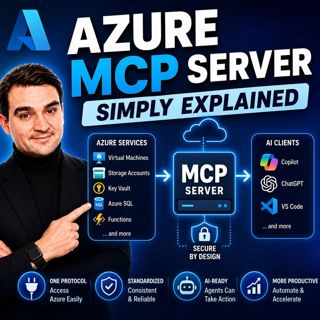
Azure MCP Server - Simply Explained

Azure MCP Server - Simply Explained

Artificial Intelligence is rapidly evolving from simply answering questions to actively performing real work. But for AI agents to become truly useful, they need secure access to cloud resources, data...

15 Juli 17min
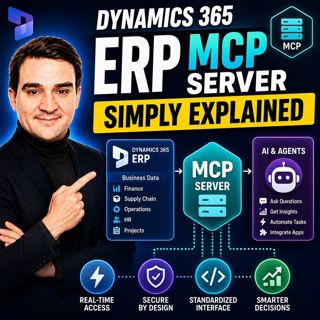
Dynamics 365 ERP MCP Server - Simply Explained

Dynamics 365 ERP MCP Server - Simply Explained

Artificial Intelligence is transforming how businesses interact with enterprise systems, but connecting AI assistants to ERP platforms has traditionally required custom APIs, complex integrations, and...

15 Juli 13min
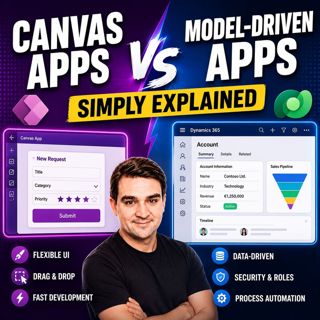
Canvas Apps vs Model-Driven Apps - Simply Explained

Canvas Apps vs Model-Driven Apps - Simply Explained

Microsoft Power Apps offers two primary ways to build business applications: Canvas Apps and Model-Driven Apps. At first glance they may appear similar, but they are designed for very different scenar...

15 Juli 15min

Infrastructure as Code - Simply Explained

Infrastructure as Code - Simply Explained

Managing cloud infrastructure by clicking through the Azure Portal might work for a single virtual machine, but it quickly becomes slow, inconsistent, and difficult to maintain as environments grow. I...

15 Juli 16min

Bicep - Simply Explained

Bicep - Simply Explained

Deploying Azure resources through the Azure Portal is great for learning, but it quickly becomes difficult to repeat, document, and automate. That's where Bicep comes in. In this episode, we explain M...

15 Juli 16min

ARM Templates - Simply Explained

ARM Templates - Simply Explained

If you've ever built Azure resources by clicking through the Azure Portal, you've probably wondered how large organizations deploy identical environments over and over again without making mistakes. T...

15 Juli 15min

Populärt inom Politik & nyheter

aftonbladet-krim
svenska-fall
p3-krim
tv4-nyheterna-story
aftonbladet-daily
flashback-forever
rss-vad-fan-hande
motiv
de-fyras-gang
rss-krimreportrarna
rss-krimstad
spar
rss-sanning-konsekvens
rss-frandfors-horna
rss-flodet
mannen-utan-spar
rss-aftonbladet-krim
kungligt
politiken
krimmagasinet