How the Next‑Gen AI Upgrade Finally Matches Your Daily Outlook, Word and Excel Workflow

How the Next‑Gen AI Upgrade Finally Matches Your Daily Outlook, Word and Excel Workflow

GPT‑5 in Copilot Fixes What Slowed You Down

Ever wonder why Outlook still feels slower than it should, or why Word insists on making you repeat the same edits over and over? Most of us just work around those frustrations. But now imagine Copilot actually anticipating your intent before you even finish typing. GPT‑5 isn’t just faster—it changes what Copilot understands about your workflow. Stay with me, because in this episode we unpack exactly where that leap starts to make your day smoother and which everyday problems it quietly eliminates that you’ve probably stopped noticing.

We start with the friction hidden in your daily Microsoft 365 tools. Outlook that takes longer to load than to write the reply, Word that keeps forcing you to clean up formatting, Excel that turns simple reports into repetitive rituals—none of these tasks are hard, but they turn you into the assistant to the software, not the other way around. Even with today’s Copilot, much of the help still feels transactional: you describe the task in detail, get a draft, and then spend more time fixing tone, structure or formulas than you’d like to admit. Underneath all that is the same problem: the system follows instructions but doesn’t fully understand the context, preferences and patterns that define how you work.

Then we look at what really changes with GPT‑5 inside Copilot. Instead of starting fresh with every prompt, GPT‑5 keeps track of tone, audience and intent across your emails, documents and spreadsheets, making its first draft feel much closer to something you would have written yourself. In Word, that means summaries and rewrites that already match your style instead of corporate boilerplate; in Excel, it means formulas and charts that reflect the shape and purpose of your data instead of generic suggestions you have to rework. The big shift isn’t just intelligence—it’s less back‑and‑forth: fewer prompt retries, fewer “make it shorter/longer/more friendly” loops, more outputs you can use immediately.

Finally, we talk about speed you can actually feel. GPT‑5 doesn’t just produce better content, it does it quickly enough that you stop thinking of Copilot as a separate step and start treating it as part of your natural flow in Outlook, Word and Excel. Those micro‑delays that used to break your rhythm—waiting for drafts, re‑prompting for better versions, manually stitching pieces together—begin to disappear. You’ll finish the episode with a clear picture of how GPT‑5 in Copilot turns “smart‑ish assistance” into a partner that anticipates, accelerates and quietly removes the small frustrations you’ve been planning around for years.

WHAT YOU’LL LEARN
  • Why Outlook, Word and Excel still feel one step behind you—even with earlier Copilot versions.
  • How GPT‑5 shifts Copilot from following instructions to genuinely understanding your intent and style.
  • How better reasoning and context lead to first drafts you can actually use instead of endlessly editing.
  • Why GPT‑5’s speed and quality together finally make Copilot feel like a natural part of your workflow, not an extra step.
THE CORE INSIGHT

The core insight of this episode is that GPT‑5 doesn’t just make Copilot “smarter”—it makes it finally feel like it works at your speed, in your language, with your patterns. Once your everyday tools anticipate what you’re trying to do instead of forcing you to repeat the same actions and prompts, the small frictions you’ve always accepted start to disappear—and your workday feels noticeably lighter.

WHO THIS EPISODE IS FOR
  • Knowledge workers who live in Outlook, Word and Excel and feel slowed down by repetition.
  • Leaders wondering whether GPT‑5 in Copilot is just a technical upgrade or a real productivity shift.
  • Anyone curious how the next Copilot generation changes the feel of daily work, not just the feature list.
ABOUT THE AUTHOR / HOST

Mirko Peters is a Microsoft 365, Copilot and modern work consultant and host of the M365.FM podcast, helping organizations turn everyday friction in Outlook, Word and Excel into smoother, AI‑assisted workflows. He works with teams to design Copilot strategies that go beyond flashy demos—focusing on real tasks, real habits and the subtle performance gains that add up when your tools finally keep pace with the way you think.

Become a supporter of this podcast: https://www.spreaker.com/podcast/m365-fm-modern-work-security-and-productivity-with-microsoft-365--6704921/support.

Det här avsnittet är hämtat från ett öppet RSS-flöde och publiceras inte av Podme. Det kan innehålla reklam.

Avsnitt(744)

Beyond Chat: Building Real Business Value with Microsoft 365 Copilot Agents featuring Steve Corey [MVP]

Beyond Chat: Building Real Business Value with Microsoft 365 Copilot Agents featuring Steve Corey [MVP]

Artificial intelligence is rapidly moving beyond simple chat interfaces. Organizations are no longer asking AI to answer questions—they're building intelligent agents that automate business processes,...

15 Juli 1h 1min

How to Become a High: Performing Microsoft Partner

How to Become a High: Performing Microsoft Partner

What separates an average Microsoft partner from a high-performing one? It isn't simply winning more deals or hiring more salespeople. The most successful partners build systems that continuously gene...

15 Juli 17min

The Microsoft Partner Journey Explained

The Microsoft Partner Journey Explained

The Microsoft AI Cloud Partner Program has evolved dramatically, but many partners are still approaching it with an outdated mindset. In this episode of m365.fm, we break down the complete Microsoft P...

15 Juli 14min

How to Build a Winning Microsoft Partner Strategy

How to Build a Winning Microsoft Partner Strategy

What separates Microsoft partners that consistently grow from those that simply maintain their status? In this episode of m365.fm, we break down the four strategic pillars that transform Microsoft par...

15 Juli 17min
Azure MCP Server - Simply Explained

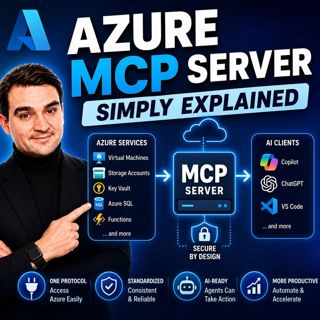
Azure MCP Server - Simply Explained

Artificial Intelligence is rapidly evolving from simply answering questions to actively performing real work. But for AI agents to become truly useful, they need secure access to cloud resources, data...

15 Juli 17min
Dynamics 365 ERP MCP Server - Simply Explained

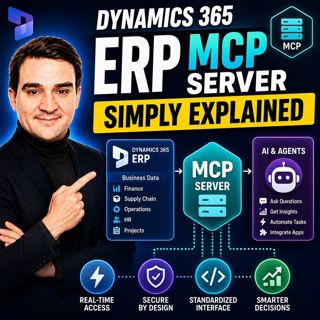
Dynamics 365 ERP MCP Server - Simply Explained

Artificial Intelligence is transforming how businesses interact with enterprise systems, but connecting AI assistants to ERP platforms has traditionally required custom APIs, complex integrations, and...

15 Juli 13min
Canvas Apps vs Model-Driven Apps - Simply Explained

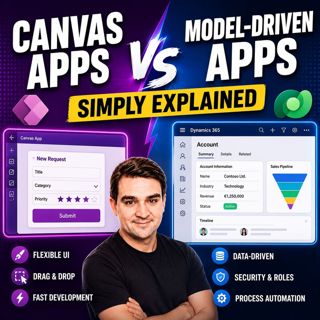
Canvas Apps vs Model-Driven Apps - Simply Explained

Microsoft Power Apps offers two primary ways to build business applications: Canvas Apps and Model-Driven Apps. At first glance they may appear similar, but they are designed for very different scenar...

15 Juli 15min

Infrastructure as Code - Simply Explained

Infrastructure as Code - Simply Explained

Managing cloud infrastructure by clicking through the Azure Portal might work for a single virtual machine, but it quickly becomes slow, inconsistent, and difficult to maintain as environments grow. I...

15 Juli 16min

Populärt inom Politik & nyheter

aftonbladet-krim
svenska-fall
p3-krim
tv4-nyheterna-story
aftonbladet-daily
flashback-forever
rss-vad-fan-hande
motiv
de-fyras-gang
rss-krimreportrarna
rss-krimstad
spar
rss-sanning-konsekvens
rss-frandfors-horna
rss-flodet
mannen-utan-spar
rss-aftonbladet-krim
kungligt
politiken
krimmagasinet