

Why Copilot Fails Most Businesses: Data, Adoption and Use Cases You Need for Real Productivity in Microsoft 365

Why Copilot Fails Most Businesses: Data, Adoption and Use Cases You Need for Real Productivity in Microsoft 365

Copilot didn’t fail you—your environment, data and rollout plan did. Most organizations flip the switch, expect instant productivity, and then quietly conclude “it doesn’t work here” when nothing meaningful changes. In this episode, we unpack why Copilot stalls after the initial excitement, how messy data and weak use cases destroy trust, and what a grounded, four‑phase adoption model looks like when you actually want measurable ROI instead of a flashy demo.

We start with the Instant Productivity Myth: the belief that adding Copilot to Word, Outlook or Teams will automatically double output. In reality, week one looks almost identical to the week before—emails still take time, reports still rely on manual hunting, and staff revert to old habits after a few playful prompts. You’ll hear why this happens in almost every rollout: Copilot gets launched like a feature, not onboarded like a new colleague with clear responsibilities, training and access to the right information. The core message: without structure and expectations, Copilot becomes optional, and optional tools never drive organization‑wide productivity.

From there, we go to the forgotten prerequisite: data. Copilot can’t produce reliable answers if it’s swimming in outdated documents, duplicate versions and scattered storage across SharePoint, Teams, email and file shares. We walk through how this plays out in practice—conflicting numbers in summaries, out‑of‑date project status in recaps, and confident‑sounding but wrong outputs that quietly erode trust. Rather than blaming the AI, you’ll learn how to treat data cleanup, sources of truth, taxonomy and lifecycle rules as the foundation that makes Copilot worth using. Once those basics are in place, answers stop feeling like guesses and start feeling like real acceleration.

Next, we tackle use cases that miss the mark. Many pilots focus on low‑impact scenarios—nicer email drafts, slightly faster meeting notes—that are impressive on screen but irrelevant when you look at cost and time saved. We show why you need to aim Copilot at processes with real weight: recurring reports, compliance documents, repetitive intake, documentation nobody has time to maintain. You’ll get a practical way to rank potential use cases by impact and feasibility, so you can identify the first three that will actually move the needle instead of producing yet another “cool demo” with no follow‑through.

Finally, we outline a four‑phase model you can reuse: Prepare, Pilot, Prove, Scale. Prepare focuses on data readiness, basic guardrails and clear success metrics; Pilot means targeted teams and specific workflows, not a vague “everyone, try it.” Prove is where you measure outcomes against baseline and refine prompts, processes and training; Scale is when you expand to new groups with patterns that already worked, instead of reinventing the rollout every time. By the end, you’ll have a concrete playbook to rescue a stalled Copilot deployment—or design your first one so it delivers visible value instead of quietly fading into the toolbar.

WHAT YOU’LL LEARN
  • Why most Copilot rollouts fail to change day‑to‑day work.
  • How messy data and weak use cases destroy trust and adoption.
  • How to pick high‑impact, realistic Copilot scenarios instead of “demo theater.”
  • A four‑phase model (Prepare, Pilot, Prove, Scale) to get real ROI from Copilot.
THE CORE INSIGHT

The core insight of this episode is that Copilot isn’t a magic productivity button—it’s a force multiplier for organizations that prepare their data, processes and people. Once you treat Copilot like a new team member that needs clean inputs, clear responsibilities and measurable goals, you move from “nice feature” to a practical engine for better work across your Microsoft 365 environment.

WHO THIS EPISODE IS FOR
  • Business and IT leaders disappointed by their first Copilot rollout.
  • Adoption, change management and digital workplace teams driving Microsoft 365 initiatives.
  • Anyone planning a Copilot pilot and wanting to avoid the usual “we tried it, nothing changed” outcome.
ABOUT THE AUTHOR / HOST

Mirko Peters is a Microsoft 365, Copilot and digital workplace consultant and host of the M365.FM podcast, helping organizations turn AI assistants from shiny experiments into measurable productivity tools. He works with teams on Microsoft 365, Power Platform and Azure to design Copilot strategies that start with data readiness and real use cases—so AI augments existing work instead of becoming another unused icon in the ribbon.

Become a supporter of this podcast: https://www.spreaker.com/podcast/m365-fm-modern-work-security-and-productivity-with-microsoft-365--6704921/support.

Det här avsnittet är hämtat från ett öppet RSS-flöde och publiceras inte av Podme. Det kan innehålla reklam.

Avsnitt(762)

Azure Virtual WAN - Simply Explained

Azure Virtual WAN - Simply Explained

Building a global Azure network manually becomes increasingly difficult as your organization grows. What starts as a simple hub-and-spoke deployment quickly turns into a maze of virtual network peerin...

16 Juli 14min

Azure Firewall - Simply Explained

Azure Firewall - Simply Explained

Securing a traditional office network was relatively straightforward—you installed a physical firewall at the edge of your network and inspected everything entering or leaving your building. But cloud...

16 Juli 13min

Azure Bastion - Simply Explained

Azure Bastion - Simply Explained

Secure remote access is one of the biggest challenges in cloud infrastructure. For years, administrators connected to Azure virtual machines by assigning public IP addresses and opening RDP or SSH por...

16 Juli 11min

Azure Landing Zones - Simply Explained

Azure Landing Zones - Simply Explained

Building workloads in Azure is easy. Building an Azure environment that remains secure, scalable, compliant, and manageable for years is much harder. Without a solid foundation, organizations quickly ...

16 Juli 16min
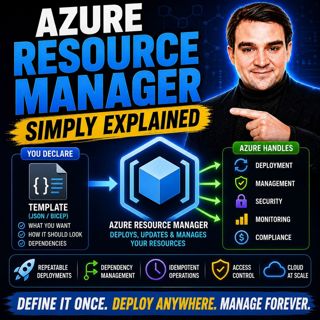
Azure Resource Manager - Simply Explained

Azure Resource Manager - Simply Explained

Every action you perform in Azure—whether you create a virtual machine, deploy a storage account, configure networking, or automate infrastructure with Bicep or ARM templates—passes through the same s...

16 Juli 16min

Azure Policy - Simply Explained

Azure Policy - Simply Explained

As organizations move to the cloud, governance becomes one of the biggest challenges they face. In traditional datacenters, infrastructure teams reviewed every server request before anything was deplo...

16 Juli 14min

Azure Monitor — Simply Explained

Azure Monitor — Simply Explained

Keeping modern cloud environments running reliably requires far more than checking whether a server is online. Today's organizations operate virtual machines, applications, databases, containers, iden...

16 Juli 14min

Azure Logic Apps - Simply Explained

Azure Logic Apps - Simply Explained

Connecting business applications has traditionally required custom development, complex integrations, and weeks of engineering effort. Azure Logic Apps changes that by providing a cloud-native workflo...

16 Juli 15min

Populärt inom Politik & nyheter

aftonbladet-krim
svenska-fall
rss-krimstad
tv4-nyheterna-story
p3-krim
aftonbladet-daily
flashback-forever
rss-sanning-konsekvens
motiv
rss-krimreportrarna
de-fyras-gang
spar
mannen-utan-spar
rss-frandfors-horna
rss-vad-fan-hande
rss-flodet
rss-aftonbladet-krim
krimmagasinet
olyckan-inifran
dagens-eko