
Teams Admins Are Missing This Hidden Layer: Microsoft 365 Groups, SharePoint Sites & The Real Impact Of Creating A Team

Teams Admins Are Missing This Hidden Layer: Microsoft 365 Groups, SharePoint Sites & The Real Impact Of Creating A Team

Most Teams admins think they’re just managing channels and permissions, but every “create Team” click quietly provisions a full Microsoft 365 collaboration stack behind the scenes—group object, SharePoint site, mailbox, calendar, Planner, and more. In this episode, we unpack that hidden layer and show how a single Team triggers a chain reaction across Entra ID, Groups, SharePoint, and Exchange, which is why tiny changes often cause “random” side effects somewhere else in Microsoft 365. You’ll learn how to visualize this ripple effect, how to audit what gets created alongside a Team, and how to adjust roles and policies without accidentally breaking storage, access, or compliance.

THE RIPPLE EFFECT OF CREATING A TEAM

When you click “create a Team,” you’re not just opening a chat space—you’re kicking off a domino effect across Microsoft 365. Behind that one action, a Microsoft 365 Group is created, a SharePoint site is provisioned, membership is written into Entra ID, an Exchange mailbox and calendar appear, and private channels can even spin up additional SharePoint sites. We walk through real examples of how simple changes—like adding private channels or tweaking membership—turn into new sites, folders, and storage locations that admins later discover as “mystery” objects in their tenant. Once you see Teams as a façade on top of this connected stack, permission shifts, storage sprawl, and strange behavior stop looking random and start making architectural sense.

GROUPS: THE HIDDEN PUPPET MASTER

Under the hood, Microsoft 365 Groups are the puppet masters tying Teams, SharePoint, Exchange, and Entra ID together. We explain how each Team is anchored to a Group that controls membership, ownership, and access across linked services, and why ignoring Group lifecycle quickly leads to ghost owners, ex‑employees with access, and inconsistent permissions. You’ll learn three essential Group hygiene checks: ensuring every Group has active owners, regularly reviewing membership (especially externals), and enforcing expiry/lifecycle policies so Groups—and their connected Teams and sites—don’t live forever without oversight. Treating Groups as the backbone instead of noise gives you a stable foundation for Teams governance.

WHAT YOU’LL LEARN
  • What really gets created when you spin up a new Team (Group, SharePoint site, mailbox, calendar, and more).
  • How Teams, SharePoint, Exchange, and Entra ID are wired together—and why changes ripple across services.
  • Why Microsoft 365 Groups act as the hidden puppet master for membership, permissions, and lifecycle.
  • How private channels create additional SharePoint sites and contribute to storage and governance sprawl.
  • Practical checks Teams admins can run after creating a Team to stay ahead of permission and storage surprises.
THE CORE INSIGHT

The core insight of this episode is that creating a Team is never “just” adding a workspace—it’s deploying an entire collaboration stack in one move. If you treat Teams as a standalone app, you’ll constantly chase “random” issues; once you see the hidden Group, SharePoint, Exchange, and Entra layers, you can design roles, policies, and cleanup routines that keep the whole system predictable.

WHO THIS EPISODE IS FOR
  • Teams admins who feel blindsided by unexpected SharePoint sites, calendars, or permission changes.
  • Microsoft 365 admins responsible for Groups, identity, and collaboration governance.
  • Architects designing tenant‑wide Teams, Groups, and SharePoint strategies.
  • IT pros and support teams troubleshooting “random” Teams issues that are really Group or SharePoint side effects.
ABOUT THE AUTHOR / HOST

Mirko Peters is a Microsoft 365 consultant and host of the M365.FM podcast, helping organizations treat Teams, Groups, SharePoint, and Entra ID as one integrated operating system instead of disconnected admin centers. He works with teams running on Microsoft 365 and Azure to design governance, provisioning, and lifecycle models so that every new Team comes with intentional ownership, storage, and access—rather than surprise sprawl six months later.

Become a supporter of this podcast: https://www.spreaker.com/podcast/m365-fm-modern-work-security-and-productivity-with-microsoft-365--6704921/support.

Det här avsnittet är hämtat från ett öppet RSS-flöde och publiceras inte av Podme. Det kan innehålla reklam.

Avsnitt(762)

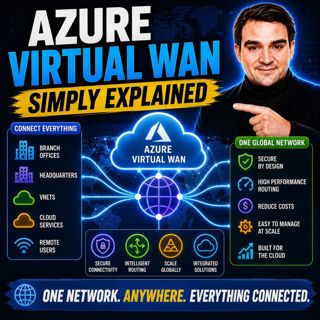
Azure Virtual WAN - Simply Explained

Azure Virtual WAN - Simply Explained

Building a global Azure network manually becomes increasingly difficult as your organization grows. What starts as a simple hub-and-spoke deployment quickly turns into a maze of virtual network peerin...

16 Juli 14min

Azure Firewall - Simply Explained

Azure Firewall - Simply Explained

Securing a traditional office network was relatively straightforward—you installed a physical firewall at the edge of your network and inspected everything entering or leaving your building. But cloud...

16 Juli 13min
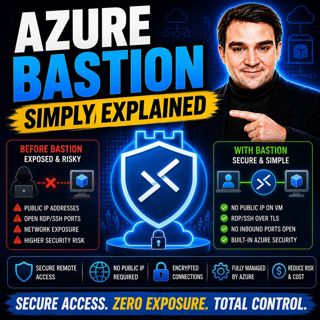
Azure Bastion - Simply Explained

Azure Bastion - Simply Explained

Secure remote access is one of the biggest challenges in cloud infrastructure. For years, administrators connected to Azure virtual machines by assigning public IP addresses and opening RDP or SSH por...

16 Juli 11min

Azure Landing Zones - Simply Explained

Azure Landing Zones - Simply Explained

Building workloads in Azure is easy. Building an Azure environment that remains secure, scalable, compliant, and manageable for years is much harder. Without a solid foundation, organizations quickly ...

16 Juli 16min
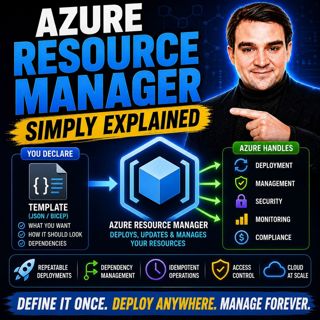
Azure Resource Manager - Simply Explained

Azure Resource Manager - Simply Explained

Every action you perform in Azure—whether you create a virtual machine, deploy a storage account, configure networking, or automate infrastructure with Bicep or ARM templates—passes through the same s...

16 Juli 16min
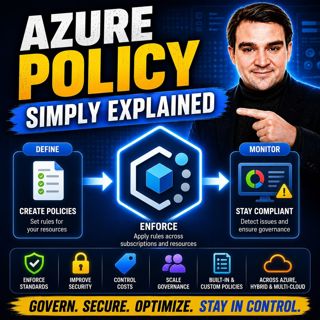
Azure Policy - Simply Explained

Azure Policy - Simply Explained

As organizations move to the cloud, governance becomes one of the biggest challenges they face. In traditional datacenters, infrastructure teams reviewed every server request before anything was deplo...

16 Juli 14min
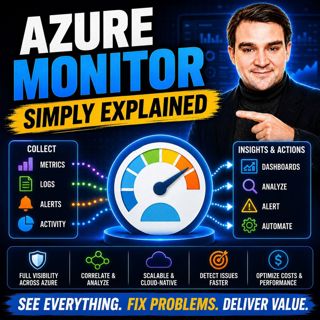
Azure Monitor — Simply Explained

Azure Monitor — Simply Explained

Keeping modern cloud environments running reliably requires far more than checking whether a server is online. Today's organizations operate virtual machines, applications, databases, containers, iden...

16 Juli 14min
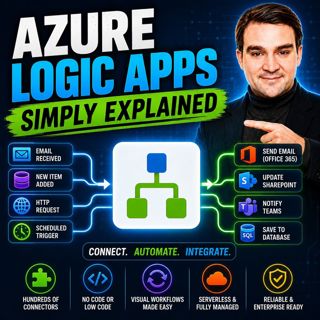
Azure Logic Apps - Simply Explained

Azure Logic Apps - Simply Explained

Connecting business applications has traditionally required custom development, complex integrations, and weeks of engineering effort. Azure Logic Apps changes that by providing a cloud-native workflo...

16 Juli 15min

Populärt inom Politik & nyheter

aftonbladet-krim
svenska-fall
rss-krimstad
tv4-nyheterna-story
p3-krim
aftonbladet-daily
flashback-forever
rss-sanning-konsekvens
motiv
rss-krimreportrarna
de-fyras-gang
spar
mannen-utan-spar
rss-frandfors-horna
rss-vad-fan-hande
rss-flodet
rss-aftonbladet-krim
krimmagasinet
olyckan-inifran
dagens-eko