
Azure CLI vs PowerShell: Which Tool Should You Use for Reliable Azure Automation?

Azure CLI vs PowerShell: Which Tool Should You Use for Reliable Azure Automation?

Clicking through the Azure portal works for one‑off fixes, but it falls apart when you need repeatable, reliable changes across multiple environments. In this episode, we take your real‑world pain—late‑night portal tweaks, configuration drift, and “it worked in staging” moments—and turn it into a practical automation strategy with Azure CLI and PowerShell.

We start with the trap of the portal: why manual changes are slow, hard to undo, and a major source of outages once dev, test and prod begin to drift. From there, we look at Azure CLI and Azure PowerShell side by side so you can see where each shines: CLI for concise, JSON‑driven commands that drop neatly into pipelines; PowerShell for rich object handling when you need to filter, transform and report across many resources.

Then we tackle the “either/or” question. You’ll learn how to choose the right tool for the job without locking yourself into a single camp, and how to wrap az commands inside PowerShell to get the best of both worlds—fast, scriptable actions with powerful post‑processing. Along the way, we walk through examples like replacing a common portal task with a two‑minute script, and show how combining CLI and PowerShell helps you avoid configuration drift altogether.

WHAT YOU’LL LEARN
  • Why the Azure portal creates configuration drift and late‑night firefighting.
  • Where Azure CLI fits best (pipelines, JSON workflows, lightweight automation).
  • Where Azure PowerShell fits best (bulk admin tasks, rich querying, reporting).
  • How to mix CLI and PowerShell in one workflow for repeatable, reliable changes.
THE CORE INSIGHT

The core insight of this episode is that the real “winner” isn’t Azure CLI or PowerShell in isolation—it’s the combination that replaces fragile portal clicks with scripts you can run, review and repeat. Once you treat the portal as a learning and inspection tool, and CLI/PowerShell as your default way of changing Azure, you dramatically cut down on outages caused by human error and configuration drift.

WHO THIS EPISODE IS FOR
  • Cloud and infrastructure admins stuck in the Azure portal but needing more reliability.
  • DevOps and platform engineers building repeatable, testable Azure environments.
  • IT pros who want to level up from manual changes to automation they can trust.
ABOUT THE AUTHOR / HOST

Mirko Peters is a Microsoft 365 and Azure automation consultant and host of the M365.FM podcast, helping organizations trade fragile portal clicks for scripted, repeatable infrastructure. He works with teams running on Azure and Microsoft 365 to design governance, scripting and automation strategies so critical environments can be changed—and recovered—with confidence instead of guesswork.

Become a supporter of this podcast: https://www.spreaker.com/podcast/m365-fm-modern-work-security-and-productivity-with-microsoft-365--6704921/support.

Det här avsnittet är hämtat från ett öppet RSS-flöde och publiceras inte av Podme. Det kan innehålla reklam.

Avsnitt(768)

Building a Secure Microsoft-First MSP: Intune, Defender & Entra ID at Scale with Albin Klinaku [MVP]

Building a Secure Microsoft-First MSP: Intune, Defender & Entra ID at Scale with Albin Klinaku [MVP]

Building a successful Managed Service Provider today requires much more than managing devices and responding to support tickets. Modern MSPs must become trusted security partners, helping organization...

16 Juli 1h
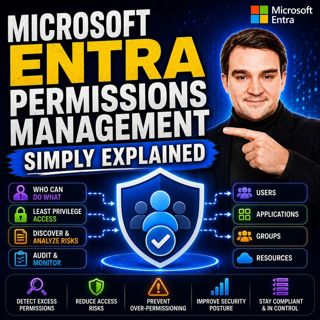
Microsoft Entra Permissions Management - Simply Explained

Microsoft Entra Permissions Management - Simply Explained

Cloud security isn't just about protecting user accounts anymore. Modern organizations manage thousands of identities across Microsoft Azure, Amazon Web Services (AWS), and Google Cloud Platform (GCP)...

16 Juli 13min

Managed Identities - Simply Explained

Managed Identities - Simply Explained

Managing passwords, connection strings, client secrets, and certificates has always been one of the biggest challenges when building secure cloud applications. Every application that connects to Azure...

16 Juli 16min
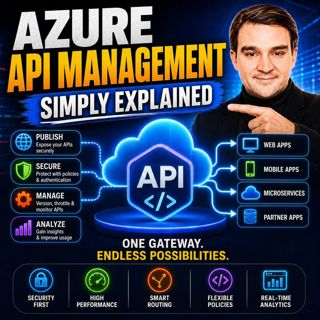
Azure API Management - Simply Explained

Azure API Management - Simply Explained

Azure API Management (APIM) is one of the most important services in Microsoft Azure for organizations building modern cloud applications, microservices, and enterprise integrations. While APIs make i...

16 Juli 14min
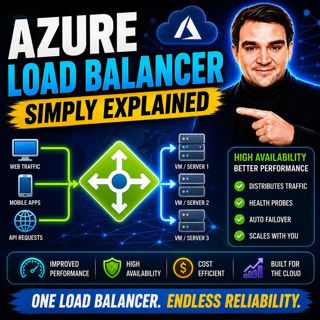
Azure Load Balancer — Simply Explained

Azure Load Balancer — Simply Explained

Every application starts small. A single virtual machine serves your website, processes customer requests, and handles all incoming traffic. At first, everything works perfectly. But as your user base...

16 Juli 15min

Azure Front Door - Simply Explained

Azure Front Door - Simply Explained

Building a website that performs well for users around the world is far more challenging than simply deploying a web application to Azure. A server hosted in North America may respond quickly for user...

16 Juli 17min
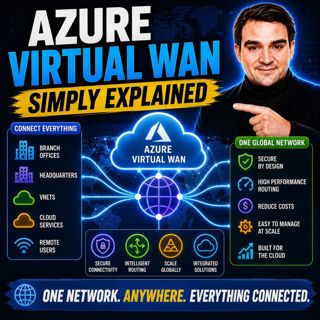
Azure Virtual WAN - Simply Explained

Azure Virtual WAN - Simply Explained

Building a global Azure network manually becomes increasingly difficult as your organization grows. What starts as a simple hub-and-spoke deployment quickly turns into a maze of virtual network peerin...

16 Juli 14min

Azure Firewall - Simply Explained

Azure Firewall - Simply Explained

Securing a traditional office network was relatively straightforward—you installed a physical firewall at the edge of your network and inspected everything entering or leaving your building. But cloud...

16 Juli 13min

Populärt inom Politik & nyheter

aftonbladet-krim
svenska-fall
p3-krim
rss-krimstad
tv4-nyheterna-story
aftonbladet-daily
flashback-forever
motiv
rss-sanning-konsekvens
de-fyras-gang
rss-krimreportrarna
rss-vad-fan-hande
mannen-utan-spar
spar
rss-frandfors-horna
rss-flodet
rss-aftonbladet-krim
krimmagasinet
politiken
olyckan-inifran

















