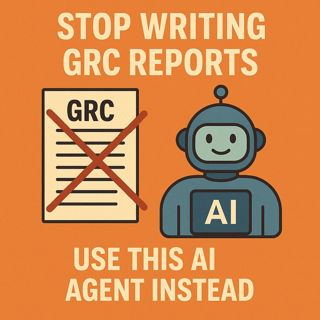
GRC reporting AI agent: use Purview, Power Automate, and Copilot Studio to automate audit logs into daily compliance reports

GRC reporting AI agent: use Purview, Power Automate, and Copilot Studio to automate audit logs into daily compliance reports

GRC reporting with AI agents: in this episode of M365.fm, Mirko Peters shows how to turn Microsoft Purview, Power Automate, and Copilot Studio into an autonomous GRC agent that writes your audit reports for you instead of trapping analysts in Excel hell. He opens with the familiar nightmare of manual compliance: exporting Purview logs to spreadsheets, building fragile pivot tables, and spending weeks maintaining “evidence” that is already outdated by the time auditors see it.

Mirko reframes most GRC work as pattern detection, not heroics. Activities like tracking risky logins, policy changes, and external sharing do not require human creativity; they require consistent ingestion, filtering, and summarization. That is exactly what his GRC agent does: Purview provides the raw audit memory, Power Automate orchestrates the pipeline on a schedule, and Copilot Studio converts JSON noise into human‑readable risk summaries and recommendations. Instead of dashboards that need interpretation, the agent sends finished narratives your executives and auditors can actually act on.

The episode then defines what this agent really is under the “AI” label. It is a structured, rules‑driven workflow that extracts Purview audit logs, filters for meaningful events (like RoleAssignmentChanged or ExternalSharingInvoked), normalizes them into a clean schema, and feeds them into Copilot Studio for explanation. Mirko emphasizes that the intelligence here is disciplined automation plus well‑designed prompts, not unpredictable black‑box guessing; you decide which events matter, how often reports run, and how findings are phrased.

He dives deep into the Purview data pipeline. Using either the Purview connector or direct API calls, Power Automate pulls audit events, enforces least‑privilege access via the Audit Logs Reader role, and then parses dense JSON structures into tidy fields like UserId, Operation, Workload, and ResultStatus. Along the way, he shows how to avoid flooding the system with low‑value events, how to handle nested arrays and odd data types, and how to test extraction logic with small sample runs before scaling to full tenant coverage.

Finally, Mirko explains the “one subtle design choice” that makes the agent safe to trust. Instead of letting Copilot improvise, you feed it structured counts, thresholds, and severity rules from Power Automate, then ask it only to explain and group, not to invent risk logic. The result is an autonomous auditor that runs every morning at 8:00, reads last day’s Purview data, applies your policy rules, and emails a clean GRC summary—freeing humans to investigate and decide instead of copy‑pasting logs all day.

WHAT YOU WILL LEARN
  • Why manual GRC reporting on Purview logs is a time‑wasting illusion of control.
  • What a GRC AI agent really is: Purview for data, Power Automate for orchestration, Copilot Studio for narrative.
  • How to build the Purview data pipeline: connect, filter, parse JSON, and normalize events.
  • How to design prompts so Copilot summarizes structured risk data instead of guessing.
  • How to schedule, secure, and monitor the agent so it becomes a reliable autonomous auditor.
THE CORE INSIGHT

GRC reporting should be automation with language, not analysts with spreadsheets. Once you wire Purview audit logs into a Power Automate pipeline and let Copilot Studio explain structured patterns on a schedule, compliance stops depending on caffeine and starts behaving like a repeatable system.

WHO THIS EPISODE IS FOR

This episode is ideal for compliance officers, security teams, and Microsoft 365 admins drowning in audit exports who want continuous, explainable GRC reporting without buying another platform. It is especially valuable if you already use Microsoft Purview but only touch its audit logs before audits and want to turn them into a daily, automated early‑warning and reporting engine.

ABOUT THE HOST

Mirko Peters is a Microsoft 365 and security consultant focused on turning compliance from a manual burden into an automated product using Purview, Entra ID, Power Automate, and Copilot Studio. Through M365.fm, he shares practical blueprints for AI‑driven oversight so organizations can prove governance continuously instead of scrambling for evidence when auditors arrive.

Become a supporter of this podcast: https://www.spreaker.com/podcast/m365-fm-modern-work-security-and-productivity-with-microsoft-365--6704921/support.

Det här avsnittet är hämtat från ett öppet RSS-flöde och publiceras inte av Podme. Det kan innehålla reklam.

Avsnitt(814)

From AI Hype to AI Harness Engineering – Building AI That People Can Actually Trust with Alan Buscaglia [MVP] from Gentleman Programming

From AI Hype to AI Harness Engineering – Building AI That People Can Actually Trust with Alan Buscaglia [MVP] from Gentleman Programming

Artificial Intelligence is evolving rapidly, but building AI that organizations can actually trust requires far more than choosing the latest language model. In this episode of the M365.fm podcast, Mi...

20 Juli 0s
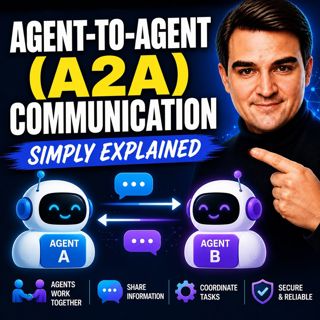
Agent-to-Agent (A2A) Communication - Simply Explained

Agent-to-Agent (A2A) Communication - Simply Explained

Welcome to another episode of Knowledge Nuggets with Mirko Peters. In this episode, we're exploring Agent-to-Agent (A2A) Communication, the open protocol that allows AI agents to discover one another,...

20 Juli 18min
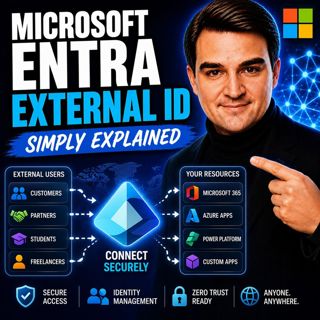
Microsoft Entra External ID - Simply Explained

Microsoft Entra External ID - Simply Explained

Welcome to another episode of Knowledge Nuggets with Mirko Peters. In this episode, we're exploring Microsoft Entra External ID, Microsoft's modern Customer Identity and Access Management (CIAM) platf...

20 Juli 14min
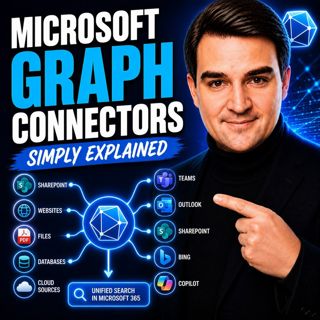
Microsoft Graph Connectors - Simply Explained

Microsoft Graph Connectors - Simply Explained

Welcome to another episode of Knowledge Nuggets with Mirko Peters. In this episode, we're exploring Microsoft Graph Connectors, now increasingly referred to as Microsoft Copilot Connectors. While Micr...

20 Juli 15min
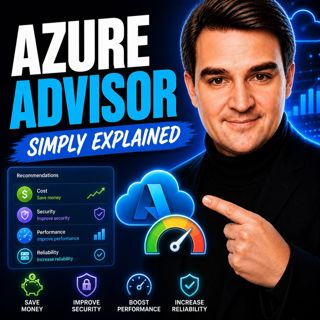
Azure Advisor - Simply Explained

Azure Advisor - Simply Explained

Welcome to another episode of Knowledge Nuggets with Mirko Peters. In this episode, we're exploring Azure Advisor, Microsoft's free optimization service that continuously analyzes your Azure environme...

20 Juli 15min
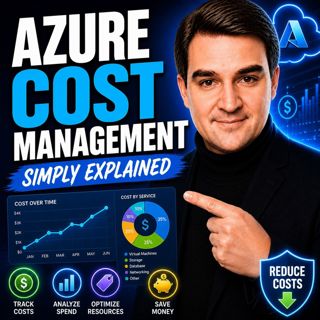
Azure Cost Management - Simply Explained

Azure Cost Management - Simply Explained

Welcome to another episode of Knowledge Nuggets with Mirko Peters. In this episode, we're exploring Azure Cost Management, Microsoft's built-in solution for monitoring, analyzing, controlling, and opt...

20 Juli 18min
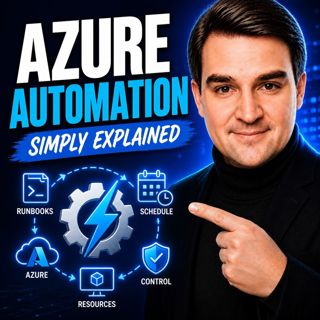
Azure Automation - Simply Explained

Azure Automation - Simply Explained

Welcome to another episode of Knowledge Nuggets with Mirko Peters. In this episode, we're exploring Azure Automation, Microsoft's cloud service for automating repetitive IT tasks across Azure and hybr...

20 Juli 15min
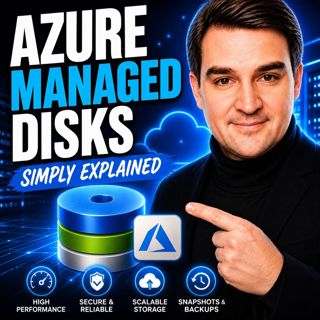
Azure Managed Disks - Simply Explained

Azure Managed Disks - Simply Explained

Welcome to another episode of Knowledge Nuggets with Mirko Peters. In this episode, we're exploring Azure Managed Disks, the storage technology that powers every Azure Virtual Machine. While many peop...

20 Juli 15min

Populärt inom Politik & nyheter

svenska-fall
p3-krim
rss-krimstad
aftonbladet-krim
aftonbladet-daily
tv4-nyheterna-story
flashback-forever
mannen-utan-spar
rss-sanning-konsekvens
motiv
rss-krimreportrarna
de-fyras-gang
rss-vad-fan-hande
rss-frandfors-horna
rss-flodet
spar
politiken
rss-aftonbladet-krim
olyckan-inifran
krimmagasinet

















