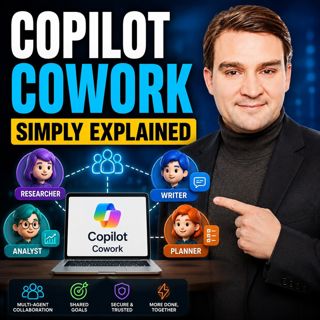
Copilot Cowork - Simply Explained
Microsoft Copilot changed how we interact with AI by helping us summarize emails, draft documents, and answer questions. But there's still one major problem: you're responsible for connecting everything together. After Copilot generates content, you still have to coordinate meetings, send emails, update documents, assign tasks, and keep projects moving. Copilot Cowork solves that problem. Instead of helping with one task at a time, it accepts an entire business goal and executes the work across multiple Microsoft 365 applications while you focus on higher-value activities. Rather than acting like an assistant waiting for instructions, Cowork behaves like a digital teammate managing the coordination behind the scenes.

WHY REGULAR COPILOT ISN'T ENOUGH
Traditional Copilot excels at individual tasks. It can summarize conversations, generate presentations, write emails, or create Excel formulas within seconds. However, real work rarely consists of a single task. Most business processes involve multiple applications, several people, and a sequence of actions that require coordination. This orchestration often consumes far more time than generating the content itself. Copilot Cowork was built specifically to eliminate this coordination overhead by planning and executing entire workflows instead of individual prompts.

WHAT MAKES COWORK DIFFERENT?
Copilot Cowork is an AI agent powered by Microsoft's Work IQ platform that understands your emails, meetings, documents, conversations, and organizational context. Rather than asking for one prompt after another, you simply describe the outcome you want. Cowork determines the required steps, gathers the necessary information, works across Microsoft 365 applications, and executes the task in the background. Sensitive actions such as sending emails or scheduling meetings always require your approval before completion, ensuring you remain in control.

HOW COWORK WORKS
Think of Cowork as a project manager rather than a chatbot. You define the objective, while Cowork researches information, prepares documents, checks calendars, schedules meetings, drafts communications, and coordinates multiple Microsoft 365 services simultaneously. Unlike traditional Copilot, which requires your constant interaction, Cowork continues working while you're attending meetings, focusing on other projects, or even away from your computer.

BUILT-IN SKILLS
Copilot Cowork includes a growing collection of built-in skills covering the most common business activities. These include working with Word documents, Excel spreadsheets, PowerPoint presentations, PDFs, Outlook emails, Teams meetings, calendar scheduling, enterprise search, deep organizational research, daily briefings, and interactive Microsoft 365 experiences. The impressive part is that users never need to manually choose a skill. Cowork automatically selects the right capabilities based on the goal you've described and combines multiple skills whenever necessary.

A REAL-WORLD EXAMPLE
One of the best demonstrations of Cowork is the built-in "Organize My Week" experience. After a single request, Cowork reviews your calendar, analyzes meetings, identifies scheduling conflicts, checks attendee availability, recommends improvements, proposes new meetings, flags incomplete appointments, and prepares your upcoming week with minimal user interaction. Rather than simply displaying information, Cowork actively recommends improvements and carries them out after receiving your approval.

GETTING STARTED
Organizations need Microsoft 365 Business or Enterprise, a Microsoft 365 Copilot license, and access to Copilot Cowork through Microsoft's Frontier program where applicable. Files should be stored within OneDrive or SharePoint so Cowork can access organizational knowledge effectively. Administrators may also need to enable supporting services depending on their region and Microsoft 365 configuration.

WHY COWORK MATTERS
Copilot Cowork represents one of Microsoft's biggest shifts since the introduction of Microsoft 365 Copilot. Instead of simply helping employees create content faster, Cowork manages the coordination that typically consumes hours every week. It allows knowledge workers to spend less time organizing work and more time making decisions, solving problems, and delivering value. As Microsoft's AI platform continues evolving toward autonomous agents, Copilot Cowork provides an early glimpse into how future digital coworkers will become an everyday part of modern business productivity.

Become a supporter of this podcast: https://www.spreaker.com/podcast/m365-fm-modern-work-security-and-productivity-with-microsoft-365--6704921/support.

Tämä jakso on lisätty Podme-palveluun avoimen RSS-syötteen kautta eikä se ole Podmen omaa tuotantoa. Siksi jakso saattaa sisältää mainontaa.

Jaksot(712)

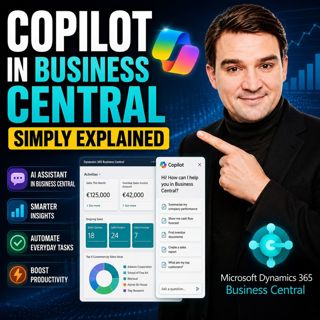
Copilot in Business Central - Simply Explained

Copilot in Business Central - Simply Explained

Microsoft Copilot is becoming a core part of Dynamics 365 Business Central, transforming it from a traditional ERP system into an AI-powered business assistant. Instead of switching between applicatio...

12 Heinä 11min
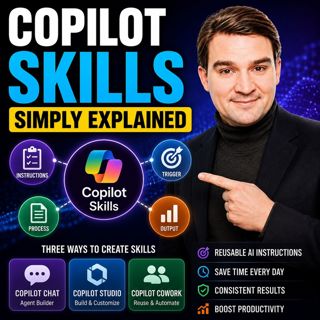
Copilot Skills - Simply Explained

Copilot Skills - Simply Explained

Copilot Skills are one of Microsoft's most important AI building blocks, yet they're also one of the most misunderstood. Depending on which Microsoft product you're using, the same concept appears und...

12 Heinä 13min

Microsoft Scout - Simply Explained

Microsoft Scout - Simply Explained

Microsoft has introduced a growing family of AI assistants, and Microsoft Scout represents the next major step in that evolution. While Copilot helps when you ask questions and Cowork executes multi-s...

12 Heinä 16min

Compliance as Code: The Architect’s Blueprint for Automated Trust

Compliance as Code: The Architect’s Blueprint for Automated Trust

Compliance has traditionally been treated as documentation. Policies live in PDFs, access reviews sit in spreadsheets, and governance depends on people remembering to follow processes. But cloud envir...

12 Heinä 1h 13min
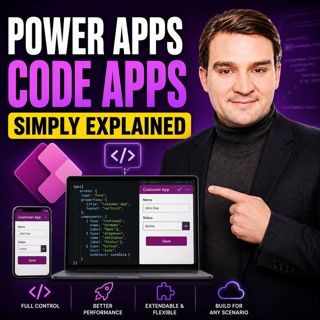
Power Apps Code Apps - Simply Explained

Power Apps Code Apps - Simply Explained

Power Apps has traditionally been known for its low-code, drag-and-drop experience, allowing business users and citizen developers to build applications quickly using Power Fx. But Microsoft is introd...

12 Heinä 14min

Your AI Agents Are Orphaned: The Structural Shift to Agent ID

Your AI Agents Are Orphaned: The Structural Shift to Agent ID

Artificial intelligence is changing enterprise identity faster than most organizations realize. Every week, new AI agents are being deployed across Microsoft 365 tenants, accessing SharePoint, Microso...

11 Heinä 1h 4min

The Architecture of Agility: Bicep at Scale

The Architecture of Agility: Bicep at Scale

Modern cloud platforms don't fail because Azure isn't powerful enough—they fail because governance, automation, and developer experience weren't designed to scale together. In this episode of the M365...

11 Heinä 1h 25min

Suosittua kategoriassa Politiikka ja uutiset

aikalisa
uutiscast
ootsa-kuullut-tasta-2
rss-ootsa-kuullut-tasta
rss-podme-livebox
rss-seksicast
otetaan-yhdet
politiikan-puskaradio
tervo-halme
aihe
rss-vaalirankkurit-podcast
rss-girls-finish-f1rst
rss-mina-ukkola
rss-aijat-hopottaa-podcast
rss-mita-tapahtuu
rss-kaikki-uusiksi
rss-merja-mahkan-rahat
rss-tekoalyfoorumi
rss-asiastudio
rss-pinnalla