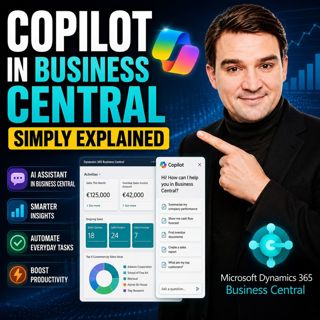
Copilot in Business Central - Simply Explained

Copilot in Business Central - Simply Explained

Microsoft Copilot is becoming a core part of Dynamics 365 Business Central, transforming it from a traditional ERP system into an AI-powered business assistant. Instead of switching between applications or manually searching through records, Copilot works directly inside your ERP environment, helping users retrieve information, generate content, automate data entry, and increasingly complete business processes on their behalf.

THE THREE LAYERS OF COPILOT
Copilot in Business Central consists of three distinct layers. The first layer includes the built-in AI features that come with your existing Business Central license. These tools help users work faster through intelligent suggestions and natural language interactions. The second layer introduces Microsoft's AI Agents. Unlike traditional Copilot features, these agents don't simply answer questions—they actively perform business tasks in the background while keeping users in control through approval workflows. The third layer allows organizations to build their own custom agents, enabling AI to automate unique business processes tailored to specific operational requirements.

BUILT-IN COPILOT FEATURES
Business Central already includes several AI capabilities at no additional licensing cost. Users can analyze data using natural language with Analysis Assist, receive intelligent Autofill suggestions during data entry, automatically generate marketing descriptions for products, simplify bank reconciliations, extract information from electronic documents, and ask questions directly through Chat with Copilot. These features accelerate everyday work while remaining fully integrated into Business Central's existing interface and security model.

THE POWER OF AI AGENTS
Microsoft's AI Agents represent the biggest evolution of Copilot inside Business Central. The Sales Order Agent can process incoming customer emails, extract order information, verify inventory, and prepare draft sales orders for approval. The Payables Agent reads supplier invoices, matches them against purchase orders, and prepares them for payment processing. Future agents will automate additional finance and operational workflows, including expense management. Unlike traditional AI assistants, these agents execute business processes rather than simply providing recommendations, while always requiring human approval before critical actions are finalized.

COPILOT CREDITS AND LICENSING
The built-in Copilot capabilities are included with every Business Central license. AI Agents, however, operate using Microsoft's Copilot Credit model. Every AI action consumes credits depending on the complexity of the task, from simple responses to fully automated business operations such as creating sales orders or processing invoices. Organizations can monitor credit consumption, purchase additional credit packs, or use pay-as-you-go billing while maintaining complete visibility into AI usage across the environment.

BUILDING CUSTOM AGENTS
Business Central's Agent Designer enables organizations to create their own AI agents without traditional software development. Administrators can describe tasks in plain English, assign permissions, define business rules, and deploy agents that monitor processes, validate transactions, review data, or automate repetitive activities unique to their organization. For developers requiring deeper customization, Microsoft also provides an AI Development Toolkit with APIs and lifecycle management capabilities for enterprise-grade agent development.

A PRACTICAL BUSINESS EXAMPLE
Imagine a customer sends an email requesting fifty laptops and twenty monitors. Instead of manually reading the email, checking inventory, creating a sales order, and preparing a quotation, the Sales Order Agent performs each step automatically. It extracts the requested products, verifies stock availability, applies customer-specific pricing, creates a draft order, and presents everything for approval. Within minutes, what previously required significant manual effort becomes a simple review and approval process, allowing employees to focus on customer relationships instead of repetitive administration.

SECURITY AND GOVERNANCE
Every Copilot Agent operates within Business Central's existing security framework. Agents inherit permission boundaries, maintain their own identities, log every action they perform, and require approvals for sensitive business operations. Organizations can monitor AI activity, assign dedicated administration roles, and govern AI usage just as they would any other business process. This combination of automation, transparency, and governance makes Business Central's AI agents suitable for enterprise environments where compliance and accountability remain essential.

Become a supporter of this podcast: https://www.spreaker.com/podcast/m365-fm-modern-work-security-and-productivity-with-microsoft-365--6704921/support.

Tämä jakso on lisätty Podme-palveluun avoimen RSS-syötteen kautta eikä se ole Podmen omaa tuotantoa. Siksi jakso saattaa sisältää mainontaa.

Jaksot(712)

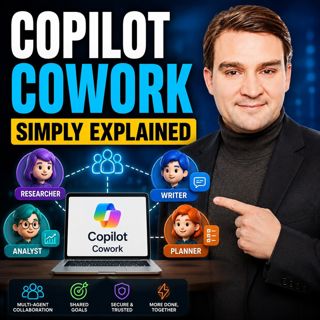
Copilot Cowork - Simply Explained

Copilot Cowork - Simply Explained

Microsoft Copilot changed how we interact with AI by helping us summarize emails, draft documents, and answer questions. But there's still one major problem: you're responsible for connecting everythi...

12 Heinä 13min
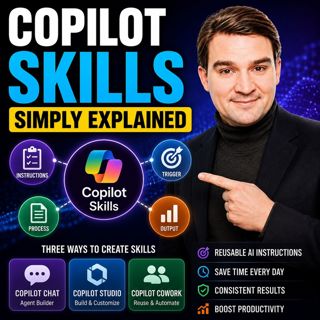
Copilot Skills - Simply Explained

Copilot Skills - Simply Explained

Copilot Skills are one of Microsoft's most important AI building blocks, yet they're also one of the most misunderstood. Depending on which Microsoft product you're using, the same concept appears und...

12 Heinä 13min

Microsoft Scout - Simply Explained

Microsoft Scout - Simply Explained

Microsoft has introduced a growing family of AI assistants, and Microsoft Scout represents the next major step in that evolution. While Copilot helps when you ask questions and Cowork executes multi-s...

12 Heinä 16min
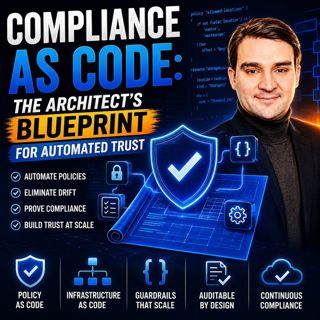
Compliance as Code: The Architect’s Blueprint for Automated Trust

Compliance as Code: The Architect’s Blueprint for Automated Trust

Compliance has traditionally been treated as documentation. Policies live in PDFs, access reviews sit in spreadsheets, and governance depends on people remembering to follow processes. But cloud envir...

12 Heinä 1h 13min
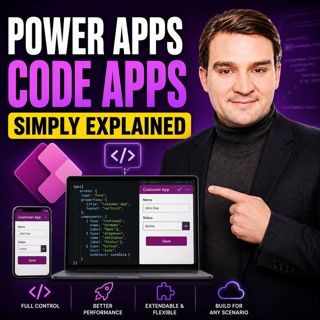
Power Apps Code Apps - Simply Explained

Power Apps Code Apps - Simply Explained

Power Apps has traditionally been known for its low-code, drag-and-drop experience, allowing business users and citizen developers to build applications quickly using Power Fx. But Microsoft is introd...

12 Heinä 14min

Your AI Agents Are Orphaned: The Structural Shift to Agent ID

Your AI Agents Are Orphaned: The Structural Shift to Agent ID

Artificial intelligence is changing enterprise identity faster than most organizations realize. Every week, new AI agents are being deployed across Microsoft 365 tenants, accessing SharePoint, Microso...

11 Heinä 1h 4min

The Architecture of Agility: Bicep at Scale

The Architecture of Agility: Bicep at Scale

Modern cloud platforms don't fail because Azure isn't powerful enough—they fail because governance, automation, and developer experience weren't designed to scale together. In this episode of the M365...

11 Heinä 1h 25min

Suosittua kategoriassa Politiikka ja uutiset

aikalisa
uutiscast
ootsa-kuullut-tasta-2
rss-ootsa-kuullut-tasta
rss-podme-livebox
rss-seksicast
otetaan-yhdet
politiikan-puskaradio
tervo-halme
aihe
rss-vaalirankkurit-podcast
rss-girls-finish-f1rst
rss-mina-ukkola
rss-aijat-hopottaa-podcast
rss-mita-tapahtuu
rss-kaikki-uusiksi
rss-merja-mahkan-rahat
rss-tekoalyfoorumi
rss-asiastudio
rss-pinnalla