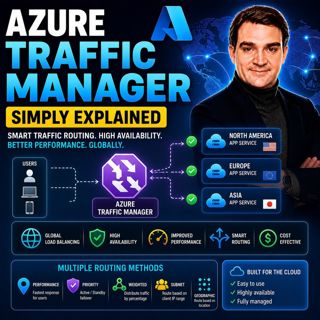

Azure Traffic Manager - Simply Explained

Azure Traffic Manager - Simply Explained

Azure Traffic Manager is Microsoft's global DNS-based traffic distribution service that directs users to the most appropriate application endpoint anywhere in the world. Instead of sending every user to a single data center, Traffic Manager intelligently routes requests based on factors such as latency, geographic location, endpoint health, or custom routing policies. Because it operates at the DNS layer, Traffic Manager never sits in the data path—it simply tells users which endpoint to connect to. This makes it an extremely lightweight, highly available, and globally scalable solution for improving application performance and business continuity.

WHY GLOBAL TRAFFIC ROUTING MATTERS
As businesses expand globally, users expect fast and reliable applications regardless of where they are located. A customer in Tokyo connecting to an application hosted only in Virginia experiences much higher latency than someone located nearby. Even worse, if that single region becomes unavailable, every user loses access to the application. Azure Traffic Manager solves these challenges by directing each user to the closest, fastest, or healthiest deployment. This improves application responsiveness, reduces downtime, and enables organizations to build resilient multi-region architectures without requiring users to manually choose a server or location.

HOW AZURE TRAFFIC MANAGER WORKS
Unlike Azure Load Balancer or Azure Application Gateway, Traffic Manager does not proxy or inspect network traffic. Instead, it answers DNS queries with the IP address or hostname of the best available endpoint. Once the DNS lookup is complete, the user's device connects directly to that endpoint, meaning Traffic Manager introduces virtually no additional latency. It continuously monitors each configured endpoint using HTTP, HTTPS, or TCP health probes. If an endpoint fails multiple health checks, Traffic Manager automatically removes it from DNS responses and redirects new users to healthy locations. When the endpoint recovers, it is automatically placed back into service, providing seamless failover without manual intervention.

UNDERSTANDING THE SIX ROUTING METHODS
Azure Traffic Manager offers six routing methods designed for different business scenarios. Priority Routing provides active-passive disaster recovery by automatically failing over to backup regions. Performance Routing sends users to the endpoint with the lowest network latency. Weighted Routing distributes traffic according to administrator-defined percentages, making it ideal for canary deployments, A/B testing, and gradual migrations. Geographic Routing directs users based on their country or region to support compliance and localized experiences. Subnet Routing allows routing based on the source IP range, while Multivalue Routing returns multiple healthy IP addresses for simple client-side failover. These flexible routing policies enable organizations to optimize performance, availability, compliance, and deployment strategies with a single service.

TRAFFIC MANAGER VS LOAD BALANCER VS FRONT DOOR
Azure Traffic Manager is often confused with other Azure networking services, but each solves a different problem. Traffic Manager operates globally at the DNS layer and decides where users should connect. Azure Load Balancer distributes traffic between virtual machines within a single region using Layer 4 networking. Azure Application Gateway provides Layer 7 routing, SSL termination, and a Web Application Firewall for web applications. Azure Front Door combines global routing with edge caching, Web Application Firewall capabilities, and application acceleration. Many enterprise architectures actually use these services together—for example, Traffic Manager routes users to the closest region, while Load Balancer or Application Gateway distributes traffic within that region.

WHEN SHOULD YOU USE AZURE TRAFFIC MANAGER?
Azure Traffic Manager is the ideal solution for organizations running applications across multiple Azure regions, multiple clouds, or hybrid environments. It improves global performance, enables automatic disaster recovery, supports regulatory requirements through geographic routing, and simplifies controlled software rollouts using weighted traffic distribution. Combined with continuous health monitoring, flexible routing methods, and Microsoft's globally distributed DNS infrastructure, Azure Traffic Manager provides a reliable foundation for highly available applications that serve users around the world with minimal latency and maximum resilience.

Become a supporter of this podcast: https://www.spreaker.com/podcast/m365-fm-modern-work-security-and-productivity-with-microsoft-365--6704921/support.

Tämä jakso on lisätty Podme-palveluun avoimen RSS-syötteen kautta eikä se ole Podmen omaa tuotantoa. Siksi jakso saattaa sisältää mainontaa.

Jaksot(796)

Azure DNS - Simply Explained

Azure DNS - Simply Explained

Azure DNS is Microsoft's fully managed Domain Name System (DNS) hosting service that translates human-friendly domain names like contoso.com into the IP addresses computers use to communicate. Instead...

18 Heinä 15min
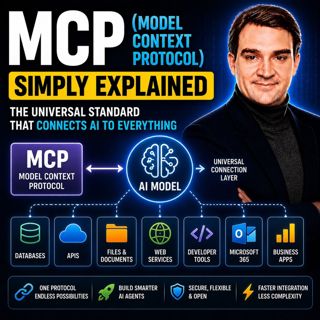
MCP (Model Context Protocol) - Simply Explained

MCP (Model Context Protocol) - Simply Explained

The Model Context Protocol (MCP) is an open standard that allows AI models to securely connect to external tools, applications, and data sources using a single, consistent protocol. Before MCP, every ...

17 Heinä 15min

Azure AI Search – Simply Explained

Azure AI Search – Simply Explained

Azure AI Search is Microsoft's fully managed cloud search service that helps developers build fast, intelligent, and AI-powered search experiences for applications, websites, and enterprise systems. U...

17 Heinä 13min

Microsoft Fabric OneLake - Simply Explained

Microsoft Fabric OneLake - Simply Explained

Microsoft Fabric OneLake is the unified storage layer at the heart of Microsoft Fabric, designed to eliminate one of the biggest challenges in modern analytics: data duplication. Instead of every depa...

17 Heinä 14min
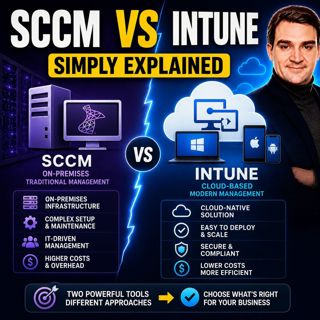
SCCM vs Intune - Simply Explained

SCCM vs Intune - Simply Explained

SCCM (System Center Configuration Manager), now officially known as Microsoft Endpoint Configuration Manager (MECM), and Microsoft Intune are two of Microsoft's most important endpoint management solu...

17 Heinä 16min

Microsoft Intune - Simply Explained

Microsoft Intune - Simply Explained

Microsoft Intune is Microsoft's cloud-based endpoint management platform that allows organizations to securely manage laptops, desktops, smartphones, tablets, and applications from a single web-based ...

17 Heinä 12min
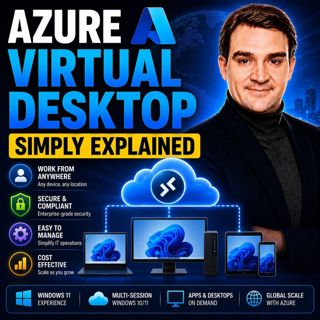
Azure Virtual Desktop - Simply Explained

Azure Virtual Desktop - Simply Explained

Azure Virtual Desktop (AVD) is Microsoft's cloud-based desktop virtualization platform that delivers a complete Windows desktop and business applications securely from Azure to virtually any device. I...

17 Heinä 18min

Suosittua kategoriassa Politiikka ja uutiset

aikalisa
uutiscast
ootsa-kuullut-tasta-2
rss-ootsa-kuullut-tasta
rss-vaalirankkurit-podcast
rss-podme-livebox
rss-seksicast
otetaan-yhdet
tervo-halme
aihe
politiikan-puskaradio
linda-maria
et-sa-noin-voi-sanoo-esittaa
rss-girls-finish-f1rst
viela-yksi-sivu
the-ulkopolitist
mtv-uutiset-polloraati
rss-kovin-paikka
rss-sveriges-radio-finska
rss-raha-talous-ja-politiikka