

Microsoft Purview Information Protection - Simply Explained

Microsoft Purview Information Protection - Simply Explained

Welcome to another episode of Knowledge Nuggets with Mirko Peters. Today we're exploring Microsoft Purview Information Protection, the foundation of Microsoft's data classification and protection strategy across Microsoft 365. Every day, organizations create thousands of documents, spreadsheets, emails, presentations, and Teams conversations. Some of that information is completely public, while other files contain financial records, customer information, legal contracts, intellectual property, or confidential business plans. The challenge isn't simply storing this data—it's ensuring every piece of information is handled appropriately wherever it travels. Microsoft Purview Information Protection solves this challenge by allowing organizations to classify sensitive information, apply persistent sensitivity labels, and automatically enforce protection policies across Microsoft 365. Instead of waiting until data is about to leave the organization, protection begins the moment the content is created. In this episode, we'll explore how Microsoft Purview Information Protection works, how sensitivity labels travel with your data, how automatic classification operates behind the scenes, and how it integrates with Data Loss Prevention, Microsoft Teams, and Microsoft 365 Copilot.

WHY INFORMATION PROTECTION MATTERS
Many organizations assume their information is secure simply because it resides in Microsoft 365. However, protecting data from hackers is only one part of the challenge. The larger risk often comes from accidental sharing, misclassification, or users unknowingly exposing confidential information. Traditional security approaches attempted to inspect files only when they were leaving the organization. Every outgoing email or shared document had to be scanned before determining whether it contained sensitive information. While effective, this approach introduces delays and only reacts after data has already begun moving. Microsoft Purview Information Protection changes the model entirely. Instead of waiting until information leaves the organization, content is classified and labeled immediately. Once protected, every Microsoft 365 service instantly understands how that information should be handled without repeatedly scanning the content. Protection becomes proactive rather than reactive.

WHAT IS MICROSOFT PURVIEW INFORMATION PROTECTION?
Microsoft Purview Information Protection provides a centralized framework for classifying, labeling, and protecting sensitive information. The core concept is remarkably simple. Every document or email receives a sensitivity label that communicates its security requirements. Common examples include:
  • Public
  • Internal
  • Confidential
  • Highly Confidential
These labels aren't merely visual indicators. Each label contains metadata that permanently travels with the file wherever it goes. That metadata can automatically trigger:
  • Encryption
  • Access restrictions
  • Watermarks
  • Headers and footers
  • Printing restrictions
  • Sharing controls
  • Copy protection
Rather than relying on users to remember every security setting manually, one sensitivity label applies the correct protections automatically. Because Information Protection is built directly into Microsoft 365, users often interact with it through the Sensitivity dropdown available in Word, Excel, PowerPoint, Outlook, and other Office applications.

CLASSIFICATION: FINDING SENSITIVE INFORMATION
Before information can be protected, Microsoft Purview must first identify sensitive content. Microsoft uses two primary detection methods. The first is Sensitive Information Types (SITs). These recognize structured information such as:
  • Credit card numbers
  • Passport numbers
  • National identification numbers
  • Healthcare identifiers
  • Banking information
Microsoft provides hundreds of built-in detection patterns that organizations can immediately begin using without additional configuration. The second approach uses Trainable Classifiers. Unlike simple pattern matching, trainable classifiers use artificial intelligence to recognize unstructured documents such as:
  • Contracts
  • Legal documents
  • Resumes
  • Financial reports
  • Project documentation
Organizations can also create custom classifiers and custom Sensitive Information Types for proprietary business information including employee IDs, customer numbers, project codes, or invoice formats. Classification identifies sensitive information. Protection comes later through sensitivity labels.

SENSITIVITY LABELS: THE FOUNDATION OF PROTECTION
Once content has been classified, sensitivity labels determine how Microsoft 365 should handle it. Each label becomes much more than a simple category. A single label can automatically apply multiple protections simultaneously. For example, a Highly Confidential label might:
  • Encrypt the document
  • Prevent external sharing
  • Disable printing
  • Restrict copy and paste
  • Apply visible watermarks
  • Limit editing permissions
Most importantly, these protections remain attached to the file itself. If the document leaves SharePoint, is emailed externally, or stored elsewhere, the label and its protections travel with it. This persistence ensures organizations maintain control over sensitive information regardless of where the file moves. Every Microsoft 365 workload—including SharePoint, OneDrive, Teams, Exchange Online, and Microsoft 365 Copilot—recognizes and respects these labels automatically.

MANUAL VS AUTOMATIC LABELING
Organizations can apply sensitivity labels in two different ways. Manual labeling allows users to choose the appropriate label directly within Microsoft Office applications. This works well when users understand the business context surrounding a document. However, relying entirely on users creates inconsistency. Microsoft therefore provides automatic labeling. Client-side automatic labeling operates inside Office applications while users create documents. If sensitive information such as payment card data appears, Office can recommend or automatically apply the correct label before the document is saved. Service-side automatic labeling works across Microsoft 365 itself. Existing documents stored in SharePoint, OneDrive, or Exchange Online are scanned and labeled automatically without requiring user interaction. Microsoft recommends combining both approaches. Automatic labeling provides consistent baseline protection across large environments, while manual labeling allows users to apply additional context when appropriate. Simulation mode allows organizations to evaluate automatic labeling policies before enforcing them in production.

Become a supporter of this podcast: https://www.spreaker.com/podcast/m365-fm-modern-work-security-and-productivity-with-microsoft-365--6704921/support.

Tämä jakso on lisätty Podme-palveluun avoimen RSS-syötteen kautta eikä se ole Podmen omaa tuotantoa. Siksi jakso saattaa sisältää mainontaa.

Jaksot(857)

Microsoft Purview Insider Risk Management - Simply Explained

Microsoft Purview Insider Risk Management - Simply Explained

Welcome to another episode of Knowledge Nuggets with Mirko Peters. Today we're exploring Microsoft Purview Insider Risk Management, Microsoft's intelligent solution for identifying risky user behavior...

24 Heinä 0s
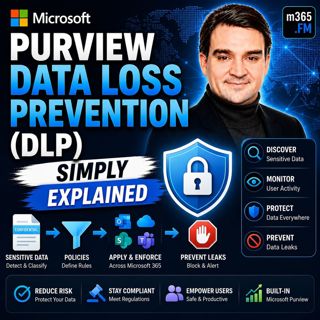
Microsoft Purview Data Loss Prevention (DLP) - Simply Explained

Microsoft Purview Data Loss Prevention (DLP) - Simply Explained

Welcome to another episode of Knowledge Nuggets with Mirko Peters. Today we're exploring Microsoft Purview Data Loss Prevention (DLP), one of the most important security capabilities in Microsoft 365 ...

24 Heinä 0s

Microsoft Entra Private Access - Simply Explained

Microsoft Entra Private Access - Simply Explained

Welcome to another episode of Knowledge Nuggets with Mirko Peters. Today we're exploring Microsoft Entra Internet Access, Microsoft's modern cloud-native approach to secure internet connectivity that ...

24 Heinä 0s

Microsoft Graph Delta Queries - Simply Explained

Microsoft Graph Delta Queries - Simply Explained

Welcome to another episode of Knowledge Nuggets with Mirko Peters. Today we're exploring Microsoft Graph Delta Queries, one of the most powerful features for building efficient synchronization solutio...

24 Heinä 0s

Responsible AI Is Good Business — Featuring Wiebke Apitzsch

Responsible AI Is Good Business — Featuring Wiebke Apitzsch

Artificial intelligence is transforming every industry, but successful AI adoption requires far more than deploying the latest models or building autonomous agents. In this episode of M365.fm, Mirko P...

24 Heinä 0s

Microsoft Graph Webhooks - Simply Explained

Microsoft Graph Webhooks - Simply Explained

Welcome to another episode of Knowledge Nuggets with Mirko Peters. Today we're exploring Microsoft Graph Webhooks, one of the core building blocks for creating modern, event-driven Microsoft 365 appli...

24 Heinä 0s

Microsoft Graph Change Notifications - Simply Explained

Microsoft Graph Change Notifications - Simply Explained

Welcome to another episode of Knowledge Nuggets with Mirko Peters. Today we're exploring Microsoft Graph Change Notifications, one of the most important capabilities for building modern, event-driven ...

24 Heinä 0s

Suosittua kategoriassa Politiikka ja uutiset

aikalisa
uutiscast
ootsa-kuullut-tasta-2
rss-ootsa-kuullut-tasta
rss-podme-livebox
rss-seksicast
rss-vaalirankkurit-podcast
otetaan-yhdet
politiikan-puskaradio
aihe
rikosmyytit
rss-kovin-paikka
rss-kaikki-uusiksi
tervo-halme
rss-asiastudio
rss-girls-finish-f1rst
rss-varsinaista-puhetta