
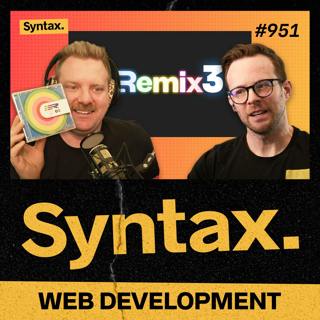
951: A first look at Remix 3
Scott and Wes dive into Remix 3, exploring how it embraces native web standards like Events, Signals, and Streams to become a truly full-stack framework. They unpack what “LLM-ready,” thin APIs, and a standards-based approach mean for the future of web development. Show Notes 00:00 Welcome to Syntax! 03:21 Uses the platform - native Events, Signals, Streams, Fetch 04:16 Remix 3, Fully Fullstack. 04:57 LLM‑ready + thin APIs 05:53 Brought to you by Sentry.io. 06:18 My previous predictions. 07:44 The value of ‘Standards Based’. 09:13 Component model - JSX/TSX; state = variables; call this.render() 11:56 Adding reactivity to Remix. 15:15 Event‑based architecture - custom events, EventTarget, interactions 20:52 Context & type‑safe access. 22:46 Composing interaction logic within events. 24:25 Signals - AbortSignal to cancel async ops 25:21 Benefits of standards - bring your own tools/libraries Michael Asnong X Post. 26:42 CSS - built‑in CSS prop; Svelte‑like scoping 28:34 Server - Web Request/Response, Web Streams across runtimes 31:23 Frames - async URL‑addressable components with fallbacks 33:07 Tooling - ESM; use Vite or esbuild 34:47 Routing - code‑based named routes 35:57 Questions/Concerns - manual rendering vs reactivity 38:47 URL Pattern API - modern, fast routing foundations 41:33 Sick Picks + Shameless Plugs. Sick Picks Scott: MoCA 2.5 Network Adapter Wes: Bosch Dishwasher Shameless Plugs Scott: Syntax on YouTube. Hit us up on Socials! Syntax: X Instagram Tiktok LinkedIn Threads Wes: X Instagram Tiktok LinkedIn Threads Scott: X Instagram Tiktok LinkedIn Threads Randy: X Instagram YouTube Threads
3 Marras 202547min
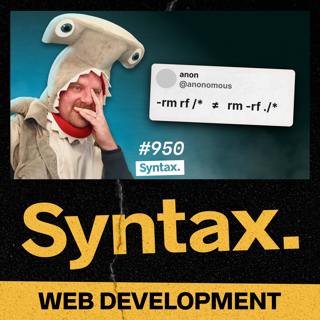
950: Even SCARIER Web Dev Nightmares (Spooky Stories Pt. 2)
In part 2 of this year’s Spooky Stories special, Wes and Scott discuss the most chilling developer horror stories—from six-month-old unprocessed donations and runaway dog-food orders to vanishing databases, DNS disasters, code that literally tore apart a mall’s ventilation system, and more! Show Notes 00:00 Welcome to Syntax! 01:33 A Bug Beyond the Grave 04:16 NHL SPOOKS 06:36 White Space Ghost Faced 10:54 Over Order Nightmare 16:50 Alaskian 21:16 Brought to you by Sentry.io 22:50 Rackspace’d Out 25:02 Fired 26:52 WordPress Woes 33:21 What does the P in VPS stand for? 34:18 Beyond the Grave II 35:39 The Hottest Hot Fix 37:54 Bad Redirect 40:03 Instead of Making Money, You Spend Money! 41:26 Certbot Certain Death 43:55 It’s Always DNS 50:02 Cache Ruins Everything Around Me 51:52 Fiber F-Up 56:18 More Spooky Stories Don’t Drink and Deploy 😬 | Spooky Dev Stories Pt. 1 Submit your Spooky Stories Hit us up on Socials! Syntax: X Instagram Tiktok LinkedIn Threads Wes: X Instagram Tiktok LinkedIn Threads Scott: X Instagram Tiktok LinkedIn Threads Randy: X Instagram YouTube Threads
29 Loka 202557min
949: Web Dev HORROR Stories + Spooky Trivia! (Spooky Stories Pt. 1)
It’s that time of year again, Scott (as Dracula) and Wes (as a big bad shark) return for their annual Spooky Stories special! They’re joined by a mysterious guest for a round of creepy coding trivia and chilling true tales of web dev gone wrong; dropped databases, haunted passwords, and more. Beware: these are real developer horror stories. Show Notes 00:00 Welcome to Syntax! 00:05 Scott’s vampire costume. 00:38 New to live-streaming. 00:54 AWS Outage. 01:50 What is Spooky Stories? 02:01 (Wes is wearing a shark costume) 02:34 Brought to you by Sentry.io. 03:30 PHP MyHeadache. 06:23 A Browser Hack. 08:30 Browser Hack Gameshow & Special Guest! 17:01 Ghost Password. 21:32 Just A Patch. 24:12 Don’t drink and Deploy. 34:47 Discount. Hit us up on Socials! Syntax: X Instagram Tiktok LinkedIn Threads Wes: X Instagram Tiktok LinkedIn Threads Scott: X Instagram Tiktok LinkedIn Threads Randy: X Instagram YouTube Threads
27 Loka 202540min
948: Zed is Ready For Primetime
Wes and Scott talk about what makes Zed—the hot new editor built in Rust—fast, beautiful, and finally ready for primetime. From Git UI to extensions and AI tools, they break down what Zed gets right, what it still lacks, and whether it’s time to finally ditch VS Code. Show Notes 00:00 Welcome to Syntax! Syntax San Francisco Meetup We need your Spooky Stories 02:37 Brought to you by Sentry.io 04:07 What is Zed? 06:46 Zed UI: fast and clean 10:17 General editor experience 11:44 Extensions marketplace 17:53 Git UI 22:03 Problems UI 26:01 Real-time collaboration Remote Development 27:39 Command prompt tricks and built-in tools 31:03 Zed’s AI features AI Coding Sucks 37:08 What kept Scott away—and why he’s back 40:33 What’s still missing Text Manipulation Kung Fu for the Aspiring Black Belt 46:43 Sick Picks & Shameless Plugs Sick Picks Scott: Zojirushi 5.0 Liter Water Boiler Wes: Syntax Keycaps Hit us up on Socials! Syntax: X Instagram Tiktok LinkedIn Threads Wes: X Instagram Tiktok LinkedIn Threads Scott: X Instagram Tiktok LinkedIn Threads Randy: X Instagram YouTube Threads
22 Loka 202553min
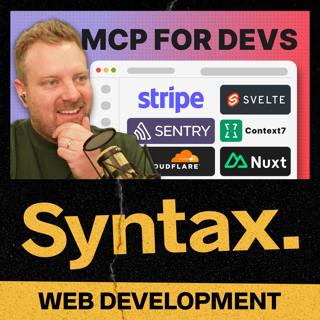
947: S-Tier MCP Servers for Developers
Scott and Wes break down the top-tier MCP servers developers are using right now. From browser automation to debugging superpowers, they explore how these servers are changing what’s possible in modern dev workflows. Show Notes 00:00 Welcome to Syntax! 01:52 Brought to you by Sentry.io. 02:46 Submit your Spooky Stories! 03:37 Syntax San Francisco Meetup. 04:11 S-Tier MCP Servers. 04:17 Sentry MCP Server (not sponsored). 05:01 Pause, what the heck is an MCP server. 05:45 Back to the Sentry MCP. 07:07 Spotlight JS. 09:08 ElevenLabs MCP hack. 11:19 Docs Tools. 11:29 Context7. 15:55 GitHub MCP Registry. 16:10 Nuxt MCP Server. 16:25 Svelte MCP Server. 20:35 Cloudflare MCP Servers. 22:34 Chrome Dev Tools (Playwright) MCP Server. 25:17 Stripe MCP Server. 27:55 Mastra. Hit us up on Socials! Syntax: X Instagram Tiktok LinkedIn Threads Wes: X Instagram Tiktok LinkedIn Threads Scott: X Instagram Tiktok LinkedIn Threads Randy: X Instagram YouTube Threads
20 Loka 202532min
946: We Got Roasted for Our Websites — Fair
In this potluck episode of Syntax, Wes and Scott answer your questions about why devs neglect their own websites, hosting shady projects (hypothetically), AI rules in version control, balancing side projects and family life, and more! Show Notes 00:00 Welcome to Syntax! 01:43 Why devs neglect their own websites (and how to convince your parents coding is a real job) 07:04 AirPods, Nothing Ear, and the ANC struggle 10:22 Shipping Syntax merch from Canada 12:43 Scott’s update on Omarchy and Linux laptop life 18:05 What to do when a user account gets hacked (and how to prevent it) 21:33 Should you commit LLM context files and AI-generated docs to Git? 25:27 How to balance career, side projects, and family life 29:25 Building and hosting a “legally dubious” website 33:27 Best practices for dealing with images 42:46 Where to find Wes’ awesome wallpapers 44:19 Can you trust services with a generous free tier? ServerlessHorrors 50:32 Do we still use GIFs? 52:23 Sick Picks + Shameless Plugs 55:59 Brought to you by Sentry.io Sick Picks Scott: Mkv-Quicklook Wes: Momofuku Sweet & Savory Korean BBQ Sauce Hit us up on Socials! Syntax: X Instagram Tiktok LinkedIn Threads Wes: X Instagram Tiktok LinkedIn Threads Scott: X Instagram Tiktok LinkedIn Threads Randy: X Instagram YouTube Threads
15 Loka 202557min
945: Chrome Dev Tools MCP Server
Scott and Wes dive into Chrome’s new MCP server; a dev tools API powered by Puppeteer that gives your scripts, editors, and AI agents full access to Chrome. They break down how it works, what it can (and can’t) do, and how it might change debugging and automation for developers Show Notes 00:00 Welcome to Syntax! 01:15 Syntax San Francisco Meetup. 01:55 We need your Spooky Stories! 02:42 What is an MCP Server? 04:28 MCP servers are not only for code editors. 06:43 Brought to you by Sentry.io. 07:49 Dev Tools MCP is similar to Puppeteer. 09:20 Setting up an MCP Server. 11:36 Example of MCP with Dominos Pizza. 13:23 Accessing Dev tools from your editor. 14:23 In VS Code, you can “Open Link”. 15:22 Using the MCP server. 16:26 Chrome has Debug insights inside of chrome’s dev tools. 18:38 Real world things the Chrome MCP server can do. 18:43 Analyzing performance. 19:55 Taking screenshots. 21:17 Performance fix feedback loop. 22:33 Remote connecting browsers. 24:54 Browser-use. 25:18 What are the limitations? Hit us up on Socials! Syntax: X Instagram Tiktok LinkedIn Threads Wes: X Instagram Tiktok LinkedIn Threads Scott: X Instagram Tiktok LinkedIn Threads Randy: X Instagram YouTube Threads
13 Loka 202529min
944: Is Coinbase Really Writing Half Their Code With AI?
Wes and Scott talk with Kyle Cesmat about how Coinbase is writing nearly half its code with AI—while keeping quality and security front and center. They dig into tools like Cursor and Claude Code, agent-driven workflows, code review challenges, and how AI is reshaping developer productivity without replacing developers. Show Notes 00:00 Welcome to Syntax! 03:29 Defining and measuring “quality” at a large company 05:05 How AI-generated code is reviewed and shipped at Coinbase 07:35 A developer’s workflow using AI—from ticket to production 10:30 Standard vs. team-specific tools for AI development 12:55 Using MCP servers to power internal AI workflows 14:42 MCP vs. custom agent integrations 17:16 What kinds of code AI is writing at Coinbase 19:48 Which languages and tasks does AI handle best? 21:21 Getting AI to follow existing code conventions greptile 24:36 Brought to you by Sentry.io 25:01 How AI affects hiring, velocity, and developer focus 28:16 AI’s role in speeding up code reviews 31:28 The most valuable AI tool in Coinbase’s stack 33:48 Managing AI costs and model choices 35:10 Security considerations for using external AI models 37:04 How often Coinbase tunes and adjusts its AI systems 39:26 Using AI to write code vs. embedding AI in customer-facing features 42:29 Kyle’s big-picture take on AI as a tool—not a magic bullet Measuring the Impact of Early-2025 AI on Experienced Open-Source Developer Productivity 44:33 The future of hiring engineers with their own “backpack” of agents 45:53 Sick Picks + Shameless Plugs Sick Picks Kyle: UltraShelf Hit us up on Socials! Syntax: X Instagram Tiktok LinkedIn Threads Wes: X Instagram Tiktok LinkedIn Threads Scott: X Instagram Tiktok LinkedIn Threads Randy: X Instagram YouTube Threads
8 Loka 202549min