
How Copilot’s Agent Mode Fixes Multi‑File Debugging, Config Drift and Slow .NET/Azure Development

How Copilot’s Agent Mode Fixes Multi‑File Debugging, Config Drift and Slow .NET/Azure Development

Stop Patchwork Coding: Copilot’s Agent Changes Everything

If you’ve ever opened a solution and instantly felt overwhelmed by the web of files, references and bugs waiting to ambush you, you’re not alone. Most developers work reactively—patching here, debugging there—while their day quietly disappears into code‑compile‑error loops. In this episode, we look at how GitHub Copilot’s agent mode changes that pattern by holding broader context and coordinating changes across multiple files, so you spend less time firefighting and more time actually designing systems.

We start with the hidden cost of patchwork debugging. That “quick fix” that eats an entire afternoon, the error that keeps coming back because the root cause lives in a different project, the mental tax of flipping between services, config files, dependency graphs and Azure resources just to keep the whole picture in your head. You’ll recognize how this doesn’t just slow one developer down—it drags whole teams into a culture of reactivity where progress is measured in bugs squashed instead of features shipped, and technical debt quietly grows with every rushed hotfix.

Then we move into the multi‑file chaos of real .NET and Azure solutions. In modern apps, a single feature spans controllers, services, models, DI registrations, config files and cloud bindings; the hard part isn’t writing code, it’s keeping all those moving parts aligned. We show how Copilot’s agent can act as a context manager here: updating methods and interfaces together, wiring Azure Functions with the right bindings and host settings, and generating consistent changes across projects instead of leaving you to stitch them together by hand. The focus shifts from hunting through tabs to reviewing a coherent set of suggested edits.

Finally, we explore what happens when error hunting itself becomes collaborative. Instead of reading a misleading stack trace, guessing at fixes and repeating the loop, you can ask the agent to trace the real cause across files, propose a set of changes and present them as a diff or pull request you can inspect. You stay firmly in control—reviewing, accepting or adjusting the changes—but the grunt work of tracking, patching and re‑patching is no longer yours alone. By the end, you’ll have a concrete picture of how moving from patchwork coding to agent‑supported workflows can reclaim your focus, stabilize your architecture and make your next debugging session feel a lot less like firefighting and a lot more like engineering.

WHAT YOU’LL LEARN
  • Why classic patch‑and‑pray debugging silently kills developer focus and team velocity.
  • How multi‑file .NET and Azure projects turn small fixes into sprawling coordination problems.
  • How Copilot’s agent mode uses cross‑file context to generate coherent, multi‑file changes.
  • How agent‑assisted error tracing turns opaque stack traces into actionable, reviewable fixes.
THE CORE INSIGHT

The core insight of this episode is that your biggest bottleneck isn’t writing code—it’s being forced to hold an entire solution’s context in your head while you chase bugs across files. Once you let an agent manage that context and propose coordinated changes, you stop living in reactive patchwork mode and start spending your time on the design and decisions only a human can make.

WHO THIS EPISODE IS FOR
  • .NET and Azure developers exhausted by endless debugging loops and config drift.
  • Tech leads and architects who want to stabilize large solutions without slowing delivery.
  • Teams curious how Copilot’s agent mode changes day‑to‑day development beyond simple autocomplete.
ABOUT THE AUTHOR / HOST

Mirko Peters is a Microsoft 365, Azure and developer productivity consultant and host of the M365.FM podcast, helping teams trade fragile, patch‑based workflows for agent‑supported development that scales. He works with organizations to combine .NET, Azure and tools like Copilot into dev environments where one command and one agent‑driven workflow replace hours of manual file‑hopping and firefighting.

Become a supporter of this podcast: https://www.spreaker.com/podcast/m365-fm-modern-work-security-and-productivity-with-microsoft-365--6704921/support.

Tämä jakso on lisätty Podme-palveluun avoimen RSS-syötteen kautta eikä se ole Podmen omaa tuotantoa. Siksi jakso saattaa sisältää mainontaa.

Jaksot(741)

How to Build a Winning Microsoft Partner Strategy

How to Build a Winning Microsoft Partner Strategy

What separates Microsoft partners that consistently grow from those that simply maintain their status? In this episode of m365.fm, we break down the four strategic pillars that transform Microsoft par...

15 Heinä 17min
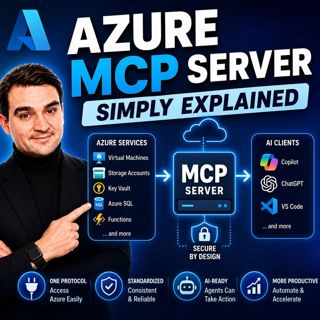
Azure MCP Server - Simply Explained

Azure MCP Server - Simply Explained

Artificial Intelligence is rapidly evolving from simply answering questions to actively performing real work. But for AI agents to become truly useful, they need secure access to cloud resources, data...

15 Heinä 17min
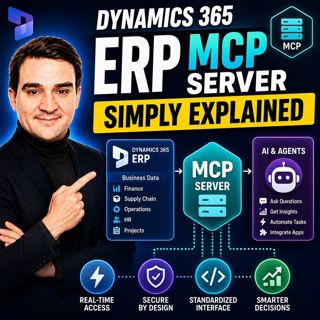
Dynamics 365 ERP MCP Server - Simply Explained

Dynamics 365 ERP MCP Server - Simply Explained

Artificial Intelligence is transforming how businesses interact with enterprise systems, but connecting AI assistants to ERP platforms has traditionally required custom APIs, complex integrations, and...

15 Heinä 13min
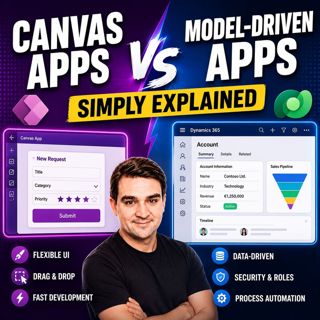
Canvas Apps vs Model-Driven Apps - Simply Explained

Canvas Apps vs Model-Driven Apps - Simply Explained

Microsoft Power Apps offers two primary ways to build business applications: Canvas Apps and Model-Driven Apps. At first glance they may appear similar, but they are designed for very different scenar...

15 Heinä 15min

Infrastructure as Code - Simply Explained

Infrastructure as Code - Simply Explained

Managing cloud infrastructure by clicking through the Azure Portal might work for a single virtual machine, but it quickly becomes slow, inconsistent, and difficult to maintain as environments grow. I...

15 Heinä 16min
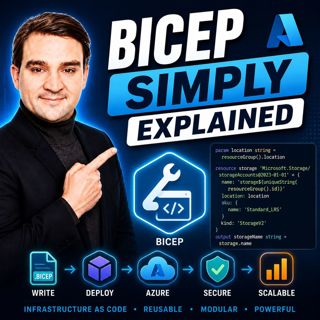
Bicep - Simply Explained

Bicep - Simply Explained

Deploying Azure resources through the Azure Portal is great for learning, but it quickly becomes difficult to repeat, document, and automate. That's where Bicep comes in. In this episode, we explain M...

15 Heinä 16min
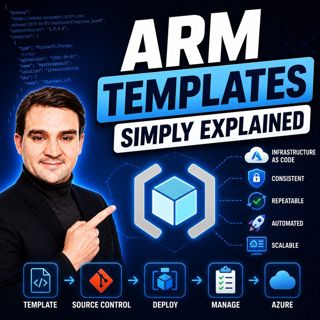
ARM Templates - Simply Explained

ARM Templates - Simply Explained

If you've ever built Azure resources by clicking through the Azure Portal, you've probably wondered how large organizations deploy identical environments over and over again without making mistakes. T...

15 Heinä 15min

Teams Telephony - Simply Explained

Teams Telephony - Simply Explained

Microsoft Teams Telephony transforms Microsoft Teams into a complete cloud-based business phone system, replacing traditional office PBXs with a modern, software-powered solution. In this episode, we ...

15 Heinä 17min

Suosittua kategoriassa Politiikka ja uutiset

aikalisa
uutiscast
ootsa-kuullut-tasta-2
rss-ootsa-kuullut-tasta
rss-seksicast
rss-vaalirankkurit-podcast
rss-podme-livebox
otetaan-yhdet
politiikan-puskaradio
tervo-halme
aihe
linda-maria
rikosmyytit
mtv-uutiset-polloraati
rss-aijat-hopottaa-podcast
rss-merja-mahkan-rahat
rss-raha-talous-ja-politiikka
rss-tekoalyfoorumi
rss-asiastudio
rss-girls-finish-f1rst