How To Do, Planner, Loop and Lists Turn into Chaos (and How to Build One Task System That Works)

How To Do, Planner, Loop and Lists Turn into Chaos (and How to Build One Task System That Works)

Microsoft 365 Tasks: Why You’re Drowning

Your task list isn’t failing because you’re lazy—it’s failing because Microsoft 365 gave you too many places to put work and no clear rules for how they fit together. To Do, Planner, Loop, Lists, Outlook flags and chat “Can you just…?” messages all compete for your attention, so you spend more time tracking work than actually doing it. In this episode, we unpack why your day feels like context‑switching gymnastics, show you how small tasks quietly multiply into a wall of invisible commitments, and explain how to build one simple, trusted system on top of the tools you already have instead of adding yet another app.

We start with what a “normal” M365 day really looks like. A request in a Teams chat, a Planner card assigned mid‑meeting, a flagged email, a Loop checklist in a document, a quick note in OneNote “for later”—none of these feel big on their own. But together they create a fragmented web of micro‑tasks across half a dozen apps with no single overview. You’ll recognize the symptoms: forgetting where you parked a promise, duplicate tasks in multiple tools, and that Friday feeling of “I was busy all week, but I can’t say what I actually finished.”

Then we explain why adding more features or more apps doesn’t fix this. Without a clear model—what lives where, what counts as a task, how work flows from idea to completion—every new tool just becomes another place to lose track. We break down the difference between personal task capture (To Do, flagged mail), shared work (Planner, Lists) and temporary coordination (Loop, chat), and show how mixing these roles is exactly what creates the drowning sensation. The goal is not to use all the tools, but to give each one a job.

Finally, we walk through how to design a “one system” approach that fits Microsoft 365 instead of fighting it. You’ll learn how to decide which tool is your personal cockpit, which tools hold team commitments, and how to connect them with a few simple habits so every new request has a predictable home. By the end, you’ll have a practical way to explain your task model to yourself and your team—so M365 stops feeling like a task jungle and starts acting like a coherent work environment where you can actually breathe.

WHAT YOU’LL LEARN
  • Why Microsoft 365 makes it so easy to collect tasks and so hard to see them all.
  • How tiny requests in chats, emails and docs quietly pile up into task overload.
  • Why more apps and features don’t help without a clear “which tool when” model.
  • How to design one simple, trusted task system on top of To Do, Planner, Loop and Lists.
THE CORE INSIGHT

The core insight of this episode is that you’re not drowning in tasks because you have too much to do—you’re drowning because the same work is scattered across too many unconnected places. Once you give each M365 tool a clear role and route every new request into a single, trusted system, your day stops feeling like survival mode and starts feeling manageable again.

WHO THIS EPISODE IS FOR
  • Knowledge workers who end every week exhausted but unsure what they actually completed.
  • Team leads who see tasks spread across chats, boards, lists and inboxes with no single overview.
  • Microsoft 365 champions trying to tame task chaos without forcing everyone into yet another tool.
ABOUT THE AUTHOR / HOST

Mirko Peters is a Microsoft 365 and digital productivity consultant and host of the M365.FM podcast, helping organizations turn scattered task tools into a clear, usable system for everyday work. He works with teams to define “one source of truth” for tasks, align To Do, Planner, Loop and Lists to that model, and reduce context‑switching—so people spend less time chasing their work and more time finishing it.

Become a supporter of this podcast: https://www.spreaker.com/podcast/m365-fm-modern-work-security-and-productivity-with-microsoft-365--6704921/support.

Tämä jakso on lisätty Podme-palveluun avoimen RSS-syötteen kautta eikä se ole Podmen omaa tuotantoa. Siksi jakso saattaa sisältää mainontaa.

Jaksot(740)

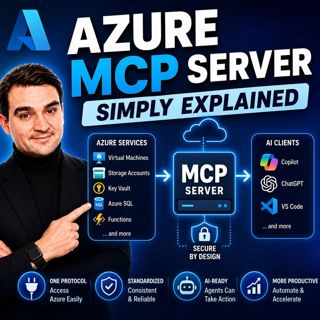
Azure MCP Server - Simply Explained

Azure MCP Server - Simply Explained

Artificial Intelligence is rapidly evolving from simply answering questions to actively performing real work. But for AI agents to become truly useful, they need secure access to cloud resources, data...

15 Heinä 17min
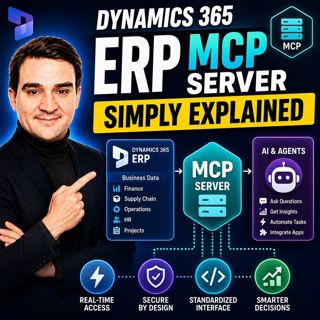
Dynamics 365 ERP MCP Server - Simply Explained

Dynamics 365 ERP MCP Server - Simply Explained

Artificial Intelligence is transforming how businesses interact with enterprise systems, but connecting AI assistants to ERP platforms has traditionally required custom APIs, complex integrations, and...

15 Heinä 13min
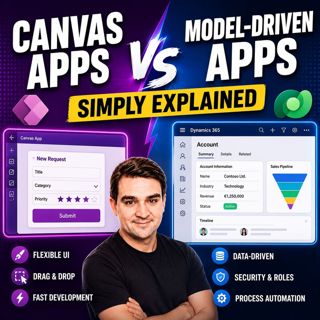
Canvas Apps vs Model-Driven Apps - Simply Explained

Canvas Apps vs Model-Driven Apps - Simply Explained

Microsoft Power Apps offers two primary ways to build business applications: Canvas Apps and Model-Driven Apps. At first glance they may appear similar, but they are designed for very different scenar...

15 Heinä 15min

Infrastructure as Code - Simply Explained

Infrastructure as Code - Simply Explained

Managing cloud infrastructure by clicking through the Azure Portal might work for a single virtual machine, but it quickly becomes slow, inconsistent, and difficult to maintain as environments grow. I...

15 Heinä 16min

Bicep - Simply Explained

Bicep - Simply Explained

Deploying Azure resources through the Azure Portal is great for learning, but it quickly becomes difficult to repeat, document, and automate. That's where Bicep comes in. In this episode, we explain M...

15 Heinä 16min

ARM Templates - Simply Explained

ARM Templates - Simply Explained

If you've ever built Azure resources by clicking through the Azure Portal, you've probably wondered how large organizations deploy identical environments over and over again without making mistakes. T...

15 Heinä 15min

Teams Telephony - Simply Explained

Teams Telephony - Simply Explained

Microsoft Teams Telephony transforms Microsoft Teams into a complete cloud-based business phone system, replacing traditional office PBXs with a modern, software-powered solution. In this episode, we ...

15 Heinä 17min
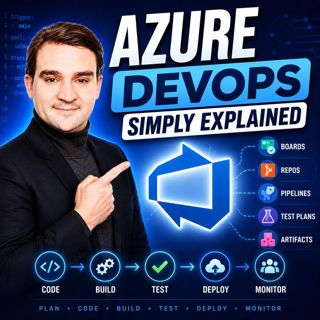
Azure DevOps - Simply Explained

Azure DevOps - Simply Explained

Azure DevOps is one of Microsoft's most comprehensive platforms for software development, yet many people mistakenly believe it's only for developers. In reality, Azure DevOps brings together project ...

15 Heinä 17min

Suosittua kategoriassa Politiikka ja uutiset

aikalisa
uutiscast
ootsa-kuullut-tasta-2
rss-ootsa-kuullut-tasta
rss-seksicast
rss-vaalirankkurit-podcast
rss-podme-livebox
otetaan-yhdet
politiikan-puskaradio
tervo-halme
aihe
linda-maria
rikosmyytit
mtv-uutiset-polloraati
rss-aijat-hopottaa-podcast
rss-merja-mahkan-rahat
rss-raha-talous-ja-politiikka
rss-tekoalyfoorumi
rss-asiastudio
rss-girls-finish-f1rst