Azure Virtual Desktop - Simply Explained

Azure Virtual Desktop - Simply Explained

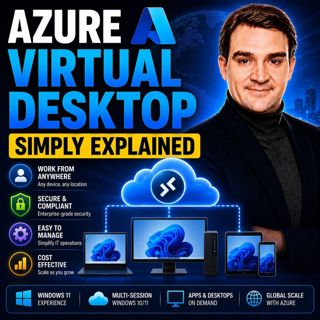
Azure Virtual Desktop (AVD) is Microsoft's cloud-based desktop virtualization platform that delivers a complete Windows desktop and business applications securely from Azure to virtually any device. Instead of relying on powerful local computers, the desktop experience runs inside Microsoft's cloud while users access it through the Windows App on Windows, macOS, iPad, Android, Linux, or even a web browser. Whether employees work from the office, home, or anywhere in the world, Azure Virtual Desktop provides the same familiar Windows experience while keeping applications and company data securely inside Azure.

WHY BUSINESSES ARE MOVING TO CLOUD DESKTOPS
Traditional desktop management requires purchasing laptops, deploying software, maintaining operating systems, replacing hardware every few years, and securing every endpoint individually. Azure Virtual Desktop completely changes this model by moving the desktop into the cloud. Users simply connect to their virtual desktop from any device while all applications, files, and processing remain inside Azure. If a laptop is lost or stolen, no business data leaves the Microsoft cloud. This significantly improves security while reducing IT administration, simplifying remote work, and allowing organizations to scale desktop environments as business needs change.

HOW AZURE VIRTUAL DESKTOP WORKS
Azure Virtual Desktop is built around Host Pools, which contain one or more Azure Virtual Machines known as Session Hosts. Users connect through the Windows App and authenticate using Microsoft Entra ID before being assigned to an available session. Organizations can deploy pooled desktops, where multiple users securely share the same Windows 11 Enterprise multi-session virtual machine, or personal desktops that provide dedicated virtual machines for individual users. Application Groups determine which desktops or applications users can access, while Workspaces organize those resources into a simple interface that appears automatically when users sign in. Microsoft manages the connection broker, gateways, load balancing, and much of the underlying infrastructure, allowing IT teams to focus on managing desktops rather than building remote desktop infrastructure.

FSLOGIX MAKES THE USER EXPERIENCE FEEL LOCAL
One of Azure Virtual Desktop's biggest strengths is its integration with FSLogix, Microsoft's profile management technology. Instead of copying user profiles between virtual machines during every login, FSLogix stores the entire profile inside a virtual disk that attaches instantly when users connect. Personal settings, Outlook caches, OneDrive synchronization, browser bookmarks, and application preferences follow users automatically regardless of which session host they use. The result is dramatically faster sign-in times, consistent user experiences, and seamless support for Microsoft 365 applications in shared multi-session environments.

SECURITY, SCALABILITY, AND COST SAVINGS
Azure Virtual Desktop combines enterprise-grade security with flexible cloud economics. Organizations can protect desktops using Microsoft Defender, Conditional Access, Multi-Factor Authentication, and Microsoft Entra ID while ensuring sensitive company data never resides on personal devices. Autoscaling automatically powers virtual machines on or off based on demand, significantly reducing Azure compute costs outside business hours. Because multiple users can share a single multi-session Windows host, businesses often require fewer virtual machines than traditional virtual desktop infrastructure, improving resource utilization and lowering operational expenses without sacrificing user performance.

WHEN SHOULD YOU USE AZURE VIRTUAL DESKTOP?
Azure Virtual Desktop is an excellent solution for remote work, hybrid workforces, contractors, call centers, education, healthcare, seasonal employees, software developers, and organizations that need secure access to Windows applications from any location. It also enables legacy Windows applications to run on non-Windows devices without local installation. Companies looking to improve security, simplify desktop management, support Bring Your Own Device (BYOD), or reduce hardware refresh cycles can benefit significantly from Azure Virtual Desktop. By centralizing desktops inside Azure while delivering a consistent user experience anywhere in the world, AVD has become one of Microsoft's most powerful modern workplace solutions.

Become a supporter of this podcast: https://www.spreaker.com/podcast/m365-fm-modern-work-security-and-productivity-with-microsoft-365--6704921/support.

Denne episoden er hentet fra en åpen RSS-feed og er ikke publisert av Podme. Den kan derfor inneholde annonser.

Episoder(790)

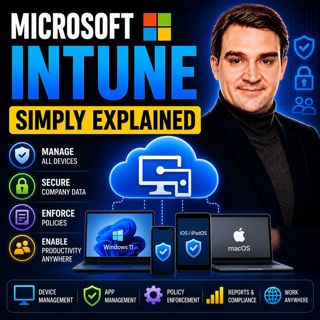
Microsoft Intune - Simply Explained

Microsoft Intune - Simply Explained

Microsoft Intune is Microsoft's cloud-based endpoint management platform that allows organizations to securely manage laptops, desktops, smartphones, tablets, and applications from a single web-based ...

17 Jul 12min
Azure ExpressRoute - Simply Explained

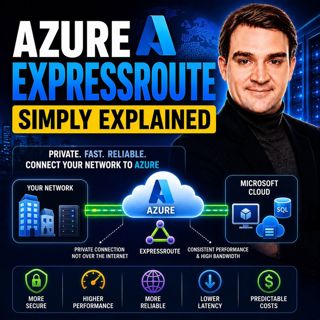
Azure ExpressRoute - Simply Explained

Azure ExpressRoute is Microsoft's private network connection service that links your on-premises infrastructure directly to Microsoft's global cloud network without using the public internet. Instead ...

17 Jul 13min
Azure Site Recovery - Simply Explained

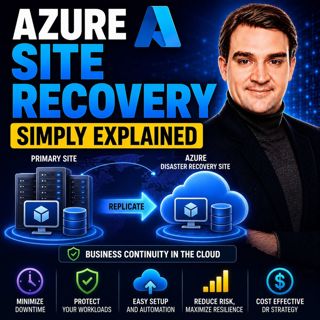
Azure Site Recovery - Simply Explained

Azure Site Recovery (ASR) is Microsoft's disaster recovery service designed to keep your business running when an entire server, data center, or Azure region becomes unavailable. Instead of simply bac...

17 Jul 14min
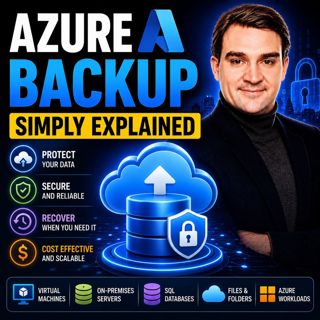
Azure Backup - Simply Explained

Azure Backup - Simply Explained

Azure Backup is Microsoft's fully managed cloud backup service that protects your virtual machines, databases, file shares, disks, and even on-premises servers without requiring backup servers, tapes,...

17 Jul 16min
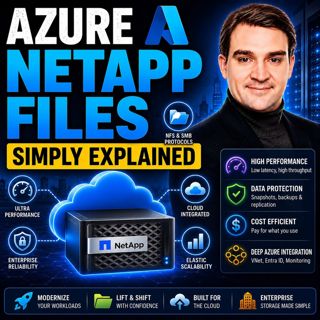
Azure NetApp Files - Simply Explained

Azure NetApp Files - Simply Explained

Azure NetApp Files (ANF) is Microsoft's enterprise-grade, ultra-high-performance file storage service built directly into Azure. Powered by NetApp's industry-leading storage technology, ANF delivers s...

17 Jul 15min

AI, Power Platform & Developer Experience: The Next Frontier with Reza Niroomand [MVP]

AI, Power Platform & Developer Experience: The Next Frontier with Reza Niroomand [MVP]

Artificial intelligence is transforming software development faster than ever before. Low-code platforms are becoming more powerful, professional developers are embracing AI-assisted coding, and enter...

17 Jul 1h
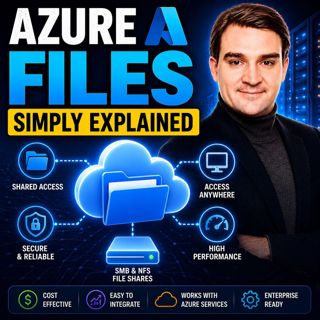
Azure Files - Simply Explained

Azure Files - Simply Explained

Azure Files is Microsoft's fully managed cloud file sharing service that allows you to create secure, scalable file shares without maintaining a traditional file server. Instead of purchasing hardware...

17 Jul 15min

Populært innen Politikk og nyheter

giver-og-gjengen-vg
aftenpodden-usa
fotballpodden-2
aftenpodden
forklart
stopp-verden
popradet
det-store-bildet
rss-gukild-johaug
hanna-de-heldige
rss-ness
aftenbla-bla
nokon-ma-ga
dine-penger-pengeradet
rss-penger-polser-og-politikk
lydartikler-fra-aftenposten
rss-utenrikskomiteen-med-bogen-og-grasvik
rss-hor-na-krim-2
e24-podden
unitedno