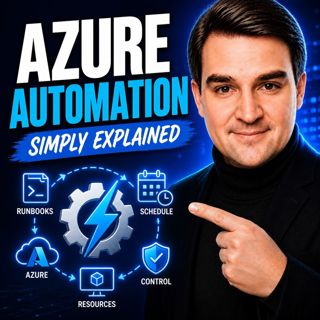
Azure Automation - Simply Explained
Welcome to another episode of Knowledge Nuggets with Mirko Peters. In this episode, we're exploring Azure Automation, Microsoft's cloud service for automating repetitive IT tasks across Azure and hybrid environments. Whether you're starting and stopping virtual machines, running maintenance scripts, applying configurations, or responding automatically to alerts, Azure Automation helps eliminate manual work while improving consistency and reducing operational costs. You'll learn how Automation Accounts, Runbooks, Schedules, Hybrid Runbook Workers, Desired State Configuration, Managed Identities, and shared resources all work together to build reliable cloud automation that runs 24/7 without human intervention.

WHY AZURE AUTOMATION MATTERS
Every IT administrator performs repetitive tasks that consume valuable time. Starting and stopping virtual machines, patching servers, cleaning up resources, rotating logs, or running maintenance scripts may seem simple individually, but become overwhelming as environments grow. Manual administration also introduces inconsistency and human error. One forgotten patch, one incorrectly configured server, or one missed maintenance task can quickly lead to operational issues. Azure Automation centralizes these recurring activities inside an Automation Account, allowing organizations to automate repetitive operational tasks, schedule maintenance windows, react to monitoring alerts, and execute scripts consistently across hundreds or even thousands of systems without manual intervention.

RUNBOOKS AND AUTOMATION ACCOUNTS
The heart of Azure Automation is the Runbook. A Runbook is simply a PowerShell or Python script stored inside an Automation Account. Once written and tested, Azure executes the same sequence of actions repeatedly without requiring user interaction. Runbooks can perform almost any administrative task, including:
  • Starting and stopping Azure Virtual Machines
  • Managing storage accounts
  • Executing database maintenance
  • Sending notifications
  • Calling REST APIs
  • Managing Azure resources
  • Automating cloud governance
Automation Accounts act as the central repository for runbooks, schedules, variables, credentials, certificates, and connections, making automation easier to organize, maintain, and secure across an entire Azure environment.

SCHEDULES, TRIGGERS, AND WEBHOOKS
Automation becomes valuable when runbooks execute without manual intervention. Azure Automation supports several trigger mechanisms. Schedules allow runbooks to execute once, daily, weekly, monthly, or according to custom recurrence patterns. Azure Monitor Alerts can trigger runbooks automatically whenever monitoring detects issues such as high CPU utilization, low disk space, or service failures. Webhooks expose secure URLs that external applications, Logic Apps, DevOps pipelines, or third-party systems can call to launch automation workflows instantly. Because schedules are reusable, a single schedule can trigger multiple runbooks simultaneously, making it easy to automate recurring operational tasks across multiple Azure resources.

HYBRID RUNBOOK WORKERS AND STATE CONFIGURATION
Azure Automation isn't limited to Azure resources. Hybrid Runbook Workers extend automation to on-premises servers, private datacenters, and other non-Azure environments. Instead of executing inside Azure's managed sandbox, runbooks execute locally on Hybrid Workers, providing direct access to internal networks, Active Directory, local databases, file shares, and legacy applications. For configuration management, Azure Automation includes Desired State Configuration (DSC), allowing administrators to define the desired configuration for servers and automatically detect or remediate configuration drift. As Microsoft evolves this capability, Azure Machine Configuration continues expanding these compliance and configuration management features while integrating more closely with Azure Policy.

SHARED RESOURCES AND MANAGED IDENTITIES
Automation workflows often require credentials, configuration values, certificates, or API connections. Azure Automation securely stores these shared resources centrally rather than embedding sensitive information directly inside scripts. Variables, encrypted credentials, certificates, and connection assets can all be reused across multiple runbooks while simplifying maintenance and improving security. Authentication is further simplified through Managed Identities. Instead of storing passwords or service principal secrets, Automation Accounts receive Azure-managed identities that authenticate securely to Azure resources. Azure automatically manages credential rotation, reducing administrative effort while following security best practices. Combined with Azure Role-Based Access Control (RBAC), Managed Identities provide secure, passwordless authentication for automation workloads.

REAL-WORLD AUTOMATION SCENARIOS
Azure Automation is commonly used to reduce operational costs and eliminate repetitive administration. Typical automation scenarios include:
  • Automatically starting development VMs every morning
  • Shutting down non-production environments after business hours
  • Applying scheduled maintenance
  • Cleaning temporary files
  • Rotating logs
  • Running compliance checks
  • Restarting failed services
  • Executing patch management tasks
  • Responding automatically to Azure Monitor alerts
  • Managing hybrid infrastructure across Azure and on-premises environments
A simple example involves automatically starting development virtual machines at 6 AM and shutting them down at 7 PM every weekday. Using Automation Accounts, Runbooks, Schedules, and Managed Identities, this entire process operates without human intervention while significantly reducing Azure compute costs.

KEY TAKEAWAYS
Azure Automation transforms repetitive operational tasks into reliable, repeatable workflows that execute automatically in the cloud or across hybrid environments. By combining Runbooks, Automation Accounts, Schedules, Hybrid Runbook Workers, Desired State Configuration, Shared Resources, and Managed Identities, organizations can improve operational consistency, strengthen security, reduce administrative effort, and significantly lower infrastructure costs. Whether you're managing a handful of virtual machines or an enterprise-scale Azure environment, Azure Automation provides the foundation for building reliable, scalable, and secure cloud operations.

Become a supporter of this podcast: https://www.spreaker.com/podcast/m365-fm-modern-work-security-and-productivity-with-microsoft-365--6704921/support.

Denne episoden er hentet fra en åpen RSS-feed og er ikke publisert av Podme. Den kan derfor inneholde annonser.

Episoder(814)

From AI Hype to AI Harness Engineering – Building AI That People Can Actually Trust with Alan Buscaglia [MVP] from Gentleman Programming

From AI Hype to AI Harness Engineering – Building AI That People Can Actually Trust with Alan Buscaglia [MVP] from Gentleman Programming

Artificial Intelligence is evolving rapidly, but building AI that organizations can actually trust requires far more than choosing the latest language model. In this episode of the M365.fm podcast, Mi...

20 Jul 0s
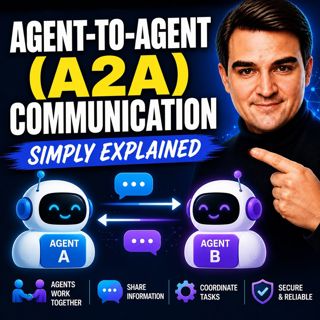
Agent-to-Agent (A2A) Communication - Simply Explained

Agent-to-Agent (A2A) Communication - Simply Explained

Welcome to another episode of Knowledge Nuggets with Mirko Peters. In this episode, we're exploring Agent-to-Agent (A2A) Communication, the open protocol that allows AI agents to discover one another,...

20 Jul 18min
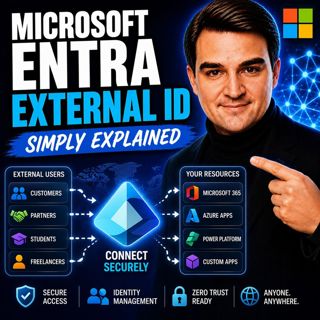
Microsoft Entra External ID - Simply Explained

Microsoft Entra External ID - Simply Explained

Welcome to another episode of Knowledge Nuggets with Mirko Peters. In this episode, we're exploring Microsoft Entra External ID, Microsoft's modern Customer Identity and Access Management (CIAM) platf...

20 Jul 14min
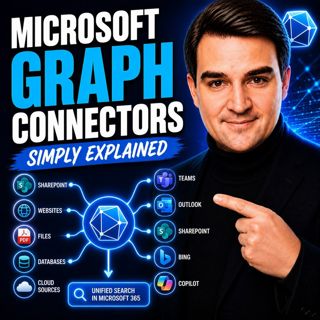
Microsoft Graph Connectors - Simply Explained

Microsoft Graph Connectors - Simply Explained

Welcome to another episode of Knowledge Nuggets with Mirko Peters. In this episode, we're exploring Microsoft Graph Connectors, now increasingly referred to as Microsoft Copilot Connectors. While Micr...

20 Jul 15min
Azure Advisor - Simply Explained

Azure Advisor - Simply Explained

Welcome to another episode of Knowledge Nuggets with Mirko Peters. In this episode, we're exploring Azure Advisor, Microsoft's free optimization service that continuously analyzes your Azure environme...

20 Jul 15min
Azure Cost Management - Simply Explained

Azure Cost Management - Simply Explained

Welcome to another episode of Knowledge Nuggets with Mirko Peters. In this episode, we're exploring Azure Cost Management, Microsoft's built-in solution for monitoring, analyzing, controlling, and opt...

20 Jul 18min
Azure Managed Disks - Simply Explained

Azure Managed Disks - Simply Explained

Welcome to another episode of Knowledge Nuggets with Mirko Peters. In this episode, we're exploring Azure Managed Disks, the storage technology that powers every Azure Virtual Machine. While many peop...

20 Jul 15min

Populært innen Politikk og nyheter

giver-og-gjengen-vg
aftenpodden
aftenpodden-usa
forklart
fotballpodden-2
stopp-verden
popradet
rss-gukild-johaug
det-store-bildet
hanna-de-heldige
rss-ness
aftenbla-bla
dine-penger-pengeradet
nokon-ma-ga
bt-dokumentar-2
rss-penger-polser-og-politikk
lydartikler-fra-aftenposten
e24-podden
unitedno
rss-utenrikskomiteen-med-bogen-og-grasvik